
Prodotto finitoview
The Plugable USB 3.0 to HDMI Video Graphics Adapter (Model: UGA-2KHDMI) allows you to connect an additional HDMI display to your computer via a USB 3.0 port. This adapter utilizes DisplayLink technology to provide high-resolution video output, supporting resolutions up to 2560x1440. It is designed to enhance productivity by enabling multi-monitor setups for various tasks, from professional work to educational use. Its compact and portable design ensures convenience for users on the go.

Figure 1: The Plugable USB 3.0 to HDMI Video Graphics Adapter, showing its HDMI output and USB 3.0 input. It is a compact black device.
Cosa c'è nella scatola
- 1x Plugable USB 3.0 to HDMI Video Graphics Adapter (UGA-2KHDMI)
- Guida rapida (non inclusa in questo manuale digitale)

Figure 2: The Plugable UGA-2KHDMI adapter shown within its retail packaging, indicating the product and its basic information.
Istruzioni di installazione
- Installazione del driver: Before connecting the adapter, ensure the necessary DisplayLink drivers are installed on your computer. For Windows and macOS 10.14+, drivers can typically be downloaded from the official DisplayLink website or Plugable support page.
- Connessione al computer: Plug the USB 3.0 connector of the UGA-2KHDMI adapter into an available USB 3.0 port on your laptop, desktop, or tablet.
- Connetti al display: Connect an HDMI cable from your external monitor to the HDMI port on the UGA-2KHDMI adapter.
- Accensione: Power on your external monitor. Your computer should detect the new display.
- Configura le impostazioni di visualizzazione: Access your operating system's display settings to configure the new monitor (e.g., extend display, duplicate display, resolution).
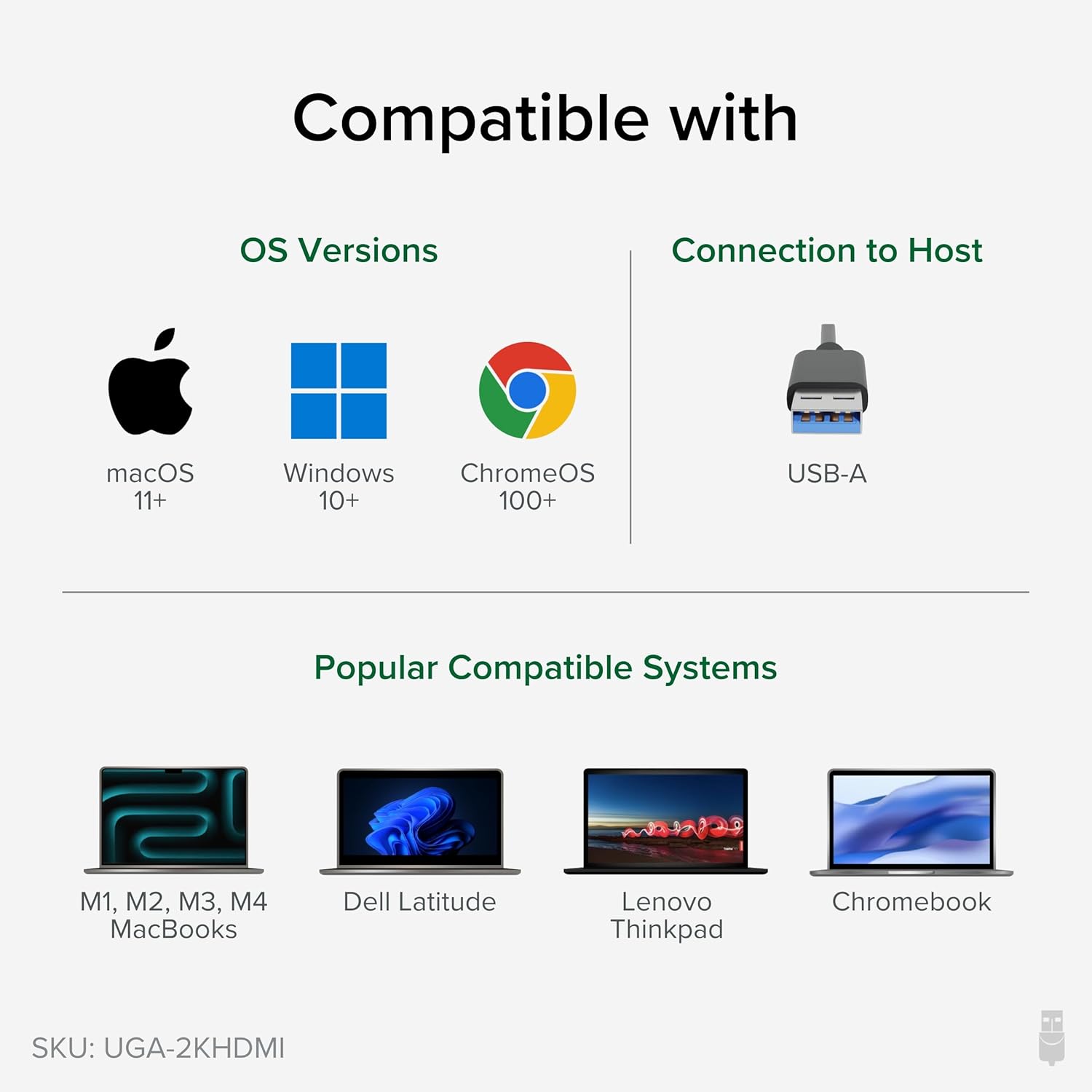
Figure 3: Illustrates the connection process of the adapter, showing the USB end plugged into a laptop and the HDMI end connected to an external monitor.
Video 1: Official Plugable video demonstrating the setup and functionality of the USB 3.0 to 2K HDMI Video Graphics Adapter, showing how to connect it and expand your screen space.
Istruzioni per l'uso
Once the adapter is connected and drivers are installed, your operating system will recognize the new display. You can then configure it to suit your needs:
- Estendi visualizzazione: This mode allows you to have a larger desktop area, spreading your applications across multiple screens. This is ideal for multitasking and increasing produttività.
- Visualizzazione duplicata (specchio): This mode shows the same content on both your primary and external displays. Useful for presentations or sharing content.
- Display principale: You can set the external monitor as your primary display, with your laptop screen acting as an extended or secondary display.
The adapter supports resolutions up to 2560x1440. For optimal performance, ensure your monitor and computer graphics card support the desired resolution.

Figure 4: An illustration demonstrating how multiple adapters can be used to create an extensive multi-monitor setup on Windows and ChromeOS, and up to 4 displays on macOS.
Compatibilità
The UGA-2KHDMI adapter offers broad compatibility:
- Sistemi operativi:
- Windows: Compatible with modern Windows laptops, desktops, or tablets, including Windows 11, 10, 7, and XP.
- macOS: Supports M1/M2/M3/M4 Macs on macOS 10.14+ with driver installation.
- Linux: Compatible with Linux (driver installation may be required).
- Tipo di connessione: USB 3.0 (USB-A) to HDMI.

Figure 5: Visual representation of the adapter's compatibility with macOS, Windows, and ChromeOS, and various laptop models.
Specifiche
| Caratteristica | Dettaglio |
|---|---|
| Marca | Collegabile |
| Numero di modello | UGA-2KHDMI |
| Tipo di connettore | USB 3.0 (USB-A) to HDMI |
| Risoluzione massima | 2560x1440 |
| Compatibilità del sistema operativo | Windows (11, 10, 7, XP), macOS (10.14+), Linux |
| Peso dell'articolo | 3.53 once |
| Dimensioni del prodotto (LxWxH) | 8.74 x 5.12 x 1.42 pollici |
| Colore | Nero |
Risoluzione dei problemi
- Nessuna visualizzazione/schermo nero:
- Assicurarsi che i driver DisplayLink siano installati e aggiornati correttamente.
- Verificare che tutti i cavi (USB e HDMI) siano collegati saldamente.
- Prova una porta USB diversa sul tuo computer.
- Test with a different HDMI cable or monitor if available.
- Restart your computer after driver installation or connection changes.
- Incorrect Resolution/Display Mode:
- Adjust display settings in your operating system (e.g., Windows Display Settings, macOS System Preferences > Displays).
- Assicurati che il tuo monitor supporti la risoluzione selezionata.
- Performance Issues (Lag/Choppy Video):
- Ensure the adapter is connected to a USB 3.0 port for optimal bandwidth.
- Chiudere le applicazioni non necessarie per liberare risorse di sistema.
- Aggiorna i driver grafici del tuo computer.
Manutenzione
To ensure the longevity and optimal performance of your Plugable USB 3.0 to HDMI Video Graphics Adapter, follow these maintenance guidelines:
- Pulizia: Utilizzare un panno morbido e asciutto per pulire l'adattatore. Evitare detergenti liquidi o materiali abrasivi.
- Magazzinaggio: Quando non viene utilizzato, conservare l'adattatore in un luogo fresco e asciutto, lontano dalla luce solare diretta e da temperature estreme.
- Gestione: Avoid dropping the adapter or subjecting it to strong impacts. Do not bend or twist the attached USB cable excessively.
- Ventilazione: Ensure the adapter is not covered or placed in an enclosed space that could restrict airflow, as proper ventilation helps prevent overheating.
Garanzia e supporto
Plugable products are backed by a 2-year coverage. For technical assistance or warranty claims, please contact Plugable support. North American Lifetime Support is available from the engineers who built the product.
For more information and support resources, visit the official Plugable websito.