
Introduzione
Grazie per l'acquistoasing the HORI Nintendo Switch Wireless HORIPAD (Zelda). This controller is officially licensed by Nintendo and designed to enhance your gaming experience on the Nintendo Switch. This manual provides essential information for setting up, operating, and maintaining your new controller. Please read it thoroughly before use and keep it for future reference.
Caratteristiche del prodotto
- Bluetooth wireless connectivity with a 32-foot range.
- Built-in rechargeable lithium-ion battery offering up to 15 hours of playtime per charge.
- Lightweight and ergonomic design for comfortable extended play sessions.
- Equipped with accelerometer and gyroscope for full-motion control.
- Officially Licensed by Nintendo, ensuring compatibility and quality.
Contenuto della confezione
- HORI Nintendo Switch Wireless HORIPAD (Zelda) Controller
- Cavo di ricarica USB-C
- Manuale di istruzioni
Layout del controller
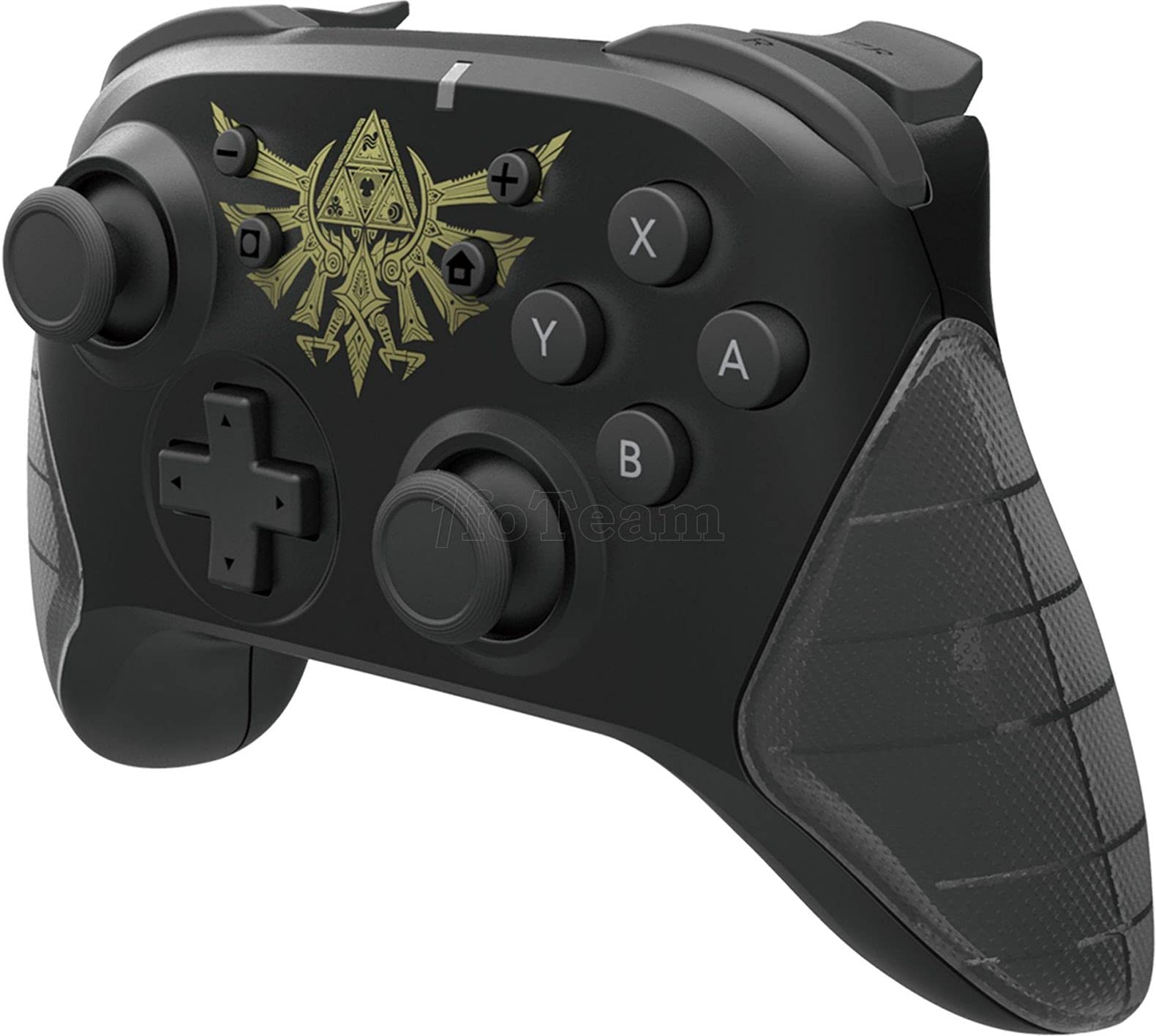
Figura 1: Fronte view of the HORI Nintendo Switch Wireless HORIPAD (Zelda) controller, featuring the Triforce emblem.

Figura 2: lato view of the HORI Nintendo Switch Wireless HORIPAD (Zelda) controller, showing shoulder buttons and ergonomic grip.
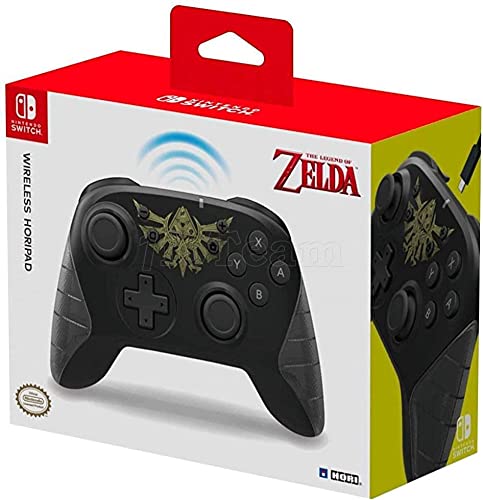
Figura 3: Indietro view of the HORI Nintendo Switch Wireless HORIPAD (Zelda) controller, showing the USB-C charging port.
The controller features standard Nintendo Switch button layouts, including two analog sticks, a D-pad, A/B/X/Y buttons, L/R/ZL/ZR shoulder buttons, and Home/Capture/Plus/Minus buttons. The USB-C charging port is located on the top edge of the controller.
Impostare
Abbinamento con Nintendo Switch
- Assicurati che la tua console Nintendo Switch sia accesa e aggiornata con il software di sistema più recente.
- Dal menu HOME, seleziona 'Controllers', Poi 'Change Grip/Order'.
- Sul HORI Wireless HORIPAD, tenere premuto il tasto Pulsante SYNC (located on the top edge, next to the USB-C port) for a few seconds until the Player LED lights begin to flash.
- Once the controller is successfully paired, the Player LED corresponding to its player number will remain lit.
- Premere il tasto Un pulsante on the controller to confirm and exit the pairing screen.
Caricamento del controller
The HORI Wireless HORIPAD features a built-in rechargeable battery. To charge:
- Connect the included USB-C charging cable to the USB-C port on the top of the controller.
- Connect the other end of the USB-C cable to a USB power source (e.g., Nintendo Switch Dock, USB wall adapter, computer USB port).
- The charging indicator LED on the controller will illuminate during charging and turn off when fully charged. A full charge typically takes approximately 2-3 hours and provides up to 15 hours of playtime.
Istruzioni per l'uso
Controlli di base
- Accensione: Premere il pulsante Home.
- Spegni: Hold the Home button for several seconds until the controller powers down, or disconnect it from the Switch.
- Movimento: Use the Left Analog Stick or D-pad.
- Telecamera/Mira: Use the Right Analog Stick.
- Pulsanti di azione: A, B, X, Y buttons for in-game actions.
- Bottoni sulle spalle: L, R, ZL, ZR for various in-game functions.
- Pulsanti di sistema: Plus (+) for options, Minus (-) for menu, Home for HOME Menu, Capture for screenshots/video clips.
Controlli di movimento
The controller supports motion controls via its built-in accelerometer and gyroscope. These functions are automatically enabled for compatible games. Ensure the controller is held steadily for accurate motion input.
Manutenzione
- Pulizia: Per pulire il controller, utilizzare un panno morbido e asciutto. Non utilizzare detergenti liquidi o solventi.
- Magazzinaggio: Conservare il controller in un luogo fresco e asciutto, lontano dalla luce solare diretta e da temperature estreme.
- Cura della batteria: Per prolungare la durata della batteria, evitare di scaricarla completamente frequentemente. Caricare regolarmente il controller, anche se non lo si utilizza costantemente.
- Evitare l'impatto: Non far cadere il controller né sottoporlo a forti urti, poiché ciò potrebbe danneggiare i componenti interni.
Risoluzione dei problemi
- Il controller non si connette:
- Assicurati che il controller sia carico.
- Verify the Nintendo Switch is updated to the latest system software.
- Attempt to re-pair the controller following the 'Pairing with Nintendo Switch' steps.
- Move closer to the Nintendo Switch console to ensure you are within the 32-foot Bluetooth range.
- Verificare eventuali interferenze wireless da parte di altri dispositivi.
- Buttons or sticks not responding:
- Assicurarsi che il controller sia correttamente collegato e carico.
- Riavvia la console Nintendo Switch.
- Test the controller in a different game or application to determine if the issue is game-specific.
- Breve durata della batteria:
- Assicurarsi che il controller sia completamente carico prima dell'uso.
- Le prestazioni della batteria potrebbero peggiorare nel tempo a causa di un uso prolungato.
Specifiche
| Marca | Orario |
| Nome del modello | HORIPAD senza fili |
| Dispositivi compatibili | Interruttore Nintendo |
| Tipo di controllore | Controllo di gioco |
| Tecnologia di connettività | USB, senza fili (Bluetooth) |
| Caratteristiche aggiuntive | Ergonomic, Wireless, Accelerometer, Gyroscope |
| Quantità del pulsante | 15 |
| Fonte di alimentazione | Alimentato a batteria (batteria ricaricabile agli ioni di litio) |
| Peso dell'articolo | 305 grammi |
| Dimensioni dell'articolo | 3.15 x 7.01 x 5.71 pollici |
| Colore | Black (Zelda design) |
Garanzia e supporto
For warranty information and customer support, please refer to the official HORI websito o contattare il rivenditore. Conservare la prova d'acquisto per eventuali reclami in garanzia.