
Introduzione
Thank you for choosing the OldShark Dash Cam. This 1080P Full HD dashboard camera is designed to provide reliable and high-quality video recording of your journeys, enhancing driving safety and providing crucial evidence in case of incidents. Equipped with a 3-inch display, 170° wide-angle lens, G-Sensor, and loop recording, it's an essential companion for every driver.
Please read this manual thoroughly before operating the device to ensure proper usage and to maximize its performance and lifespan.
Contenuto della confezione
Dopo aver disimballato il prodotto, verificare che tutti i seguenti articoli siano inclusi nella confezione:
- OldShark Dash Cam Unit
- Caricabatterie per auto
- Supporto di aspirazione
- Scheda Micro SD da 32 GB
- Cavo dati USB
- Manuale dell'utente (questo documento)

Image: All components included in the OldShark Dash Cam package, neatly laid out.
Caratteristiche del prodotto
- Ultra HD Video Recording: Captures clear 1080P Full HD video, ensuring detailed footage even in challenging light conditions.
- 170° Super Wide Angle Lens: Fornisce un campo espansivo di view, minimizing blind spots and capturing more of the road.
- Sensore G integrato: Rileva automaticamente impatti o collisioni improvvisi e blocca il video correntetage to prevent overwriting, serving as crucial accident evidence.
- Registrazione in loop senza interruzioni: Sovrascrive il foo sbloccato più vecchiotage quando la scheda di memoria è piena, garantendo una registrazione continua senza intervento manuale.
- Monitoraggio del parcheggio 24 ore su 24: Records short video clips when vibrations are detected while the vehicle is parked, offering surveillance even when you're away.
- Visione notturna eccellente: Equipped with F1.6 large aperture, WDR (Wide Dynamic Range), and HDR (High Dynamic Range) technology for enhanced clarity in low-light conditions.
- Installazione semplice: Simple plug-and-play setup with included suction mount and car charger.
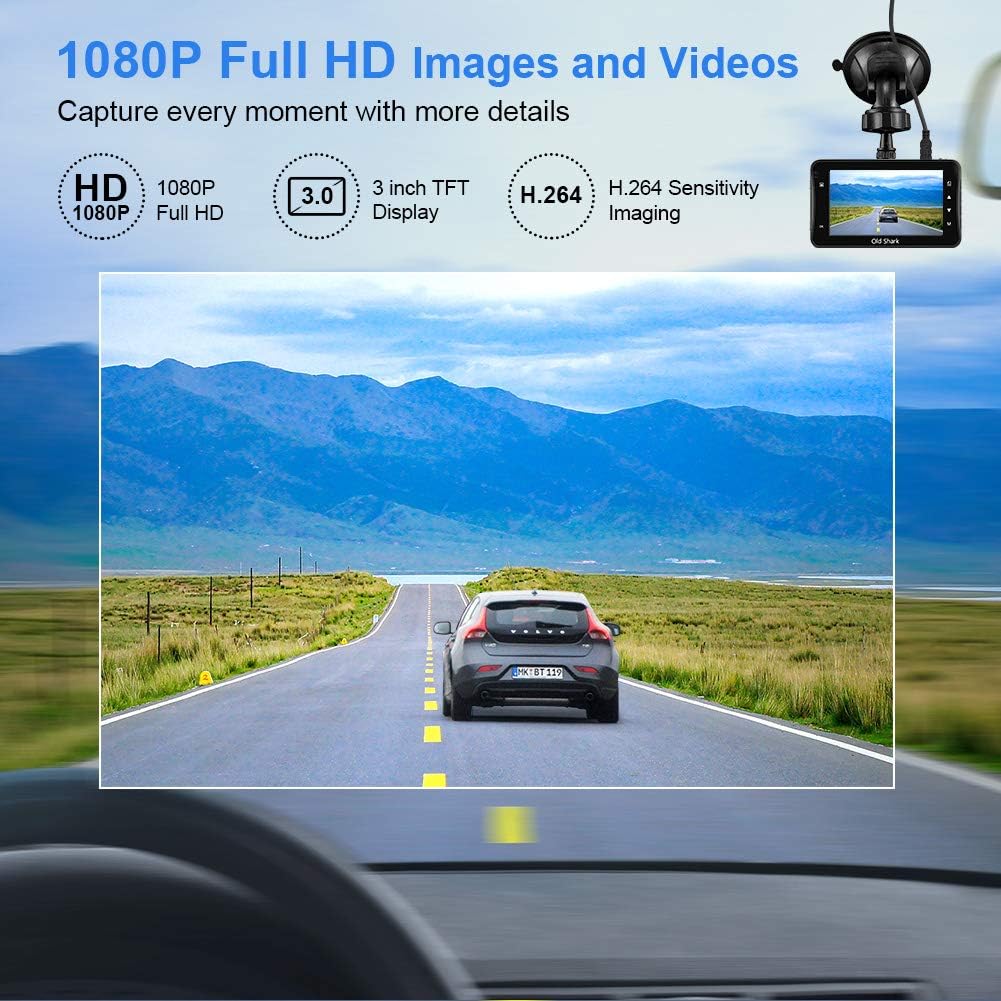
Image: Visual representation of the dash cam's 1080P Full HD video capabilities and display features.

Image: The G-Sensor feature, which automatically locks video footage during an impact to secure accident evidence.

Image: The 24-Hour Parking Monitor feature, which activates recording upon detecting vibrations while parked.

Image: The Super Night Vision capability, demonstrating improved low-light performance with its F1.6 aperture.

Image: The 170° wide-angle lens providing a broad view, con esamples di foo registratotage during day and night.
Guida all'installazione
1. Montaggio della Dash Cam
- Pulisci la zona del parabrezza dove intendi montare la dash cam. Assicurati che sia priva di polvere e grasso.
- Fissare il supporto a ventosa all'unità dash cam.
- Premere saldamente la ventosa contro il parabrezza e ruotare la leva per fissarla. Posizionare la telecamera in modo da garantire una visione chiara view della strada senza ostacolare la visuale durante la guida.
2. Inserimento della scheda Micro SD
- Individuare lo slot per la scheda Micro SD sul lato della dash cam.
- Insert the provided 32GB Micro SD card into the slot until it clicks into place. Ensure the card is inserted correctly with the gold contacts facing the back of the camera.
- For optimal performance, it is recommended to format the SD card within the dash cam's settings before first use and periodically thereafter.
3. Accensione
- Collegare il caricabatteria per auto alla porta di ingresso dell'alimentazione della dash cam.
- Collegare l'altra estremità del caricabatteria per auto alla presa accendisigari del veicolo.
- The dash cam will automatically power on and begin recording when your vehicle's ignition is turned on. It will also power off automatically when the ignition is turned off.

Image: The OldShark Dash Cam, showing its compact design, the included suction mount for windshield attachment, and the 32GB Micro SD card for storage.
Istruzioni per l'uso
Funzionamento di base
- Accensione/spegnimento: The camera powers on/off automatically with the car ignition. You can also manually power it on/off by pressing and holding the Power button.
- Registrazione: Once powered on, the dash cam automatically starts loop recording. A red flashing dot or similar indicator on the screen confirms recording is active.
- Interrompi registrazione: Press the OK button to stop recording. Press it again to resume.
- Commutazione della modalità: Use the Mode button to switch between Video Recording, Still Photo, and Playback modes.
- Riproduzione: In Playback mode, use the Up/Down buttons to navigate through recorded files. Press OK to play a selected video.
Navigazione nei menu
- Press the Menu button to access settings.
- Use the Up/Down buttons to scroll through menu options.
- Press OK to select an option or confirm a setting.
- Press Menu again to exit the menu.
Funzioni chiave
- Registrazione in loop: Set the duration for video segments (e.g., 1, 3, 5 minutes). When the card is full, the oldest unlocked file verrà sovrascritto.
- Sensibilità del sensore G: Adjust the sensitivity of the G-Sensor (Low, Medium, High). A higher sensitivity means the camera will lock footage more easily upon detecting bumps or impacts.
- Monitoraggio del parcheggio: Enable this feature to allow the dash cam to automatically record a short video when it detects a vibration while the car is parked and turned off.
- Rilevamento del movimento: When enabled, the camera will start recording automatically if it detects movement in front of the lens while parked.
- Data/Ora Stamp: Ensure the correct date and time are set in the menu for accurate timestamps sulle tue registrazioni.
Manutenzione
- Pulizia: Utilizzare un panno morbido e asciutto per pulire l'obiettivo e lo schermo della fotocamera. Evitare l'uso di detergenti abrasivi o solventi.
- Cura della scheda SD: Regularly format the Micro SD card (at least once a month) within the dash cam's settings to maintain optimal recording performance and prevent data corruption. Use only high-quality Class 10 or higher Micro SD cards.
- Temperatura: Evitare di esporre la dash cam a temperature estreme (molto calde o molto fredde) per periodi prolungati, poiché ciò potrebbe compromettere la durata della batteria e l'integrità dei componenti.
- Aggiornamenti del firmware: Check the official OldShark webperiodicamente il sito per verificare la disponibilità di eventuali aggiornamenti del firmware, per garantire che la tua dash cam disponga delle funzionalità più recenti e delle correzioni di bug.
Risoluzione dei problemi
| Problema | Soluzione |
|---|---|
| La dash cam non si accende. | Ensure the car charger is securely connected to both the dash cam and the vehicle's cigarette lighter. Check if the vehicle's cigarette lighter is receiving power. Try a different power source if available. |
| La registrazione si interrompe inaspettatamente. | Check if the Micro SD card is full. Format the SD card. Ensure you are using a Class 10 or higher SD card. Reduce G-Sensor sensitivity if it's triggering too often. |
| Video pippotage è sfocato o poco chiaro. | Clean the camera lens and your car's windshield. Ensure the protective film has been removed from the lens. Check video resolution settings. |
| La dash cam si blocca o non risponde più. | Press the reset button (if available, usually a small pinhole) or disconnect and reconnect the power. Format the Micro SD card. |
| La data e l'ora sono errate. | Go to the system settings menu and manually set the correct date and time. Save the settings. |
Specifiche
| Caratteristica | Dettaglio |
|---|---|
| Nome del modello | GS505 |
| Numero modello articolo | A1OS-GS505-T032 |
| Risoluzione di acquisizione video | 1080p Full HD |
| Angolo dell'obiettivo | Grandangolo 170° |
| Dimensioni dello schermo | 3 pollici |
| Caratteristiche speciali | G-Sensor, Loop Recording, Parking Guard, Motion Detection, Auto On/Off, Time Stamp, Screensaver, Night Vision (F1.6 Aperture) |
| Tecnologia di connettività | USB |
| Tipo di montaggio | Supporto di aspirazione |
| Dimensioni del prodotto | 3.46 x 1 x 0.59 pollici |
| Peso dell'articolo | 4.4 once |
| Produttore | Old Shark |
Informazioni sulla garanzia
OldShark products are manufactured with high-quality standards. For specific warranty terms and conditions, please refer to the warranty card included in your product packaging or contact OldShark customer support. The warranty typically covers manufacturing defects for a specified period from the date of purchase.
Conservare la ricevuta d'acquisto come prova d'acquisto per eventuali reclami in garanzia.
Assistenza clienti
If you encounter any issues or have questions regarding your OldShark Dash Cam that are not covered in this manual, please do not hesitate to contact our customer support team.
For the most up-to-date contact information and support resources, please visit the official OldShark store on Amazon or their official websito.
Risorse online:
- OldShark Amazon Store: Visita il negozio