
1. Introduzione
This manual provides essential instructions for the proper setup, operation, and maintenance of your CipherLab 1500P HP 1D Corded Barcode Scanner. Please read this manual thoroughly before using the device to ensure optimal performance and to prevent damage.
2. Informazioni sulla sicurezza
- Non esporre lo scanner a temperature estreme, umidità o luce solare diretta.
- Evitare di far cadere lo scanner o di sottoporlo a urti violenti.
- Non tentare di smontare o modificare lo scanner. Ciò invaliderà la garanzia.
- Per la connessione utilizzare esclusivamente il cavo USB fornito.
- Keep the scanning window clean to ensure accurate barcode reading.
3. Contenuto della confezione
Si prega di controllare il contenuto della confezione per assicurarsi che siano presenti tutti gli articoli:
- CipherLab 1500P HP 1D Corded Barcode Scanner
- Cavo USB
- Guida rapida (se inclusa)
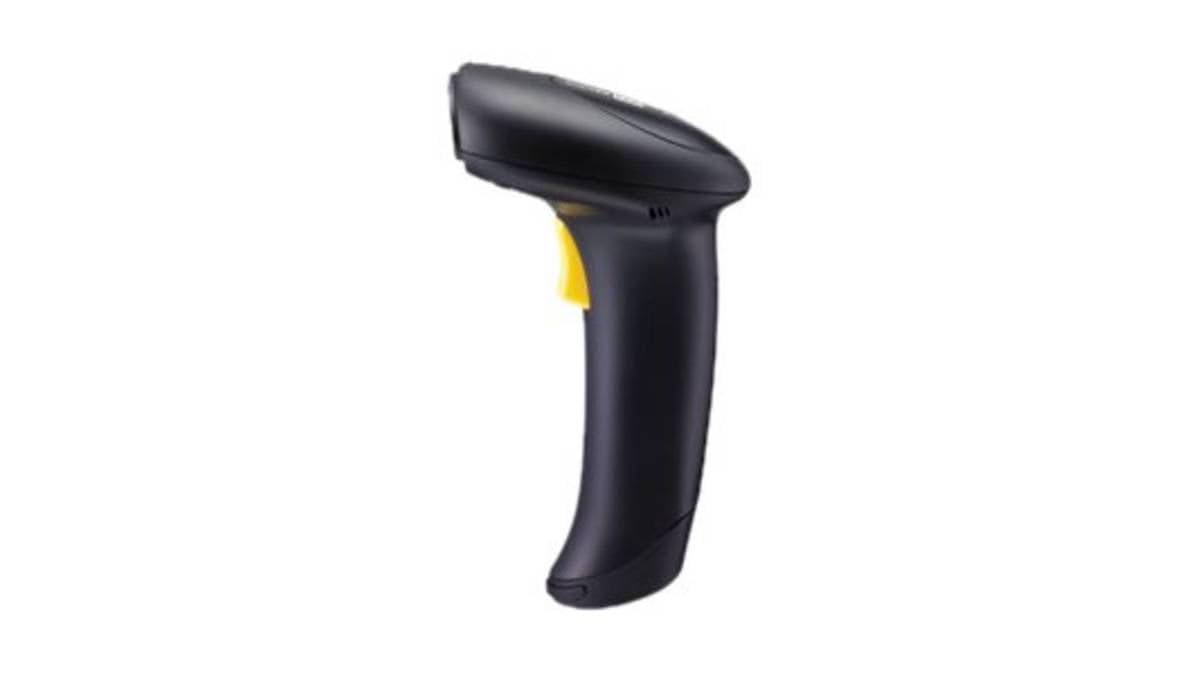
Figure 1: CipherLab 1500P HP 1D Corded Barcode Scanner with USB cable. This image displays the ergonomic design of the scanner and its wired connection.
4. Impostazione
4.1 Collegamento dello scanner
- Locate an available USB port on your computer or host device.
- Connect the smaller end of the USB cable to the port at the base of the CipherLab 1500P HP scanner.
- Collegare l'estremità più grande del cavo USB alla porta USB del computer.
- The scanner will power on automatically. Most operating systems will detect and install the necessary drivers automatically (Plug-and-Play).
4.2 Test iniziale
After connecting, open a text editor (e.g., Notepad, Word) or any application that accepts keyboard input. Scan a known barcode. The data should appear in the application. If not, refer to the Troubleshooting section.
5. Funzionamento dello scanner
5.1 Scansione di base
- Tieni lo scanner comodamente in mano.
- Puntare la finestra di scansione verso il codice a barre che si desidera leggere.
- Press and hold the trigger button. A red aiming line will appear.
- Center the aiming line over the entire barcode.
- Once the barcode is successfully read, the scanner will emit a beep and the LED indicator will flash. Release the trigger button.
5.2 Scanning Feedback
- Lettura riuscita: A short beep and a green LED flash.
- Lettura non riuscita: No beep or flash, or a different error tone (refer to troubleshooting).
6. Manutenzione
6.1 Pulizia dello scanner
To maintain optimal scanning performance, keep the scanning window clean:
- Utilizzare un panno morbido e privo di lanugine dampcon acqua o una soluzione detergente delicata e non abrasiva.
- Gently wipe the scanning window and the exterior casing.
- Do not use harsh chemicals, solvents, or abrasive materials, as these can damage the scanner.
6.2 Conservazione
Quando non in uso, conservare lo scanner in un ambiente pulito e asciutto, lontano dalla luce solare diretta e da temperature estreme.
7. Risoluzione Dei Problemi
| Problema | Possibile causa | Soluzione |
|---|---|---|
| Lo scanner non si accende. | Cavo USB non collegato correttamente o porta USB difettosa. | Assicurarsi che il cavo USB sia collegato saldamente sia allo scanner che al computer. Provare una porta USB diversa. |
| Lo scanner non legge i codici a barre. | Barcode damaged, scanning window dirty, incorrect scanning angle, or scanner not configured for barcode type. | Ensure the barcode is clear and undamaged. Clean the scanning window. Adjust the scanning angle. Refer to the full programming manual for advanced configuration. |
| I dati scansionati vengono visualizzati in modo errato. | Keyboard layout mismatch or incorrect data formatting. | Ensure your computer's keyboard layout matches the scanner's default or programmed layout. Consult the full programming manual for data formatting options. |
8. Specifiche
- Numero modello: A1500PCBSU001
- Tecnologia di connettività: Cavo USB
- Fonte di energia: Cavo USB
- Dispositivi compatibili: Desktop, portatile
- Peso dell'articolo: 10.93 libbre
- Dimensioni della confezione: 8 x 8 x 8 pollici
- Produttore: Laboratorio di cifratura
9. Informazioni sulla garanzia
CipherLab products are manufactured to high quality standards. This product is covered by a limited warranty against defects in materials and workmanship. For specific warranty terms and conditions, please refer to the warranty card included with your product or visit the official CipherLab websito.
10. Assistenza clienti
If you encounter issues not covered in this manual or require further assistance, please contact your vendor or visit the official CipherLab support website for up-to-date resources, FAQs, and contact information.