
1. Introduzione
This manual provides essential instructions for the proper setup, operation, and maintenance of your YI YAS.1616.INT 4K Action Camera Kit. Please read this manual thoroughly before using the product to ensure optimal performance and safety. Keep this manual for future reference.
2. Prodotto finitoview
2.1 Contenuto del kit
The YI YAS.1616.INT 4K Action Camera Kit includes the following components:
- YI 4K Action Camera
- YI Monopod
- Telecomando Bluetooth
- Batteria ricaricabile
- Cavo USB
- Manuale di istruzioni

Image 2.1: Contents of the YI 4K Action Camera Kit.
2.2 Caratteristiche della fotocamera
The YI 4K Action Camera is designed for high-quality video and photo capture, featuring:
- 4K/30fps Video Recording: Captures video at 60mbps, offering 4 times the quality of standard 1080p.
- Advanced Imaging Hardware: Equipped with an Amarelle A9SE75 chip, Sony IMX377 image sensor, and 7-layer optical glass lenses with an F2.8 large aperture for enhanced light intake.
- Schermo LCD touchscreen da 2.19": A 640 x 360 high-resolution display with Gorilla Glass Retina for easy previewing, shooting, and scratch resistance.
- Batteria a lunga durata: A 1400mAh 4.4V lithium-ion battery provides up to 120 minutes of 4K/30fps video recording on a single charge.
- Sistema di raffreddamento efficiente: Prevents overheating during extended recording sessions.
- Connettività: Built-in Wi-Fi for smartphone app control and Bluetooth for remote control.
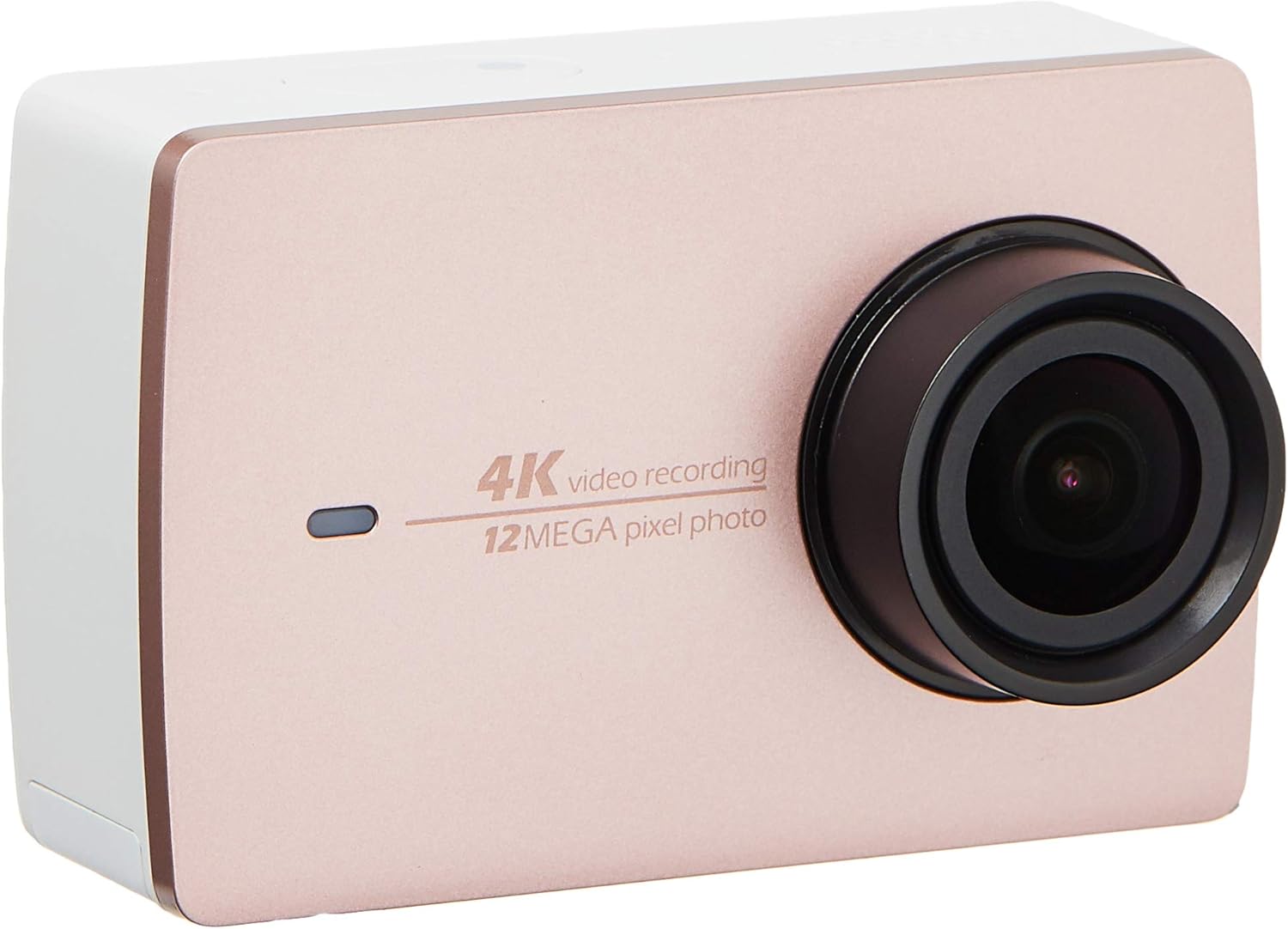
Immagine 2.2: anteriore view of the YI 4K Action Camera.
3. Impostazione
3.1 Installazione e ricarica della batteria
- Individuare il vano batteria sulla fotocamera.
- Inserire la batteria agli ioni di litio da 1400 mAh, assicurandosi della corretta polarità.
- Chiudere bene il vano batterie.
- Collegare la fotocamera a una fonte di alimentazione tramite il cavo USB in dotazione per la ricarica. L'indicatore di carica si illuminerà.
3.2 Installazione della scheda di memoria
The YI 4K Action Camera supports SDHC and SmartMedia flash memory types.
- Aprire il coperchio dello slot della scheda di memoria.
- Insert a compatible memory card (not included) into the slot with the contacts facing the correct direction. Push until it clicks into place.
- Chiudere il coperchio dello slot della scheda di memoria.
3.3 Accensione/Spegnimento
- Per accendere: Tenere premuto il pulsante di accensione finché lo schermo non si illumina.
- Per spegnere: Tenere premuto il pulsante di accensione finché la fotocamera non si spegne.
3.4 Connecting the Bluetooth Remote
The included Bluetooth remote allows for convenient control of the camera.
- Assicurati che la fotocamera sia accesa.
- Activate Bluetooth pairing mode on the camera via the settings menu.
- Follow the remote's instructions to enter pairing mode.
- Once paired, the remote can be used to switch between video and photo modes and trigger recording/capture.

Image 3.1: The YI Monopod, included in the kit.
4. Utilizzo della fotocamera
4.1 Navigazione touchscreen
The 2.19" LCD touchscreen provides intuitive control:
- Scorri: Navigate through different modes (Video, Photo, Time-lapse, etc.) and settings.
- Rubinetto: Select options, adjust settings, or start/stop recording.
- Preview: View il tuo foo catturatotage and photos directly on the screen.
4.2 Registrazione video
- Select the Video mode on the touchscreen.
- Adjust video resolution (e.g., 4K/30fps) and other settings as desired.
- Press the Shutter button or tap the record icon on the screen to start recording.
- Press the Shutter button or tap the record icon again to stop recording.
4.3 Acquisizione foto
- Select the Photo mode on the touchscreen.
- Adjust photo settings such as resolution, exposure, and white balance.
- Press the Shutter button or tap the capture icon on the screen to take a photo.
4.4 Connettività Wi-Fi e utilizzo delle app
The camera's built-in Wi-Fi allows connection to a smartphone app for remote control, live preview, and content management.
- Download the official YI Action Camera app from your device's app store.
- Abilitare il Wi-Fi sulla fotocamera tramite il menu delle impostazioni.
- Connect your smartphone to the camera's Wi-Fi network (SSID and password displayed on camera screen).
- Open the YI Action Camera app to control the camera, view pippotage, e trasferimento files.
5. Manutenzione
5.1 Pulizia
- Use a soft, lint-free cloth to clean the camera body and touchscreen.
- Per la pulizia delle lenti, utilizzare un panno e una soluzione specifici. Evitare materiali abrasivi.
- Assicurarsi che tutte le porte siano prive di polvere e detriti.
5.2 Conservazione
- Conservare la fotocamera in un luogo fresco e asciutto, lontano dalla luce solare diretta e da temperature estreme.
- Rimuovere la batteria se non la si utilizza per lunghi periodi per evitare perdite.
5.3 Aggiornamenti firmware
Periodically check the official YI website or the YI Action Camera app for available firmware updates. Keeping your camera's firmware updated ensures optimal performance and access to new features.
6. Risoluzione Dei Problemi
6.1 Problemi comuni e soluzioni
- La fotocamera non si accende: Assicurarsi che la batteria sia completamente carica e inserita correttamente.
- La registrazione si interrompe inaspettatamente: Check if the memory card has sufficient space or if it's a high-speed card suitable for 4K recording. Ensure the battery is not depleted.
- Il touchscreen non risponde: Try restarting the camera. If the issue persists, ensure the screen is clean and dry.
- Il telecomando Bluetooth non si connette: Ensure both the camera and remote are in pairing mode and within range. Check the remote's battery.
- Problemi di connessione Wi-Fi: Verify the camera's Wi-Fi is enabled and your smartphone is connected to the correct network. Try restarting both devices.
For further assistance, refer to the official YI support resources.
7. Specifiche
| Produttore | YI |
| Numero di modello | 90010 |
| Dimensioni del prodotto | Dimensioni: 6.6 x 3 x 4.3 cm |
| Peso | 96.39 grammi |
| Tecnologia del sensore fotografico | CMOS |
| Risoluzione di acquisizione video | 4K |
| Lunghezza focale massima | 1 |
| Apertura massima | 2.8 millimetri |
| Tipo di memoria flash | SDHC, SmartMedia |
| Formato di acquisizione video | MP4 |
| Formato audio supportato | AAC, MP3 |
| Dimensioni dello schermo | 2.19 pollici |
| Tecnologia di connettività | Wifi |

Image 7.1: YI 4K Action Camera with monopod, illustrating approximate dimensions.
8. Garanzia e supporto
8.1 Informazioni sulla garanzia
Questo prodotto viene fornito con un Garanzia locale di 1 anno (Singapore)Si prega di conservare la prova d'acquisto per eventuali reclami in garanzia. La garanzia copre i difetti di fabbricazione in normali condizioni d'uso.
8.2 Assistenza clienti
For technical support, service, or warranty inquiries, please visit the official YI Technology website or contact their authorized service centers in Singapore. Contact information can typically be found on the product packaging or the official websito.