
symcode MJ-2877CCD
Symcode 3-in-1 Barcode Scanner User Manual
Model: MJ-2877CCD | Brand: symcode
1. Introduzione
The Symcode 3-in-1 Barcode Scanner (Model MJ-2877CCD) is a versatile and portable device designed for efficient barcode scanning across various platforms. It supports Bluetooth, USB Wired, and 2.4G Wireless connectivity, making it compatible with Windows, Android, iOS, tablets, and computers. This CCD Bluetooth scanner features advanced digital image acquisition, allowing it to read 1D barcodes from screens, addressing a common limitation of traditional 1D scanners.
Caratteristiche principali:
- Wireless operation for enhanced convenience and portability.
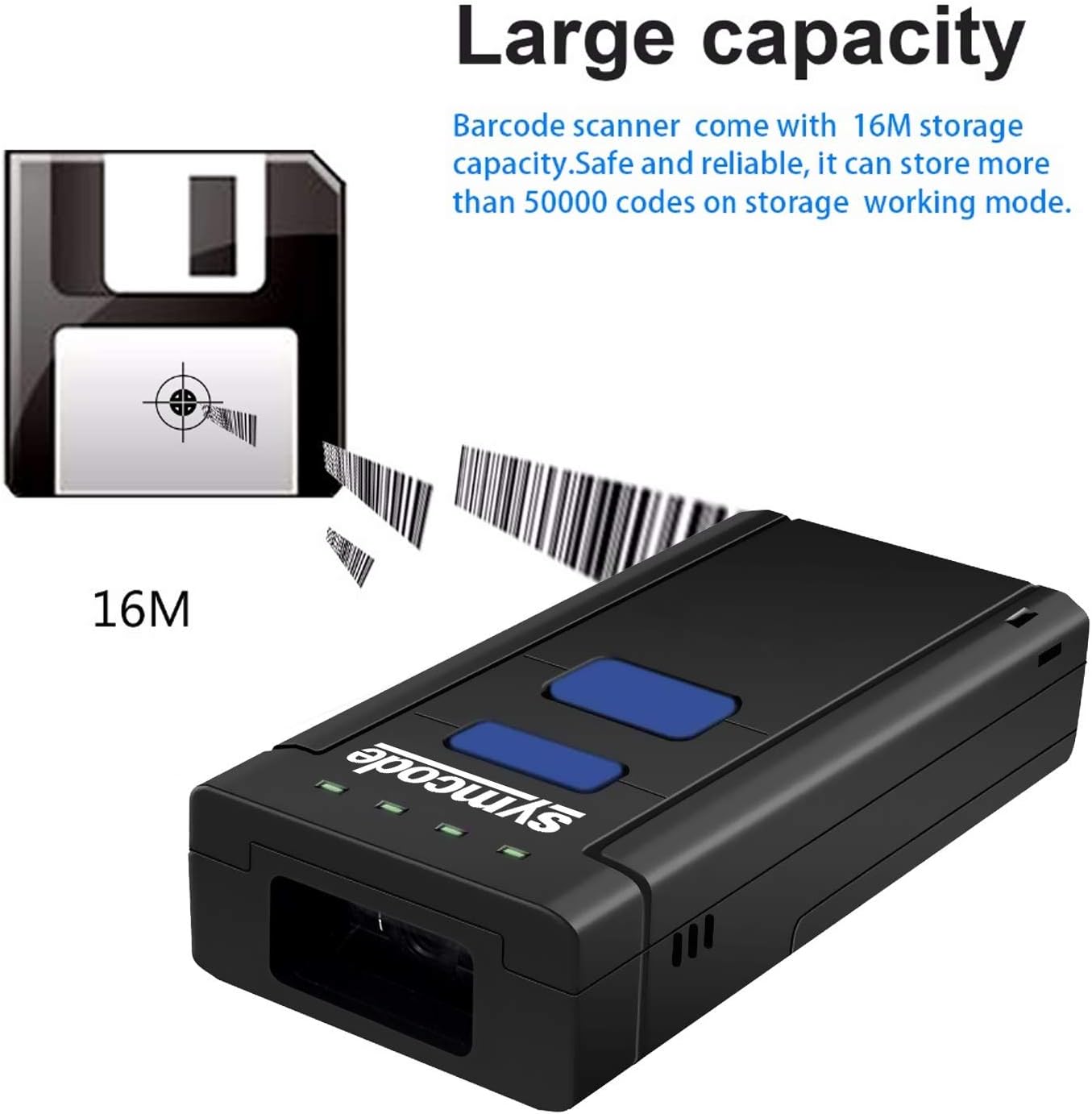
- Large storage capacity, capable of saving over 50,000 codes.
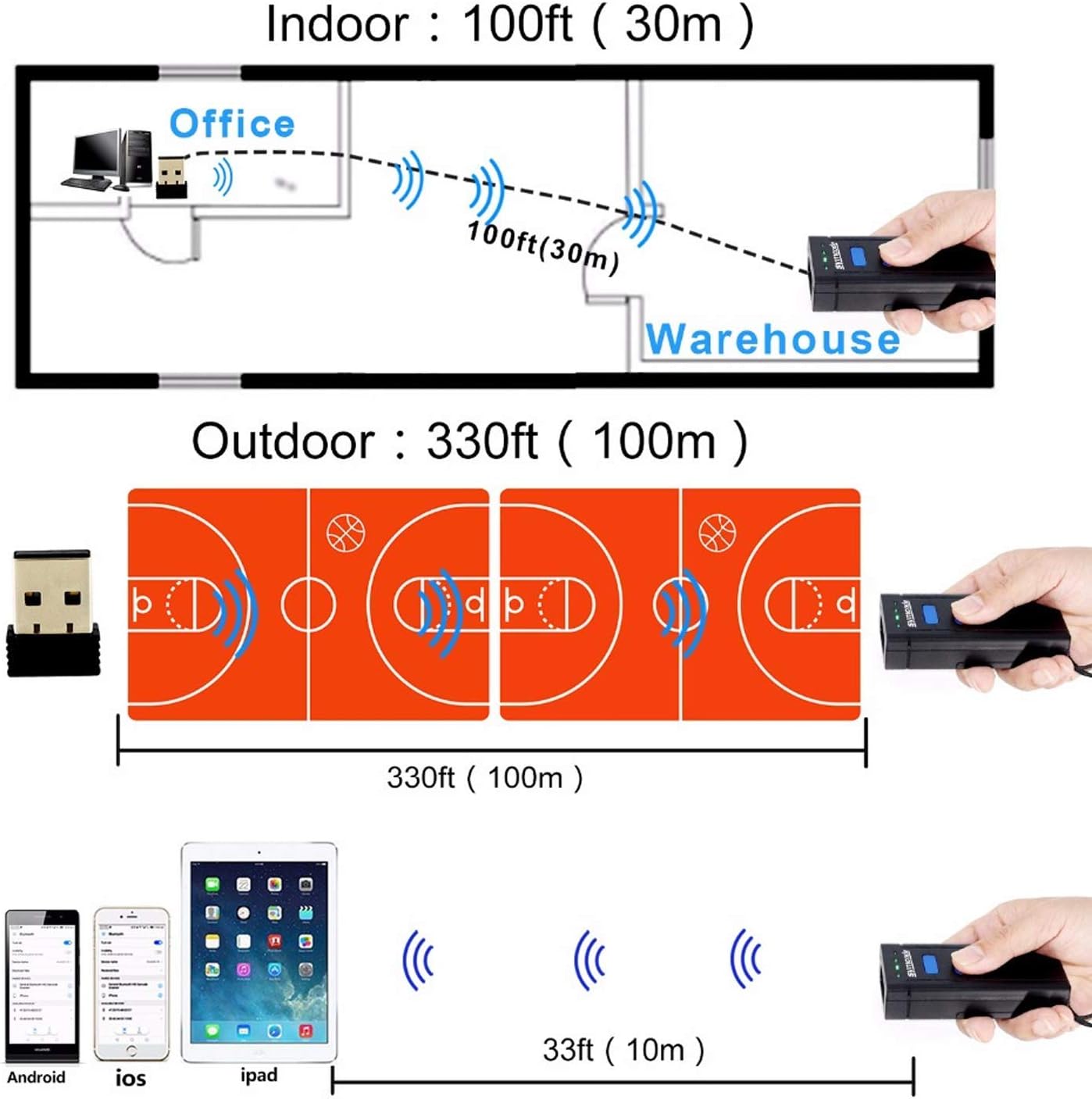
- Long transmission distance: up to 200m in open air (2.4G wireless) and 10m (Bluetooth).
- High compatibility with Windows XP/7.0/8.0/Win 10, Windows Mobile, Android OS, iPhone/iPad.
- CCD Image Scanning Technology for reading 1D codes from screens.
- Support for HID, SPP, and BLE Protocols.
- Visible red light 632nm LED with 200 scans/second speed.
- Durable and eco-friendly ABS material construction.
2. Contenuto della confezione
Dopo aver aperto la confezione, verificare che siano presenti tutti i seguenti elementi:
- 1 x Symcode Barcode Scanner (MJ-2877CCD)
- 1 x Manuale utente
- 1 cavo di ricarica USB
- 1 batteria al litio (preinstallata o separata)
- 1 ricevitore wireless da 2.4 GHz
- 1 x cinturino da polso

3. Prodotto finitoview
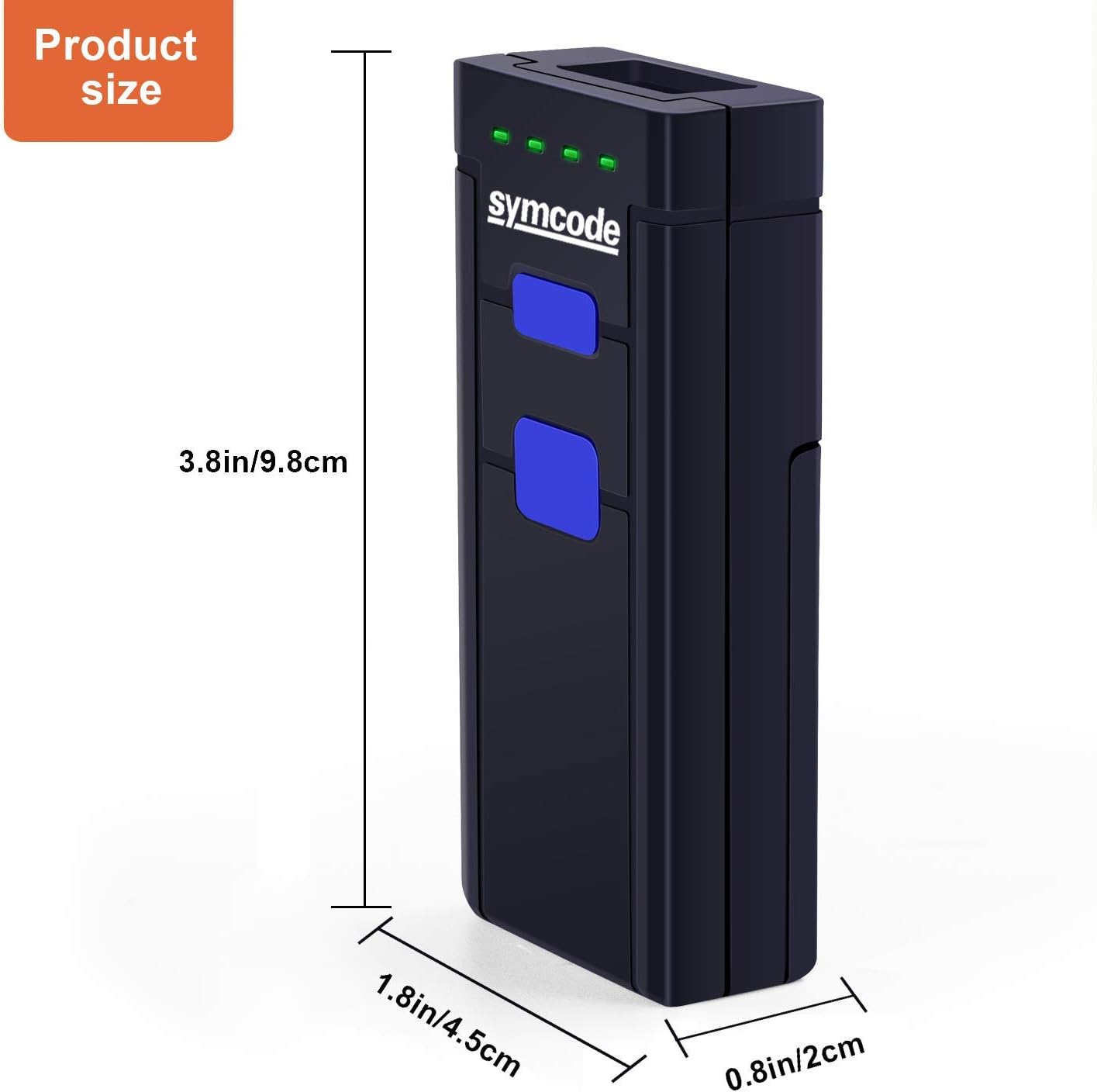
Familiarize yourself with the components and dimensions of your Symcode barcode scanner.
4. Impostazione
4.1 Installazione e ricarica della batteria
The scanner uses a DC 3.7V, 1000mA Li-ion battery. Ensure the battery is properly installed and charged before first use.
- Open the battery compartment cover on the back of the scanner.
- Inserire la batteria al litio, assicurandosi della corretta polarità.
- Chiudere saldamente il coperchio del vano batterie.
- Connect the scanner to a USB power source using the provided USB cable for charging. The scanner can be used while charging.
Durata della batteria: The battery provides approximately 48 hours of continuous working time and can standby for up to 30 days. Full charging typically takes 4-5 hours.
4.2 Modalità di connettività
The Symcode scanner offers three primary connection methods:
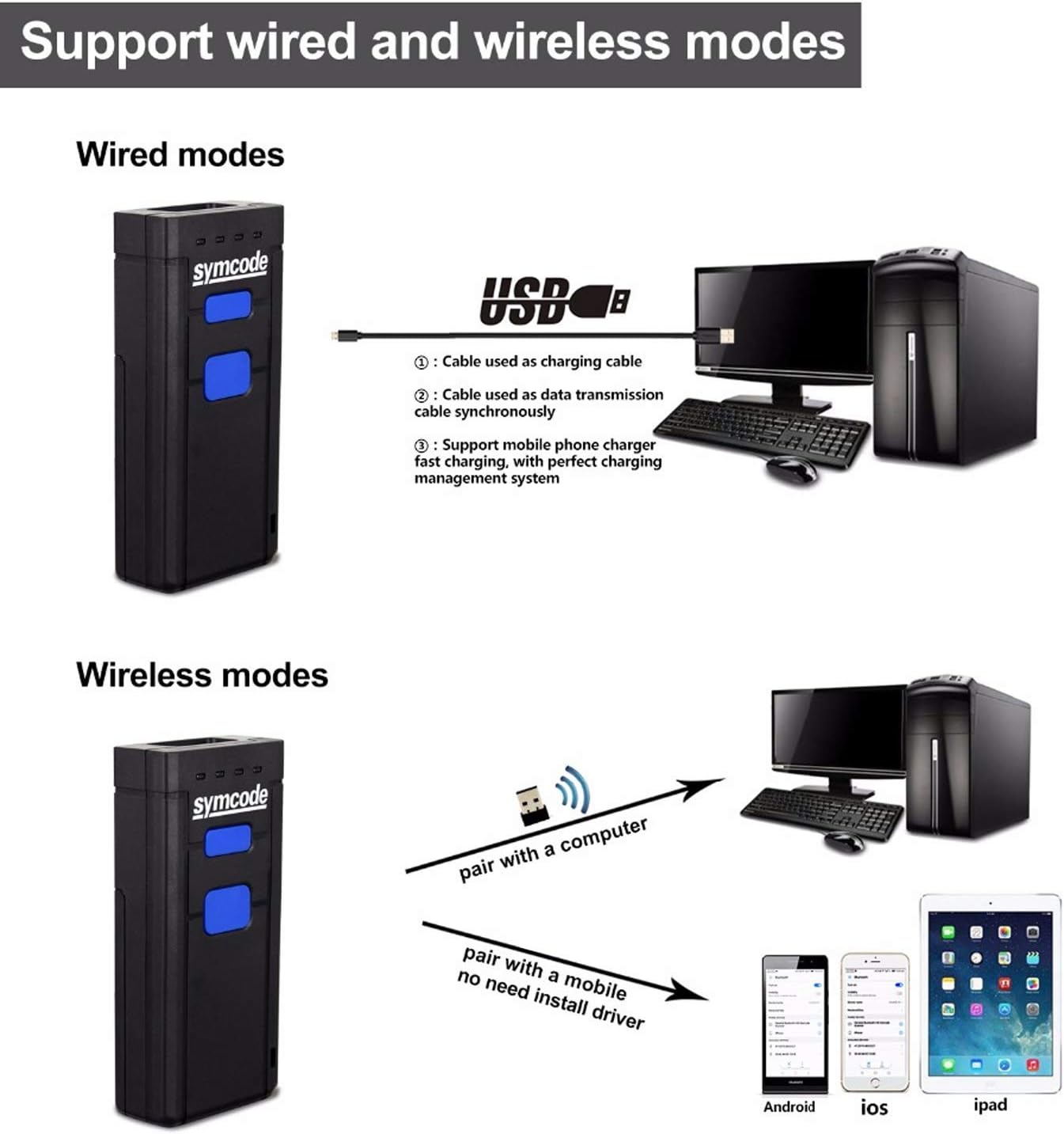
- Modalità cablata USB: Connect the scanner directly to your computer using the USB cable. The cable serves for both data transmission and charging.
- Modalità wireless 2.4G: Insert the 2.4GHz wireless receiver into a USB port on your computer. The scanner will automatically pair with the receiver. This mode offers a transmission distance of up to 200m in open air.
- Modalità Bluetooth: Pair the scanner with Bluetooth-enabled devices such as smartphones, tablets, or computers. This mode offers a transmission distance of up to 10m in open air.
5. Istruzioni per l'uso
5.1 Scansione di base
Per scansionare un codice a barre:
- Ensure the scanner is powered on and connected to your device (computer, tablet, or smartphone) via your chosen method.
- Point the scan window of the scanner at the barcode you wish to read. For example, the barcode 6901234567892 is a standard 1D barcode that can be easily read by this scanner.
- Press the scanning switch (trigger button). A red light will emit from the scan window.
- Once the barcode is successfully read, the scanner will typically emit a beep and/or the indicator light will change, and the data will appear on your connected device.

5.2 Archiviazione dati (modalità offline)
The scanner has a built-in memory of 16MB, allowing it to store over 50,000 codes when operating in offline mode (not connected to a host device). This feature is useful for inventory tasks where real-time data transfer is not always feasible.
To retrieve stored data, connect the scanner to your computer via USB or 2.4G wireless mode and follow the instructions in the user manual for data upload.
6. Specifiche
| Caratteristica | Dettaglio |
|---|---|
| Sorgente luminosa | Visible red light 632nm LED |
| processore | ARM Cortex-M3, 32-bits |
| Velocità di scansione | 500 scansioni/secondo |
| Risoluzione | 0.1 mm (4 mil) |
| Profondità di campo | 500mm@20mil/0.5mm, PCS 90% |
| Capacità di decodifica | UPC/EAN/JAN, UPC/EAN with supplemental, UCC/EAN 128, Code 39, MSI, Code11, Code 39 Full ASCII, Code 39 Tri-optic, Codabar, Code 93, Discrete 2 of 5, IATA, RSS variants, Interleaved 2 of 5, China postal code, GS1 databar, etc. |
| Tasso di errore di bit | 1 / 5 milioni |
| Batteria | DC 3.7V, 1000mA Li-ion battery |
| Attuale | 100mA (working), 30mA (storage) |
| Interfaccia | Wireless (Bluetooth, 2.4G), USB Wired |
| Umidità | 5%~95% senza condensa |
| Materiale | ABS ecologico |
| Dimensioni | 100 x 21 x 46mm (3.86 x 1.77 x 0.79 pollici) |
| Peso | 150 g (2.5 once) |
7. Risoluzione Dei Problemi
If you encounter issues with your Symcode barcode scanner, refer to the following common problems and solutions:
- Lo scanner non si connette:
- Assicurarsi che lo scanner sia completamente carico.
- Verify the correct connection mode (Bluetooth, 2.4G Wireless, or USB Wired) is selected and properly configured on both the scanner and the host device.
- For Bluetooth, ensure the scanner is in pairing mode and visible to your device.
- For 2.4G wireless, ensure the USB receiver is securely plugged in and recognized by the computer.
- Provare a riavviare sia lo scanner sia il dispositivo host.
- Codice a barre non scansionato:
- Assicurarsi che il codice a barre sia pulito, integro e chiaramente visibile.
- Regolare la distanza e l'angolazione tra lo scanner e il codice a barre.
- Verificare se il tipo di codice a barre è supportato dallo scanner (fare riferimento alle Specifiche).
- Assicurare un'illuminazione sufficiente per il codice a barre.
- If scanning from a screen, ensure the screen brightness is adequate and there are no reflections.
- I dati non vengono visualizzati sullo schermo:
- Verifica che lo scanner sia correttamente connesso al tuo dispositivo.
- Ensure the cursor is active in a text field or application where scanned data should appear.
- If in offline storage mode, data will not appear in real-time until uploaded.
- Breve durata della batteria:
- Ensure the scanner is fully charged (4-5 hours).
- Reduce continuous scanning or switch to a power-saving mode if available.
- The battery may need replacement if it no longer holds a charge effectively after prolonged use.
For more detailed troubleshooting or issues not covered here, please refer to the comprehensive user manual included in your package or contact Symcode customer support.
8. Garanzia e supporto
Symcode products are designed for reliability and performance. Specific warranty terms and conditions are typically provided with your product documentation. Please retain your proof of purchase for warranty claims.
For technical support, product inquiries, or warranty service, please refer to the contact information provided in your product's user manual or visit the official Symcode webluogo. Puoi anche visitare il Symcode Store on Amazon per ulteriori risorse e supporto.
Ask a question about this manual
Ask about setup, troubleshooting, compatibility, parts, safety, or missing instructions. Manuals+ will review the question and use this page’s manual context to help answer it.