
Introduzione
The Jam Audio HMDX HX-P280 is a portable Bluetooth speaker designed for wireless audio streaming. It features two active drivers and two passive radiators for enhanced bass, providing a rich audio experience. This speaker also includes a speakerphone function for hands-free calls and offers multi-language voice prompts for ease of use. Its compact design makes it highly portable, fitting conveniently into a pocket.
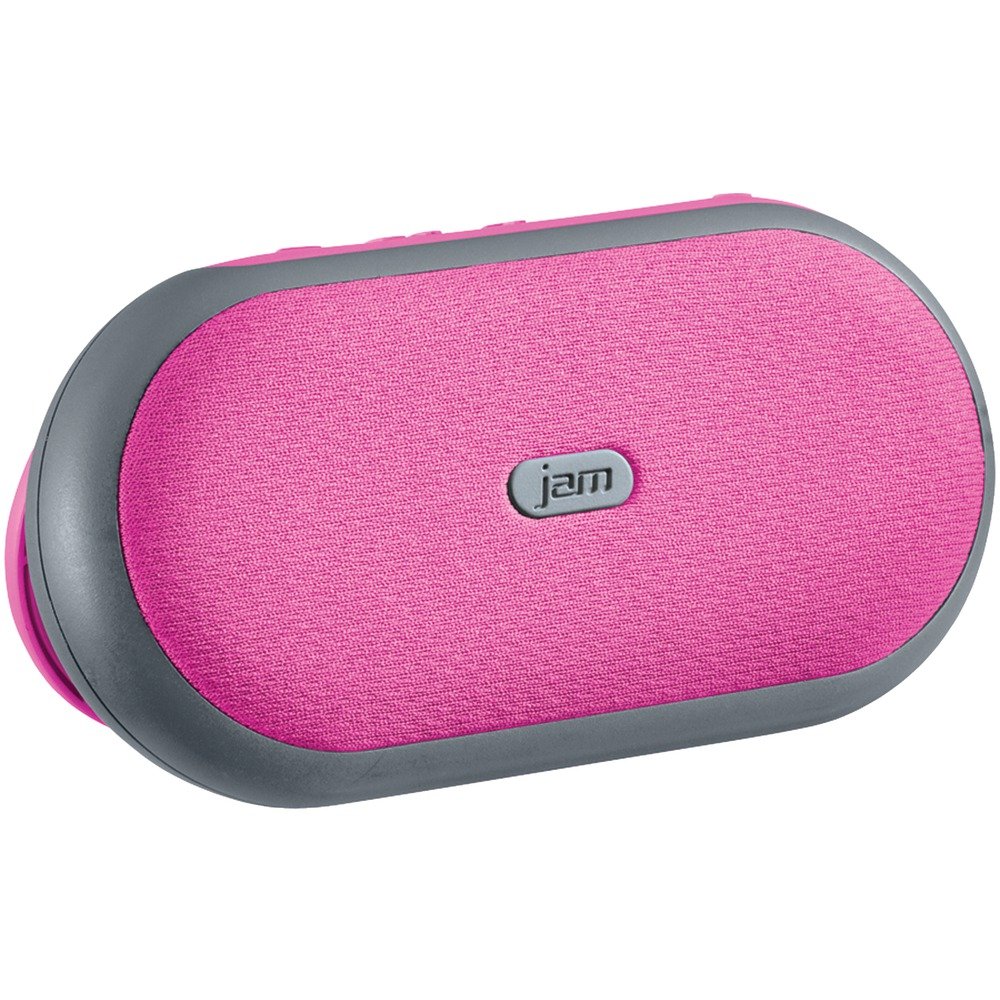
Immagine 1: Davanti view of the Jam Audio HMDX HX-P280 Bluetooth Speaker. This image displays the compact, rectangular design of the speaker, highlighting its portable nature.
Cosa c'è nella scatola
- Jam Audio HMDX HX-P280 Bluetooth Speaker
- Cavo di ricarica USB
- Manuale dell'utente (questo documento)
Impostare
Caricamento dell'altoparlante
- Locate the charging port on your HX-P280 speaker.
- Collegare l'estremità piccola del cavo di ricarica USB in dotazione alla porta di ricarica dell'altoparlante.
- Collegare l'estremità grande del cavo di ricarica USB a un adattatore di alimentazione USB (non incluso) o alla porta USB di un computer.
- La spia di carica si illuminerà, in genere di colore rosso, per indicare che l'altoparlante è in carica.
- Once fully charged, the indicator light will change color or turn off. A full charge provides up to 6 hours of playtime.
Accoppiamento Bluetooth
- Assicurarsi che l'altoparlante sia completamente carico.
- Press and hold the Power button on the speaker until you hear an audible prompt indicating it is in pairing mode. The Bluetooth indicator light will typically flash rapidly.
- On your smartphone, tablet, or other Bluetooth-enabled device, go to the Bluetooth settings menu.
- Abilitare il Bluetooth se non è già attivo.
- Scan for available devices. You should see "HMDX HX-P280" or a similar name appear in the list.
- Select "HMDX HX-P280" to initiate the pairing process.
- Once paired, you will hear an audible confirmation from the speaker, and the Bluetooth indicator light will typically turn solid blue or flash slowly.
- The speaker can maintain a Bluetooth connection up to 30 feet (9 meters) from your device.
Istruzioni per l'uso
Accensione/spegnimento
- Per accendere: tenere premuto il pulsante di accensione finché l'altoparlante non si accende.
- To turn off: Press and hold the Power button again until the speaker powers off.
Riproduzione audio
Once paired, audio from your connected device will stream wirelessly to the HX-P280 speaker. Use the controls on your connected device to manage playback (play, pause, skip tracks) and adjust volume. The speaker itself may have basic touch controls for volume adjustment.
Funzione vivavoce
When a call comes in while your phone is connected to the speaker:
- Per rispondere a una chiamata: Press the Play/Pause button (or a dedicated call button if present) once.
- Per terminare una chiamata: Press the Play/Pause button (or dedicated call button) once during a call.
- Per rifiutare una chiamata: Press and hold the Play/Pause button (or dedicated call button) for a few seconds.
The speaker's built-in microphone allows for hands-free conversation.
Manutenzione
Pulizia
- Use a soft, dry, lint-free cloth to clean the surface of the speaker.
- Non utilizzare detergenti abrasivi, cere o solventi.
- Evitare che l'umidità penetri nelle aperture.
Cura della batteria
- The HX-P280 uses a rechargeable Li-Ion battery.
- Per prolungare la durata della batteria, evitare di scaricarla completamente frequentemente.
- Charge the speaker regularly, even if not in use for extended periods, to maintain battery health.
- Conservare l'altoparlante in un luogo fresco e asciutto quando non viene utilizzato.
Risoluzione dei problemi
| Problema | Soluzione |
|---|---|
| L'altoparlante non si accende. | Ensure the speaker is fully charged. Connect it to a power source using the USB cable and allow it to charge for at least 30 minutes before attempting to power on again. |
| Impossibile associare il dispositivo. |
|
| Nessun suono o scarsa qualità del suono. |
|
| Il vivavoce non funziona. |
|
Specifiche
| Caratteristica | Dettaglio |
|---|---|
| Nome del modello | HX-P280 Pink |
| Marca | Jam audio |
| Tecnologia di connettività | Bluetooth |
| Tecnologia di comunicazione wireless | Bluetooth |
| Portata Bluetooth | Fino a 30 piedi (9 metri) |
| Fonte di alimentazione | Alimentato a batteria (Li-Ion ricaricabile) |
| Tempo di gioco | Fino a 6 ore |
| Modalità di uscita audio | Stereo |
| Tipo di driver audio | Dynamic Driver (2 active drivers & 2 passive radiators) |
| Tipo di altoparlante | Altoparlante Bluetooth portatile |
| Caratteristica speciale | Portable, Speakerphone Function |
| Metodo di controllo | Tocco |
| Usi consigliati | For Smartphones or Tablets, For Computers, Travel |
| Dispositivi compatibili | Smartphone, Tablet, Bluetooth-enabled devices |
| Colore | Rosa |
| Dimensioni del prodotto | 6 x 5 x 2 pollici (15.24 x 12.7 x 5.08 cm) |
| Peso dell'articolo | 12.8 once (363 grammi) |
| È impermeabile | NO |
| Produttore | MARMELLATA |
| Codice UPC | 031262070609 |
| ASIN | B01GIH0OOK |
| Data prima disponibilità | 2 giugno 2016 |
Garanzia e supporto
The Jam Audio HMDX HX-P280 Bluetooth Speaker comes with a Garanzia limitata. For specific details regarding warranty coverage, duration, and terms, please refer to the warranty card included with your product or visit the official Jam Audio websito.
For technical support, frequently asked questions, or to contact customer service, please visit the Jam Audio official support page. Keep your purchase receipt and product model number (HX-P280) handy when seeking support.