
Introduzione
The mophie Charge Force Desk Mount provides a convenient wireless charging solution for your mophie wireless case-equipped smartphone. This mount allows for effortless attachment, charging, and rotation of your device, ensuring optimal viewing angles. Its magnetic design securely holds your device while charging automatically upon contact. This product is designed to work exclusively with mophie wireless cases (sold separately).
Cosa c'è nella scatola
- 1 x mophie Charge Force Desk Mount
- 1 cavo Micro USB
- 1 x Guida rapida
Impostare
- Disimballare i componenti: Estrarre con cautela tutti gli articoli dall'imballaggio.
- Position the Desk Mount: Place the mophie Charge Force Desk Mount on a clean, flat, and stable surface. The base features an adhesive for secure placement. Ensure the chosen location is free from dust and debris for optimal adhesion.
- Connetti alimentazione: Connect the included Micro USB cable to the port on the back of the desk mount. Plug the other end of the Micro USB cable into a compatible USB power adapter (not included). A 2 Amp USB adapter is recommended for optimal charging performance.
- Prepara il tuo dispositivo: Ensure your smartphone is housed within a compatible mophie wireless case (sold separately). This desk mount is not a standalone charger and requires a mophie wireless case for functionality.

Image: mophie Charge Force Desk Mount components, including the mount and USB cable.
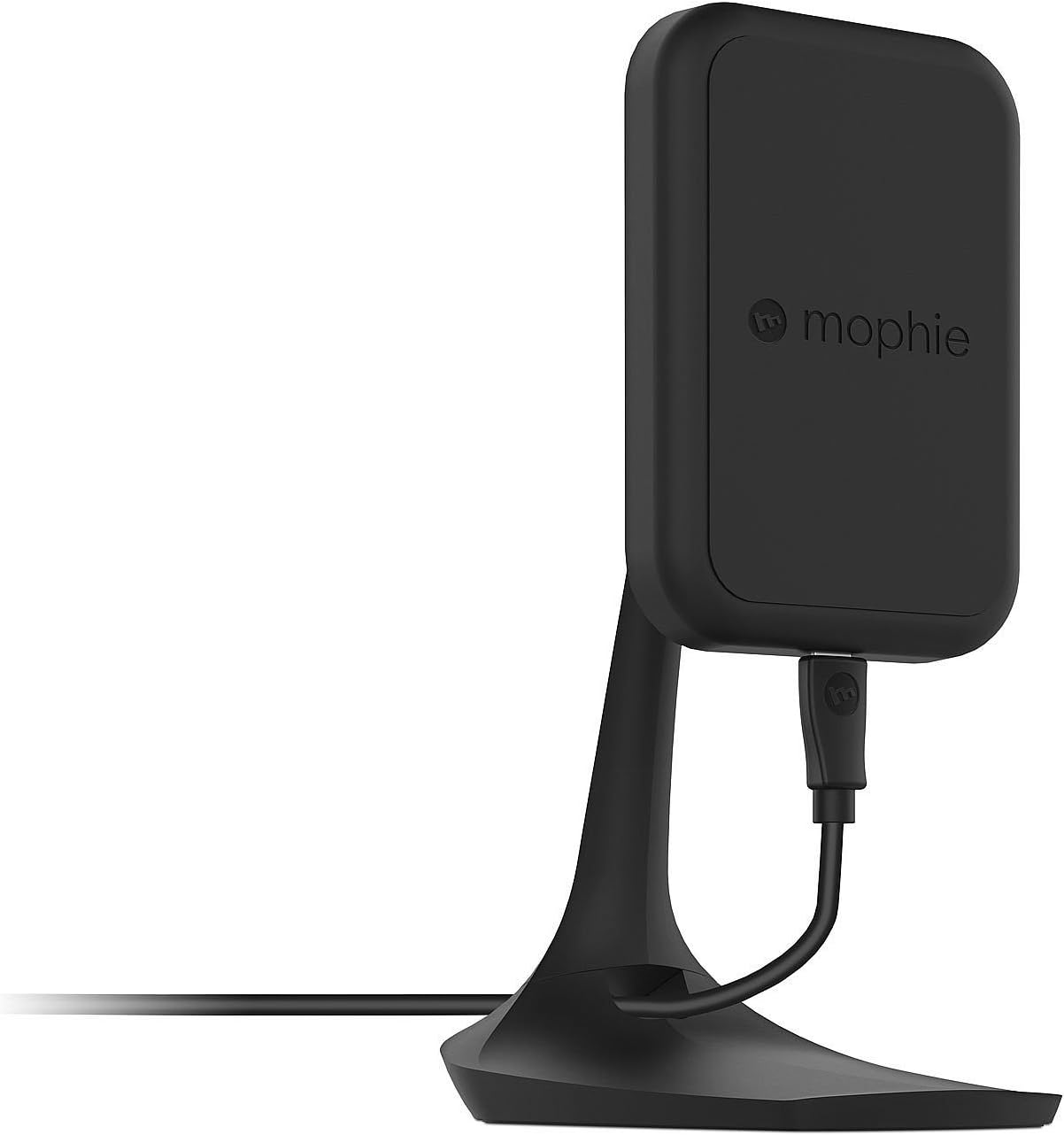
Immagine: Lato view of the mophie Charge Force Desk Mount, showing its profile and cable connection.
Istruzioni per l'uso
- Avviare la ricarica: Once the desk mount is powered, simply bring your smartphone (equipped with a mophie wireless case) into contact with the magnetic charging surface of the mount.
- Allegato sicuro: The embedded magnets in the mount will automatically align and securely hold your device in place.
- Ricarica automatica: Charging will commence automatically upon successful magnetic connection. Your device's screen or charging indicator will confirm that it is receiving power.
- Regolare Viewangolo di ing: The mount is fully adjustable. You can rotate your device between portrait and landscape orientations to achieve your preferred viewing angle without interrupting the charging process.
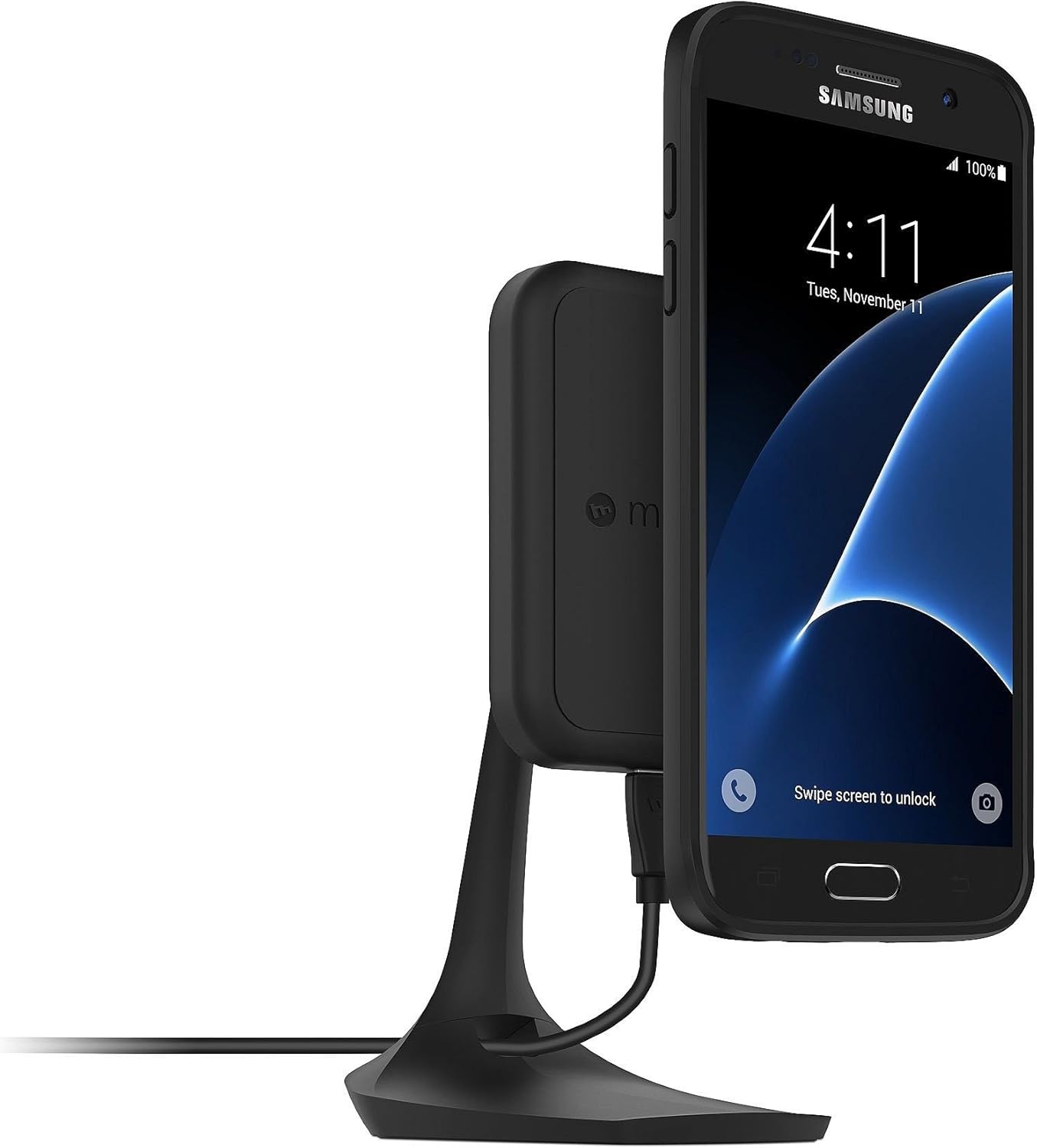
Image: A Samsung smartphone with a mophie wireless case attached to the Charge Force Desk Mount, showing charging in portrait orientation.

Image: An iPhone with a mophie wireless case attached to the Charge Force Desk Mount, showing charging in landscape orientation.
Manutenzione
To maintain the performance and appearance of your mophie Charge Force Desk Mount, follow these guidelines:
- Pulizia: Gently wipe the surface of the desk mount with a soft, slightly damp cloth. Ensure the device is unplugged from its power source before cleaning.
- Evitare prodotti chimici aggressivi: Non utilizzare detergenti abrasivi, solventi o prodotti chimici aggressivi, poiché potrebbero danneggiare la finitura e i componenti interni.
- Mantenere asciutto: Prevent moisture from entering any openings.
- Magazzinaggio: Quando non viene utilizzato per lunghi periodi, conservare il supporto in un luogo fresco e asciutto, lontano dalla luce solare diretta.
Risoluzione dei problemi
- Dispositivo non in carica:
- Ensure the Micro USB cable is securely connected to both the desk mount and a functional USB power adapter.
- Verify that your smartphone is equipped with a compatible mophie wireless case.
- Reposition the phone on the mount to ensure proper magnetic alignment and contact with the charging coils.
- Try using a different USB power adapter and cable to rule out issues with accessories.
- Phone Not Staying on Mount:
- Confirm your phone is in a mophie wireless case specifically designed for magnetic attachment with the Charge Force system.
- Ensure the magnetic surface of the mount and the back of the phone case are clean and free of any debris or foreign objects that might interfere with the magnetic connection.
- Ricarica intermittente:
- Check for any obstructions between the phone case and the mount.
- Ensure the power source provides sufficient ampetà (2 Amps recommended) to the desk mount.
- Avoid placing metal objects or cards with magnetic strips between the phone and the charging surface.
Specifiche
| Marca | Mofie |
| Numero di modello | 3454_WRLS-DESK-BLK |
| Tipo di connettore | Micro USB Type B, Wireless USB |
| Dispositivi compatibili | Cellular Phones (with mophie charge force wireless power cases) |
| Caratteristica speciale | Magnetico |
| Colore | Nero |
| Amprabbia | 2 Amps |
| Porte USB totali | 1 |
| Cosatage | 10 watt |
| Corrente di uscita | 2 Amps |
| Volume di uscitatage | 5 Volt |
| Fonte di alimentazione | DC |
| Peso dell'articolo | 210 grammi |
Informazioni sulla garanzia
The mophie Charge Force Desk Mount is covered by a Garanzia limitata di 1 anno. This warranty covers defects in materials and workmanship under normal use. For specific terms, conditions, and to initiate a warranty claim, please refer to the official mophie website or contact their customer support directly. Proof of purchase may be required.
Supporto
For additional support, product registration, frequently asked questions, or to explore other mophie products, please visit the official mophie websito:
You may also find contact information for customer service on the mophie websito per assistenza diretta.