
Technical Precision FT300
Instruction Manual: Replacement for Photogenic FT300 Light Bulb
Model: FT300 | Brand: Technical Precision
Prodotto finitoview
This product is a replacement light bulb specifically designed for the Photogenic FT300. It is important to note that this bulb is manufactured by Technical Precision and is not an original Photogenic product. It serves as a direct functional replacement.
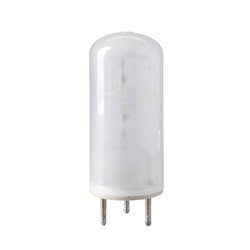
Image: A clear, cylindrical light bulb with four metal pins at its base, designed as a replacement for the Photogenic FT300. This image illustrates the physical appearance of the replacement bulb.
Impostare
- La sicurezza prima di tutto: Before beginning, ensure the power supply to the Photogenic FT300 unit is completely disconnected. Allow the existing bulb to cool down if it has been in recent use.
- Access Bulb Socket: Refer to your Photogenic FT300 manual for instructions on safely accessing the light bulb socket. This may involve opening a protective cover or housing.
- Rimuovere la vecchia lampadina: Carefully grasp the old bulb and gently pull it straight out from its socket. Avoid twisting if the socket design does not permit it. Dispose of the old bulb responsibly.
- Inserire la nuova lampadina: Align the four metal pins of the Technical Precision replacement bulb with the corresponding holes in the socket. Gently push the bulb straight into the socket until it is firmly seated. Do not force the bulb.
- Unità sicura: Close any protective covers or housings that were opened to access the bulb.
Istruzioni per l'uso
After successful installation of the replacement bulb, reconnect the power supply to your Photogenic FT300 unit. The unit should now function as intended with the new light source. Operate the unit according to the original Photogenic FT300 operating manual.
Manutenzione
- Pulizia: To clean the bulb, ensure the unit is powered off and the bulb is completely cool. Gently wipe the glass surface with a soft, dry, lint-free cloth. Avoid using abrasive cleaners or excessive moisture.
- Gestione: Always handle the bulb by its base or metal pins when installing or removing it. Avoid touching the glass surface directly with bare hands, as oils from the skin can reduce bulb lifespan.
- Magazzinaggio: If storing a spare bulb, keep it in its original packaging or a protective container in a cool, dry place to prevent damage.
Risoluzione dei problemi
- La lampadina non si accende:
- Verify that the Photogenic FT300 unit is properly connected to a power source and the power switch is in the 'ON' position.
- Check that the bulb is fully seated in its socket and the pins are correctly aligned.
- Inspect the bulb for any visible damage, such as a broken filament or cracked glass. If damaged, replace the bulb.
- If the issue persists, consult the Photogenic FT300 unit's original manual for further troubleshooting steps related to the unit's power supply or internal components.
- Luce fioca o tremolante:
- Assicurarsi che la lampadina sia pulita e priva di polvere o detriti.
- Check for a secure connection in the socket.
- This could indicate the bulb is nearing the end of its lifespan and may require replacement.
Specifiche
| Attributo | Valore |
|---|---|
| Marca | Precisione tecnica |
| Numero di parte | FT300 |
| Materiale | rame |
| Voltage | 400 Volt |
| Cosatage | 400 watt |
| Quantità del pacchetto dell'articolo | 1 |
| Paese di origine | Cina |
| Data prima disponibilità | 7 giugno 2016 |
Garanzia e supporto
For specific warranty information regarding this Technical Precision replacement bulb, please refer to the product listing or contact Technical Precision directly. General return policies are typically handled by the retailer from whom the product was purchased. For any product-related inquiries or technical assistance, please reach out to Technical Precision customer support.