
1. Introduzione e oltreview
The Teslong Industrial Endoscope Camera is a versatile inspection tool designed for evaluating and diagnosing issues in various environments, including automotive, HVAC, plumbing, and home inspections. Featuring an upgraded 4.5-inch IPS monitor and a 0.21-inch waterproof gooseneck camera, it provides clear visuals in hard-to-reach areas. Its all-inclusive design eliminates the need for external devices like smartphones, offering a convenient and efficient inspection experience.

Figure 1: Teslong Industrial Endoscope Camera
2. Cosa c'è nella scatola
Your Teslong Industrial Endoscope Camera package includes the following components:
- Endoscope Monitor (Main Unit)
- 3-meter Camera Probe (Gooseneck Snake Camera)
- Cavo di ricarica micro USB
- Scheda MicroSD da 32 GB (preinstallata o inclusa separatamente)
- Accessories: Side-view Mirror, Hook, Magnet
- Hard Plastic Tool Box
- Manuale dell'utente

Figura 2: Contenuto della confezione
3. Impostazione
3.1 Ricarica del dispositivo
Before initial use, ensure the endoscope monitor is fully charged. Connect the provided Micro USB cable to the charging port on the side of the monitor and plug the other end into a compatible USB power source. A red light will flash during charging and will turn off once the battery is fully charged. The device features a 2500mAh rechargeable lithium battery.
3.2 Inserting the Camera Probe
Align the connector of the camera probe with the port on the top of the monitor. Ensure the keying marks align (often indicated by a red dot) and gently push the probe into the port. Screw the collar to secure the connection. The probe is designed to be semi-rigid, allowing it to hold its shape for easier navigation into tight spaces.
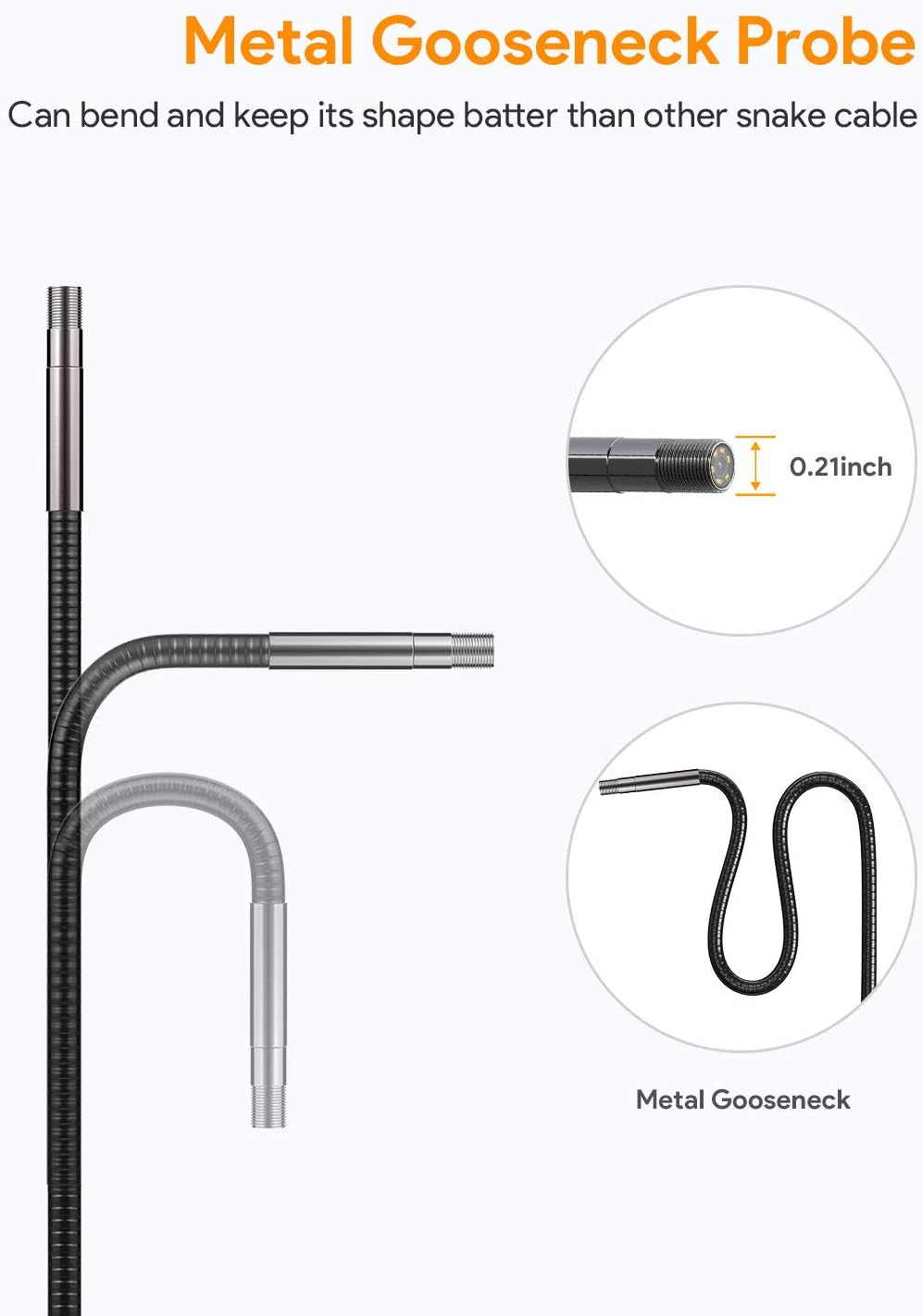
Figure 3: Metal Gooseneck Probe
3.3 Accensione e impostazioni iniziali
Press and hold the power button (usually marked with a circle and vertical line) to turn on the device. Upon startup, you may be prompted to set the date and time. Navigate the menu using the directional buttons and confirm selections with the 'OK' button. The device supports multiple languages.
4. Istruzioni per l'uso
4.1 Funzionamento di base
Once powered on, the live feed from the camera probe will appear on the 4.5-inch IPS monitor. Use the directional buttons to navigate menus and adjust settings. The device features a dedicated button for controlling the LED lights on the camera probe, allowing you to adjust brightness levels for optimal visibility in dark environments.
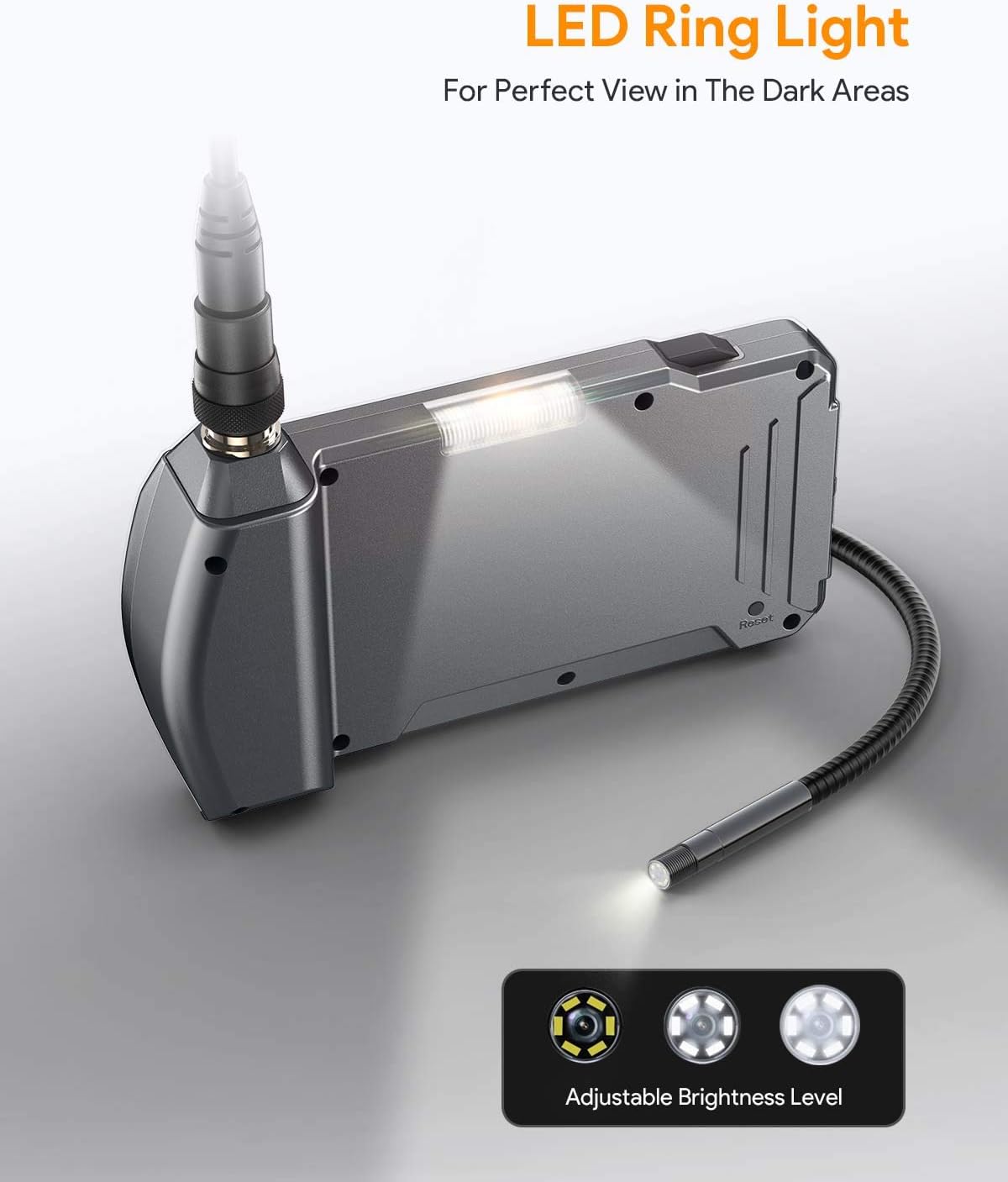
Figure 4: LED Ring Light Control
4.2 Recording Video and Capturing Images
To record video, press the record button (often indicated by a camera icon). Press it again to stop recording. To capture a still image, press the capture button (often indicated by a camera icon with a single dot). All recorded videos and images are saved to the MicroSD card. You can review saved media by switching to playback mode via the 'Mode' button.
4.3 Utilizzo degli accessori
The endoscope comes with several useful accessories that can be attached to the camera probe:
- Lato-view Specchio: Attaches to the camera head to provide a 90-degree viewing angle, useful for inspecting sides of pipes or hidden corners.
- Gancio: Can be used to retrieve small objects from hard-to-reach areas.
- Magnete: Ideal for picking up metallic items like screws or nuts that have fallen into inaccessible spots.
To attach an accessory, carefully screw it onto the threaded tip of the camera probe. Ensure it is securely fastened before use.
4.4 Applicazioni pratiche
The Teslong endoscope is suitable for a wide range of applications:
- Automobilistico: Inspect engine cylinders, valves, spark plugs, and other internal components without disassembly.
- Riscaldamento, ventilazione e condizionamento (HVAC): Examine ducts, vents, and internal mechanisms of heating and cooling systems.
- Drain Pipe Inspection: The waterproof probe is perfect for checking clogs, corrosion, or damage in plumbing systems.
- House Check: Inspect walls for wiring, insulation, or pest issues; check behind appliances or in crawl spaces.

Figure 5: Endoscope Usage Scenarios
5. Manutenzione
To ensure the longevity and optimal performance of your Teslong Industrial Endoscope Camera, follow these maintenance guidelines:
- Pulizia della sonda e della lente: After each use, especially in dirty or wet environments, gently wipe the camera probe and lens with a soft, damp cloth. For stubborn grime, use a small amount of mild soap. Ensure the probe is dry before storage.
- Cura della batteria: Recharge the device regularly, even if not in frequent use, to maintain battery health. Avoid fully discharging the battery for extended periods. Store the device in a cool, dry place.
- Magazzinaggio: Store the endoscope and its accessories in the provided hard plastic toolbox to protect them from dust, moisture, and physical damage.
- Monitor Protection: The monitor features a tempered glass protective screen. Avoid dropping the device or exposing the screen to sharp objects.

Figure 6: Waterproof and Protective Features
6. Risoluzione Dei Problemi
If you encounter issues with your Teslong Industrial Endoscope Camera, consider the following common troubleshooting steps:
- Nessun potere: Ensure the battery is fully charged. If the device does not turn on after charging, try pressing the reset button (if available, typically a small pinhole).
- Scarsa qualità dell'immagine: Check if the camera lens is clean and free from debris. Adjust the LED light brightness for better illumination. Ensure the object being viewed is within the optimal focal range (30mm-60mm).
- Luci non funzionanti: Verify that the LED light control button is functioning. If the lights are dim or not working, the battery may be low.
- Problemi di registrazione: Ensure the MicroSD card is properly inserted and has sufficient free space. The card may need to be formatted (refer to Section 3.3 for menu navigation).
- Il dispositivo si blocca: Premere il pulsante di ripristino per riavviare il dispositivo.
For more detailed troubleshooting or persistent issues, please refer to the comprehensive user manual included in your package or contact Teslong customer service.
7. Specifiche
| Caratteristica | Specificazione |
|---|---|
| Tipo di schermo | 4.5 inch IPS Full Color Screen |
| Risoluzione di registrazione video | Formato: 720p |
| Risoluzione di acquisizione delle immagini | 640x480 (Pixels) |
| Diametro della telecamera | 0.21 pollici (5.5 mm) |
| Viewangolo di ing | 60° |
| Profondità di campo | 30 mm - 60 mm |
| Sorgente luminosa | 6 LED ad alta intensità regolabili |
| Luce flash a LED | 4pcs High Brightness LEDs |
| Porta | Micro USB, slot per schede TF |
| Temperatura di esercizio | da 32° a 113°F (da 0° a 45°C) |
| Fonte di alimentazione | Batteria al litio da 2500 mAh |
| Durata massima della batteria | 5-6 ore |
| Livello di resistenza all'acqua | Waterproof (Probe) / Rainproof (Monitor) |
8. Garanzia e supporto
The Teslong Industrial Endoscope Camera comes with a worry-free 18-month warranty. For warranty claims, technical support, or any inquiries, please refer to the contact information provided in your user manual or visit the official Teslong websito.
You can also access the Safety Information PDF Qui for additional safety guidelines.