
VTech DS6151
Manuale utente del telefono cordless espandibile a due linee VTech con segreteria telefonica
Brand: VTech | Model: DS6151
Introduzione
This manual provides comprehensive instructions for the VTech Two-Line Expandable Cordless Phone with Answering System, model DS6151. It covers setup, operation, maintenance, and troubleshooting to ensure optimal performance and user experience. This system is designed for homes and small offices requiring two telephone lines and features an integrated digital answering system and expandable cordless handsets.
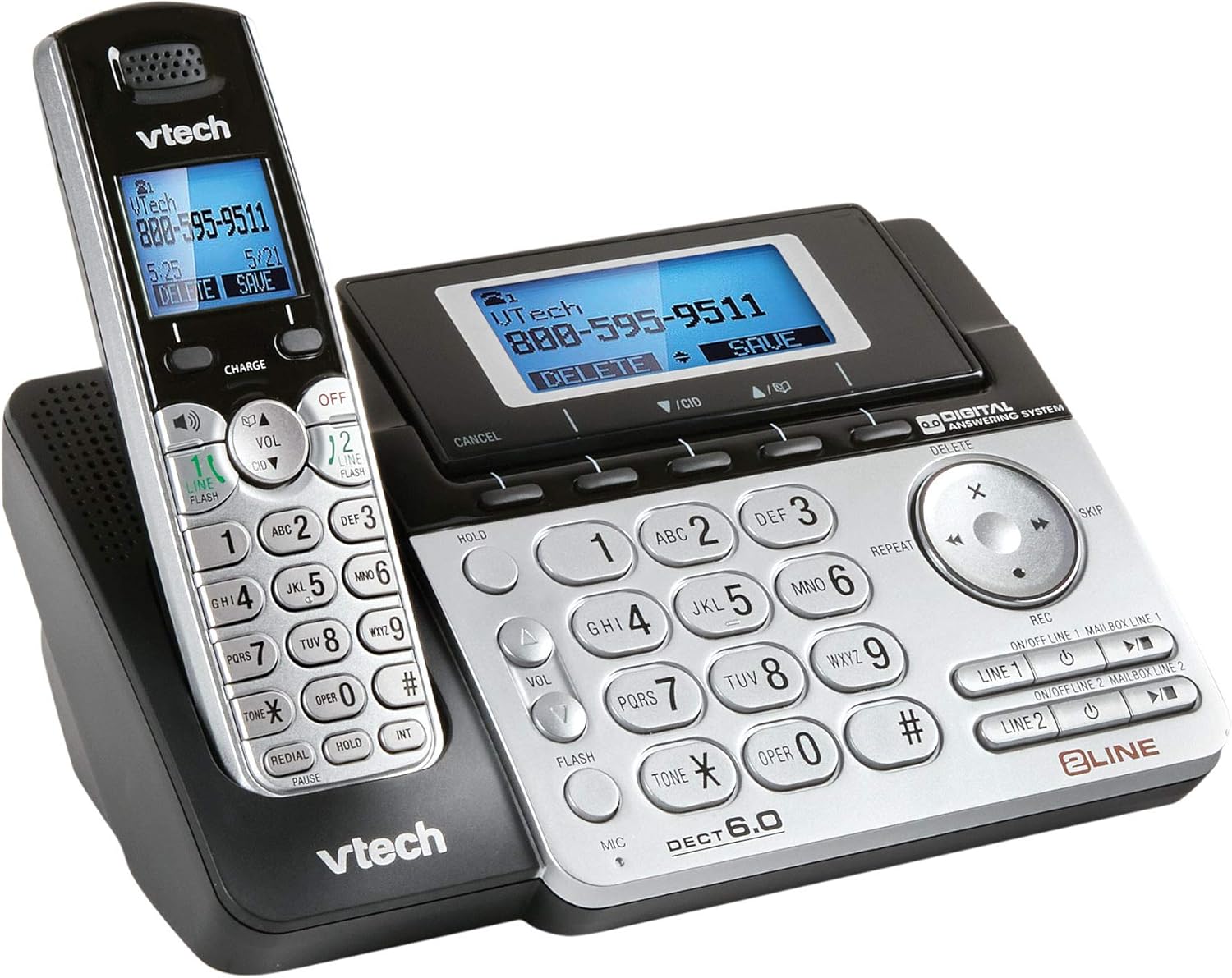
Image 1: The VTech Two-Line Expandable Cordless Phone System, showing the base unit and a cordless handset.
Contenuto della confezione
Verifica che il pacco contenga i seguenti articoli:
- Ricevitori cordless
- Unità di base
- Adattatore di alimentazione CA per unità base
- Telephone Line Cords (2)
- Rechargeable Battery Pack(s) for Handset(s)
- Handset Battery Compartment Cover(s)
- Staffa per montaggio a parete (opzionale)
- Manuale dell'utente (questo documento)
Impostare
1. Collegamento dell'unità base
- Collegare l'estremità piccola dell'adattatore di alimentazione CA alla presa di alimentazione sul retro dell'unità base.
- Collegare l'estremità grande dell'adattatore di alimentazione CA a una presa elettrica standard.
- Position the power cord to prevent tripping hazards.
2. Installazione delle batterie del telefono
- Aprire il coperchio del vano batteria sul retro del telefono cordless.
- Collegare saldamente la spina del pacco batteria alla presa all'interno del vano.
- Place the battery pack with the label UP, as indicated.
- Replace the battery compartment cover, sliding it into place until it clicks.

Image 2: The VTech phone system from a different angle, highlighting the handset and base unit design.
3. Caricare il portatile
Place the cordless handset in the base unit with the display facing up. The CHARGE light on the handset will illuminate, indicating proper charging. Allow the handset to charge for at least 16 hours before initial use.
4. Connecting Telephone Lines
- Plug one end of the first telephone line cord into the LINE 1 jack on the back of the base unit.
- Plug the other end of the cord into a telephone wall jack.
- Repeat for the second telephone line, connecting it to the LINE 2 jack and another telephone wall jack.
- Assicurarsi che tutti i collegamenti siano sicuri.
Istruzioni per l'uso
Funzioni di chiamata di base
- Effettuare una chiamata: Premere LINEA 1 or LINEA 2, quindi componi il numero.
- Risposta a una chiamata: Premere PARLA/FLASH or any line button when the phone rings.
- Terminare una chiamata: Premere SPENTO/CANCELLA or place the handset in the base.
- Vivavoce: Durante una chiamata, premere ORATORE to activate or deactivate the speakerphone.
- Presa: Premere PRESA to place an active call on hold. Press the corresponding line button to resume.
Two-Line Operation
The system supports two independent telephone lines. You can switch between lines or use both simultaneously for conference calls.
- Linee di commutazione: During an active call on one line, press the other LINEA button to answer an incoming call or make a new call on that line. The first call will be put on hold automatically.
- Teleconferenza: With two active calls (one on hold), press CONF (if available) or follow on-screen prompts to join both calls.
Sistema di risposta
The integrated digital answering system records messages for both lines.
- Accensione/spegnimento: Premere AN ON/OFF on the base unit or through the handset menu.
- Riproduzione dei messaggi: Premere RIPRODUCI/ARRESTA on the base unit or access through the handset menu.
- Registrazione del saluto: Access the "Greeting" option in the answering system menu on the handset or base.
- Eliminazione dei messaggi: Premere ELIMINARE during message playback or through the handset menu.
Directory/Phonebook
Memorizza i numeri chiamati più di frequente per una chiamata rapida.
- Aggiunta di una voce: Navigate to the "Directory" menu, select "Add New Entry," and follow the prompts to enter a name and number.
- Chiamata dalla rubrica: Premere DIR, scorrere fino alla voce desiderata e premere PARLA/FLASH o un LINEA pulsante.
ID chiamante
Requires subscription to Caller ID service from your telephone service provider.
- ReviewRegistro ID chiamante: Premere CID or REGISTRO CHIAMATE A view chiamate recenti.
- Richiamare: Select an entry from the Caller ID log and press PARLA/FLASH o un LINEA pulsante.
Manutenzione
Pulizia del telefono
Pulisci il telefono e l'unità base con un panno morbido e leggermente abrasivo.amp panno. Non utilizzare spray detergenti o prodotti chimici aggressivi, poiché potrebbero danneggiare la finitura o i componenti elettrici.
Cura della batteria
- Use only the supplied or approved replacement battery packs.
- Non smaltire le batterie nel fuoco; potrebbero esplodere.
- Do not open or mutilate the battery. Released electrolyte is corrosive and may cause burns or injury.
- Remove the battery if the phone is not used for extended periods.
Risoluzione dei problemi
| Problema | Soluzione |
|---|---|
| Nessun segnale di linea. |
|
| Il telefono non si carica. |
|
| Qualità del suono scadente. |
|
| La segreteria telefonica non registra i messaggi. |
|
Specifiche
- Dimensioni del prodotto: 4.7 x 5.7 x 8.9 pollici
- Peso dell'articolo: 1.4 libbre
- Numero modello: DS6151
- Batterie: 2 AA batteries required (for handset)
- Tipo di telefono: Senza fili
- Numero di linee: Two-Line Operation
- Tipo di sistema di risposta: Digitale
- Fonte di energia: Elettrico con cavo (per unità base)
- Tipo di combinatore: Tastiera singola
- Dispositivi compatibili: Two phone lines, answering machines, multiple cordless handsets, computers, VoIP services, fax machines
- Data prima disponibilità: 21 novembre 2013
Garanzia e supporto
For detailed warranty information, please refer to the warranty card included with your product or visit the official VTech websito. Per supporto tecnico, registrazione del prodotto o per acquistare accessori, visitare www.vtechphones.com or contact VTech customer service.
Importante: Questo prodotto contiene sostanze chimiche note allo Stato della California come causa di cancro, malformazioni congenite o altri danni riproduttivi. Maneggiare con cura e fare riferimento alle linee guida di sicurezza.
Ask a question about this manual
Ask about setup, troubleshooting, compatibility, parts, safety, or missing instructions. Manuals+ will review the question and use this page’s manual context to help answer it.