
Prodotto finitoview
The Hardware Resources BPO2-11SC is an 11-inch base cabinet pullout designed to maximize storage and organization within your kitchen or utility cabinets. This unit features a 'No Wiggle' design for stability and soft-close undermount slides for smooth operation. It is constructed from white birch with a UV-coated finish for durability.
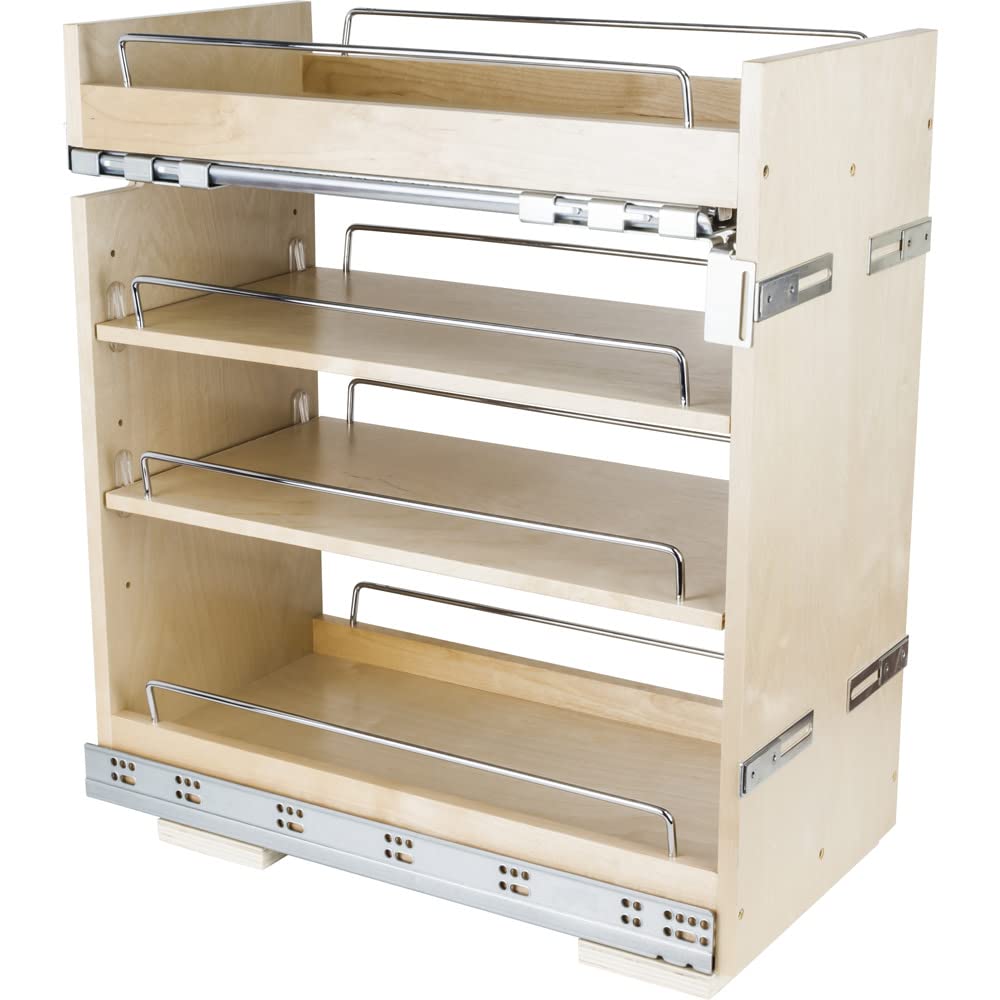
Image: The BPO2-11SC pullout installed in a base cabinet, showcasing its storage capacity for pantry items.
Caratteristiche principali:
- Larghezza: 11-1/2 pollici (292 mm)
- Altezza: 24 pollici (610 mm)
- Profondità: 22 pollici (559 mm)
- Fine: UV Coated for enhanced durability and protection.
- Materiale: High-quality White Birch.
- Diapositive: Premium Soft-close undermount slides for quiet and smooth operation.
- Stabilità: 'No Wiggle' technology prevents rocking and ensures product stability.
- Capacità di peso: 100 libbre.
Dimensioni e componenti

Image: Detailed dimension diagram of the pullout unit, indicating its width, depth, and height.
Dimensioni del prodotto:
- Overall Product Dimensions (W x D x H): 11.5 x 22 x 24 pollici
- Peso dell'articolo: 33 libbre
Componenti inclusi:
- Base Cabinet Pullout Unit (fully assembled)
- Shelves (4 total, including two adjustable and two fixed)
- Integrated 6-way adjustable door-mounting brackets
- Undermount slides (pre-attached)
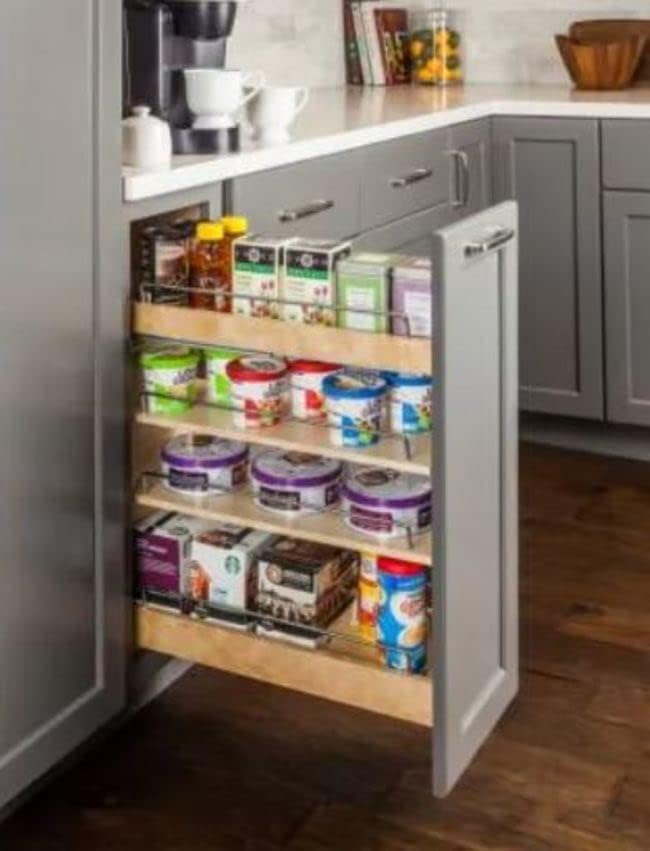
Image: The complete pullout unit, ready for installation.
Configurazione e installazione
The Hardware Resources BPO2-11SC pullout ships fully assembled with slides attached, simplifying the installation process. It is designed for installation in a full door cabinet and is compatible with both face frame and frameless cabinet applications.
Prima dell'installazione:
- Verify Cabinet Opening: Ensure your cabinet opening is appropriate for the 11-1/2 inch wide pullout.
- Area libera: Clear the cabinet interior of any obstructions.
- Strumenti necessari: Basic tools such as a drill, screwdriver, and measuring tape may be needed.
Fasi di installazione:
- Posizionare l'unità: Place the pullout unit inside the cabinet opening. Ensure it is centered and flush with the cabinet face.
- Secure to Cabinet Floor: Use appropriate screws (not included, typically) to secure the base of the pullout unit to the cabinet floor. Ensure it is firmly attached to prevent movement.
- Fissare l'anta dell'armadio: The pullout features patented integrated 6-way adjustable door-mounting brackets. Align your cabinet door with the pullout unit. Attach the door to these brackets using screws.
- Regolare l'allineamento della porta: Utilize the 6-way adjustment feature on the brackets to precisely align the cabinet door with adjacent cabinet doors, ensuring even gaps and a professional finish.
- Operazione di prova: Gently pull out and push in the unit to ensure smooth operation and proper soft-close functionality.
For detailed visual instructions, refer to the manufacturer's installation guide typically included with the product packaging or available on their websito.
Istruzioni per l'uso
The BPO2-11SC pullout is designed for simple and reliable operation, providing easy access to your stored items.

Image: A user demonstrating the ease of access provided by the pullout unit.
Using Your Pullout:
- Apertura: Gently pull the cabinet door attached to the pullout unit. The soft-close undermount slides will allow the unit to extend smoothly and fully from the cabinet.
- Accesso agli elementi: Once extended, you have full visibility and access to all items stored on the shelves. The 'No Wiggle' technology ensures the unit remains stable while open.
- Chiusura: Push the unit back into the cabinet. The soft-close mechanism will engage, slowly and quietly drawing the unit back into its closed position without slamming.
Regolazione del ripiano:
The unit includes two adjustable shelves. To adjust their height:
- Svuotare lo scaffale da tutto il contenuto.
- Sollevare con cautela il ripiano dalla sua posizione attuale.
- Reposition the shelf at the desired height, ensuring it is securely seated on the shelf pins or supports.
Manutenzione
Proper maintenance will ensure the longevity and continued smooth operation of your Hardware Resources cabinet pullout.
Pulizia:
- Wood Surfaces (White Birch, UV Coated): Pulisci con un panno morbido, damp cloth. For stubborn spots, use a mild, non-abrasive cleaner. Avoid harsh chemicals, abrasive pads, or excessive moisture, as these can damage the UV coating and wood.
- Metal Components (Slides, Rails): Pulire con un panno asciutto o leggermente damp cloth. Do not use abrasive cleaners. Periodically check for any debris that might hinder slide movement and remove it.
Cura generale:
- Distribuzione del peso: Distribute items evenly across the shelves and avoid exceeding the 100 lbs weight capacity to prevent strain on the slides and unit structure.
- Lubrificazione delle slitte: The undermount slides are designed for maintenance-free operation. Avoid applying lubricants unless specifically recommended by the manufacturer, as this can attract dust and debris.
- Ispezione regolare: Periodically check all mounting screws and connections to ensure they remain tight. Tighten any loose screws as needed.
Risoluzione dei problemi
If you encounter any issues with your cabinet pullout, refer to the following common troubleshooting tips:
| Problema | Possibile causa | Soluzione |
|---|---|---|
| Pullout does not slide smoothly. | Debris in slides, overloaded, or misaligned. | Clear debris from slides. Reduce load. Check for proper alignment and re-adjust if necessary. |
| Soft-close mechanism not engaging. | Overloaded or mechanism obstructed. | Ensure unit is not overloaded. Check for any items obstructing the soft-close mechanism at the back of the slides. |
| L'unità sembra traballante o instabile. | Loose mounting screws or uneven installation. | Tighten all screws securing the unit to the cabinet floor. Verify the unit is installed on a level surface. |
| Cabinet door is misaligned. | Door mounting brackets need adjustment. | Use the 6-way adjustable door-mounting brackets to fine-tune the door's position. |
If these steps do not resolve the issue, please contact Hardware Resources customer support for further assistance.
Specifiche
| Specificazione | Dettaglio |
|---|---|
| Dimensioni del prodotto (L x P x A) | 11.5 x 22 x 24 pollici |
| Peso dell'articolo | 33 libbre |
| Produttore | Risorse hardware |
| Numero di modello | BPO2-SC |
| Tipo di finitura | Rivestimento UV |
| Materiale | Betulla bianca |
| Numero di ripiani | 4 (two adjustable, two fixed) |
| Assemblaggio richiesto | No (ships fully assembled) |
| Capacità di peso | 100 libbre |
Garanzia e supporto
Hardware Resources products are manufactured to high-quality standards. For specific warranty information regarding your BPO2-11SC cabinet pullout, please refer to the documentation included with your purchase or visit the official Hardware Resources websito.
For technical support, replacement parts, or any inquiries not covered in this manual, please contact Hardware Resources customer service directly.
Hardware Resources Official Websito: www.hardwareresources.com