
1. Introduzione
This manual provides essential instructions for the installation, operation, maintenance, and troubleshooting of your APC Smart-UPS SRT 3000VA RM 230V (SRT3000RMXLI). This Uninterruptible Power Supply (UPS) is designed to provide high-density, true double-conversion online power protection for critical electronic equipment, including servers, voice/data networks, medical labs, and light industrial applications. Please read this manual thoroughly before installing or operating the UPS to ensure proper and safe usage.
2. Informazioni sulla sicurezza
Observe all warnings and operating instructions in this manual. Failure to do so may result in injury or equipment damage. This UPS contains hazardous voltages. Non tentare di smontare l'unità. All'interno non ci sono parti riparabili dall'utente.
Sicurezza generale
- Questo UPS è destinato esclusivamente all'uso in ambienti interni.
- Non utilizzare questo UPS alla luce diretta del sole, a contatto con liquidi o in luoghi eccessivamente polverosi o umidi.
- Ensure the ventilation openings on the UPS are not blocked. Maintain adequate clearance around the unit for proper airflow.
- Connect the UPS power cable directly to a grounded wall outlet. Do not use extension cords or surge suppressors.
Sicurezza della batteria
- Batteries are heavy. Remove the battery module before installing the UPS in a rack or tower configuration.
- Battery service should be performed or supervised by personnel knowledgeable of batteries and the required precautions.
- Non smaltire le batterie nel fuoco. Le batterie potrebbero esplodere.
- Non aprire o mutilare le batterie. L'elettrolita rilasciato è dannoso per la pelle e gli occhi. Potrebbe essere tossico.
- Sostituire le batterie con batterie dello stesso tipo e numero di quelle installate originariamente.
3. Contenuto della confezione
Carefully unpack the unit and inspect for shipping damage. If any damage is found, notify the carrier and dealer. The package should contain the following items:
- APC Smart-UPS SRT 3000VA RM 230V (SRT3000RMXLI) unit
- Battery module (may be pre-installed or separate)
- Rack-mounting hardware (rails, brackets)
- Tower stand (for tower configuration)
- Cavo di comunicazione USB
- Cavo di comunicazione seriale
- CD di documentazione
- Safety information and warranty guide
4. Prodotto finitoview
The APC Smart-UPS SRT 3000VA RM 230V is a high-performance Uninterruptible Power Supply designed to protect your critical equipment from power disturbances. It features a rack/tower convertible form factor for flexible deployment.
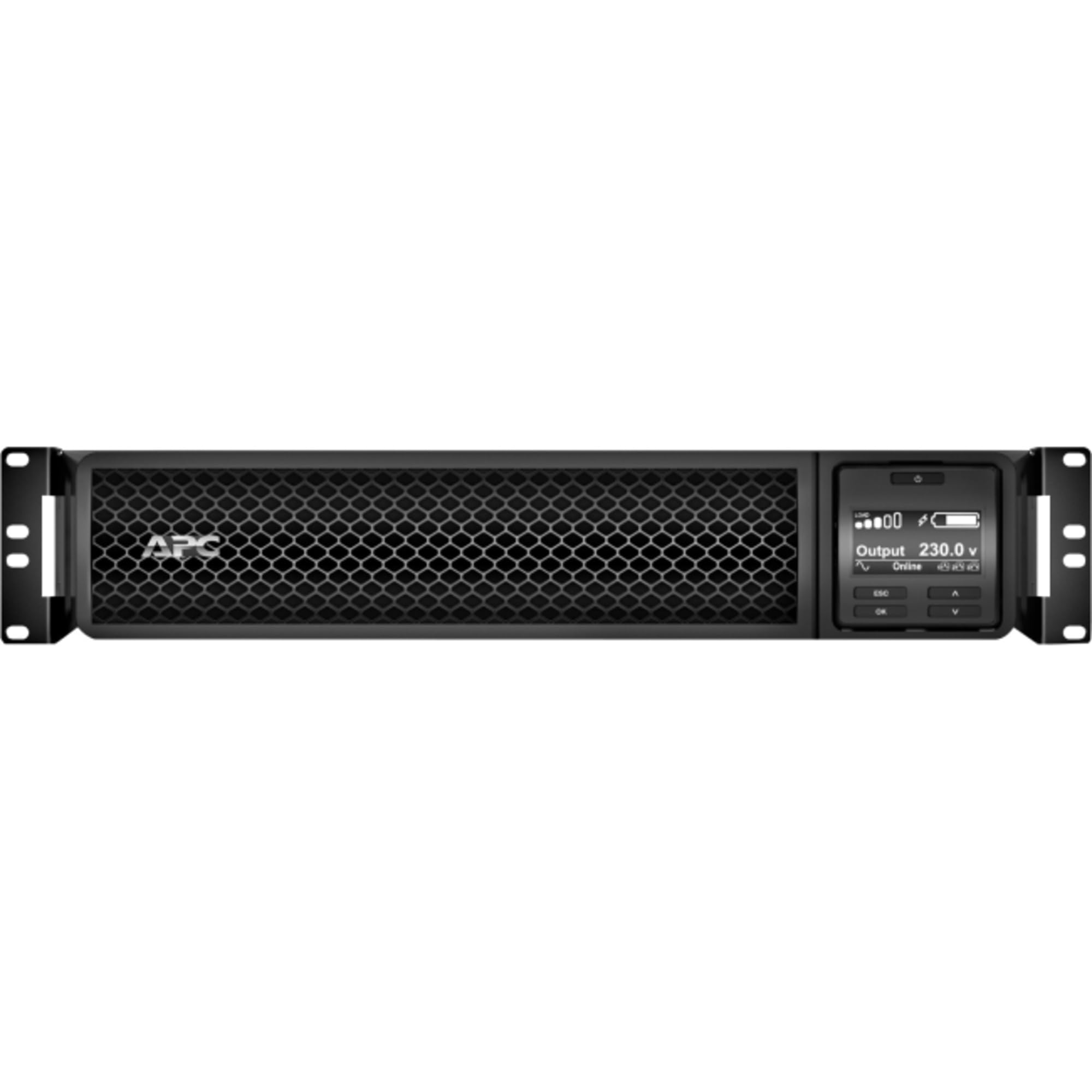
Figura 1: Fronte view of the APC Smart-UPS SRT 3000VA RM 230V. This image displays the front panel with the LCD display, control buttons, and ventilation grilles.
Componenti chiave
- Front Panel LCD Display: Provides real-time status information, configuration options, and alarm notifications.
- Pulsanti di controllo: Used to navigate the LCD menu, power on/off the UPS, and perform self-tests.
- Modulo batteria: Provides backup power during outages. Hot-swappable for easy replacement.
- Connettore di alimentazione in ingresso: Collega l'UPS alla fonte di alimentazione di rete.
- Output Receptacles (IEC 320): Provide protected power to connected equipment.
- Communication Ports (USB, Serial): For connecting to a computer or network management card for monitoring and control.
- Porta EPO (spegnimento di emergenza): Consente l'arresto di emergenza remoto dell'UPS.
5. Impostazione
Follow these steps for initial setup of your UPS.
Passo 1: scegli una posizione
- Place the UPS on a sturdy, level surface or install it in a standard 19-inch rack.
- Assicurarsi che la temperatura ambiente sia compresa tra 0°C e 40°C (32°F e 104°F).
- Maintain at least 10 cm (4 inches) of clearance at the front and rear of the unit for proper ventilation.
Step 2: Install the Battery Module
If the battery module is not pre-installed, slide it into the battery bay until it clicks into place. Connect the battery cables as indicated by the labels.
Step 3: Connect to Utility Power
- Collegare il cavo di alimentazione in ingresso dell'UPS a una presa di corrente alternata da 230 V con messa a terra.
- The UPS will perform a self-test and the LCD display will illuminate.
Passaggio 4: collegare l'apparecchiatura
- Connect your critical equipment (servers, network devices, etc.) to the output receptacles on the rear of the UPS.
- Ensure the total load does not exceed the UPS capacity (3000VA / 2700W).
Step 5: Connect Communication Cables (Optional)
- Connect the USB or serial cable from the UPS to your computer or server for monitoring and graceful shutdown capabilities.
- Install the PowerChute software (available from APC website) on your computer for advanced management.
6. Funzionamento dell'UPS
Accensione dell'UPS
Press and hold the power button on the front panel until you hear a beep. The UPS will start up and provide power to connected equipment.
Powering Off the UPS
Press and hold the power button until the UPS shuts down. Ensure all connected equipment is safely shut down before powering off the UPS.
Display LCD e navigazione
The LCD display provides detailed information about the UPS status, battery charge, load level, and various settings. Use the navigation buttons (up, down, enter, escape) to browse through the menus and adjust settings.
Autotest
Regularly perform a self-test to ensure the UPS battery and internal components are functioning correctly. This can typically be initiated via the LCD menu or PowerChute software.
7. Manutenzione
Sostituzione della batteria
The UPS batteries have a typical lifespan of 3-5 years. The UPS will indicate when the batteries need replacement. Refer to the safety information before attempting battery replacement. Use only APC-approved replacement battery modules (APCRBC152).
Pulizia
Pulire l'esterno dell'UPS con un panno morbido eamp cloth. Do not use solvents or abrasive cleaners. Ensure ventilation openings are free from dust and debris.
Considerazioni ambientali
Store the UPS in a cool, dry place when not in use. Avoid extreme temperatures and humidity, which can shorten battery life.
8. Risoluzione Dei Problemi
This section provides solutions to common issues you may encounter with your UPS.
| Problema | Possibile causa | Soluzione |
|---|---|---|
| L'UPS non si accende | No utility power; Battery not connected; UPS fault | Check power outlet; Ensure battery cables are connected; Contact APC support if fault persists. |
| L'UPS emette segnali acustici continui | Alimentazione a batteria; Sovraccarico; Batteria scarica | Check utility power; Reduce connected load; Allow battery to recharge. |
| Batteria non in carica | Battery disconnected; Battery fault; Internal fault | Verify battery connection; Replace battery if faulty; Contact APC support. |
| L'apparecchiatura collegata perde potenza | UPS overload; Battery depleted; UPS fault | Reduce load; Allow battery to recharge; Contact APC support. |
9. Specifiche
Detailed technical specifications for the APC Smart-UPS SRT 3000VA RM 230V (SRT3000RMXLI).
| Caratteristica | Dettaglio |
|---|---|
| Numero di modello | SRT3000RMXL |
| Marca | APC |
| Capacità | 3000 VA / 2700 Watt |
| Ingresso volumetage | 230 Volt |
| Volume di uscitatage | 230 Volt |
| Fattore di forma | Rack/Tower Convertible (2U) |
| Tipo di batteria | Piombo acido |
| Tempo di esecuzione tipico (carico completo) | Circa 4 minuti |
| Numero di prese | 8 IEC 320 C13, 2 IEC 320 C19 |
| Porte di comunicazione | USB, Serial (RJ45), SmartSlot |
| Dimensioni (A x L x P) | 8.5 cm x 43.2 cm x 63.5 cm (3.35 pollici x 17.0 pollici x 25.0 pollici) |
| Peso | 31.3 kg (69 libbre) |
| Colore | Nero |
10. Garanzia e supporto
Informazioni sulla garanzia
APC provides a standard warranty for this product. Please refer to the warranty card included in your package or visit the official APC webPer i termini e le condizioni di garanzia dettagliati specifici per la tua regione, visita il sito. Conserva la prova d'acquisto per eventuali reclami in garanzia.
Supporto tecnico
For technical assistance, troubleshooting beyond this manual, or to inquire about replacement parts, please contact APC customer support. Support contact information can typically be found on the APC website or in the documentation provided with your unit. When contacting support, please have your model number (SRT3000RMXLI) and serial number ready.