
Introduzione
Thank you for choosing the auna Connect 90 Internet Radio. This manual provides essential information for the safe and efficient operation of your device. Please read it thoroughly before use and keep it for future reference. The auna Connect 90 offers versatile audio entertainment with Internet Radio, FM radio, and USB MP3 playback capabilities, all accessible via WiFi connectivity.
Istruzioni di sicurezza
- Leggere attentamente tutte le istruzioni prima di utilizzare il dispositivo.
- Tenere il dispositivo lontano da acqua, umidità e umidità elevata.
- Non esporre il dispositivo alla luce solare diretta o a temperature estreme.
- Assicurare una ventilazione adeguata; non ostruire le aperture di ventilazione.
- Utilizzare esclusivamente l'adattatore di alimentazione fornito.
- Non tentare di aprire o riparare il dispositivo da soli. Per qualsiasi intervento di assistenza, rivolgersi a personale qualificato.
- Tenere il dispositivo fuori dalla portata dei bambini.
Contenuto della confezione
Si prega di verificare che tutti gli articoli siano presenti e in buone condizioni:
- auna Connect 90 Internet Radio Unit
- Adattatore di alimentazione
- Telecomando
- Manuale dell'utente (questo documento)
Prodotto finitoview
Pannello frontale e display
The front panel features the main display, control buttons, and the navigation dial for easy interaction.
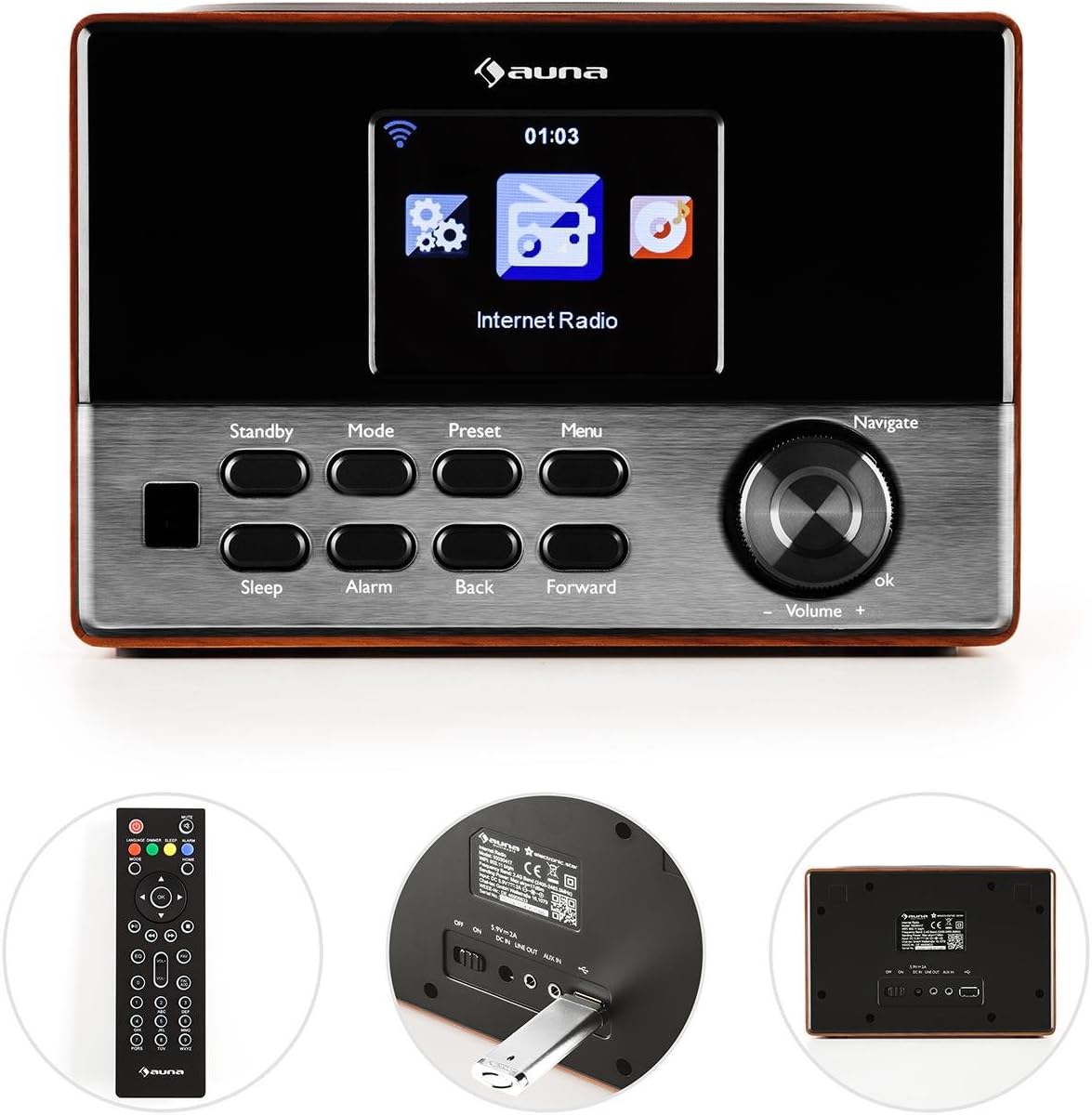
Immagine: Davanti view of the auna Connect 90, showing the color display, control buttons (Standby, Mode, Preset, Menu, Sleep, Alarm, Back, Forward), and the Navigate/Volume dial.
- Display: Color screen showing time, station information, and menu options.
- Stand-by: Accende o spegne l'unità.
- Modalità: Switches between Internet Radio, FM, and USB modes.
- Preimpostato: Accede alle stazioni radio preimpostate salvate.
- Menu: Enters the main menu for settings and options.
- Sonno: Imposta un timer di spegnimento.
- Allarme: Configura le impostazioni dell'allarme.
- Indietro/Avanti: Navigates through menus or tracks.
- Navigate/Volume Dial: Rotates to scroll through options or adjust volume; press to confirm (OK).
Pannello posteriore e connessioni
The rear panel provides essential connection ports for power and external devices.
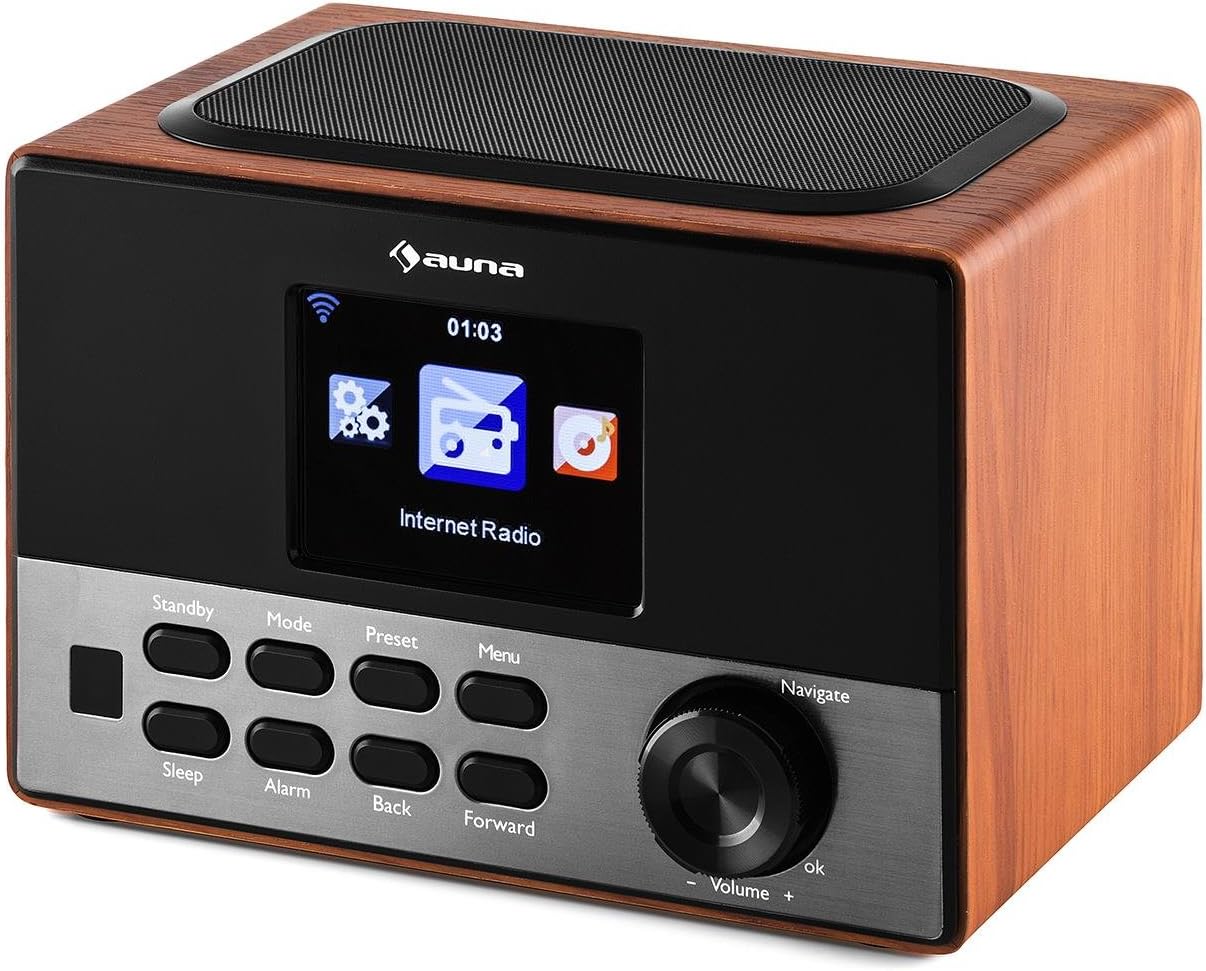
Immagine: Posteriore view of the auna Connect 90, showing the power input, USB port, and Aux-out port.
- INGRESSO CC 5V: Ingresso di alimentazione per l'adattatore incluso.
- USB: Port for connecting a USB drive for MP3 playback.
- USCITA AUSILIARIA: 3.5mm audio output for connecting to external speakers or headphones.
Impostare
1. Collegamento elettrico
- Collegare l'adattatore di alimentazione a DC IN 5V porta sul retro della radio.
- Collegare l'adattatore di corrente a una presa a muro.
- The radio will power on to standby mode. Press the Stand-by pulsante per accenderlo.
2. Configurazione iniziale e connessione di rete
Alla prima accensione, la radio ti guiderà attraverso la procedura guidata di configurazione iniziale.
- Selezione della lingua: Utilizzare il Navigare dial to select your preferred language and press OK per confermare.
- Network Wizard: The radio will prompt you to connect to a network. Select 'Yes' and press OK.
- Ricerca reti: The radio will scan for available WiFi networks. Select your network from the list.
- Inserisci la password: Utilizzare il Navigare dial to enter your WiFi password (WPA/WPA2). Rotate to select characters, press Inoltrare to move to the next character, and press OK per confermare la password.
- Connessione: The radio will attempt to connect to your WiFi network. Once successful, it will display a confirmation message.
If the connection fails, double-check your password and try again. Ensure your WiFi router is within range.
Operativo
1. Modalità di commutazione
Premere il tasto Modalità ripetutamente il pulsante per scorrere le modalità disponibili:
- Radio Internet: Access thousands of online radio stations.
- FM Radio: Tune into local FM broadcasts.
- USB: Riproduci MP3 files da un'unità USB collegata.
2. Radio Internet
- Selezionare Radio Internet modalità.
- Utilizzare il Navigare dial to browse categories (e.g., Location, Genre, Popular Stations).
- Premere OK to select a category or station.
- Per salvare una stazione come preimpostata, tenere premuto il tasto Preimpostato button, then select a preset number and press OK.
- Per richiamare una preimpostazione, premere il tasto Preimpostato button briefly, then select the desired preset and press OK.
3. Riproduzione MP3 tramite USB
- Inserisci un'unità USB contenente MP3 files nel USB porta sul pannello posteriore.
- Selezionare USB modalità utilizzando il Modalità pulsante.
- The radio will scan the USB drive. Use the Navigare dial to browse folders and tracks.
- Premere OK to play a selected track.
- Utilizzo Indietro E Inoltrare pulsanti per saltare le tracce.
4. Controllo del volume
Ruotare il Navigate/Volume dial clockwise to increase volume and counter-clockwise to decrease volume.
5. Sveglia e timer di spegnimento
- Allarme: Premere il tasto Allarme button to set up one or two alarms. Follow the on-screen prompts to set time, source (buzzer, internet radio), and frequency.
- Sonno: Premere il tasto Sonno button repeatedly to set a sleep timer (e.g., 15, 30, 60 minutes). The radio will automatically turn off after the set time.
Manutenzione
- Pulizia: Utilizzare un panno morbido e asciutto per pulire l'esterno della radio. Non utilizzare detergenti liquidi o materiali abrasivi.
- Magazzinaggio: If not in use for an extended period, unplug the power adapter and store the radio in a cool, dry place.
- Ventilazione: Assicurarsi che le fessure di ventilazione non siano ostruite per evitare il surriscaldamento.
Risoluzione dei problemi
| Problema | Possibile causa | Soluzione |
|---|---|---|
| Nessun potere | Adattatore di corrente non collegato; presa non funzionante. | Controllare i collegamenti elettrici; provare una presa diversa. |
| Nessuna connessione internet | Incorrect WiFi password; router out of range; router issue. | Re-enter WiFi password; move radio closer to router; restart router. |
| Scarsa qualità del suono / Statico | Weak internet signal; FM interference. | Improve WiFi signal strength; adjust radio position for FM. |
| La riproduzione USB non funziona | Unità USB non formattata correttamente; non supportata file format; drive faulty. | Ensure USB is FAT32 formatted; use MP3 files; try another USB drive. |
| Il telecomando non funziona | Batterie scariche; ostruzione. | Replace batteries; ensure clear line of sight to radio. |
Specifiche
- Marca: auna
- Modello: KC6-Connect 90 WD
- Connettività: WiFi, USB, 3.5mm Audio Out
- Tecnologia del sintonizzatore: FM (87.5-108 MHz)
- Fonte di energia: 5V DC (via power adapter)
- Dispositivi compatibili: Smartphone, Laptop, MP3 Player, Tablet (for audio output)
- Dimensioni del prodotto: Dimensioni: 13.5 x 18 x 12 cm
- Peso del prodotto: 794 grammi
Garanzia e supporto
This product comes with a standard manufacturer's warranty. Please refer to the warranty card included with your purchase for specific terms and conditions. For technical support or service inquiries, please contact your retailer or the auna customer service department.