
Introduzione
This manual provides instructions for the proper setup, operation, and maintenance of your Targus W600 Wireless Optical Mouse. Please read this manual thoroughly before using the device to ensure optimal performance and longevity.
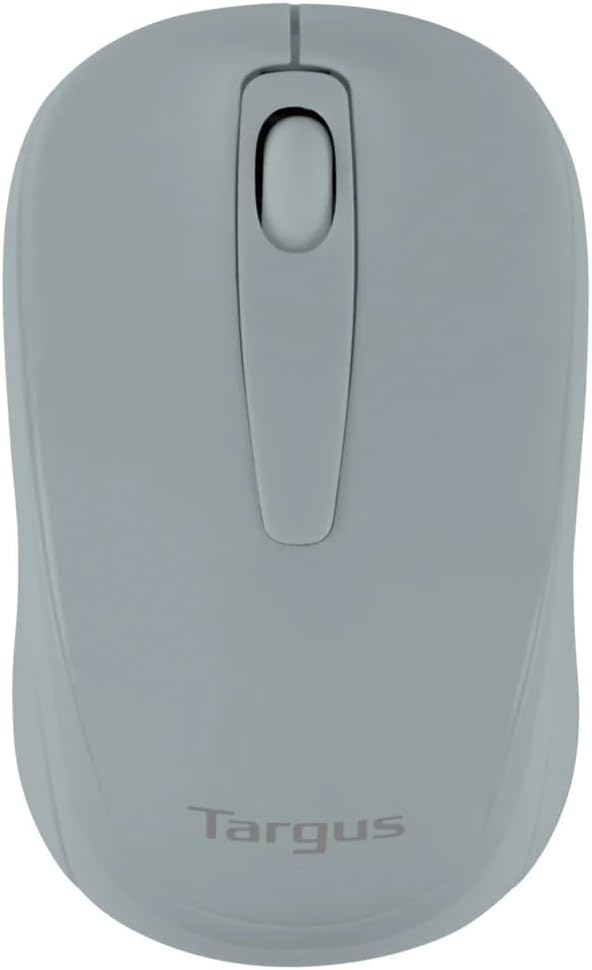
Figure 1: Targus W600 Wireless Optical Mouse (Quarry Gray)
Contenuto della confezione
Assicurarsi che tutti gli articoli siano presenti nel pacco:
- Targus W600 Wireless Optical Mouse
- Ricevitore USB
- Manuale dell'utente (questo documento)
Note: 1 AA battery is required and sold separately.
Caratteristiche del prodotto
- 2.4 GHz Wireless Technology for reliable connection
- 1600 DPI Optical Sensor for precise tracking
- Design ergonomico per un utilizzo confortevole
- Compatibile con i sistemi operativi Windows e Mac
- Integrated USB receiver storage compartment
Impostare
1. Installazione della batteria
- Turn the mouse over to locate the battery compartment cover.
- Far scorrere delicatamente il coperchio verso l'esterno.
- Inserire una (1) batteria AA, assicurandosi della corretta polarità (+/-).
- Riposizionare il coperchio del vano batterie.
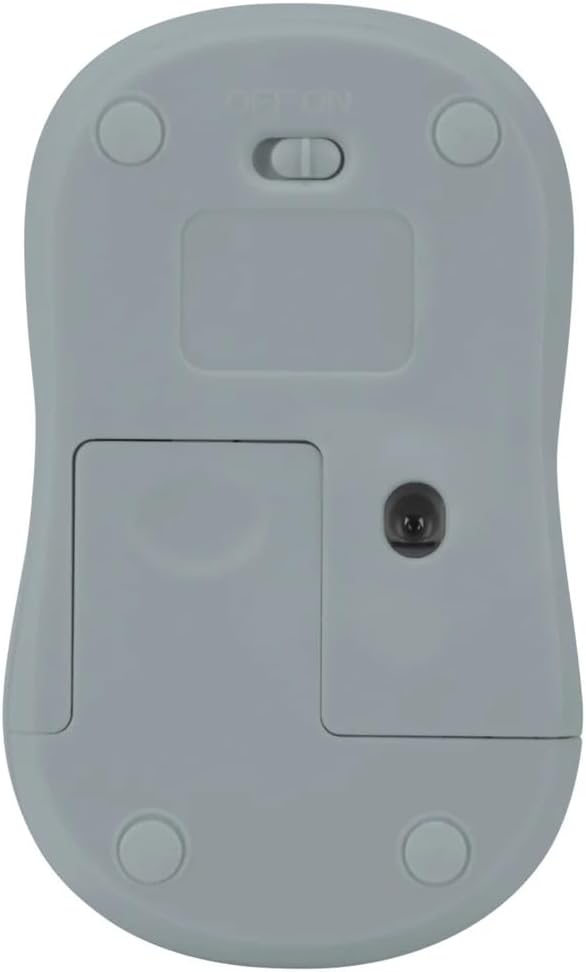
Figura 2: In basso view of the mouse with battery compartment and power switch.
2. Collegamento del ricevitore USB
- Locate the USB receiver, typically stored inside the mouse's battery compartment or a dedicated slot.
- Collega il ricevitore USB a una porta USB disponibile sul tuo computer.
- Il computer dovrebbe rilevare e installare automaticamente i driver necessari. L'operazione potrebbe richiedere alcuni istanti.
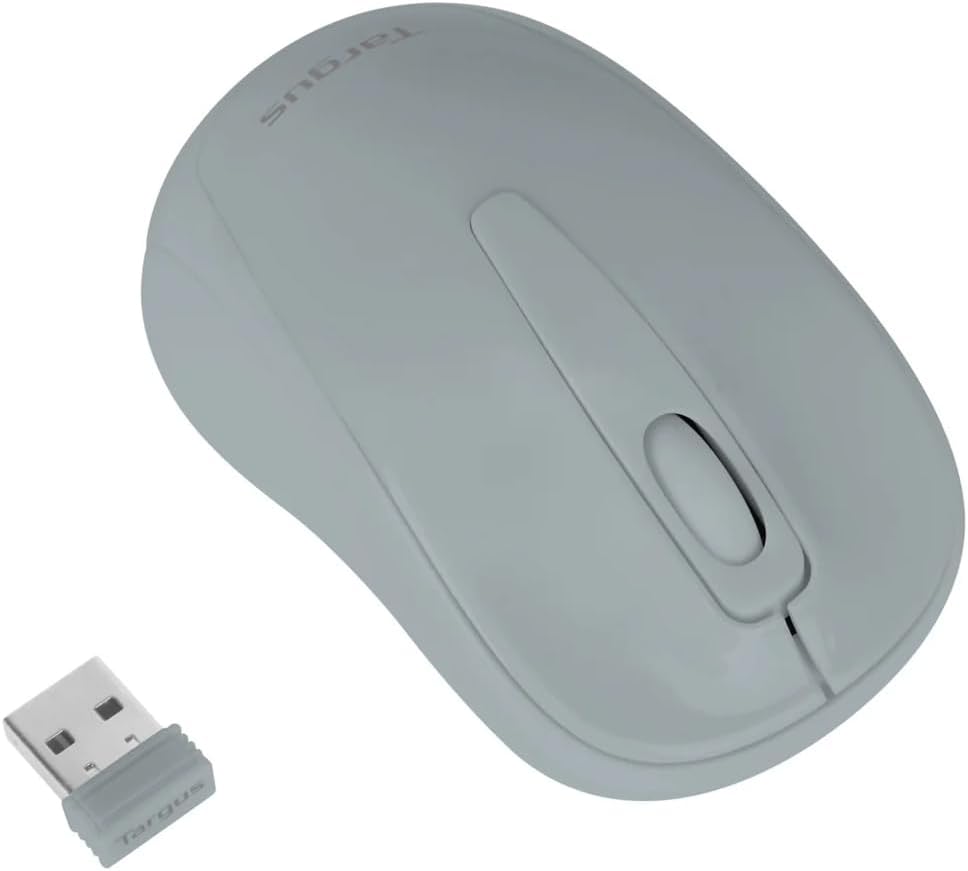
Figure 3: Targus W600 mouse and its USB receiver.

Figure 4: USB receiver plugged into a laptop, with the mouse nearby.
3. Accensione del mouse
On the bottom of the mouse, slide the ON/OFF switch to the "ON" position. The mouse is now ready for use.
Utilizzo del mouse
The Targus W600 Wireless Optical Mouse functions like a standard 3-button mouse. It features a left button, a right button, and a scroll wheel that also acts as a middle button.
- Clic sinistro: Azione primaria, selezione, elementi di apertura.
- Clic destro: Apre i menu contestuali.
- Rotella di scorrimento: Scorre i documenti e web pages vertically. Pressing the scroll wheel acts as a middle click, often used for opening links in new tabs or specific application functions.
The 1600 DPI optical sensor provides smooth and accurate cursor control on most surfaces. For best performance, use on a mouse pad or a non-reflective, uniform surface.
Manutenzione
Pulizia
To clean your mouse, gently wipe the surface with a soft, damp cloth. Avoid using harsh chemicals or abrasive cleaners, as these can damage the finish or internal components. Ensure no liquid enters the mouse.
Sostituzione della batteria
When the mouse performance degrades or stops responding, it may be time to replace the battery. Follow the steps outlined in the "Installing the Battery" section to replace the AA battery. Dispose of used batteries responsibly according to local regulations.
Risoluzione dei problemi
| Problema | Soluzione |
|---|---|
| Il mouse non risponde |
|
| Movimento irregolare del cursore |
|
| Portata wireless corta |
|
Specifiche
| Numero di modello | AMW60006AP-55 |
| Connettività | Wireless a 2.4 GHz (ricevitore USB) |
| Tecnologia | Ottico |
| DPI | 1600 DPI |
| Numero di pulsanti | 3 (Sinistra, Destra, Rotellina di scorrimento/Clic centrale) |
| Fonte di alimentazione | 1 batterie AA (non incluse) |
| Sistemi operativi compatibili | Finestre, Mac |
Nota: le specifiche sono soggette a modifiche senza preavviso.
Garanzia e supporto
For warranty information and technical support, please refer to the official Targus webo contattare il servizio clienti. Conservare la ricevuta d'acquisto come prova d'acquisto per eventuali reclami in garanzia.
Targus Ufficiale Websito: www.targus.com