
Introduzione
The SteelSeries Apex 100 Gaming Keyboard is designed for optimal gaming performance, featuring Quick Tension Switches for fast reaction times, tactile feedback, and quiet operation. It includes blue LED backlighting, advanced anti-ghosting, and is built with splash resistance for durability.
Impostare
1. Collegamento della tastiera
Connect the keyboard's USB-A cable to an available USB port on your computer. The keyboard is plug-and-play, and your operating system should automatically detect and install the necessary drivers.

Immagine: in alto view of the SteelSeries Apex 100 Gaming Keyboard, showing the full QWERTY layout with blue LED backlighting and the attached USB cable.
2. Installazione del software (facoltativa)
For advanced customization, including macro programming and backlighting adjustments, download and install the SteelSeries Engine 3 software from the official SteelSeries webposto (steelseries.com/engine). Seguire le istruzioni sullo schermo per l'installazione.
Utilizzo della tastiera
Caratteristiche principali
- Quick Tension Switches: Designed to mimic mechanical switches, providing a tactile feel and fast actuation.
- Retroilluminazione a LED blu: Offers brilliant ground effects backlighting. Intensity can be adjusted via SteelSeries Engine 3.
- Anti-ghosting avanzato: Ensures all key presses are registered accurately during intense gaming sessions.
- Controlli multimediali: Integrated media control functions are accessible via function keys (F7-F12) in combination with the Fn key.
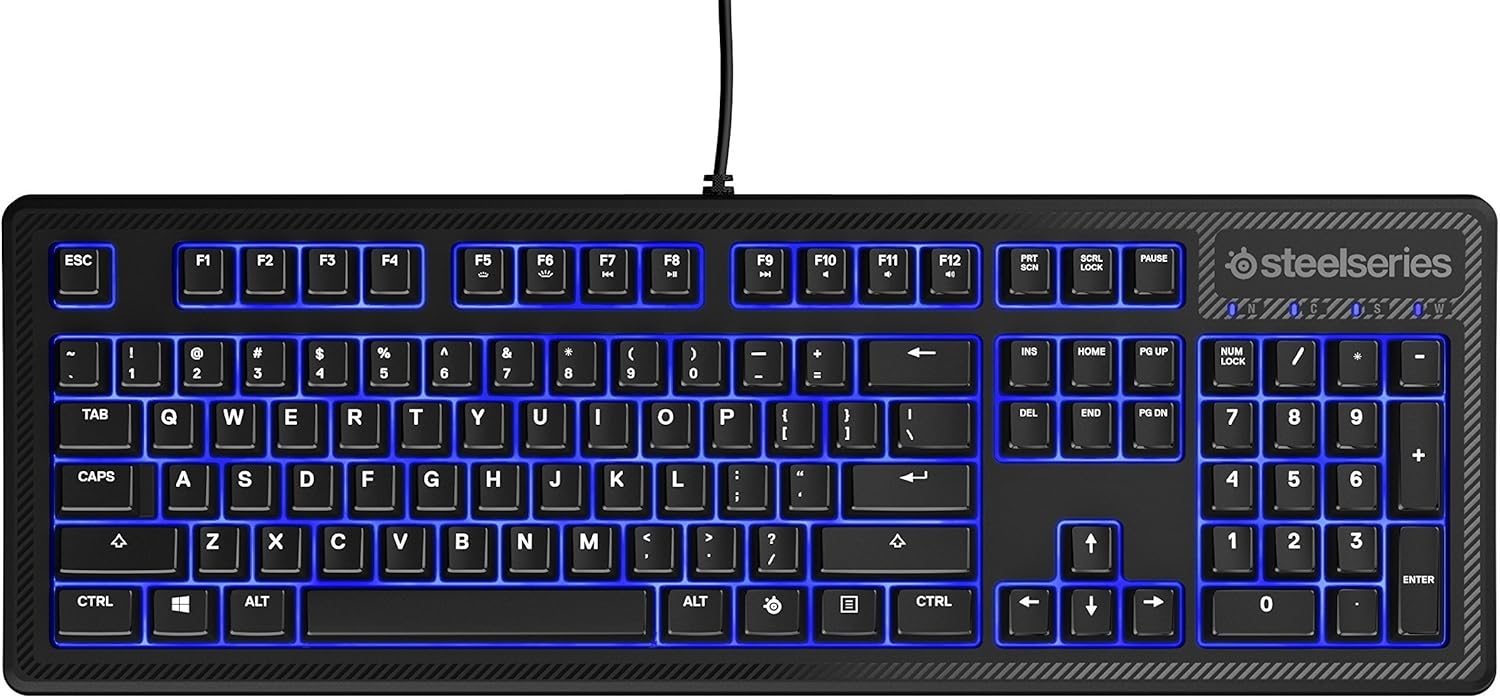
Immagine: Lato view of the SteelSeries Apex 100 Gaming Keyboard, highlighting its ergonomic design and keycap profile.
Customization with SteelSeries Engine 3
The SteelSeries Engine 3 software allows you to:
- Crea e assegna macro a qualsiasi tasto.
- Adjust the intensity of the blue LED backlighting.
- Configure polling rates and other performance settings.
Manutenzione
Pulizia
To clean your keyboard, disconnect it from your computer. Use a soft, dry cloth to wipe down the keys and chassis. For stubborn dirt, a slightly damp cloth with mild soap can be used, ensuring no liquid enters the key switches or internal components. The keyboard is splash resistant, but not waterproof; avoid submerging it or exposing it to excessive liquids.
Durata
The Apex 100 keyboard features a guaranteed 20-million click lifespan for its switches, ensuring long-term reliability under heavy use.

Immagine: In basso view of the SteelSeries Apex 100 Gaming Keyboard, showing the drainage channels and adjustable feet.
Risoluzione dei problemi
La tastiera non risponde
- Assicurarsi che il cavo USB sia collegato saldamente sia alla tastiera che al computer.
- Prova a collegare la tastiera a una porta USB diversa.
- Riavvia il computer.
- Se si utilizza un hub USB, provare a collegarlo direttamente al computer.
Problemi di retroilluminazione
- Check the backlighting settings within the SteelSeries Engine 3 software.
- Ensure the keyboard's brightness level is not set to minimum.
Le chiavi non si registrano
- Pulisci la zona circostante i tasti interessati per rimuovere eventuali detriti.
- If the issue persists, consider reinstalling the SteelSeries Engine 3 software or updating your USB drivers.
For further assistance, please refer to the SteelSeries support websito.
Specifiche
| Caratteristica | Dettaglio |
|---|---|
| Marca | Serie in acciaio |
| Nome del modello | Apice 100 |
| Numero di modello | 64435 |
| Tecnologia di connettività | USB-A |
| Descrizione della tastiera | Gioco d'azzardo |
| Usi consigliati | Gioco d'azzardo |
| Caratteristica speciale | Retroilluminato |
| Colore | Blu |
| Supporto del colore della retroilluminazione della tastiera | Single Color (Blue) |
| Stile | Whisper Quiet – Tactile & Silent |
| Dimensioni del prodotto | 18.21 cm L x 6.13 cm P x 1.58 cm A |
| Fonte di alimentazione | USB |
| Tipo di interruttore | Tactile (Quick Tension Switches) |
| Disposizione della tastiera | Tastiera QWERTY |
| Quantità del pulsante | 104 |
| Famiglia di sistemi operativi compatibili | Finestre |
| Numero di chiavi | 100 |
| Materiale di recinzione | Plastica |
| Peso dell'articolo | 2.42 libbre |
| Codice UPC | 813682020101 |
Informazioni sulla garanzia
Secondo le informazioni sul prodotto, questo articolo viene fornito con Nessuna garanzia. Please check with your retailer for their return or exchange policies.
Supporto
For additional support, driver downloads, or frequently asked questions, please visit the official SteelSeries support websito: