
1. Introduzione
Thank you for choosing the iMuto SL200QC 20000mAh Quick Charge Power Bank. This manual provides essential information for the safe and efficient operation of your device. Please read it thoroughly before use and retain it for future reference.
2. Prodotto finitoview
The iMuto SL200QC is a high-capacity portable charger designed to provide fast and reliable power to your electronic devices. It features Qualcomm Quick Charge 3.0 technology and iM-Power auto-detection for optimized charging.
2.1 Contenuto della confezione
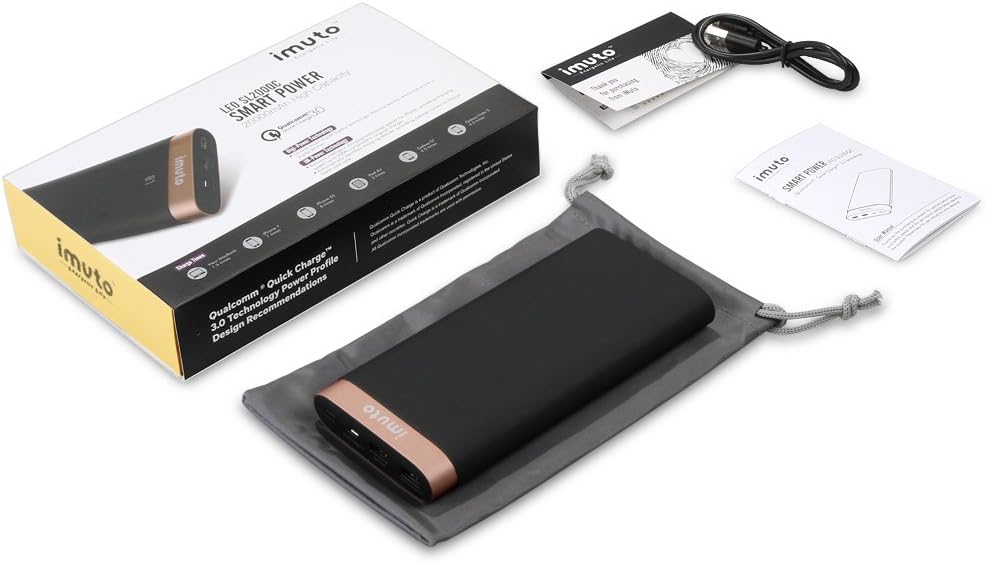
Image: The iMuto SL200QC Power Bank package contents, showing the power bank, a micro USB charging cable, a user manual, and a carrying pouch.
Il pacchetto tipicamente include:
- iMuto SL200QC Power Bank
- Cavo di ricarica micro USB
- Manuale d'uso
- Borsa da trasporto
2.2 Caratteristiche del dispositivo

Image: The iMuto SL200QC Power Bank, highlighting its two USB output ports (USB1 with Quick Charge 3.0, USB2 with iM-Power Technology), a Micro USB input port, and the digital power display.
- Digi-Power Technology: A smart digital screen displays the remaining power level in percentage.
- Doppia porta di uscita USB:
- USB1: Qualcomm Quick Charge 3.0 (5-6V/3A, 6-9V/2A, 9-12V/1.5A) for compatible devices.
- USB2: iM-Power Technology (5V/1A-2.4A) for intelligent device detection and optimized charging.
- Ingresso micro USB: Supports Quick Charge 3.0 (5V-9V/2A, 9V-12V/1.5A) for rapid recharging of the power bank.
- Alta capacità: 20000mAh Li-ion battery cells.
- Protezione di sicurezza intelligente: Protezioni integrate contro sovraccarico, sovratensionetage, sovracorrente e cortocircuiti.
3. Impostazione
Before first use, it is recommended to fully charge your iMuto SL200QC Power Bank.
3.1 Ricarica iniziale del Power Bank
- Connect the provided Micro USB cable to the Micro USB input port on the power bank.
- Connect the other end of the Micro USB cable to a USB wall charger (a Quick Charge 3.0/2.0 compatible charger is recommended for fastest recharging).
- The digital display will show the charging progress. The power bank is fully charged when the display shows "100".

Image: The iMuto SL200QC Power Bank connected to a wall charger via its Micro USB input, illustrating the recharging process. A full charge takes approximately 7 hours with a QC3.0/QC2.0 charger.
A full recharge using a Quick Charge 3.0/2.0 compatible charger typically takes about 7 hours. Using a standard 5V/2A charger will take longer.
4. Istruzioni per l'uso
4.1 Checking Remaining Power
Press the power button once to activate the digital display. The screen will show the remaining battery percentage. Il display si spegnerà automaticamente dopo alcuni secondi per risparmiare energia.
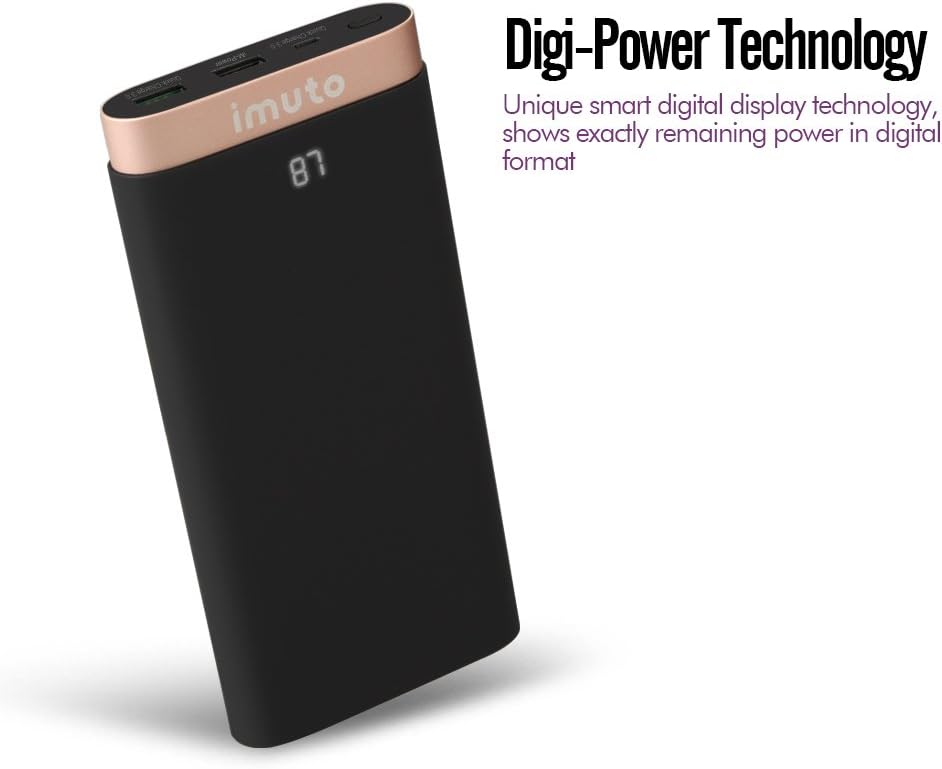
Image: The iMuto SL200QC Power Bank showing "87" on its digital display, indicating 87% remaining battery charge.
4.2 Ricarica dei dispositivi
The iMuto SL200QC can charge up to two devices simultaneously.

Image: The iMuto SL200QC Power Bank connected to a smartphone and a tablet, demonstrating its ability to charge two devices concurrently.
- Collega il cavo di ricarica del tuo dispositivo a una delle porte di uscita USB del power bank.
- Collega l'altra estremità del cavo al tuo dispositivo.
- The power bank will automatically begin charging your device. The digital display will illuminate to show the remaining power.
- Per interrompere la ricarica, è sufficiente scollegare il dispositivo.
Note on Ports:
- USB1 (Quick Charge 3.0): Use this port for devices compatible with Quick Charge technology to achieve the fastest charging speeds.
- USB2 (iM-Power Technology): This port intelligently detects your device's charging requirements and delivers the optimal current up to 2.4A.
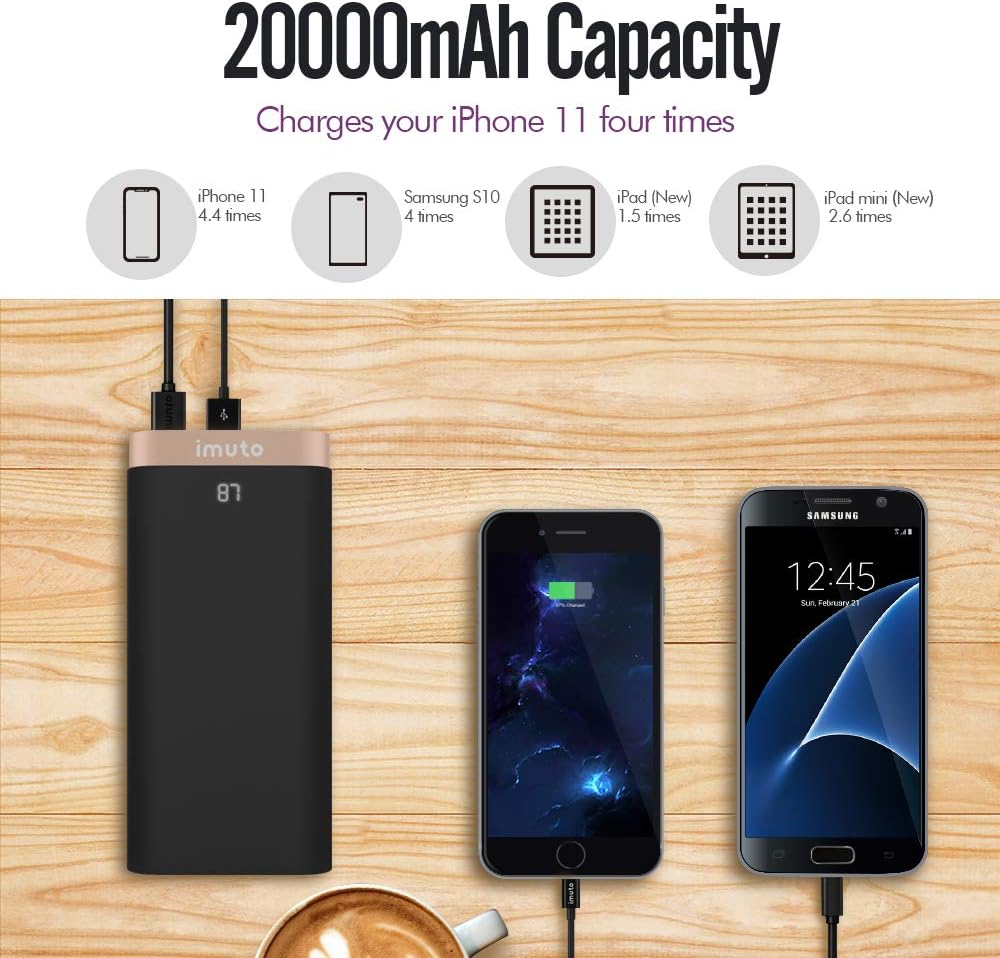
Image: The iMuto SL200QC Power Bank shown next to a smartphone and tablet being charged, with illustrations indicating its 20000mAh capacity can charge an iPhone 11 approximately 4.4 times, a Samsung S10 4 times, an iPad (New) 1.5 times, and an iPad mini (New) 2.6 times.
5. Manutenzione
- Tenere il power bank lontano da temperature estreme, dalla luce solare diretta e da ambienti umidi.
- Non esporre il power bank ad acqua o altri liquidi.
- Pulisci il power bank con un panno asciutto e morbido. Non utilizzare detergenti abrasivi o solventi.
- Store the power bank in a cool, dry place when not in use. For prolonged storage, it is recommended to charge the power bank to about 50-75% every 3 months to maintain battery health.
- Evitare di far cadere o sottoporre il power bank a forti impatti.
6. Risoluzione Dei Problemi
| Problema | Possibile causa | Soluzione |
|---|---|---|
| Il power bank non carica i dispositivi. |
|
|
| Il power bank non si ricarica. |
|
|
| Velocità di ricarica lenta. |
|
|
| Il display digitale non funziona. |
|
|
7. Specifiche
| Caratteristica | Dettaglio |
|---|---|
| Modello | SL200QC |
| Capacità della batteria | 20000 mAh / 74 Wh |
| Tipo di batteria | Li-ion (8 cells) |
| Micro USB Input (QC 3.0) | 5V-9V/2A, 9V-12V/1.5A |
| USB1 Output (QC 3.0) | 5-6V/3A, 6-9V/2A, 9-12V/1.5A |
| USB2 Output (iM-Power) | 5V / 1A-2.4A |
| Potenza di uscita totale | 25 Watt (massimo) |
| Dimensioni | Dimensioni: 17.2 x 8.18 x 2.24 cm |
| Peso | 650 grammi |
| Dispositivi compatibili | iPhone, iPad, Samsung Galaxy, Google Nexus/Pixel, Nintendo Switch, Xperia, LG, Lumia, and other USB-powered devices. |

Immagine: Un esploso view of the iMuto SL200QC Power Bank, illustrating its internal components including A-class Li-ion battery cells, Digi-Power technology circuit board, multiple smart protection system, power button, and aviation aluminum alloy shell.
8. Garanzia e supporto
8.1 Informazioni sulla garanzia
The iMuto SL200QC Power Bank comes with an Garanzia di 18 mesi dalla data di acquisto. La presente garanzia copre i difetti di fabbricazione e garantisce prestazioni affidabili in condizioni di utilizzo normali. Si prega di conservare la prova d'acquisto per eventuali reclami in garanzia.
La garanzia non copre i danni causati da uso improprio, incidenti, modifiche non autorizzate o calamità naturali.
8.2 Assistenza clienti
For any questions, technical assistance, or warranty claims, please contact iMuto customer support. Refer to the contact information provided on the official iMuto websito o la documentazione di acquisto.