
1. Introduzione
The Midiplus X3 mini is a compact and versatile USB MIDI keyboard controller designed for music production and performance. This manual provides essential information for setting up, operating, and maintaining your X3 mini controller, ensuring optimal performance and longevity.
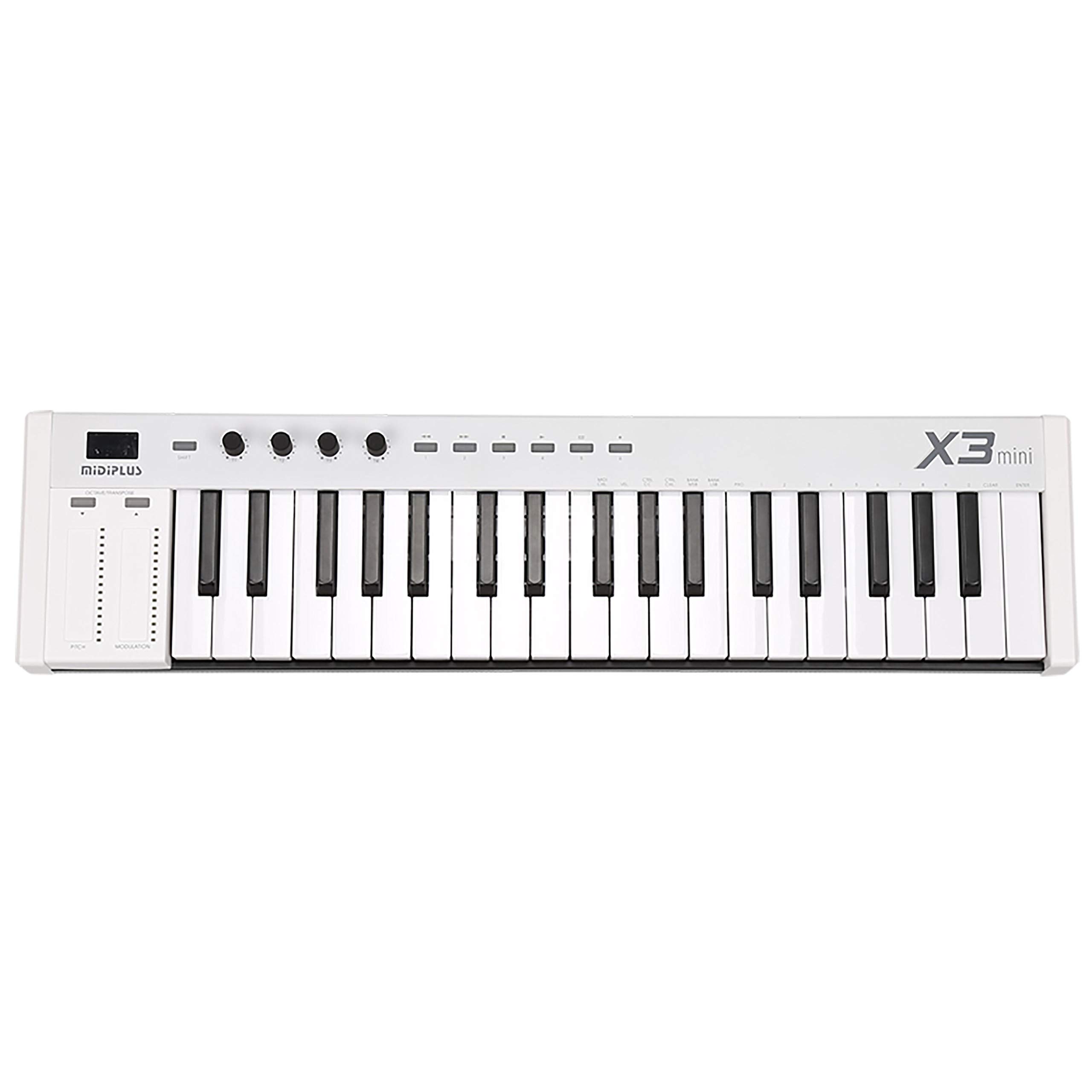
Figure 1: The Midiplus X3 mini USB MIDI Keyboard Controller, a compact and portable device for music production.
2. Informazioni sulla sicurezza
- Fonte di energia: This device is powered via USB. Ensure your USB port provides stable power. Do not attempt to power the device with an external power supply not specified by the manufacturer.
- Umidità: Keep the device away from water or excessive moisture to prevent electric shock or damage.
- Calore: Avoid placing the device near heat sources or in direct sunlight, as this may cause overheating and malfunction.
- Pulizia: Per la pulizia, utilizzare un panno morbido e asciutto. Non utilizzare detergenti liquidi o spray.
- Manutenzione: Non tentare di aprire o riparare il dispositivo autonomamente. Per qualsiasi intervento di assistenza, rivolgersi a personale qualificato.
3. Contenuto della confezione
Si prega di verificare che tutti i seguenti articoli siano inclusi nel pacchetto:
- Midiplus X3 mini USB MIDI Keyboard Controller
- Cavo USB
- Manuale dell'utente (questo documento)
4. Prodotto finitoview
4.1 Controlli del pannello frontale

Figura 2: Dettaglio view of the control panel, showing the pitch bend and modulation touch strips, the Shift button, and the four customizable knobs (T1-T4).
- 25 Force-Sensitive Keys: Standard mini-keys that respond to playing dynamics.
- Striscia di curvatura del passo: A touch-sensitive strip for bending the pitch of notes.
- Striscia di modulazione: A touch-sensitive strip for applying modulation effects.
- Tasto MAIUSC: Activates secondary functions for other controls.
- OCTAVE/TRANSPOSE Buttons: Adjust the octave range or transpose the keyboard.
- T1-T4 Customizable Knobs: Four rotary knobs that can be assigned to various MIDI Continuous Controller (CC) messages.
- Customizable Playback Buttons: Buttons that can be assigned to specific MIDI functions.
- Display LED a 3 cifre: Mostra le impostazioni e i valori correnti.

Figure 3: A closer look at the 25 force-sensitive mini-keys and the 'X3 mini' model designation.
4.2 Collegamenti del pannello posteriore

Figure 4: The rear panel connections, including the USB port for power and data, the MIDI Out port for external MIDI devices, and the Sustain pedal input.
- Porta USB: Connects to your computer for power and MIDI data transmission.
- MIDI OUT Port: A standard 5-pin DIN connector for sending MIDI data to external hardware synthesizers or modules.
- SUSTAIN Pedal Input: Connect a standard sustain pedal (not included) for expressive playing.
5. Impostazione
- Connessione al computer: Use the provided USB cable to connect the X3 mini's USB port to an available USB port on your computer. The device is USB-powered and does not require an external power adapter.
- Installazione del driver: The Midiplus X3 mini is a class-compliant device, meaning no special drivers are required for most operating systems (Windows, macOS, Linux). Your computer should automatically recognize the device.
- Configurazione del software: Open your Digital Audio Workstation (DAW) or music software. Navigate to the MIDI settings or preferences and ensure the "Midiplus X3 mini" is selected as a MIDI input device.
- Pedale sustain (opzionale): If using a sustain pedal, connect it to the SUSTAIN input jack on the rear panel.
- External MIDI Devices (Optional): If connecting to an external hardware synthesizer or module, use a standard 5-pin MIDI cable to connect the X3 mini's MIDI OUT port to the MIDI IN port of your external device.
6. Istruzioni per l'uso
6.1 Riproduzione di base
Once connected and recognized by your software, simply press the keys to play notes. The keys are force-sensitive, meaning the velocity (how hard you press) will affect the sound's dynamics.
6.2 Ottava e trasposizione
Utilizzare il OCTAVE/TRANSPOSE buttons to shift the keyboard's pitch range up or down. The 3-digit LED display will indicate the current octave or transpose setting.
6.3 Pitch Bend e Modulazione
The touch-sensitive Pitch bend E Modulazione strips on the left side allow for real-time expressive control over your sounds. The Pitch Bend strip typically returns to center when released, while the Modulation strip retains its last position.
6.4 Customizable Knobs and Buttons
IL T1-T4 Knobs E Customizable Playback Buttons can be assigned to control various parameters within your music software or external MIDI devices. Refer to your software's manual for instructions on MIDI CC mapping. To access secondary functions or reassign controls, press and hold the SPOSTARE button while interacting with the desired control.
7. Manutenzione
- Pulizia: Regularly wipe the surface of the controller with a soft, dry, lint-free cloth. Avoid using abrasive cleaners, solvents, or waxes.
- Magazzinaggio: When not in use, store the X3 mini in a clean, dry environment, away from extreme temperatures and direct sunlight.
- Trasporti: If transporting the device, use appropriate padding or a carrying case to protect it from physical damage.
8. Risoluzione Dei Problemi
- Nessun suono:
- Ensure the X3 mini is properly connected via USB and recognized by your computer.
- Verify that your DAW or music software has the X3 mini selected as a MIDI input.
- Check that the instrument track in your software is armed for recording or monitoring and has a sound loaded.
- Confirm your audio output (speakers/headphones) are connected and functioning.
- Dispositivo non riconosciuto:
- Try connecting the X3 mini to a different USB port on your computer.
- Riavvia il computer e prova a connetterti di nuovo.
- Assicurati che il tuo sistema operativo sia aggiornato.
- I controlli non rispondono:
- Check if the controls are correctly mapped within your music software.
- Ensure the SHIFT button is not inadvertently held down, which might change control behavior.
9. Specifiche
| Chiavi | 25 force-sensitive mini-keys |
| Display | Display a LED a 3 cifre |
| Controlli | SHIFT button, OCTAVE/TRANSPOSE buttons, 4 customizable knobs (T1-T4), Customizable playback buttons, Pitch bend strip, Modulation strip |
| Connessioni | USB port, MIDI OUT (5-pin DIN), Sustain pedal input |
| Energia | Alimentato tramite USB |
| Autista | Class-compliant (no driver needed) |
| Dimensioni (L x P x A) | 21.89 x 5.39 x 2.01 pollici (556 x 137 x 51 mm) |
| Peso | 4.03 libbre (1.83 kg) |
10. Garanzia e supporto
Per informazioni sulla garanzia e supporto tecnico, fare riferimento al sito ufficiale Midiplus webo contattare il distributore locale. Conservare la ricevuta d'acquisto come prova d'acquisto per eventuali reclami in garanzia.