
1. Introduzione
The Tunturi Functional Fitness Interval Timer is designed to assist you in various fitness activities, including CrossFit, Tabata, and general interval training. This device functions as both an interval timer and a stopwatch, offering customizable settings for your workout routines. Please read this manual thoroughly to ensure proper use and to maximize the benefits of your timer.
2. Informazioni sulla sicurezza
Per evitare danni al dispositivo o lesioni personali, attenersi alle seguenti linee guida di sicurezza:
- Tenere il dispositivo lontano dall'acqua e dall'umidità eccessiva.
- Non esporre il dispositivo a temperature estreme o alla luce solare diretta per periodi prolungati.
- Use only the specified battery type (1x AAA 1.5V).
- Assicurarsi che la polarità della batteria sia corretta durante l'inserimento.
- Rimuovere le batterie se il dispositivo non verrà utilizzato per un periodo prolungato.
- Non tentare di aprire o riparare il dispositivo da soli. Contattare l'assistenza clienti per ricevere assistenza.
- Smaltire le batterie e il dispositivo secondo le normative locali.
3. Contenuto della confezione
Verificare che tutti gli articoli siano presenti nel pacco:
- Tunturi Functional Fitness Interval Timer (Model 14TUSCF036)
- Manuale dell'utente (questo documento)
- 1x AAA 1.5V Battery (may be pre-installed or included separately)
4. Prodotto finitoview
Familiarize yourself with the components of your interval timer.
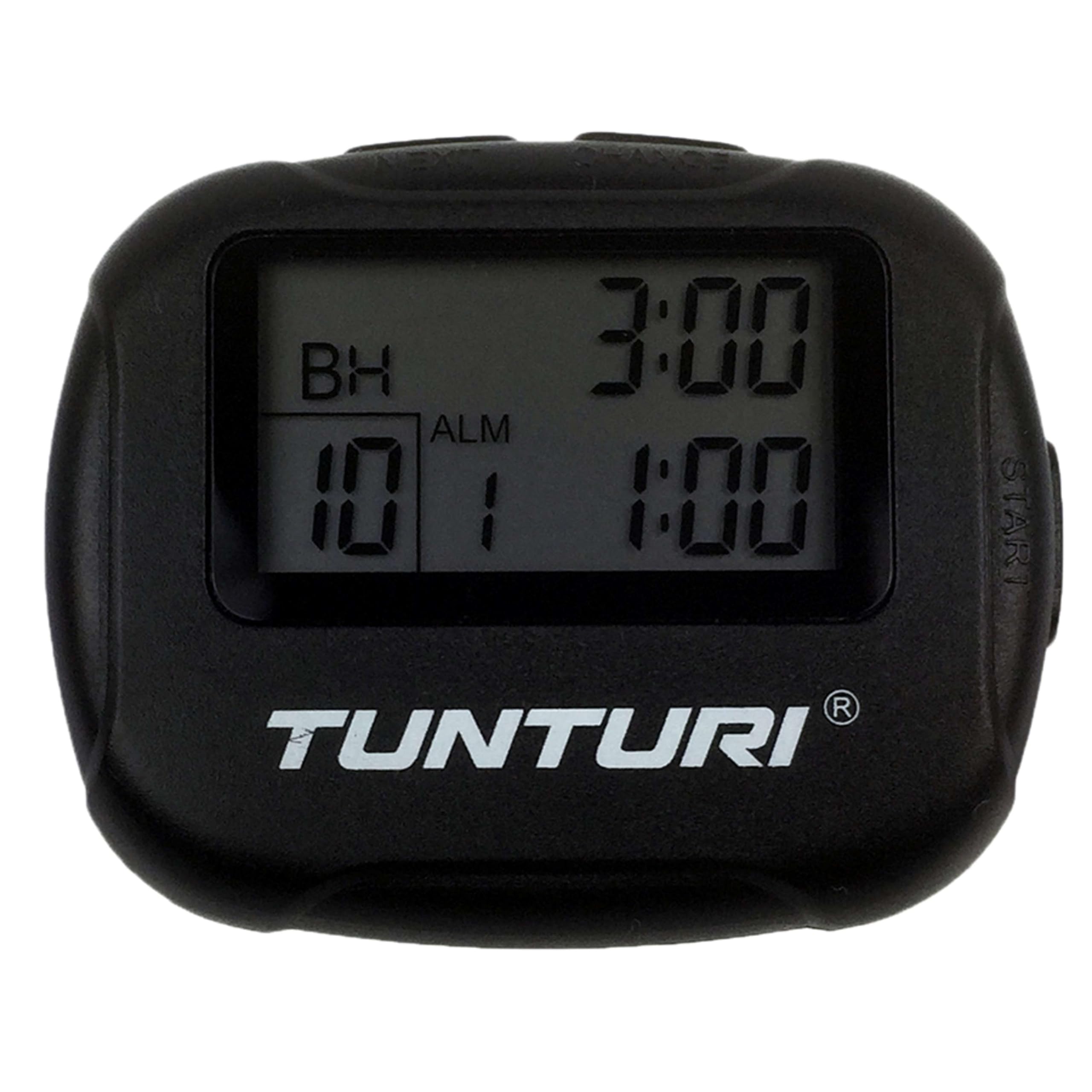
Figura 4.1: Davanti view of the Tunturi Interval Timer, displaying the screen and primary control buttons.
The timer features a clear digital display and intuitive buttons for navigation and setting adjustments. It includes a sturdy clip for attachment to clothing or equipment.

Figura 4.2: Lato view of the timer, showing the robust clip for secure attachment.
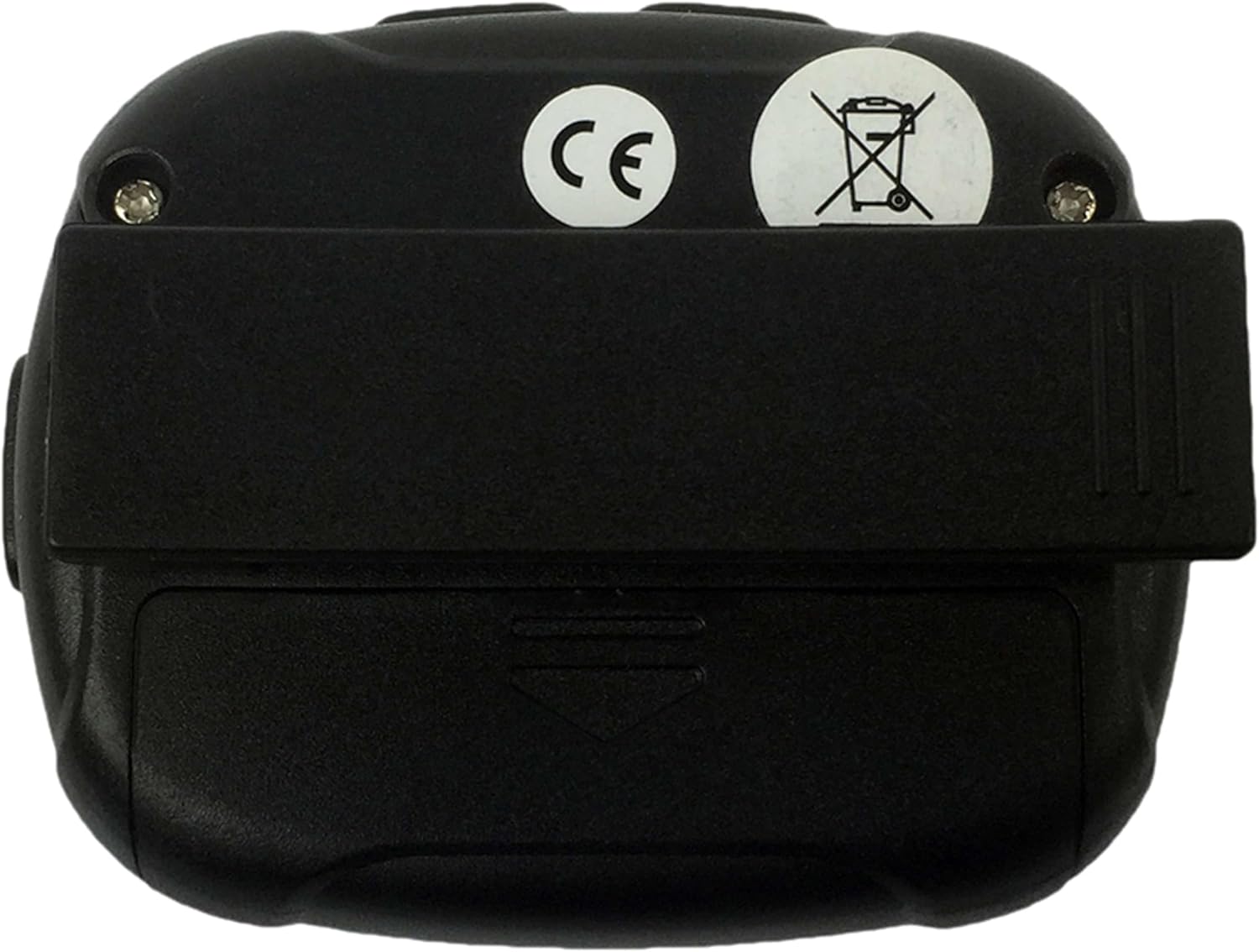
Figura 4.3: Posteriore view of the timer, illustrating the battery compartment cover and the clip's pivot point.
Funzioni dei pulsanti:
- DIREZIONI: Switches between Interval Timer mode and Stopwatch mode. Also used to confirm settings.
- AVVIO/ARRESTO: Initiates or pauses the timer/stopwatch.
- SU (▲): Increases values during setting adjustments.
- GIÙ (▼): Decreases values during setting adjustments.
5. Impostazione
5.1 Installazione della batteria
- Individuare il vano batterie sul retro del timer (fare riferimento alla Figura 4.3).
- Use a small screwdriver or coin to gently open the battery cover.
- Inserire una batteria AAA da 1.5 V, assicurandosi che la polarità (+/-) sia corretta, come indicato all'interno del vano.
- Replace the battery cover and secure it firmly.
- The timer should power on automatically or can be turned on using the MODE button.
6. Istruzioni per l'uso
6.1 Accensione/spegnimento
- To power on, press any button. The timer will typically display the last used mode or a default setting.
- The timer will automatically enter a low-power sleep mode after a period of inactivity to conserve battery. Press any button to wake it up.
6.2 Setting Interval Timer Mode
- Premere il tasto MODALITÀ button repeatedly until "TIMER" or a similar indicator for interval mode is displayed.
- Premere e tenere premuto il tasto MODALITÀ button to enter setting mode. The first adjustable parameter (e.g., Workout Time) will flash.
- Utilizzare il SU (▲) E GI (▼) buttons to adjust the desired workout duration (up to 99 minutes 59 seconds).
- Premere MODALITÀ to confirm and move to the next setting (e.g., Rest Time).
- Adjust the rest duration using SU (▲) E GI (▼).
- Premere MODALITÀ to confirm and move to the number of repetitions (2-99).
- Adjust the number of repetitions using SU (▲) E GI (▼).
- Premere MODALITÀ to confirm all settings and exit setting mode.
- Premere AVVIO/ARRESTO to begin the interval sequence. The timer will count down the workout time, then the rest time, and repeat for the set number of repetitions.
- During an interval, press AVVIO/ARRESTO to pause, and press again to resume.
- Per azzerare il timer, tenere premuto AVVIO/ARRESTO mentre era in pausa.
6.3 Using Stopwatch Mode
- Premere il tasto MODALITÀ button repeatedly until "STOPWATCH" or a similar indicator is displayed. The display should show 00:00:00.
- Premere AVVIO/ARRESTO to begin timing. The stopwatch will count up.
- Premere AVVIO/ARRESTO di nuovo per mettere in pausa il cronometro.
- Per riprendere, premere AVVIO/ARRESTO.
- To reset the stopwatch to zero, press and hold AVVIO/ARRESTO while it is paused.
6.4 Alarm and Vibration
The timer provides an audible alarm or vibration to signal the end of an interval or a completed request. Specific settings for alarm/vibration may be available in the setup menu, typically toggled using the UP/DOWN buttons when the alarm icon is flashing during setup.
7. Manutenzione
7.1 Pulizia
- Wipe the timer with a soft, dry cloth.
- Per lo sporco ostinato utilizzare una spugna leggermente damp panno e sapone neutro, quindi asciugare accuratamente.
- Non utilizzare detergenti abrasivi, solventi o prodotti chimici aggressivi.
7.2 Conservazione
- Store the timer in a cool, dry place away from direct sunlight.
- Se si conserva il prodotto per un periodo prolungato, rimuovere la batteria per evitare perdite.
8. Risoluzione Dei Problemi
| Problema | Possibile causa | Soluzione |
|---|---|---|
| Il timer non si accende. | Batteria scarica o inserita in modo errato. | Check battery polarity. Replace battery with a fresh AAA 1.5V battery. |
| Il display è scuro o tremolante. | Batteria scarica. | Replace battery with a fresh AAA 1.5V battery. |
| I pulsanti non rispondono. | Dispositivo bloccato o problema con la batteria. | Rimuovere e reinserire la batteria. Se il problema persiste, sostituire la batteria. |
| Interval settings do not save. | Impostazioni non confermate correttamente. | Ensure you press the MODE button to confirm each setting and exit the setting mode. |
9. Specifiche
- Marca: Tunturi
- Modello: 14TUSCF036
- Colore: Nero
- Materiale: Gomma
- Fonte di energia: 1x AAA 1.5V Battery
- Max Interval Time: 99 minuti 59 secondi
- Ripetizioni: 2-99
- intervalli: 1-2 (Workout/Rest)
- GTIN (Global Trade Item Number): 08717842025994
- ASIN: B01MXM3GW7
10. Garanzia
Tunturi products are manufactured to high-quality standards. This product comes with a standard manufacturer's warranty against defects in materials and workmanship. Please refer to the warranty card included with your purchase or visit the official Tunturi websito per termini e condizioni di garanzia dettagliati specifici per la tua regione.
11. Supporto
For technical assistance, troubleshooting beyond this manual, or warranty claims, please contact Tunturi customer support. Contact information can typically be found on the official Tunturi websul sito o sulla confezione del prodotto.
Websito: www.tunturi.com
Please have your model number (14TUSCF036) and purchase date ready when contacting support.