
1. Introduzione
This manual provides essential information for the proper installation, operation, and maintenance of your Jensen JTV4015DC 40-inch LED DC Television. Please read this manual thoroughly before using the product to ensure safe and efficient operation.
2. Cosa c'è nella scatola
Carefully unpack the television and verify that all items are present:
- Jensen JTV4015DC 40-inch LED DC Television
- Dual function (TV & DVD) wireless remote control
- Cavo di alimentazione CC
- Optional table top stand (STDJTV4015DC) (if purchased separately)
3. Configurazione e installazione
3.1 Collegamento di alimentazione
The JTV4015DC television is designed for DC 12V power systems. Connect the included DC power cord to the television's power input and to a compatible 12V DC power source.
3.2 Opzioni di montaggio
The television supports VESA 200mm x 100mm mounting patterns for wall or bracket installation. Ensure that any mounting hardware used is compatible with this standard and can safely support the television's weight.
An optional table top stand (model STDJTV4015DC) is available for desktop placement. Refer to the stand's separate instructions for assembly and attachment.

Immagine: Posteriore view of the Jensen JTV4015DC television showing VESA mounting points and overall dimensions. The diagram indicates a VESA 200mm x 100mm mounting pattern.
3.3 Collegamento di dispositivi esterni
The television offers various input options for connecting external devices:
- Ingressi HDMI (x2): For high-definition audio and video sources such as DVD players, Blu-ray players, or gaming consoles.
- Ingresso video composito: For standard definition video sources (NTSC/PAL compatible).
- Ingresso RF: For connecting an antenna or cable television signal.
- Ingresso USB: Per la riproduzione di contenuti multimediali da dispositivi di archiviazione USB.
- Ingresso audio stereo: Per sorgenti audio analogiche.
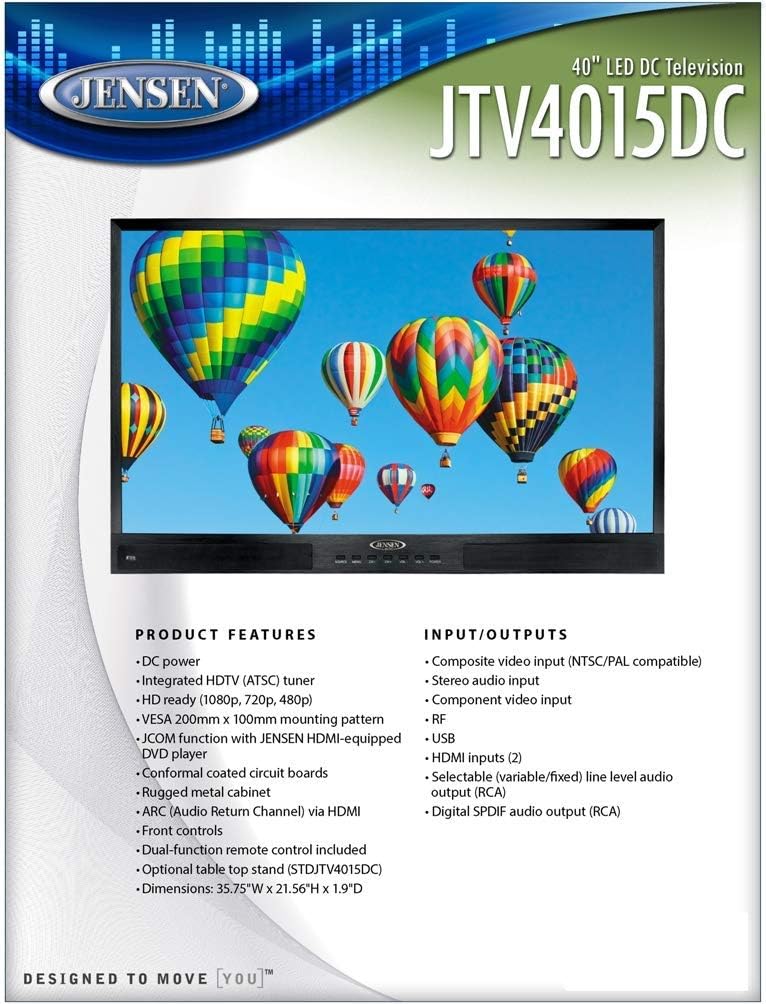
Image: Diagram illustrating the various input and output ports available on the Jensen JTV4015DC television, including HDMI, USB, RF, and composite video inputs.
4. Istruzioni per l'uso
4.1 Funzionamento di base
The television can be operated using the front panel controls or the included dual-function wireless remote control. The remote control is designed to operate both the TV and compatible DVD players.
4.2 Selezione dell'ingresso
Use the 'Source' or 'Input' button on the remote or front panel to cycle through available input sources (HDMI 1, HDMI 2, Composite, RF, USB).
4.3 Integrated HDTV Tuner
The television features an integrated HDTV (ATSC) tuner. Connect an antenna to the RF input to receive over-the-air digital television broadcasts. Perform a channel scan through the TV's menu to find available channels.
4.4 Caratteristiche audio
- ARC (Audio Return Channel) via HDMI: Allows audio to be sent from the TV to a compatible audio receiver or soundbar through a single HDMI cable.
- Selectable Line Level Audio Output (RCA): Provides variable or fixed audio output for connecting to external audio systems.
- Digital SPDIF Audio Output (RCA): For connecting to digital audio receivers.
4.5 JCOM Function
The JCOM function allows for enhanced communication with JENSEN HDMI-equipped DVD players, simplifying control and integration.

Image: The Jensen JTV4015DC television displaying a high-definition image, showcasing its 1920 x 1080 resolution and 16:9 display format.
5. Manutenzione
5.1 Pulizia
Per pulire lo schermo, strofinarlo delicatamente con un panno morbido e privo di lanugine. Per macchie ostinate, dampen the cloth slightly with water or a screen-cleaning solution. Avoid using harsh chemicals or abrasive materials. For the cabinet, use a soft, dry cloth.
5.2 Cura generale
Ensure the television is placed in a well-ventilated area to prevent overheating. Avoid exposing the unit to extreme temperatures or high humidity. The conformal coated circuit boards provide enhanced durability against environmental factors, but proper care is still recommended.
6. Risoluzione Dei Problemi
If you experience issues with your television, refer to the following common problems and solutions:
- Nessun potere: Ensure the DC power cord is securely connected to both the television and the 12V DC power source. Verify the power source is active.
- Nessuna immagine/suono: Check that the correct input source is selected. Verify all audio/video cables are securely connected to both the television and the external device.
- Scarsa qualità dell'immagine: For RF input, ensure the antenna is properly connected and positioned. For HDMI/Composite, check cable integrity and source device settings.
- Il telecomando non funziona: Check the batteries in the remote control and ensure there are no obstructions between the remote and the television's IR sensor.
For persistent issues, contact customer support as detailed in the Warranty and Support section.
7. Specifiche
| Caratteristica | Specificazione |
|---|---|
| Dimensione diagonale | 39.5 pollici (dimensioni dello schermo in piedi 40 pollici) |
| Risoluzione | 1920 x 1080 (Full HD) |
| Luminosità | 200 cd/m2 |
| Rapporto di contrasto | 5000:1 |
| View Angoli | Top 89°, Bottom 89°, Left 89°, Right 89° |
| Formato di visualizzazione | 16:9 |
| Tempo di risposta | 6.5 millisecondo |
| Video/Display System | NTSC/ATSC/PAL |
| Uscita audio | 8W x 2 |
| Sistema di alimentazione | CC 12V |
| Consumo energetico | 20 mA standby, 5.41A max (79.8 watts on-mode) |
| Intervallo di temperatura di esercizio | Da -4°C a 149°C (da -20°F a 65°F) |
| Intervallo di temperatura di conservazione | Da -22°C a 158°C (da -20°F a 70°F) |
| Massima umidità relativa | 85% |
| Overall Dimensions (without stand) | 35.8"L x 21.6"A x 1.9"P |
| Peso (non imballato) | 22 libbre 8 once |
| Regulatory Certification(s) | Commissione federale delle comunicazioni |
8. Garanzia e supporto
The Jensen JTV4015DC television typically comes with a one-year limited warranty from the manufacturer, ASA Electronics. This warranty covers defects in materials and workmanship under normal use.
For warranty claims, technical support, or service inquiries, please contact ASA Electronics directly. Please note that out-of-warranty repairs or parts may not be available directly from the manufacturer.
It is recommended to retain your proof of purchase for warranty validation.