
Introduzione
Thank you for choosing the INPHIC M1 II Tri-Mode Wireless Mouse. This manual provides detailed instructions for setting up, operating, and maintaining your mouse to ensure optimal performance. This mouse offers versatile connectivity options (2.4G USB, Bluetooth 4.0, and Bluetooth 5.0), an ergonomic design, quiet clicking, and adjustable DPI settings for various computing needs.
Impostare
1. Accensione
Individuare l'interruttore ON/OFF nella parte inferiore del mouse e spostarlo in posizione "ON".

Immagine: The bottom of the INPHIC M1 II mouse, showing the ON/OFF switch, DPI button, and the storage slot for the USB receiver.
2. Collegamento del mouse
The INPHIC M1 II mouse supports three connection modes: 2.4G USB, Bluetooth 4.0 (BT1), and Bluetooth 5.0 (BT2).
2.1. Connessione USB 2.4G
- Accendere il mouse utilizzando l'interruttore ON/OFF nella parte inferiore.
- Press the "MODE" button on the bottom of the mouse to select 2.4G mode. The indicator light will show the selected mode.
- Estrarre il ricevitore USB dallo slot di archiviazione nella parte inferiore del mouse.
- Inserisci il ricevitore USB in una porta USB disponibile sul tuo computer.
- Il computer dovrebbe rilevare automaticamente il mouse e connettersi ad esso.

Immagine: Visual guide for connecting the mouse via 2.4G USB receiver, illustrating the steps from turning on to plugging in the receiver.
2.2. Bluetooth 4.0 (BT1) / Bluetooth 5.0 (BT2) Connection
- Accendere il mouse utilizzando l'interruttore ON/OFF nella parte inferiore.
- Short press the "MODE" button on the bottom of the mouse to select either BT1 (Bluetooth 4.0) or BT2 (Bluetooth 5.0). The corresponding indicator light will illuminate.
- Sul tuo dispositivo (laptop, tablet, smartphone), vai alle impostazioni Bluetooth.
- Abilita il Bluetooth e cerca i dispositivi disponibili.
- Select "BT4.0 Mouse" or "BT5.0 Mouse" from the list to connect.

Immagine: Visual guide for connecting the mouse via Bluetooth, showing how to select BT1 or BT2 and pair with a device.
Note: Windows 7 does not support Bluetooth 4.0 and above. Please use the 2.4G wireless connection for Windows 7.
Istruzioni per l'uso
1. Regolazione DPI
The mouse features 5 adjustable DPI levels: 800, 1200, 1600, 2000, and 2400. To change the DPI, press the DPI button located on the bottom of the mouse. Each press cycles through the available DPI settings.
Immagine: The underside of the mouse, highlighting the DPI adjustment button for sensitivity control.
2. Clic silenzioso
The INPHIC M1 II mouse is designed with silent click buttons, reducing noise by up to 90%. This feature is ideal for quiet environments such as offices, libraries, or late-night use.

Immagine: The INPHIC M1 II mouse on a dark surface, emphasizing its quiet operation for a distraction-free experience.
3. Indicatore della batteria
The mouse features a visible battery indicator LED on its top surface. This allows you to monitor the remaining power instantly, preventing unexpected power loss during use.

Immagine: Un dettagliato view of the mouse's top, showing the illuminated battery status indicator lights to check power levels.
Ricarica
The INPHIC M1 II mouse is equipped with a built-in rechargeable battery and a Type-C charging port. To charge the mouse:
- Collegare il cavo di ricarica Type-C in dotazione alla porta di ricarica del mouse.
- Collegare l'altra estremità del cavo a una fonte di alimentazione USB (ad esempio, una porta USB del computer, un adattatore USB da parete).
- The battery indicator lights will show the charging status. A full charge typically takes 2-3 hours.
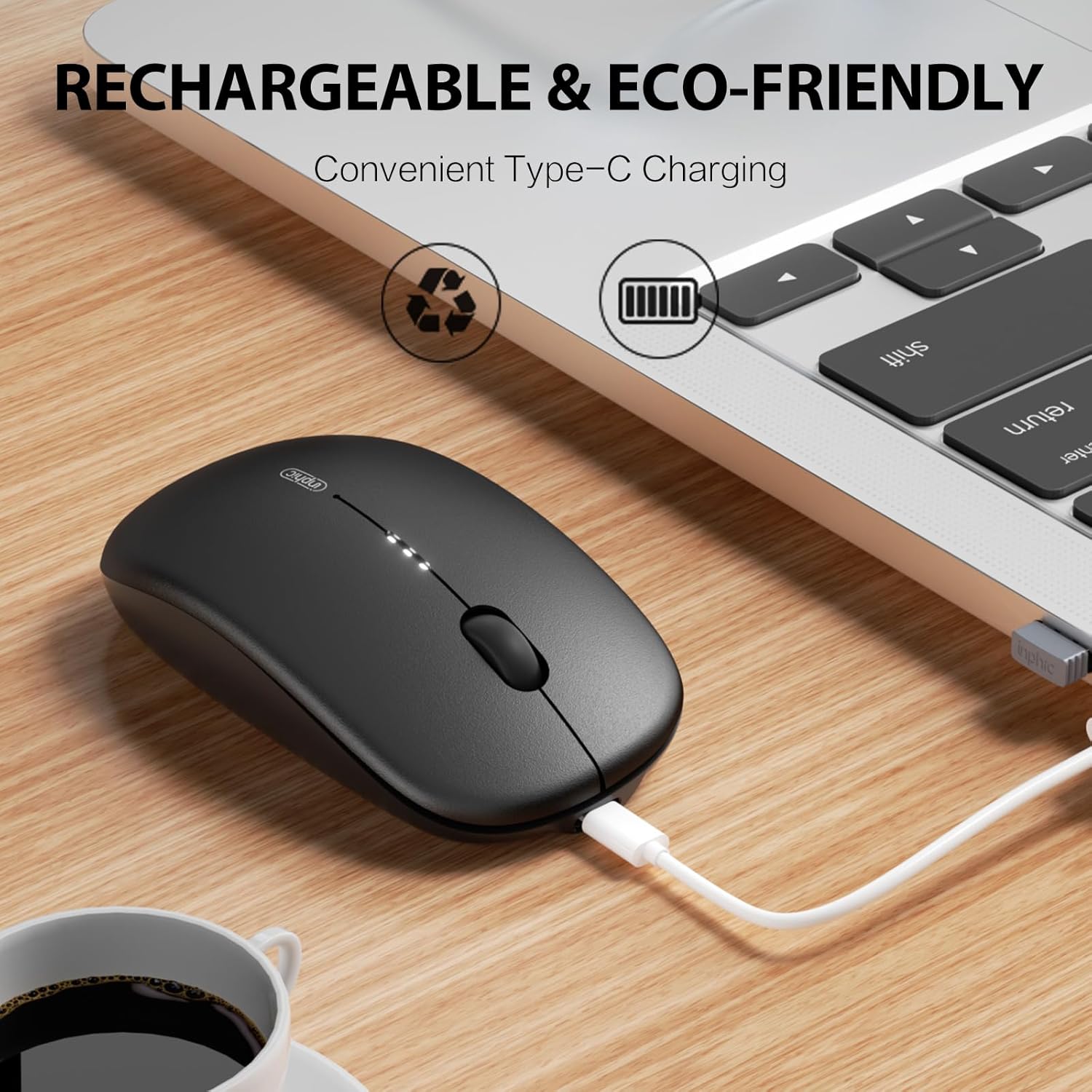
Immagine: The INPHIC M1 II mouse being charged via its Type-C port, with a laptop in the background, indicating convenient recharging.
Manutenzione
- Pulizia: Utilizzare un panno morbido e asciutto per pulire il mouse. Per lo sporco ostinato, leggermente dampPulisci il panno con acqua o una soluzione detergente delicata. Evita prodotti chimici aggressivi.
- Magazzinaggio: When not in use, store the USB receiver in its designated slot on the bottom of the mouse to prevent loss.
- Cura della batteria: Per prolungare la durata della batteria, evitare di scaricare completamente il mouse frequentemente. Ricaricarlo quando l'indicatore della batteria indica un livello di carica basso.
- Condizioni ambientali: Evitare di esporre il mouse a temperature estreme, alla luce solare diretta o a elevata umidità.
Risoluzione dei problemi
| Problema | Soluzione |
|---|---|
| Il mouse non risponde |
|
| Connessione lenta o intermittente |
|
| L'impostazione DPI non cambia | Ensure you are pressing the DPI button on the bottom of the mouse. Cycle through all settings to confirm functionality. |
Specifiche
- Modello: M1 II
- Marca: INPHIC
- Connettività: 2.4G USB Wireless, Bluetooth 4.0 (BT1), Bluetooth 5.0 (BT2)
- Livelli DPI: 800 / 1200 / 1600 / 2000 / 2400
- Batteria: Built-in 700mAh Rechargeable Lithium Battery (Type-C Charging)
- Peso: Circa 80 g
- Campo di funzionamento: Fino a 10 metri (33 piedi)
- Pulsanti: 4 (Left, Right, Scroll Wheel, DPI Switch)
- Orientamento della mano: Giusto
- Rilevamento del movimento: Ottico
- Sistema operativo compatibile: Windows (7/8/10/XP/Vista), macOS, Chrome OS, Android, Linux
- Dimensioni (L x P): 44.1"L x 26.4"W (Note: These dimensions may be a data entry error and are unusually large for a mouse.)
Garanzia e supporto
The INPHIC M1 II Wireless Mouse comes with a Garanzia di 1 anno from the date of purchase. This warranty covers manufacturing defects and malfunctions under normal use. For warranty claims or technical support, please contact INPHIC customer service through the retailer where you purchased the product or visit the official INPHIC websito per le informazioni di contatto.
Risorse online: For additional support, FAQs, and driver downloads (if applicable), please visit the Negozio INPHIC.
Video ufficiale del prodotto
Video: Prodotto ufficiale finitoview of the INPHIC Bluetooth Tri-mode Mouse M1 II, demonstrating its features and connectivity options.


