
1. Introduzione
The iDance Party MIC PM 10 is a versatile Bluetooth karaoke microphone with an integrated speaker, designed for portable entertainment. It features LED lighting and echo control, allowing you to stream music wirelessly and sing along with enhanced vocal effects. This manual provides essential information for the safe and effective use of your device.

Image 1.1: The iDance Party MIC PM 10 in white, showcasinil suo design elegante.
2. Cosa c'è nella scatola
Si prega di controllare il contenuto del pacco. Se qualche articolo risulta mancante o danneggiato, contattare il rivenditore.
- iDance Party MIC PM 10 Microphone with Integrated Speaker
- Cavo di ricarica USB
- Manuale d'uso
3. Impostazione
3.1 Ricarica del dispositivo
- Locate the USB charging port on the microphone.
- Connect the provided USB charging cable to the microphone.
- Collegare l'altra estremità del cavo USB a un adattatore di alimentazione USB compatibile (non incluso) o alla porta USB di un computer.
- The LED indicator will show the charging status. A full charge typically takes 2-3 hours and provides up to 6 hours of playback.
3.2 Accensione/Spegnimento
- To power on: Press and hold the power button until the device activates.
- Per spegnere: tenere premuto il pulsante di accensione finché il dispositivo non si spegne.
4. Istruzioni per l'uso
4.1 Associazione Bluetooth
The Party MIC PM 10 can connect wirelessly to your smartphone, tablet, or laptop via Bluetooth.
- Ensure the microphone is powered on. It will automatically enter Bluetooth pairing mode, indicated by a flashing LED.
- Sul tuo dispositivo (smartphone, tablet, ecc.), attiva il Bluetooth e cerca i dispositivi disponibili.
- Select "iDance PM 10" from the list of devices.
- Once paired, the microphone will emit an audible confirmation, and the LED will stop flashing. You can now stream music from your device to the microphone's speaker.
4.2 Riproduzione della scheda Micro SD
You can play music directly from a Micro SD card.
- Insert a Micro SD card (with MP3 music files) into the designated slot on the microphone.
- The microphone will automatically detect the card and begin playing music.
- Use the track control buttons (if available) to navigate through your music.
4.3 Controllo del volume e dell'eco
- Controllo del volume: Use the dedicated volume buttons or knob on the microphone to adjust the overall sound output.
- Controllo dell'eco: Adjust the echo effect using the echo control knob to add a reverberation effect to your vocals.
4.4 Illuminazione a LED
The microphone features integrated LED lights that synchronize with the music, creating a party atmosphere.
- The LED lights activate automatically when the microphone is in use.
- The lights will change colors and patterns in sync with the audio.

Image 4.1: A user demonstrating the iDance Party MIC PM 10 with its vibrant pink LED lighting.

Image 4.2: A user demonstrating the iDance Party MIC PM 10 with its vibrant blue LED lighting.
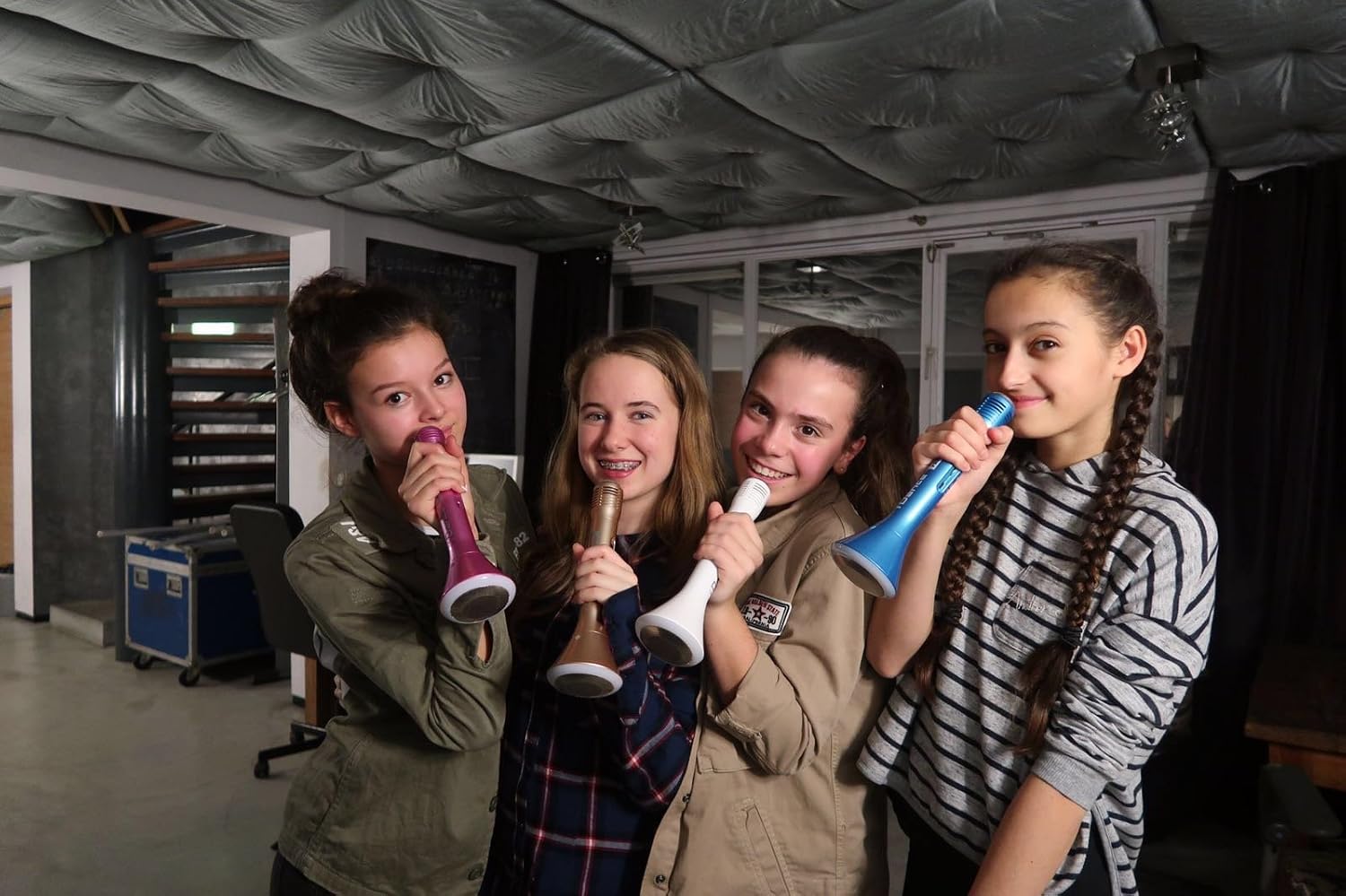
Image 4.3: Multiple users enjoying the iDance Party MIC PM 10, highlighting its group entertainment potential.
5. Manutenzione
5.1 Pulizia
- Pulire la parte esterna del microfono con un panno morbido e asciutto.
- Non utilizzare detergenti abrasivi, solventi o prodotti chimici aggressivi.
- Evitare che l'umidità penetri nelle aperture.
5.2 Conservazione
- Conservare il microfono in un luogo fresco e asciutto, lontano dalla luce solare diretta e da temperature estreme.
- Se si prevede di non utilizzarla per un periodo prolungato, assicurarsi che la batteria sia parzialmente carica (circa il 50%) per prolungarne la durata.
6. Risoluzione Dei Problemi
- Nessun potere: Assicurati che il dispositivo sia completamente carico. Collegalo a una fonte di alimentazione tramite il cavo USB.
- Impossibile associare il Bluetooth: Make sure Bluetooth is enabled on your device and the microphone is in pairing mode. Try restarting both devices. Ensure no other devices are currently connected to the microphone.
- Volume basso del microfono: Adjust the microphone volume control on the device. Ensure you are speaking directly into the microphone grille.
- Nessun suono dall'altoparlante: Check the master volume control on the microphone and your connected device. Ensure music is playing from the source.
- Suono distorto: Reduce the volume on both the microphone and your connected device. Ensure the microphone is not too close to the speaker, which can cause feedback.
7. Specifiche
| Caratteristica | Specificazione |
|---|---|
| Nome del modello | Party MIC PM 10 |
| Marca | iDance |
| Tecnologia di connettività | Bluetooth, USB Type-A |
| Caratteristica speciale | Wireless, LED Lighting, Echo Control |
| Dispositivi compatibili | Computer portatile, tablet, smartphone |
| Colore | Bianco |
| Componenti inclusi | Microphone, Speaker (integrated) |
| Modello polare | Unidirezionale |
| Caratteristiche del microfono | Portatile |
| Fonte di alimentazione | Alimentato a batteria (1 agli ioni di litio inclusa) |
| Durata della batteria | Fino a 6 ore (circa) |
| Uscita altoparlante | 5W |
| Dimensioni | Dimensioni: 50 x 50 x 250 mm |
| Peso | 250 g (circa) |
| Materiale | Plastica ABS |
| Numero di modello | PM10White |
| Codice UPC | 489436706869 |
| Paese di origine | Cina |
8. Informazioni sulla sicurezza
- Non esporre il dispositivo all'acqua o a umidità eccessiva.
- Evitare di far cadere o sottoporre il dispositivo a forti impatti.
- Non tentare di smontare o riparare il dispositivo da soli. Rivolgersi a personale qualificato.
- Tenere fuori dalla portata dei bambini.
- Smaltire la batteria e il dispositivo secondo le normative locali.
9. Garanzia e supporto
For warranty information and customer support, please refer to the documentation provided with your purchase or visit the official iDance websito. Conservare la prova d'acquisto per eventuali reclami in garanzia.


