
Introduzione
This manual provides essential instructions for the proper use and care of your Transcend TS64GUSDU3M microSD card. This high-performance storage solution is designed for reliable data storage and fast transfer speeds across various compatible devices.
Contenuto della confezione
- Transcend TS64GUSDU3M microSD Card
- Adattatore per scheda SD
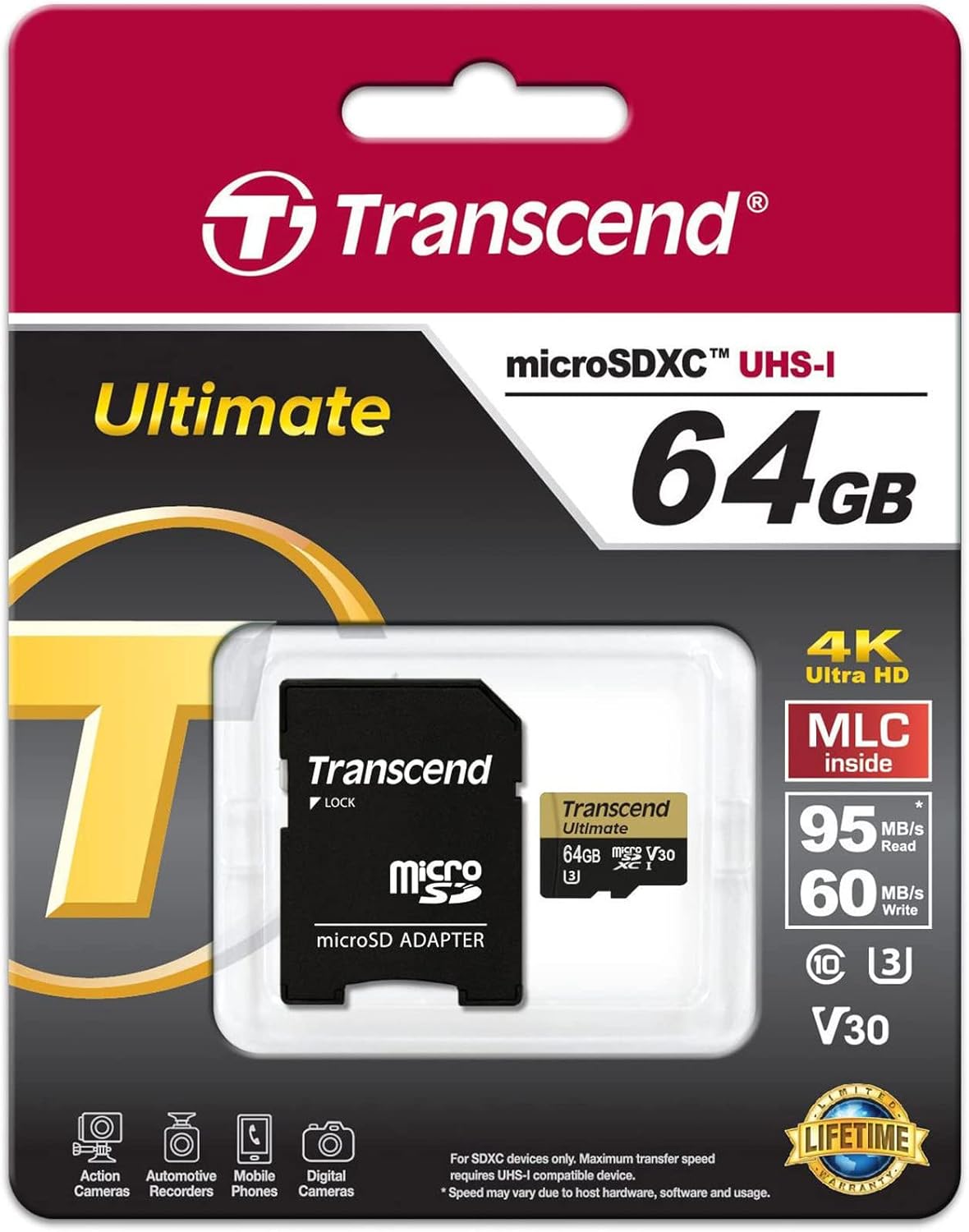
Image: Transcend microSD card and SD adapter as packaged.
Impostare
- Inserimento della scheda microSD: Locate the microSD card slot on your compatible device (e.g., camera, smartphone, tablet). Ensure the card is oriented correctly according to the device's diagram. Gently push the card into the slot until it clicks into place.
- Utilizzo dell'adattatore SD: For devices that use standard SD card slots, insert the microSD card into the provided SD adapter. Then, insert the adapter into the device's SD card slot. Ensure the lock switch on the adapter is in the 'unlocked' position.
- Formattazione: It is recommended to format the microSD card using your device's internal formatting function before first use. This ensures optimal compatibility and performance. Refer to your device's manual for specific formatting instructions. Formatting will erase all data on the card.

Image: Transcend microSD card and SD adapter, ready for use.
Operativo
- Trasferimento dati: Once inserted and recognized, the microSD card functions as external storage. You can transfer files (photos, videos, documents) to and from the card using your device's file sistema di gestione o collegando il dispositivo a un computer.
- Classe di velocità: This card is rated UHS-I U3 and V30, indicating high-speed performance suitable for 4K Ultra HD video recording and fast continuous shooting. Ensure your device supports these speed classes for optimal performance.
- Compatibilità: The card is compatible with devices supporting microSD, microSDHC, and microSDXC standards. Verify that your device supports the card's capacity (64GB) before use.
Manutenzione
- Caratteristica impermeabile: The card is designed to be waterproof, offering protection against accidental water exposure. However, avoid prolonged submersion.
- Gestione: Always handle the card by its edges. Avoid touching the gold contacts to prevent data corruption or physical damage.
- Magazzinaggio: Store the card in a protective case when not in use to prevent physical damage and exposure to extreme temperatures or static electricity.
Risoluzione dei problemi
- Carta non riconosciuta:
- Assicurarsi che la scheda sia inserita completamente e correttamente nel dispositivo o nell'adattatore.
- Try inserting the card into another compatible device or a different card reader to rule out device-specific issues.
- If using the SD adapter, ensure the lock switch is in the 'unlocked' position.
- Check if your device's firmware is up to date.
- Prestazioni lente:
- Assicurati che il tuo dispositivo supporti le velocità UHS-I. I dispositivi più vecchi potrebbero non sfruttare appieno le capacità di velocità della scheda.
- Evitare di riempire la scheda fino alla sua capacità massima, poiché ciò può talvolta influire sulle prestazioni.
- Regularly back up data and format the card to maintain optimal performance.
- Perdita di dati:
- Immediately stop using the card if data loss is suspected.
- Consult data recovery software or professional services if necessary.
Specifiche
| Marca | Trascendere |
| Nome del modello | TS64GUSDU3M |
| Tipo di memoria flash | Micro SD, SD (with adapter) |
| Capacità di archiviazione della memoria | 64 GB |
| Dispositivi compatibili | Camera, Personal Computer, Smartphone |
| Caratteristiche aggiuntive | Impermeabile |
| Velocità di lettura | Fino a 95 Megabyte al secondo |
| Connettività Hardware | Scheda MicroSD |
| Classe di velocità dell'associazione digitale sicura | Class 10, UHS-I U3, V30 |
| Peso dell'articolo | 9.07 grammi |
| Colore | Nero |
Garanzia
This Transcend microSD card comes with a limited warranty. For specific terms, conditions, and duration of the warranty, please refer to the official Transcend website or the warranty information included with your product packaging. Keep your proof of purchase for warranty claims.
Supporto
For further assistance, product registration, or to submit a warranty claim, please visit the official Transcend website. You can typically find detailed FAQs, driver downloads, and contact information for customer support there.
Per maggiori informazioni puoi anche visitare il sito Negozio Transcend su Amazon.