
Prodotto finitoview
The VTech KidiZoom Smartwatch DX2 is a kid-friendly, reliable smartwatch designed for children aged 4-12 years. It allows kids to capture quality photos and videos, play engaging games, and learn to tell time. Its stylish and durable design is sized for children's wrists.
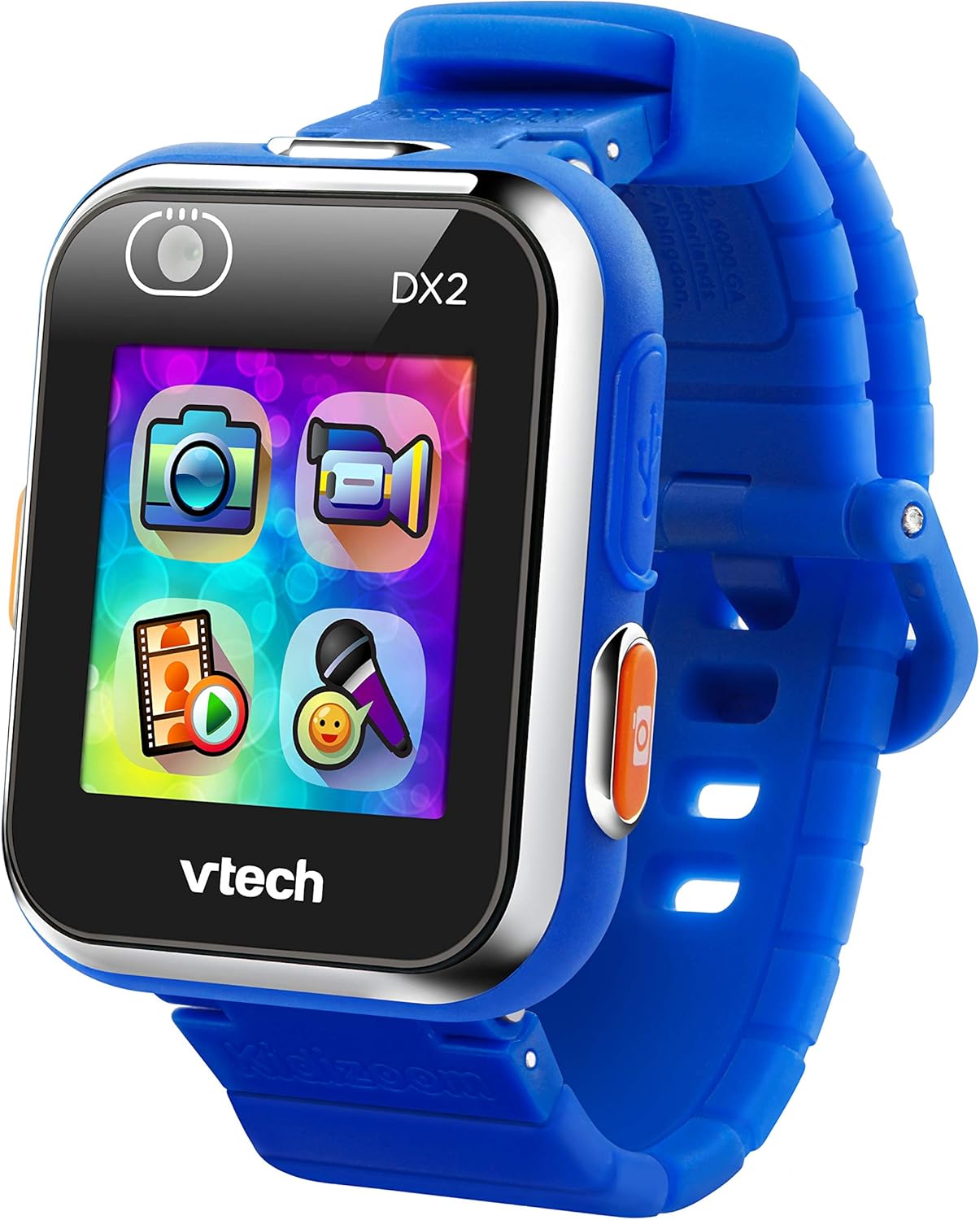
Davanti view of the VTech KidiZoom Smartwatch DX2, highlighting its vibrant display and intuitive app icons for camera, video, and games.
Cosa è incluso
- Orologio intelligente KidiZoom DX2
- Cavo micro-USB
- Guida per i genitori
Istruzioni di installazione
- Ricarica dello Smartwatch: Connect the included Micro-USB cable to the smartwatch and a computer's USB port. The device should only be charged using a computer; avoid third-party adapters.
- Accensione iniziale: Press and hold the power button (usually on the side) until the VTech logo appears.
- Impostazione di ora e data: Follow the on-screen prompts to set the current time and date.
- Personalizzazione: Explore the settings to choose from 55 digital and analog watch faces.
Utilizzo dello Smartwatch
Camera and Video Features
The KidiZoom Smartwatch DX2 features two cameras, allowing for photos, selfies, and action videos.

The smartwatch features dual cameras, one for forward-facing shots and another for selfies, indicated by the camera icons on the screen.
Customize photos and videos with funny filters using the "Silly Me" app.

A child's hand demonstrates interacting with the camera application on the VTech KidiZoom Smartwatch DX2, highlighting its user-friendly interface.
Note: No official seller videos were found for embedding based on the provided criteria.
Giochi e attività
The smartwatch includes high-tech games like "Monster Detector," which uses the camera and augmented reality (AR) to find and capture virtual monsters in the real world.

A young boy expresses excitement while looking at his VTech KidiZoom Smartwatch DX2, likely engaged in one of its interactive games or activities.
The motion sensor enables active play challenges and step tracking (pedometer).

A close-up of the smartwatch screen showcasing a variety of colorful app icons, representing different games, creative activities, and utility functions available on the device.
Time-Telling and Customization
Choose from 55 digital and analog watch faces to help kids learn to tell time.
Parents can safely share photos and videos by uploading them to a computer using the micro-USB cable.
Free games, watch faces, and camera effects are available from Learning Lodge.
Cura e manutenzione
- Pulizia: Wipe the smartwatch with a slightly damp stoffa. Non utilizzare prodotti chimici aggressivi o detergenti abrasivi.
- Resistenza all'acqua: The watch features a splash-proof band. However, it is not fully waterproof and should not be submerged in water.
- Cura della batteria: Only charge the device using the included Micro-USB cable connected to a computer. Do not charge using a third-party adapter.
- Magazzinaggio: Conserva lo smartwatch in un luogo fresco e asciutto quando non viene utilizzato.
Risoluzione dei problemi
| Problema | Possibile soluzione |
|---|---|
| Il dispositivo non si accende | Ensure the battery is charged. Connect to a computer using the USB cable. |
| Lo schermo non risponde | Restart the device by holding the power button. If unresponsive, allow the battery to fully drain and then recharge. |
| Impossibile connettersi al computer | Ensure the Micro-USB cable is securely connected to both the smartwatch and a working USB port on the computer. Try a different USB port. |
| Games/Apps not loading | Check available memory. Ensure the device software is up to date via Learning Lodge. |
Specifiche del prodotto
- Dimensioni del prodotto: 8.83 x 0.68 x 1.73 pollici
- Peso dell'articolo: 0.352 once
- Numero modello articolo: 193800
- Età consigliata dal produttore: 4 - 12 anni
- Batterie: 1 batterie ai polimeri di litio necessarie (incluse)
- Capacità di memoria: 256 MB
- Sistema operativo: uC/OS-II
- Dimensioni dello schermo: 1.4 pollici
- Tecnologia di connettività: USB
- Standard di comunicazione wireless: Bluetooth
- Caratteristiche speciali: Video Playback, Voice Recorder, Side Camera and Selfie Camera, Splash Proof, 3D Effects, Funny Face Studio, Photo Clock Faces Maker, Wallpaper, Pedometer, Smart Wake Up, Alarm clock, Games, Timer, Calendar
Garanzia e supporto
For detailed warranty information and customer support, please refer to the included Parent's Guide or visit the official VTech websito.