
Accessorio per Logitech MK275
Manuale utente del set tastiera e mouse wireless Logitech MK275
Modello: MK275
1. Introduzione
Thank you for choosing the Logitech MK275 Wireless Keyboard and Mouse Set. This combo provides a reliable 2.4 GHz wireless connection, offering convenience and efficiency for your computing needs. The full-size keyboard features quiet, low-profile keys and dedicated multimedia controls, while the compact mouse ensures comfortable and precise navigation. This manual will guide you through the setup, operation, and maintenance of your new wireless set.

Image: The Logitech MK275 Wireless Keyboard and Mouse Set, showcasing entrambi i dispositivi.
2. Contenuto della confezione
Assicurati che tutti gli articoli siano presenti nel pacco:
- Tastiera wireless Logitech MK275
- Logitech Wireless Mouse
- Ricevitore nano USB
- Documentazione utente
- AA and AAA Batteries (pre-installed or included)

Image: The USB Nano Receiver, typically found within the product packaging or a dedicated slot.
3. Guida all'installazione
3.1. Installazione della batteria
The keyboard requires two AAA batteries, and the mouse requires one AA battery. Batteries are typically included with the product. If not already installed, open the battery compartments on the underside of both the keyboard and mouse, insert the batteries according to the polarity indicators (+/-), and close the compartments. Remove any plastic pull tabs if present.
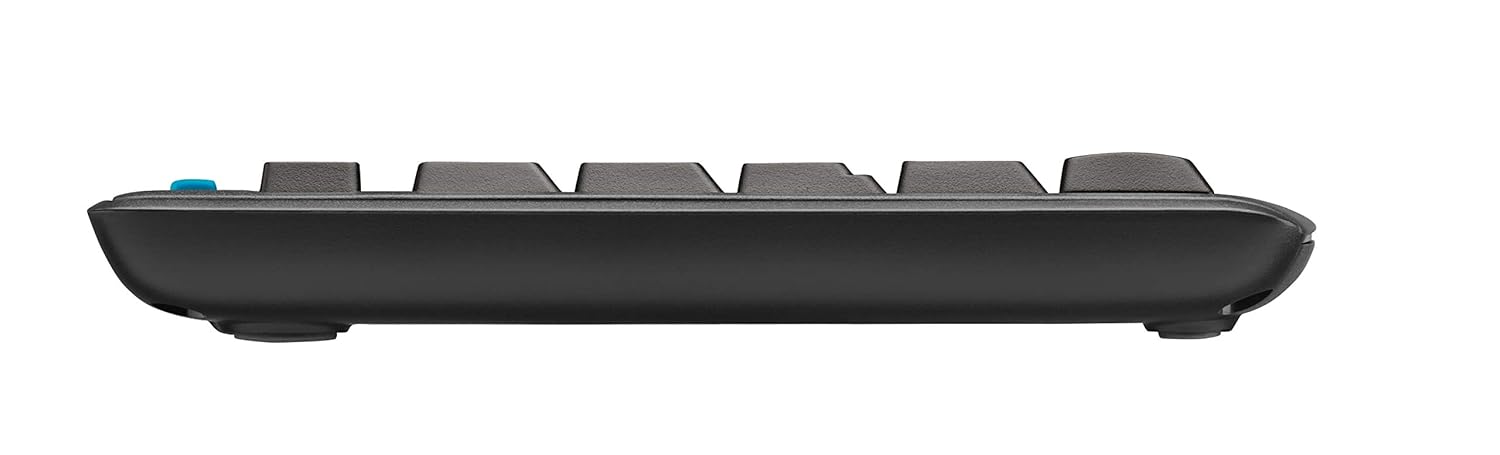
Immagine: Pro lateralefile of the keyboard, showing its slim design and indicating the location of the battery compartment on the underside.
3.2. Collegamento del ricevitore
The Logitech MK275 uses a single USB Nano Receiver for both the keyboard and mouse. This allows you to use only one USB port on your computer.
- Locate the USB Nano Receiver. It is small and designed to be left in your computer.
- Plug the USB Nano Receiver into an available USB port on your desktop PC or laptop.
- Turn on the keyboard and mouse using their respective On/Off switches, usually located on the underside of each device.
- Your computer should automatically detect and install the necessary drivers. No software installation is typically required for Windows XP, Vista, Windows 7, and Windows 8.
4. Istruzioni per l'uso
4.1. Utilizzo di base
Once the USB Nano Receiver is connected and the devices are powered on, your keyboard and mouse are ready for immediate use. The 2.4 GHz wireless connection provides a strong and reliable signal, minimizing lag and interference.
4.2. Tasti multimediali e di scelta rapida
The Logitech MK275 keyboard features 8 convenient multimedia and shortcut keys located above the function keys (F1-F12). These keys provide quick access to frequently used functions:
- Casa: Apre il tuo predefinito web home page del browser.
- E-mail: Launches your default email client.
- Sospensione PC: Mette il computer in modalità sospensione.
- Disattiva audio: Disattiva o riattiva l'audio.
- Volume basso: Diminuisce il volume dell'audio.
- Aumenta volume: Aumenta il volume dell'audio.
- Riproduci/Pausa: Controlla la riproduzione multimediale.
- Calcolatrice: Opens the calculator application.

Image: The Logitech MK275 keyboard, highlighting the dedicated multimedia and shortcut keys for quick access to common functions.
5. Manutenzione e cura
To ensure the longevity and optimal performance of your Logitech MK275 set, follow these maintenance guidelines:
- Pulizia: Utilizzare un panno morbido e privo di lanugine leggermente dampUtilizzare acqua o una soluzione detergente delicata per pulire le superfici della tastiera e del mouse. Evitare prodotti chimici aggressivi o materiali abrasivi.
- Resistenza alle fuoriuscite: The keyboard is designed to be spill-resistant. In case of accidental spills, immediately turn off the keyboard, disconnect it, and allow it to dry completely before reuse. Do not immerse the keyboard in liquid.
- Durata della batteria: The keyboard offers up to 24 months of battery life, and the mouse up to 12 months. Battery life may vary based on usage. Replace batteries when performance degrades.
- Magazzinaggio: When not in use for extended periods, turn off both the keyboard and mouse to conserve battery life. Store the USB Nano Receiver in the dedicated slot within the mouse (if available) or in a safe place to prevent loss.
- Ambiente: Evitare di esporre i dispositivi a temperature estreme, alla luce solare diretta o a elevata umidità.
6. Risoluzione Dei Problemi
If you encounter issues with your Logitech MK275 set, try the following solutions:
- Nessuna connessione/ritardo:
- Assicurarsi che il ricevitore USB Nano sia collegato saldamente a una porta USB funzionante.
- Verificare che sia la tastiera che il mouse siano accesi.
- Replace the batteries in both devices. Low battery can cause connection issues.
- Move the keyboard and mouse closer to the receiver. The effective range is approximately 10 meters (33 feet).
- Try plugging the receiver into a different USB port or a different computer to rule out port issues.
- Avoid placing the receiver near other electrical devices that might cause interference (e.g., cordless phones, Wi-Fi routers).
- I tasti non rispondono:
- Controllare i livelli della batteria.
- Assicurati che la tastiera sia accesa.
- If specific keys are not working, check for debris under the keycaps.
- Il cursore del mouse salta o è irregolare:
- Pulisci il sensore ottico sul lato inferiore del mouse.
- Utilizzare il mouse su una superficie pulita e non riflettente.
- Controllare i livelli della batteria.
7. Specifiche tecniche
| Caratteristica | Dettaglio |
|---|---|
| Modello | MK275 |
| Connettività | Wireless a 2.4 GHz (ricevitore nano USB) |
| wireless Range | Fino a 10 metri (33 piedi) |
| Durata della batteria della tastiera | Fino a 24 mesi |
| Durata della batteria del mouse | Fino a 12 mesi |
| Tipo di batteria della tastiera | 2 x AAA (alcaline) |
| Tipo di batteria del mouse | 1 x AA (alcalina) |
| Sistemi operativi compatibili | Windows XP, Windows Vista, Windows 7, Windows 8, Windows 10, Windows 11 |
| Dimensioni della tastiera (LxWxH) | Circa. 50 x 15.6 x 4.4 cm |
| Peso dell'articolo | Circa 726 g |
| Colore | Nero |
8. Garanzia e supporto
Logitech products are manufactured to the highest quality standards. For detailed warranty information and technical support, please visit the official Logitech websito:
Sul website, you can find product registration, FAQs, driver downloads, and contact information for customer service.
Ask a question about this manual
Ask about setup, troubleshooting, compatibility, parts, safety, or missing instructions. Manuals+ will review the question and use this page’s manual context to help answer it.