
Introduzione
The Panasonic SC-UX102E-K is a compact mini audio system designed to deliver powerful and clear sound. Featuring a 2-way speaker system with 13 cm woofers, it offers versatile audio playback options including CD, CD-R/RW, Bluetooth, USB, DAB/DAB+ radio, FM radio with RDS, and an AUX input. This manual provides essential information for the proper setup, operation, and maintenance of your system.
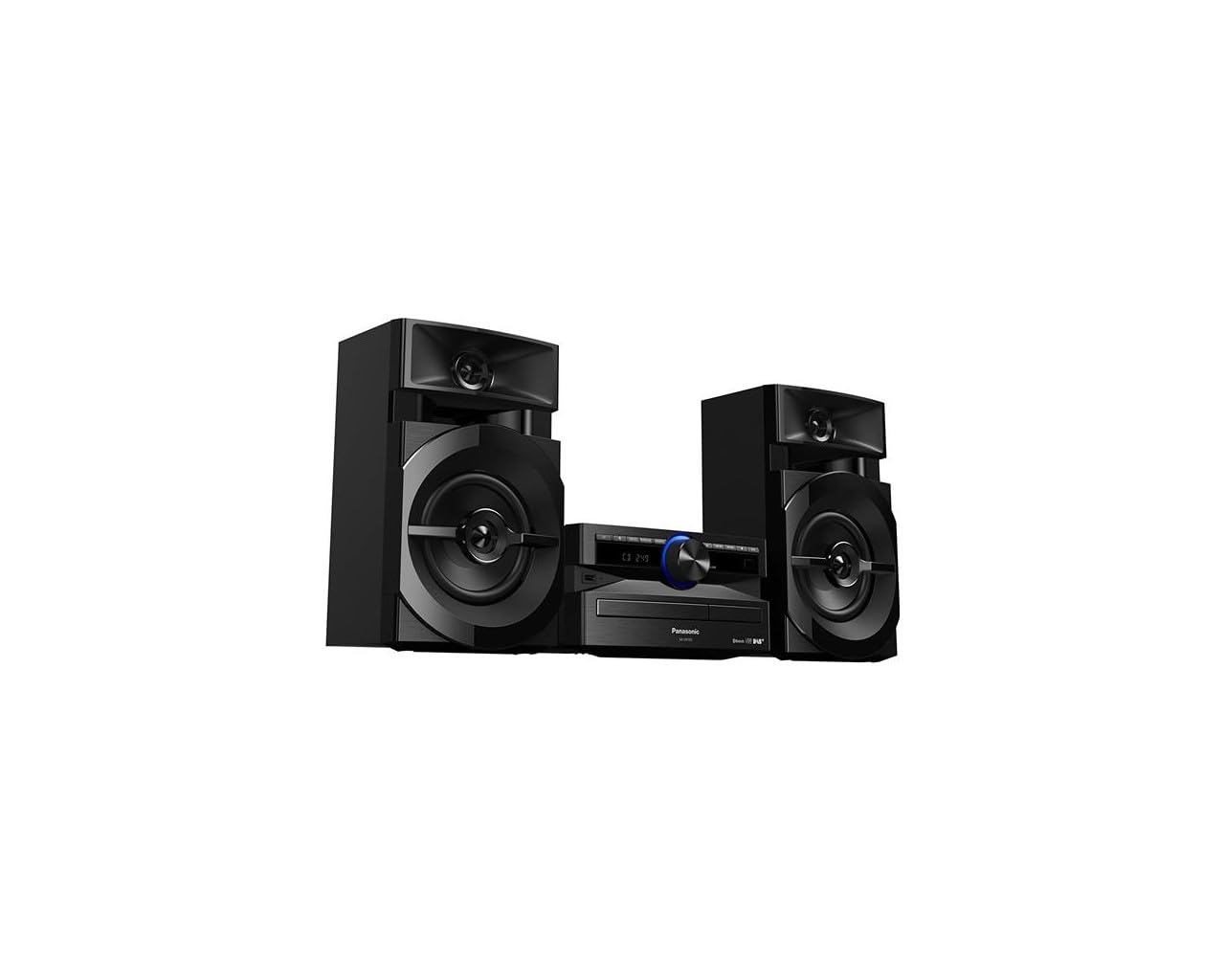
Image: The Panasonic SC-UX102E-K Mini System, featuring the central unit and two speakers.
Informazioni sulla sicurezza
Leggere attentamente tutte le istruzioni di sicurezza prima di utilizzare questo prodotto. Conservare il presente manuale per riferimento futuro.
- Fonte di energia: Collegare l'unità solo all'alimentazione specificata.
- Ventilazione: Assicurare un'adeguata ventilazione attorno all'unità. Non ostruire le aperture di ventilazione.
- Acqua e umidità: Non esporre l'unità a pioggia, umidità o liquidi gocciolanti/spruzzati.
- Calore: Tenere l'unità lontana da fonti di calore quali termosifoni, bocchette di ventilazione, stufe o altri apparecchi che producono calore.
- Manutenzione: Non tentare di riparare questo prodotto da soli. Affidare tutte le operazioni di manutenzione a personale di assistenza qualificato.
Impostare
1. Disimballaggio
Carefully remove all components from the packaging. Ensure all accessories are present: main unit, two speakers, remote control, power cord, and FM/DAB antenna.
2. Collegamento degli altoparlanti
Connect the speaker wires to the corresponding terminals on the main unit and speakers. Ensure correct polarity (+ to + and - to -) for optimal sound quality. The left speaker connects to the LEFT terminals, and the right speaker to the RIGHT terminals.
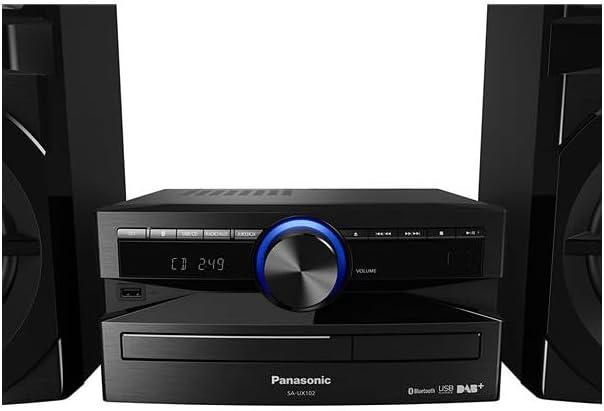
Immagine: Posteriore view of the main unit, illustrating speaker wire connections.
3. Collegamento dell'antenna
Connect the supplied FM/DAB antenna to the antenna terminal on the rear of the main unit. Extend the antenna fully and position it for best reception.
4. Collegamento elettrico
Plug the power cord into the AC IN terminal on the main unit, then plug the other end into a wall outlet.
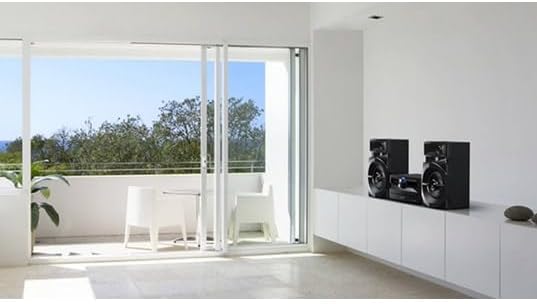
Image: The Panasonic SC-UX102E-K Mini System positioned in a living space.
Istruzioni per l'uso
1. Funzionamento di base
- Accensione/spegnimento: Premere il tasto [ENERGIA] pulsante sull'unità o sul telecomando.
- Controllo del volume: Ruotare il [VOLUME] manopola o utilizzare il [VOL +/-] pulsanti sul telecomando.
- Selezione della fonte: Premere il tasto [FUNZIONE] button repeatedly to cycle through CD, Bluetooth, USB, DAB/DAB+, FM, and AUX.

Image: Front panel of the main unit, showing the display and control buttons.
2. Riproduzione CD
- Premere [FUNZIONE] to select the CD source.
- Premere il tasto [APRI/CHIUDI] pulsante per aprire il vassoio del CD.
- Inserire un CD con l'etichetta rivolta verso l'alto e chiudere il vassoio.
- La riproduzione inizierà automaticamente. Utilizzare [PLAY PAUSA], [SALTARE], E [FERMARE] pulsanti per il controllo.
3. Connessione Bluetooth
- Premere [FUNZIONE] to select the Bluetooth source. The display will show "PAIRING".
- Sul tuo dispositivo Bluetooth (smartphone, tablet), attiva il Bluetooth e cerca i dispositivi disponibili.
- Select "SC-UX102E-K" from the list. Once connected, the display will show "CONNECTED".
- Riproduci l'audio dal tuo dispositivo.
4. Riproduzione USB
- Inserire un dispositivo USB nella porta USB posta sulla parte anteriore dell'unità.
- Premere [FUNZIONE] per selezionare la sorgente USB.
- The unit will automatically detect and begin playing supported audio files (ad esempio, MP3, WAV).
- Utilizzare il [SALTARE] buttons to navigate tracks or folders.
5. Radio DAB/DAB+
- Premere [FUNZIONE] to select the DAB source.
- The unit will perform an auto-scan for available DAB/DAB+ stations upon first use.
- Utilizzare il [MESSA A PUNTO] buttons to select a station.
- To save a station as a preset, press and hold a numbered preset button until the display confirms.
6. Radio FM
- Premere [FUNZIONE] to select the FM source.
- Sintonizzazione automatica: Premere e tenere premuto il tasto [MESSA A PUNTO] buttons to automatically search for the next available station.
- Sintonizzazione manuale: Premere il tasto [MESSA A PUNTO] brevemente i pulsanti per regolare la frequenza passo dopo passo.
- To save a station as a preset, press and hold a numbered preset button until the display confirms.
7. Ingresso AUX
- Connect an external audio device (e.g., MP3 player, PC) to the AUX IN jack on the main unit using a 3.5mm audio cable.
- Premere [FUNZIONE] to select the AUX source.
- Riproduci l'audio dal tuo dispositivo connesso.
Manutenzione
1. Pulizia dell'unità
Wipe the exterior of the unit with a soft, dry cloth. Do not use abrasive cleaners, waxes, or solvents as they can damage the finish.
2. Cleaning the CD Lens
If CD playback becomes erratic, use a commercially available CD lens cleaner to clean the lens. Follow the instructions provided with the cleaner.
Risoluzione dei problemi
| Problema | Possibile causa | Soluzione |
|---|---|---|
| Nessun potere | Cavo di alimentazione non collegato saldamente. | Controllare il collegamento del cavo di alimentazione all'unità e alla presa a muro. |
| Nessun suono | Volume is too low or muted. Speaker wires are incorrectly connected. | Increase volume. Check speaker wire connections and polarity. |
| L'associazione Bluetooth non riesce | Il dispositivo Bluetooth è troppo lontano o non è in modalità di associazione. | Ensure device is within 10 meters. Put the unit in pairing mode and retry. |
| USB device not recognized (NO DEVICE) | USB device is not formatted correctly or unsupported. | Ensure USB device is formatted to FAT16 or FAT32. Try a different USB device. |
| Scarsa ricezione radio | Antenna is not properly positioned or connected. Interference from other devices. | Adjust antenna position. Move the unit away from other electronic devices. |
| CD playback skips or stops | CD is dirty or scratched. CD lens is dirty. | Clean the CD. Use a CD lens cleaner. |
Specifiche
- Marca: Panasonic
- Numero modello: SC-UX102E-K
- Tecnologia di connettività: USB, Bluetooth
- Colore: Nero
- Tipo di altoparlante: Stereo, 2-way speakers with 13 cm woofers
- Dimensioni dell'articolo (LxWxH): 22.7 x 25 x 13.2 cm (unità principale)
- Fonte di energia: Elettrico
- Dispositivi compatibili: Smartphone, Tablet, MP3 Player, PC
- Potenza in uscita: 300 W (Total RMS, approximate)
- Standard supportati: CD-DA, CD-R/RW
- Supporto per i formati audio: CD-DA, MP3, WAV (via USB)
- Numero di relatori: 2
- Modalità di uscita audio: Stereo
- Sintonizzatore radio: DAB/DAB+, FM (30FM/15AM RDS presets)
- Peso: 3.7 chilogrammi (unità principale)
Informazioni sulla garanzia
This Panasonic product is covered by a standard manufacturer's warranty. The specific terms and duration of the warranty may vary by region. Please refer to the warranty card included with your product or visit the official Panasonic websito per informazioni dettagliate sulla copertura della garanzia e sui reclami.
Assistenza clienti
For technical assistance, troubleshooting beyond this manual, or service inquiries, please contact Panasonic customer support. You can find contact information, including phone numbers and online support resources, on the official Panasonic website for your region. Please have your model number (SC-UX102E-K) and serial number ready when contacting support.