
1. Introduzione
The ASTRO Gaming A10 Headset is engineered for gaming, offering durable construction and extended comfort for prolonged use. It features ASTRO Audio for clear and precise sound, an omnidirectional microphone with flip-up mute functionality, and in-line volume control for a comprehensive audio experience.
2. Cosa c'è nella scatola
Upon unboxing your ASTRO Gaming A10 Headset, you should find the following components:
- ASTRO Gaming A10 Headset
- A10 Volume Cable (3.5mm jack)

3. Caratteristiche del prodotto
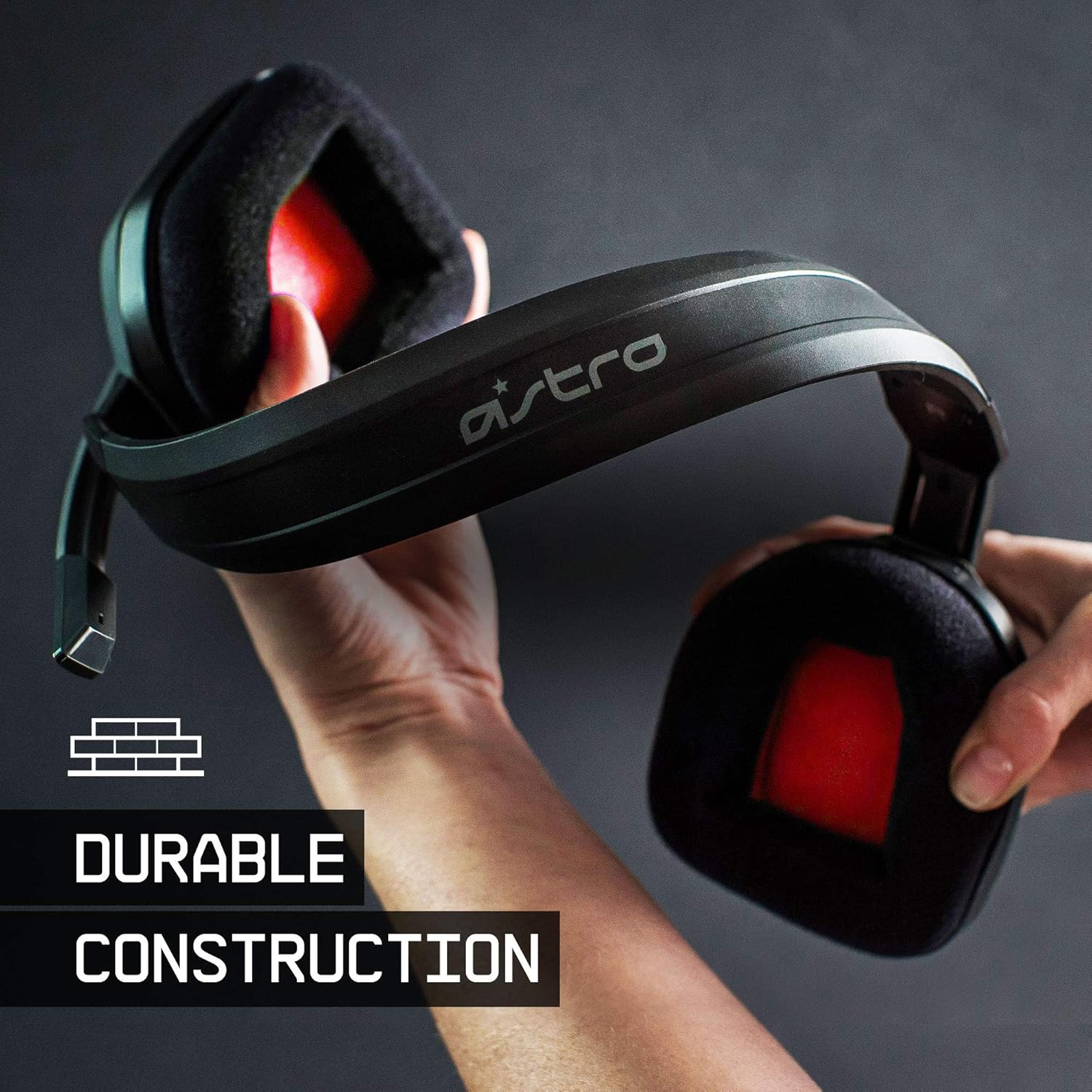
- Durata: The A10 Headset is constructed with a durable headband made of anodized aluminum and a damage-resistant polycarbonate blend, designed to withstand rigorous use.
- Comfort: Featuring extended comfort memory foam ear-cushions, the headset is designed to minimize fatigue during long gaming sessions.
- Comunicazione: An omnidirectional microphone with flip-up mute functionality and in-line volume control ensures clear communication with teammates.
- Qualità del suono: Tuned with ASTRO Audio, the A10 delivers immersive and accurate audio, providing low latency and precise voice communication.
- Compatibilità: The headset is compatible with multiple platforms including PS5, PC/MAC, XBOX SERIES X|S, NINTENDO SWITCH, VR, and streaming devices.



4. Istruzioni per l'installazione
- Connect the A10 Volume Cable: Insert the smaller end of the A10 Volume Cable into the 3.5mm port located on the left earcup of the ASTRO A10 Headset. Ensure it is securely connected.
- Connetti al dispositivo: Plug the larger end of the A10 Volume Cable into the 3.5mm headphone jack on your gaming controller (e.g., Xbox, PlayStation), PC, Mac, Nintendo Switch, or other compatible device.
- Regola volume: Use the in-line volume control wheel on the A10 Volume Cable to adjust the audio level to your preference.
- Posizione del microfono: Lower the microphone boom arm to activate the microphone. Position it appropriately for clear voice capture.

5. Istruzioni per l'uso
Utilizzo del microfono (Flip-to-Mute)
The ASTRO A10 Headset features a convenient flip-to-mute microphone. To activate the microphone, simply lower the boom arm into the speaking position. To mute the microphone, flip the boom arm upwards until it clicks into the vertical position. This action instantly mutes your voice input.
Controllo del volume
Adjust the audio volume using the in-line control wheel located on the A10 Volume Cable. Rotate the wheel upwards to increase volume and downwards to decrease volume.
6. Compatibilità
The ASTRO Gaming A10 Headset is designed for broad compatibility across various gaming and media platforms:
- PlayStation 5 (PS5)
- PlayStation 4 (PS4)
- Serie Xbox X|S
- Xbox Uno
- Interruttore Nintendo
- PC
- Mac
- VR devices
- Dispositivi di streaming
- Most mobile phones and tablets with a 3.5mm jack

7. Manutenzione
- Pulizia: Per pulire le cuffie, utilizzare un panno morbido e asciutto. Evitare l'uso di prodotti chimici aggressivi o materiali abrasivi.
- Magazzinaggio: Conservare le cuffie in un luogo fresco e asciutto, lontano dalla luce solare diretta e da temperature estreme.
- Cura del cavo: Evitare di piegare bruscamente o tirare eccessivamente il cavo per evitare danni.
- Cuscinetti auricolari: Controllare periodicamente i cuscinetti auricolari per verificarne l'usura. Potrebbero essere disponibili cuscinetti di ricambio presso il produttore.
8. Risoluzione Dei Problemi
- Nessun audio / Audio basso:
- Ensure the 3.5mm cable is fully inserted into both the headset and the device.
- Controllare il controllo del volume in linea e assicurarsi che sia alzato.
- Verify that the audio output settings on your device are correctly configured for the headset.
- Provare l'auricolare con un altro dispositivo per escludere un problema specifico del dispositivo.
- Microfono non funzionante:
- Ensure the microphone boom arm is fully lowered into the speaking position (not flipped up for mute).
- Check the microphone input settings on your device to ensure the headset microphone is selected and not muted.
- Prova il microfono con un'altra applicazione o un altro dispositivo.
- Static or Distorted Audio:
- Ensure the 3.5mm cable connections are secure and free from debris.
- Try using a different 3.5mm cable if available, to rule out a faulty cable.
- Reduce the volume on your device or headset if the audio is clipping.
9. Specifiche
| Caratteristica | Dettaglio |
|---|---|
| Marca | Gioco ASTRO |
| Nome del modello | Astro Gaming A10 |
| Numero di modello | 939-001508 |
| Tecnologia di connettività | Cablato |
| Presa per cuffie | 3.5 mm Jack |
| Peso dell'articolo | 12.35 once |
| Gamma di frequenza | 20 Hz - 20 kHz |
| Tipo di driver audio | Driver dinamico |
| Materiale di recinzione | Alluminio |
| Caratteristiche aggiuntive | Microphone Included, Volume Control |
| Dispositivi compatibili | PS5, PC/MAC, XBOX SERIES X|S, NINTENDO SWITCH, VR, STREAMING, most mobile phones, tablets |
10. Garanzia e supporto
The ASTRO Gaming A10 Headset comes with a Garanzia del produttore di 2 anni. For warranty claims, technical support, or additional product information, please visit the official ASTRO Gaming websito o contattare direttamente il servizio clienti.
11. Video di prodotto
ASTRO A10 Experience
Video: Un video ufficiale mostraasing the overall experience and key aspects of the ASTRO A10 Headset. This video provides a visual overview del design e della funzionalità del prodotto.