
1. Introduzione
This manual provides detailed instructions for the Symcode MJ-2030-W Barcode Scanner. This device offers both 2.4GHz wireless and USB 2.0 wired connectivity, designed for efficient and reliable barcode scanning in various environments. Please read this manual thoroughly before operating the scanner to ensure proper use and to maximize its performance.
2. Prodotto finitoview
The Symcode MJ-2030-W is a versatile handheld laser barcode scanner. Key features include:
- Doppia connettività: Supports both 2.4GHz wireless and USB 2.0 wired connections.
- Gamma estesa: Effective wireless communication up to 200 meters outdoors and 100 meters indoors.
- Batteria a lunga durata: Equipped with a 2000mAh rechargeable battery, providing extended operation.
- Due modalità operative: Instant upload and storage modes for flexible data handling.
- Customizable Scanning: Supports prefix/suffix settings and character manipulation.
- Design durevole: Features a shock-resistant silicone casing (IP54 rated) for enhanced protection.
3. Impostazione
3.1 Contenuto della confezione
Prima di iniziare, assicurati che tutti gli articoli siano presenti nella confezione:
- Symcode MJ-2030-W Barcode Scanner
- Mini USB Receiver (2.4GHz wireless dongle)
- Cavo USB (per la ricarica e la connessione cablata)
- Manuale dell'utente (questo documento)
3.2 Collegamento dello scanner
Lo scanner offre due metodi di connessione principali:
3.2.1 Connessione wireless a 2.4 GHz
- Insert the mini USB receiver into an available USB 2.0 port on your computer.
- Accendi lo scanner per codici a barre. Si accoppierà automaticamente con il ricevitore.
- Una connessione riuscita è indicata da un suono specifico o da un indicatore LED sullo scanner.

Figure 1: The reliable mini USB receiver for wireless connection.

Figure 2: Scanner in use with 2.4GHz wireless connection.
3.2.2 Connessione cablata USB
- Collegare un'estremità del cavo USB in dotazione alla porta USB dello scanner.
- Collegare l'altra estremità del cavo USB a una porta USB 2.0 disponibile sul computer.
- Lo scanner verrà riconosciuto come un dispositivo tastiera HID e in genere non sono necessari driver aggiuntivi.
4. Istruzioni per l'uso
4.1 Scansione di base
To scan a barcode, aim the laser beam at the center of the barcode and press the trigger button. A successful scan is usually indicated by a beep and/or a green LED light.
4.2 Modalità di caricamento dati
The scanner supports two modes for uploading scanned data:
4.2.1 Modalità di caricamento istantaneo
In this mode, scanned barcodes are immediately transmitted to the connected computer. This is suitable for real-time data entry.
4.2.2 Modalità di archiviazione
When the scanner is out of range of the receiver or disconnected, it can store scanned barcodes internally. The scanner supports storing approximately 1000 barcodes in offline memory. To upload stored data, reconnect the scanner to your computer (either wirelessly or via USB) and scan the specific 'Upload Data' barcode (refer to the programming guide for this barcode, if provided). The stored data will then be transmitted to your computer.
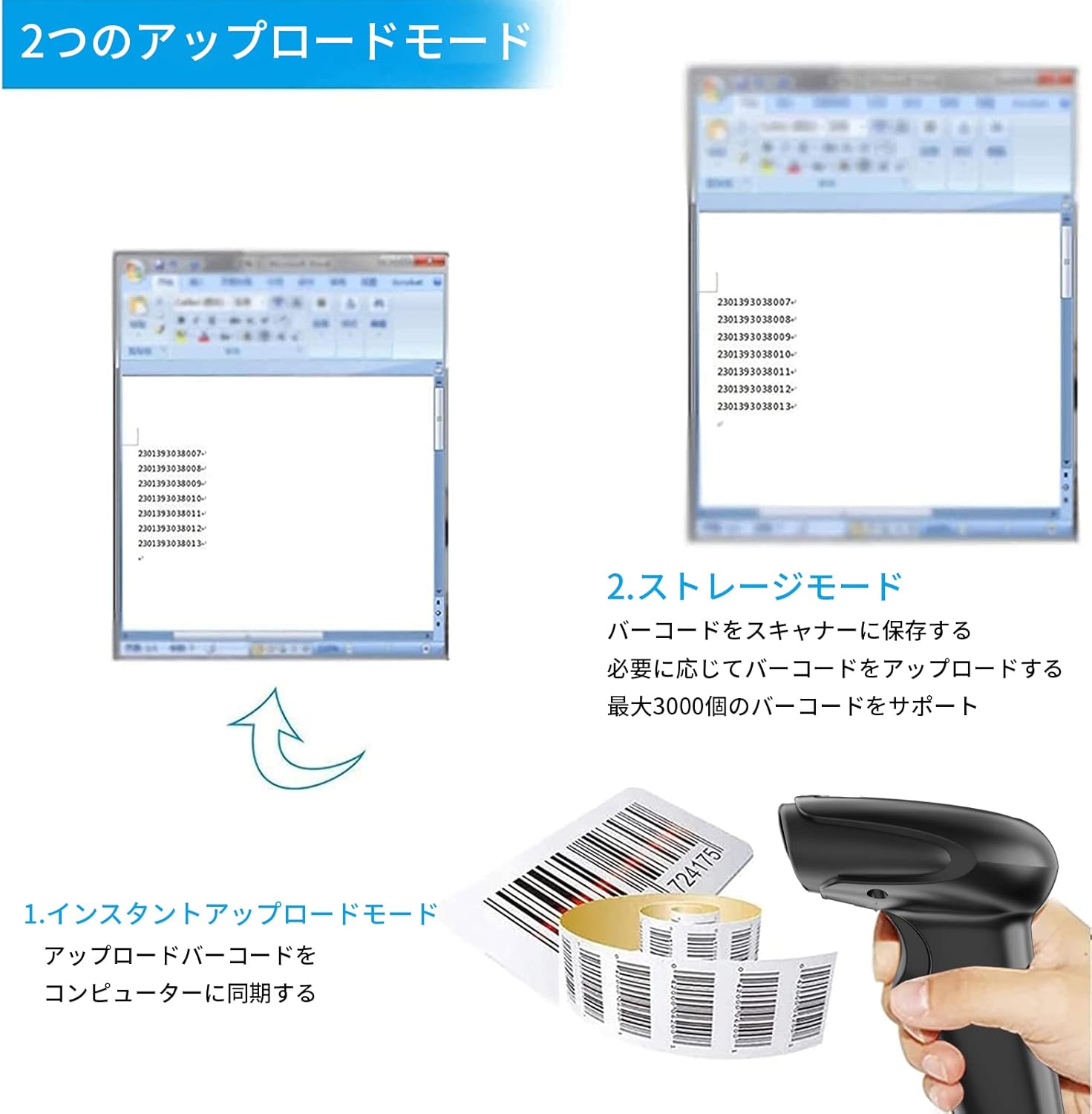
Figure 3: Illustration of Instant Upload and Storage Modes.
4.3 Programmable Barcodes
The Symcode MJ-2030-W scanner allows for customization of barcode data output:
- Impostazioni prefisso e suffisso: You can configure the scanner to add a specific prefix or suffix to each scanned barcode data.
- Character Insertion/Deletion: Specific characters can be inserted or deleted from the scanned data.
Refer to the separate programming guide (if included) or the manufacturer's website for detailed instructions on how to program these settings by scanning specific configuration barcodes.

Figure 4: Scanner demonstrating programmable barcode features.
5. Batteria e ricarica
The scanner is equipped with a 2000mAh rechargeable battery. For optimal performance, ensure the battery is fully charged before first use.
- Tempo di ricarica: Circa 3-4 ore per una carica completa.
- Durata operativa: A full charge can provide up to 12,000 hours of standby time or approximately 74,000 scans.
- Metodo di ricarica: Connect the scanner to a computer or a USB power adapter using the provided USB cable.

Figure 5: Battery specifications and shock-resistant design.
6. Manutenzione
- Pulizia: Use a soft, dry cloth to clean the scanner's exterior. For the scanning window, use a soft, lint-free cloth slightly dampPulire con acqua o una soluzione detergente delicata. Evitare detergenti abrasivi o solventi.
- Magazzinaggio: Conservare lo scanner in un luogo fresco e asciutto, lontano dalla luce solare diretta e da temperature estreme.
- Durata: The scanner features a black silicone protective cover with IP54 rating, designed to protect the glass window from scratches and the unit from drops up to 6.56 feet (2 meters).
7. Risoluzione Dei Problemi
7.1 Lo scanner non risponde
- Ensure the scanner is turned on and fully charged.
- For wireless connection, verify the mini USB receiver is securely plugged into the computer and the scanner is within range. Try re-pairing if necessary (refer to the programming guide for pairing instructions).
- For wired connection, ensure the USB cable is properly connected to both the scanner and the computer. Try a different USB port.
7.2 Codici a barre non scansionati
- Assicurarsi che il codice a barre sia chiaro, integro e ben illuminato.
- Regolare la distanza e l'angolazione tra lo scanner e il codice a barre.
- Check if the scanner is in the correct operating mode (e.g., not in a configuration mode).
7.3 Unexpected Sound Volume
If the scanner's beep volume is too loud or too quiet, refer to the programming guide for specific barcodes that allow adjustment of the sound settings.
7.4 Componenti mancanti
If any components, such as the receiver or a programming code sheet, are missing from your package, please contact customer support immediately.
8. Specifiche
| Caratteristica | Specificazione |
|---|---|
| Marca | codice simbolico |
| Numero di modello | MJ-2030-W |
| Colore | Bianco |
| Dimensioni | Dimensioni: 17.53 x 8.38 x 11.43 cm |
| Peso | 280.66 grammi |
| Fonte di alimentazione | Alimentato a batteria |
| Tecnologia di connettività | Wireless a 2.4 GHz, cavo USB |
| Capacità della batteria | 2000mAh |
| Portata wireless (esterna) | Fino a 200m |
| Portata wireless (interna) | Fino a 100m |
| Capacità di archiviazione | Approx. 1000 barcodes (offline mode) |
| Resistenza alla caduta | Fino a 6.56 piedi (2 metri) |
| Grado di protezione | Grado di protezione IP54 |

Figure 6: Wireless transmission distance capabilities.
9. Garanzia e supporto
Symcode products are designed for reliability and performance. For warranty information, technical support, or service inquiries, please refer to the contact information provided with your purchase or visit the official Symcode website. Please have your product model number (MJ-2030-W) and purchase details ready when contacting support.