
Codice articolo: 960-001101
Logitech MeetUp Video Conferencing System User Manual
Modello: 960-001101
Introduzione
The Logitech MeetUp is a premier ConferenceCam designed for small conference rooms and huddle spaces. It features an Ultra HD 4K camera with a super-wide 120° field of view, ensuring every participant is clearly visible. Integrated audio with beamforming microphones and a custom-tuned speaker provides an exceptional sound experience. This manual provides detailed instructions for setting up, operating, and maintaining your MeetUp system.

Figure 1: Logitech MeetUp Video Conferencing System, front view.
Cosa c'è nella scatola
Verificare che tutti i componenti siano presenti prima di procedere con l'installazione:
- Logitech® MeetUp Camera
- Table and wall mount
- Telecomando RF
- 16 ft / 5 meter USB cable
- Guida per l'utente (questo documento)
Configurazione e installazione
The MeetUp system is designed for easy plug-and-play setup. Follow these steps for optimal performance:
1. Posizionamento e montaggio
The MeetUp offers multiple mounting options to suit your room configuration:
- Posizionamento sul tavolo: Place the MeetUp on a credenza or table directly below or above your display.
- Montaggio a parete: Use the included wall mount to securely attach the MeetUp to a wall.
- TV Mount (Optional): An optional TV mount (sold separately) allows for secure placement directly above or below the in-room display.

Figure 2: Various mounting options including tabletop, wall, and display mounting.

Figure 3: MeetUp securely mounted below a display using an optional TV mount.
2. Collegamento del sistema
Connect the MeetUp to your computer or room solution via the provided USB cable. For 4K video resolution, a high-speed internet connection and a special cable (not included) may be required.

Figura 4: Posteriore view of the MeetUp showing USB and power connections for simple plug-and-play setup.
The MeetUp is compatible with Windows 7, Windows 8.1, Windows 10, macOS 10.10 or higher, and Chrome OS Version 29.0.1547.70 and higher. A USB 2.0 port is required, with USB 3.0 recommended for 4K video.
Istruzioni per l'uso
1. Videoconferenza
The MeetUp functions as a USB conference camera, compatible with any video conferencing software application and cloud service. Its Ultra HD 4K sensor, wide 120° field of view, and 5x HD zoom provide clear video. Motorized pan/tilt extends the field of view fino a 170°.

Figure 5: The MeetUp system enabling video conferencing in a small room, highlighting its all-in-one design for easy setup.

Figure 6: The MeetUp serving as a versatile USB-based conference camera for dedicated meeting rooms or bring-your-own-device (BYOD) setups.
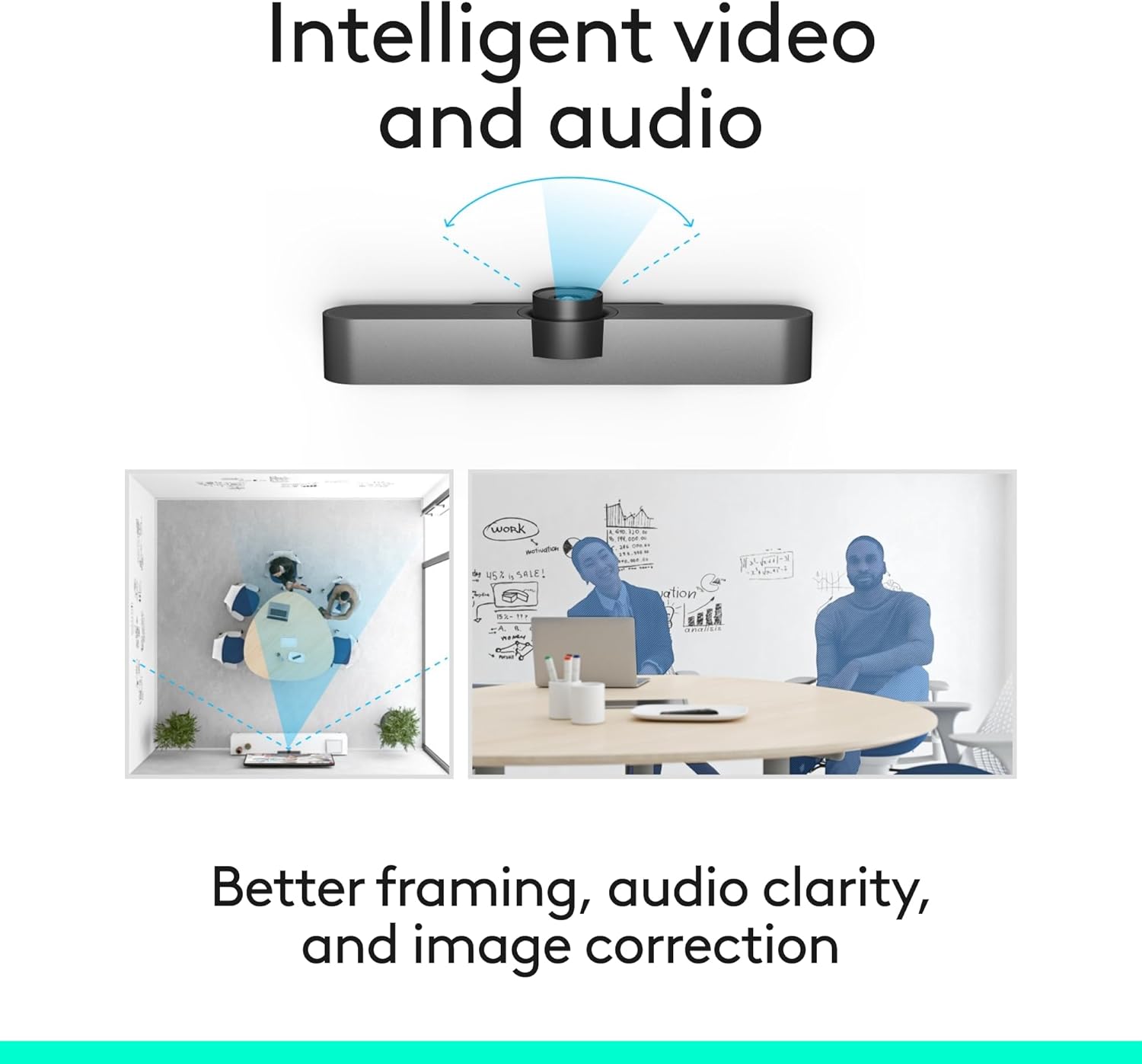
Figura 7: Diagramma mostratoasing the intelligent video and audio capabilities, including better framing, audio clarity, and image correction.
2. Caratteristiche audio
MeetUp's integrated audio is optimized for huddle room acoustics. Three horizontally-aimed beamforming microphones capture voices up to 4 meters away. A custom-tuned speaker ensures clear audio output.
- Expansion Microphone: For larger conference rooms, an optional expansion microphone (sold separately) can extend the voice pickup range up to 5 meters.

Figure 8: The MeetUp system with an optional expansion microphone, allowing for extended voice capture in larger spaces.
3. Controllo remoto
The included RF remote allows for convenient control of camera pan/tilt/zoom (PTZ) functions and volume adjustments from a distance.

Figure 9: The MeetUp system shown with its included remote control, enabling easy PTZ and volume adjustments.
Manutenzione
To ensure the longevity and optimal performance of your Logitech MeetUp system, follow these simple maintenance guidelines:
- Pulizia: Use a soft, dry cloth to clean the camera lens and the body of the unit. Avoid abrasive cleaners or solvents.
- Gestione dei cavi: Assicurarsi che tutti i cavi siano disposti ordinatamente e non siano in tensione per evitare danni.
- Aggiornamenti software: Regularly check for and install firmware and software updates using Logitech Sync to ensure the best performance and access to new features.
Risoluzione dei problemi
If you encounter issues with your MeetUp system, refer to the following common troubleshooting steps:
| Problema | Possibile causa | Soluzione |
|---|---|---|
| Nessuna uscita video / Schermo nero | Loose USB connection, incorrect input selected on display, driver issue. |
|
| Nessun audio / Scarsa qualità audio | Microphone/speaker not selected as default, volume too low, environmental noise. |
|
| Il telecomando non risponde | Low battery, line of sight blocked, remote not paired. |
|
Specifiche
| Caratteristica | Dettaglio |
|---|---|
| Dimensioni del prodotto | 3.82 x 6.1 x 6.1 pollici |
| Peso dell'articolo | 2.29 libbre |
| Numero di modello | 960-001101 |
| Marca | Logitech |
| Tecnologia del sensore fotografico | BSI CMOS |
| Risoluzione di acquisizione video | Risoluzione: 1080p, 4K |
| Apertura massima | 4 anni |
| Formato di acquisizione video | Cavo HDMI |
| Formato audio supportato | AAC, MP3 |
| Tecnologia di connettività | Bluetooth, USB |
| Colore | Nero |
Garanzia e supporto
Per informazioni sulla garanzia e supporto tecnico, fare riferimento al sito ufficiale Logitech website or contact Logitech customer service. You can also find additional resources and FAQs on the product support page.
È possibile scaricare la versione PDF del manuale utente: Manuale utente (PDF)
Ask a question about this manual
Ask about setup, troubleshooting, compatibility, parts, safety, or missing instructions. Manuals+ will review the question and use this page’s manual context to help answer it.