
Amazon Basics L6LAC004-DT-R
Amazon Basics PC Power Cord User Manual
Model: L6LAC004-DT-R
Marca: Amazon Basics
Prodotto finitoview
The Amazon Basics PC Power Cord is a universal 10-foot replacement power cord designed for connecting various electronic devices. It features a 3-pin power connector and is built for durability and safety, being UL listed.
Caratteristiche principali:
- Compatibilità universale: Works with most PCs, monitors, printers, and more.
- Connettori standard: Features NEMA 5-15P to IEC320C13 connectors.
- Design durevole: 18 AWG (American wire gauge) for reliable performance.
- Certificato di sicurezza: UL listed for enhanced safety.

Image: The Amazon Basics PC Power Cord, showing both the NEMA 5-15P plug and the IEC320C13 connector.
Configurazione e installazione
Connecting your Amazon Basics PC Power Cord is a straightforward process. Ensure your device is powered off before connecting the cable.
Collegamento del cavo di alimentazione:
- Locate the power input port on your device (e.g., PC, monitor, TV). This port typically accepts an IEC320C13 connector.
- Insert the IEC320C13 end of the Amazon Basics power cord firmly into the device's power input.
- Plug the NEMA 5-15P end of the power cord into a standard 125-volt AC wall outlet or a surge protector.
- Once both ends are securely connected, you can power on your device.
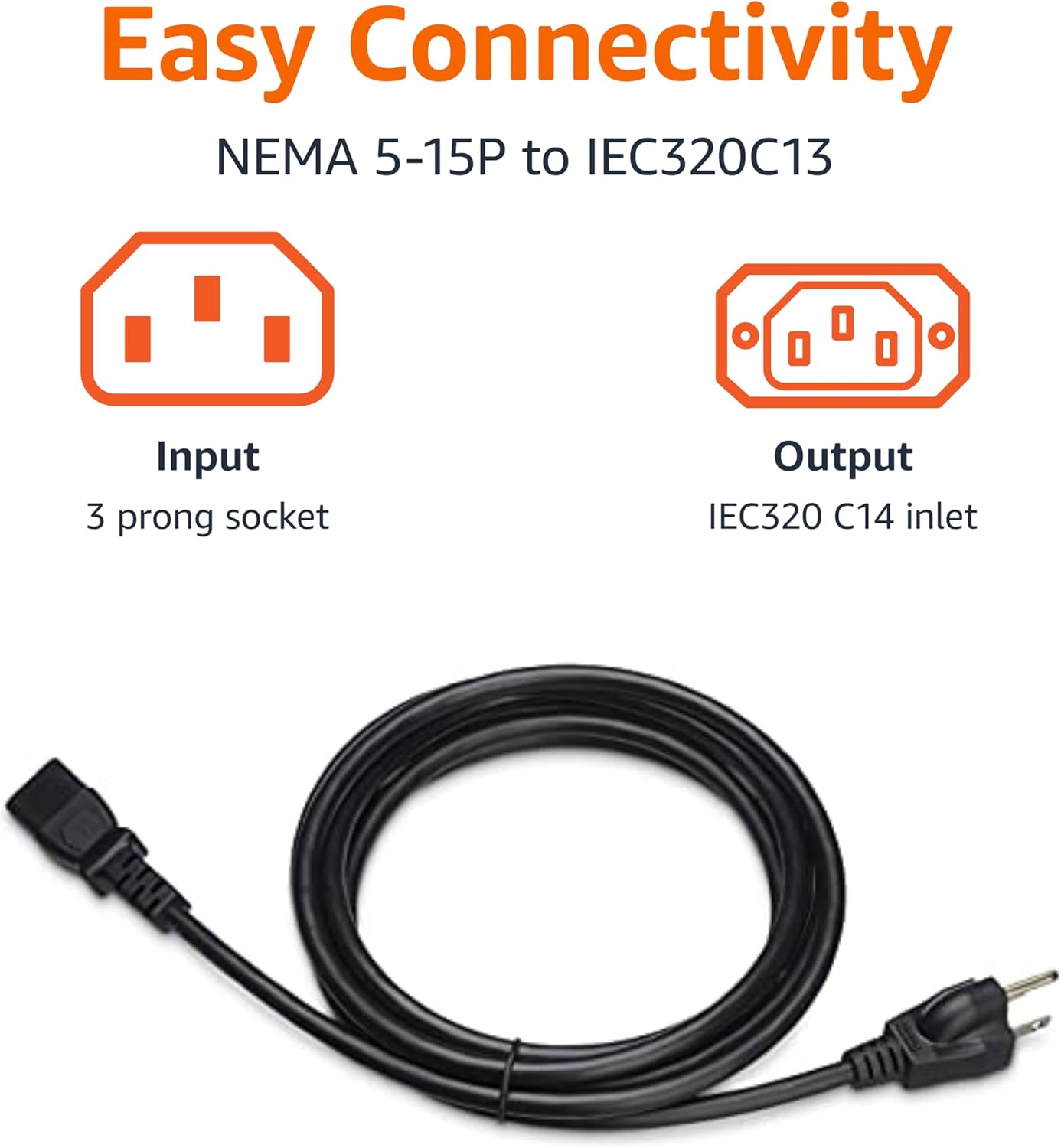
Image: Visual representation of the NEMA 5-15P (Input) and IEC320C13 (Output) connectors.

Image: The power cord connected to the back of a computer monitor, demonstrating a typical setup.
Prodotto finitoview Video:
Video: Un prodotto ufficialeview demonstrating the features and uses of the Amazon Basics PC Power Cord.
Operazione
The Amazon Basics PC Power Cord provides reliable power delivery to your compatible electronic devices. Once properly connected, the cable facilitates the flow of electricity, allowing your device to function as intended.
Considerazioni importanti:
- Ensure the power cord is not kinked, pinched, or placed under heavy objects, as this can damage the cable and affect performance.
- Avoid overloading electrical outlets. Connect the power cord to an outlet or surge protector that can safely handle the power requirements of your device.
- For optimal safety, use a surge protector to safeguard your electronic equipment from power fluctuations.

Image: Icons illustrating various compatible devices such as desktops, gaming consoles, televisions, and printers.
Cura e manutenzione
To ensure the longevity and safe operation of your Amazon Basics PC Power Cord, follow these simple maintenance guidelines:
- Pulizia: Disconnect the power cord from both the device and the power outlet before cleaning. Wipe the cable and connectors with a dry, soft cloth. Do not use liquid cleaners or solvents.
- Magazzinaggio: When not in use, coil the cable loosely. Avoid tight coiling or bending, which can damage the internal wires. Store in a cool, dry place away from direct sunlight and extreme temperatures.
- Ispezione: Periodically inspect the power cord for any signs of damage, such as frayed insulation, exposed wires, or bent/corroded pins. If any damage is observed, discontinue use immediately and replace the cord.
Risoluzione dei problemi
If your device is not receiving power after connecting the Amazon Basics PC Power Cord, consider the following troubleshooting steps:
- Controllare le connessioni: Ensure both ends of the power cord are fully and securely plugged into the device and the wall outlet/surge protector.
- Verifica presa di corrente: Test the wall outlet with another known working device to confirm it is supplying power. If using a surge protector, ensure it is switched on and functioning correctly.
- Ispezionare il cavo per verificare la presenza di danni: Carefully examine the entire length of the power cord for any visible damage. A damaged cable should not be used.
- Device Power Button: Confirm that the device's power button is pressed or switched to the "On" position.
- Compatibilità: Double-check that your device requires a NEMA 5-15P to IEC320C13 power cord and that the voltage (125 Volts) is compatible.
Specifiche del prodotto
| Attributo | Dettaglio |
|---|---|
| Marca | Nozioni di base di Amazon |
| Numero di modello | L6LAC004-DT-R |
| Dimensioni del prodotto | 119.29 x 0.99 x 0.96 pollici |
| Peso dell'articolo | 10.6 once |
| Calibro del cavo | Cavo AWG 18 |
| Connettori | NEMA 5-15P to IEC320C13 |
| Voltage | 125 Volt |
| Colore | Nero |
| Valutazione di sicurezza | Elencato UL |
| Paese di origine | Cina |
Garanzia e supporto
For detailed warranty information and customer support, please refer to the official Amazon Basics documentation.
Ask a question about this manual
Ask about setup, troubleshooting, compatibility, parts, safety, or missing instructions. Manuals+ will review the question and use this page’s manual context to help answer it.