
1. Introduzione
The Symcode MJ-R30-2D is a compact, ring-type barcode scanner designed for efficient data collection in various environments such as warehouses, retail stores, and logistics centers. It offers versatile connectivity options including Bluetooth, 2.4GHz wireless, and USB wired connection, supporting both 1D and 2D barcode types. This manual provides essential information for setting up, operating, and maintaining your device.
2. Prodotto finitoview e componenti
The MJ-R30-2D scanner features a unique ring design for comfortable, hands-free operation. It is equipped with advanced decoding capabilities to read various barcode types efficiently.

Contenuto della confezione:
- Symcode MJ-R30-2D Barcode Scanner
- Cavo USB di ricarica/dati
- Chiavetta USB wireless da 2.4 GHz
- User Manual (Brochure)
3. Installazione e configurazione iniziale
The MJ-R30-2D scanner is designed for plug-and-play operation, requiring no application downloads or driver installations for basic functionality. For detailed configuration, refer to the provided Japanese instruction manual and scan the appropriate setup codes.
Compatibilità del sistema:
- Finestre
- Sistema operativo Mac
- iOS (iPhone, iPad)
- Dispositivi Android
Nota: For PCs without built-in Bluetooth, a separate Bluetooth receiver adapter is required to use the Bluetooth connection mode.
4. Modalità operative
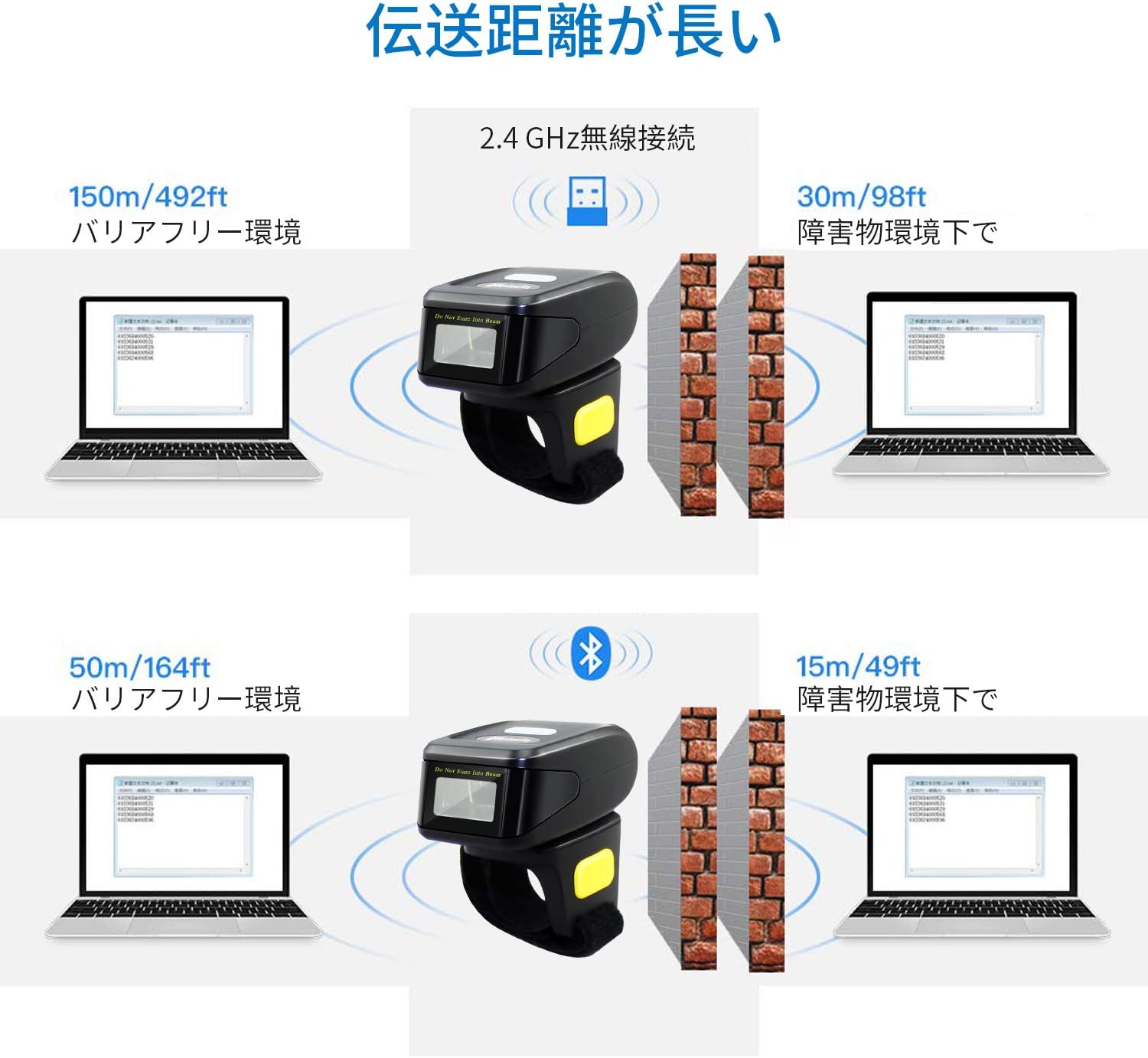
The scanner supports three primary connection modes: USB Wired, 2.4GHz Wireless, and Bluetooth.

4.1. Modalità cablata USB
Connect the scanner directly to your computer using the provided USB cable. This mode allows for both data transmission and charging. The cable ensures a stable connection and supports mobile flash charging.
4.2. Modalità wireless a 2.4 GHz
Insert the 2.4GHz USB dongle into your computer's USB port. The scanner will automatically connect to the dongle. This mode provides a robust wireless connection suitable for environments where Bluetooth might be less ideal.
4.3. Modalità Bluetooth
Enable Bluetooth on your smartphone, tablet, or computer. Put the scanner into Bluetooth pairing mode (refer to the manual for specific instructions, usually by scanning a pairing barcode). Select the scanner from your device's Bluetooth settings to establish a connection. No dongle is required for Bluetooth-enabled devices.
5. Modalità di trasmissione dei dati
The scanner offers flexibility in how scanned data is handled, allowing for immediate transfer or temporary storage.
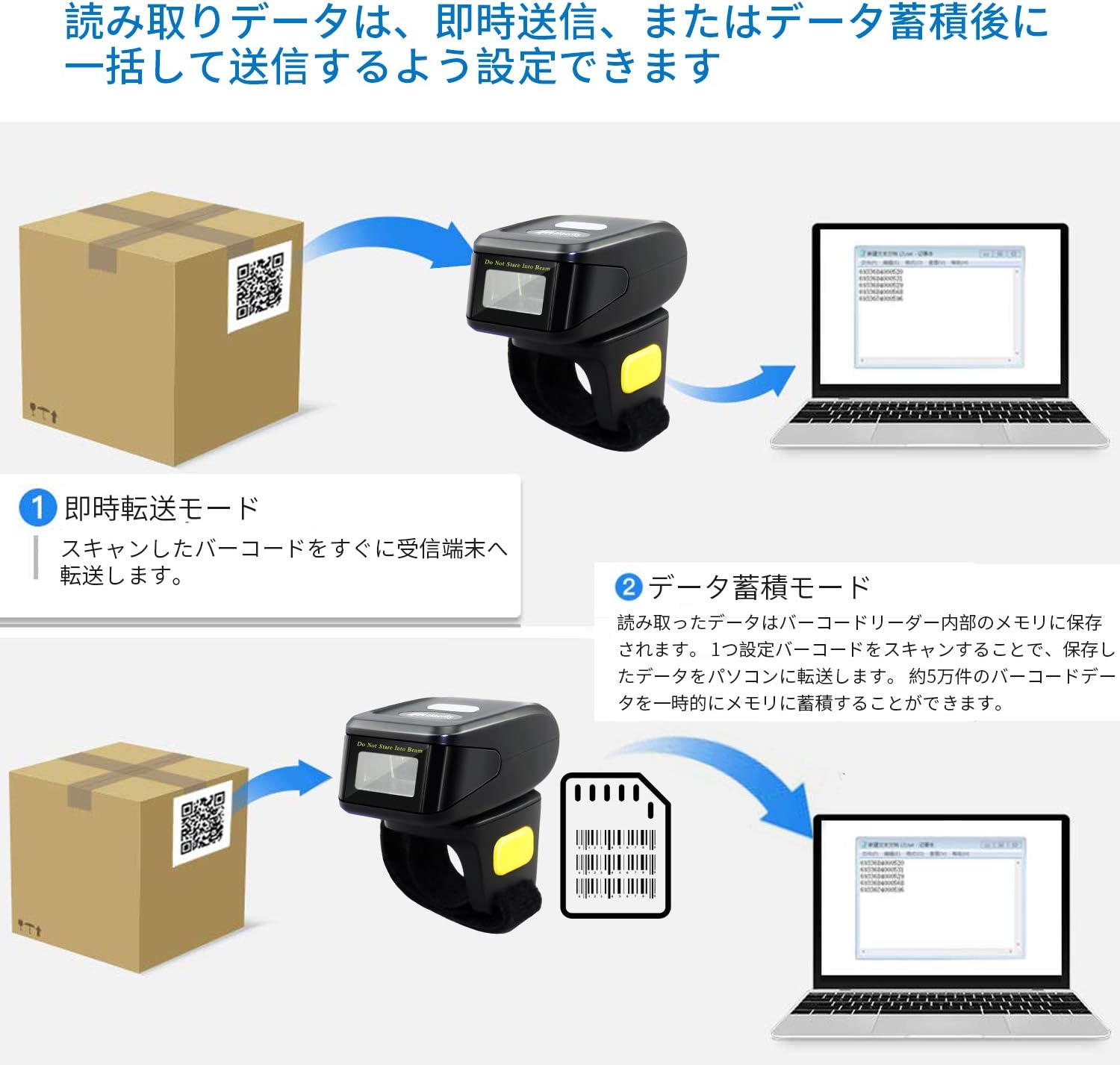
5.1. Instant Transmission Mode
In this mode, scanned barcodes are immediately transmitted to the connected receiving device (e.g., computer, smartphone). This is ideal for real-time inventory updates or point-of-sale operations.
5.2. Data Storage Mode
The scanner can store approximately 50,000 barcode entries in its internal memory. Scanned data is saved internally and can be uploaded in a batch to a connected PC or device later. This mode is useful for offline scanning or when connectivity is intermittent.
6. Capacità di decodifica dei codici a barre
The MJ-R30-2D scanner features excellent decoding capabilities, recognizing both 1D and 2D barcodes even if they are blurred, damaged, or scanned under challenging lighting conditions (weak or strong light).

Tipi di codici a barre 1D supportati:
- JAN/EAN-13, JAN/EAN-8, UPC-A, UPC-E
- Code11, Code32, Code39, Code 39 Full ASCII, Code93, Code128
- Codabar (NW-7)
- Interleaved 2 of 5, Matrix 2 of 5, Industrial 2 of 5, Standard 2 of 5
- PLESSEY, MSI, ITF14
- ISBN, ISSN
- GS1 Databar, GS1-128 (UCC/EAN128), ISBT-128
Tipi di codici a barre 2D supportati:
- Codice QR
- Matrice dei dati
- PDF417
- codice azteco
- Maxicodice
7. Batteria e ricarica
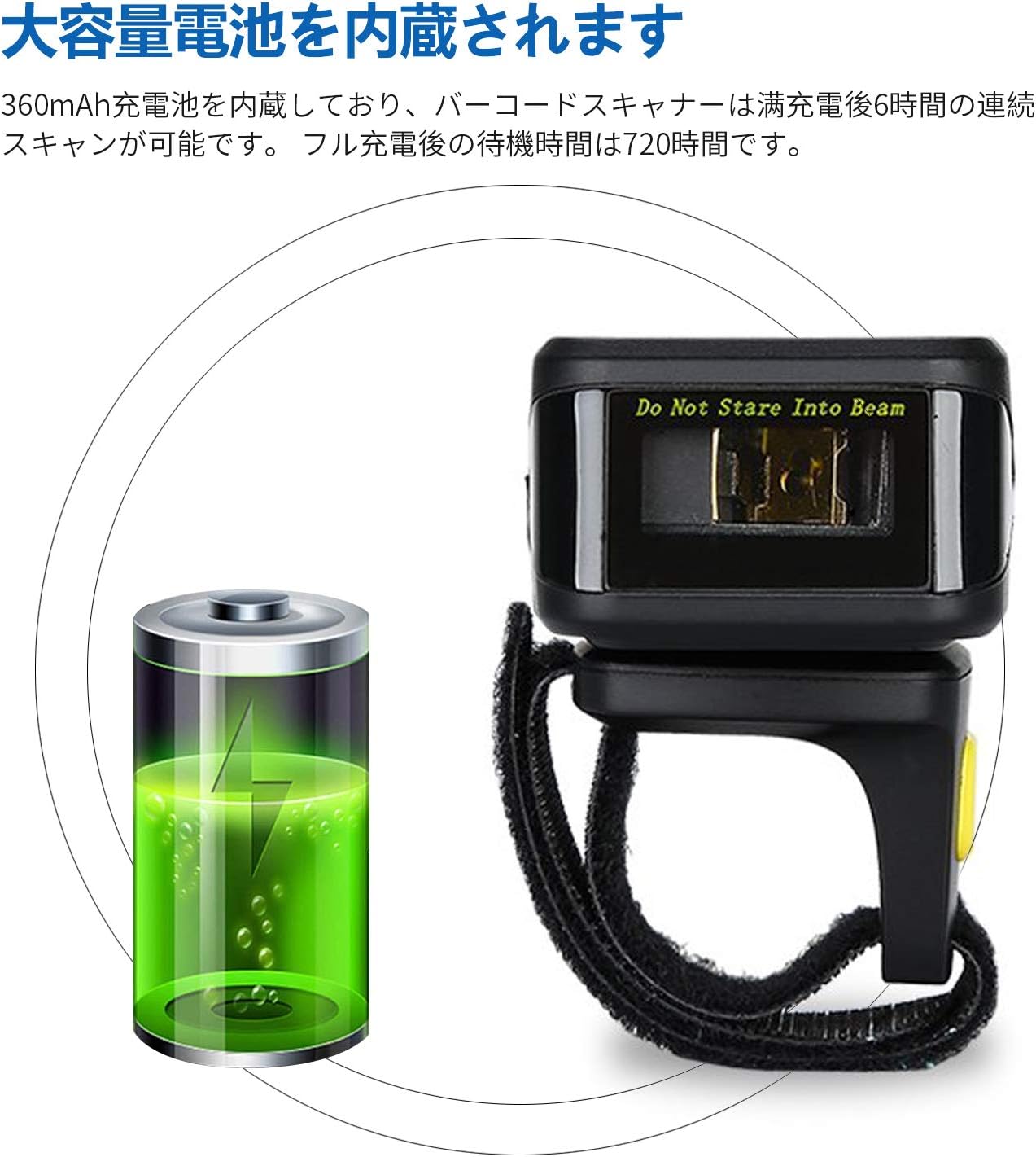
The MJ-R30-2D is equipped with a built-in 360mAh rechargeable battery, providing reliable power for extended use.
Prestazioni della batteria:
- Scansione continua: Fino a 6 ore con una carica completa.
- Tempo di standby: Up to 720 hours (30 days) on a full charge.
Ricarica:
Connect the scanner to a power source using the provided USB cable. The device will indicate when it is charging and when it is fully charged. Ensure the scanner is fully charged before initial use for optimal performance.
8. Personalizzazione e impostazioni
The scanner's operation can be customized to fit specific user needs by scanning configuration barcodes found in the detailed product manual.
Scan Reading Modes:
- Modalità trigger: Scansiona un codice a barre premendo il pulsante di attivazione.
- Modalità di scansione continua: The scanner continuously scans for barcodes without requiring a trigger press.
- Modalità di rilevamento automatico: Lo scanner rileva e scansiona automaticamente i codici a barre quando entrano nel suo campo di view.
Feedback Settings:
The scanner's sound and vibration feedback can be toggled on or off as desired, typically by scanning specific configuration barcodes.
9. Risoluzione Dei Problemi
This section addresses common issues you might encounter with your Symcode MJ-R30-2D scanner.
9.1. Lo scanner non si connette
- Controlla la potenza: Assicurarsi che lo scanner sia carico.
- Connessione cablata: Verify the USB cable is securely connected to both the scanner and the computer.
- Wireless a 2.4 GHz: Ensure the USB dongle is properly inserted into the computer and the scanner is in 2.4GHz mode.
- Connessione Bluetooth: Make sure Bluetooth is enabled on your host device and the scanner is in pairing mode. If connecting to a PC without built-in Bluetooth, ensure a Bluetooth adapter is installed.
9.2. Codici a barre non scansionati
- Tipo di codice a barre: Verificare che il tipo di codice a barre sia supportato dallo scanner (fare riferimento alla Sezione 6).
- Qualità del codice a barre: Ensure the barcode is not excessively damaged, blurred, or poorly printed.
- Illuminazione: Adjust the scanning angle or environment if glare or insufficient light is an issue.
- Distanza: Maintain an appropriate distance between the scanner and the barcode.
9.3. On-Screen Keyboard Disappears on iOS Devices
When the scanner is connected via Bluetooth to an iOS device (e.g., iPhone, iPad), the on-screen keyboard may not appear automatically. To resolve this, you may need to disconnect the scanner temporarily or use a specific function key combination on the scanner (if available) to toggle the keyboard. Refer to the detailed manual for specific iOS compatibility settings.
10. Specifiche
| Marca | codice simbolico |
| Numero di modello | MJ-R30-2D |
| Tecnologia di connettività | Bluetooth, 2.4GHz Wireless, USB Cable |
| Fonte di alimentazione | Alimentato a batteria |
| Capacità della batteria | 360mAh |
| Tempo di scansione continua | Circa 6 ore |
| Tempo di standby | Circa 720 ore |
| Dimensioni del prodotto | Dimensioni: 12.45 x 4.06 x 10.41 cm |
| Peso del prodotto | 127.57 grammi |
| Codici a barre supportati | 1D (JAN/EAN, UPC, Code series, Codabar, etc.), 2D (QR Code, Data Matrix, PDF417, Aztec, Maxicode) |
| Capacità di memoria | Approx. 50,000 barcode entries (in storage mode) |
11. Manutenzione
Una corretta manutenzione garantisce la longevità e le prestazioni ottimali del tuo scanner per codici a barre.
- Pulizia: Utilizzare un panno morbido e asciutto per pulire l'esterno dello scanner. Per la finestra di scansione, utilizzare un panno privo di lanugine leggermenteampened with a mild cleaning solution (e.g., isopropyl alcohol) if necessary. Avoid abrasive cleaners or direct spraying of liquids.
- Magazzinaggio: Conservare lo scanner in un luogo fresco e asciutto, lontano dalla luce solare diretta e da temperature estreme.
- Cura della batteria: For long-term storage, ensure the battery is partially charged (around 50%) to prevent deep discharge. Recharge the battery periodically if not in use for extended periods.
- Protezione fisica: While durable, avoid dropping the scanner or subjecting it to strong impacts to prevent internal damage.
12. Garanzia e supporto
Symcode Technology, established in 2009, is committed to providing high-quality barcode scanning products and comprehensive customer support.
For any product-related inquiries, technical assistance, or support needs, please contact Symcode customer service through the platform where you purchased the product (e.g., Amazon). This ensures you receive prompt and accurate support directly from the manufacturer or authorized reseller.