
Introduzione
This manual provides instructions for the ZdalaMit AH59-02692E replacement remote control. This remote is designed to be compatible with various Samsung Soundbar models, offering a direct replacement without the need for complex programming. Please read this manual carefully to ensure proper use and longevity of your remote control.
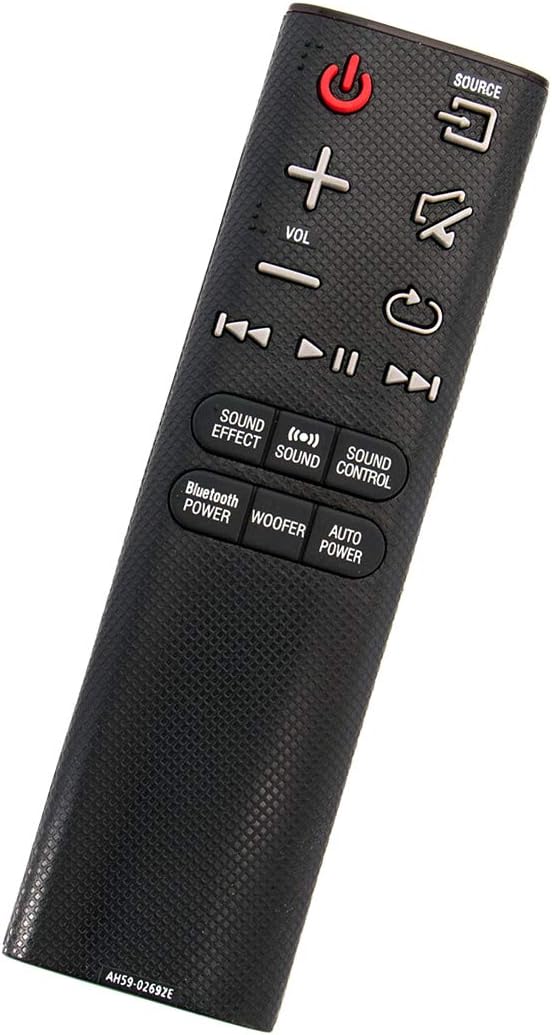
Angolato view of the ZdalaMit AH59-02692E replacement remote control, showing its ergonomic design.
Impostare
The ZdalaMit AH59-02692E remote control requires no programming or pairing. Simply insert the batteries, and it will be ready for use with your compatible Samsung Soundbar.
Installazione della batteria
- Individuare il vano batterie sul retro del telecomando.
- Per aprire il coperchio della batteria, farlo scorrere verso il basso.
- Inserire due (2) batterie alcaline AAA da 1.5 V, assicurandosi che i terminali positivo (+) e negativo (-) corrispondano agli schemi all'interno del vano.
- Far scorrere il coperchio della batteria in posizione finché non scatta in modo sicuro.
Nota: Le batterie non sono incluse nel telecomando. Per prestazioni ottimali, utilizzare sempre batterie alcaline AAA nuove.
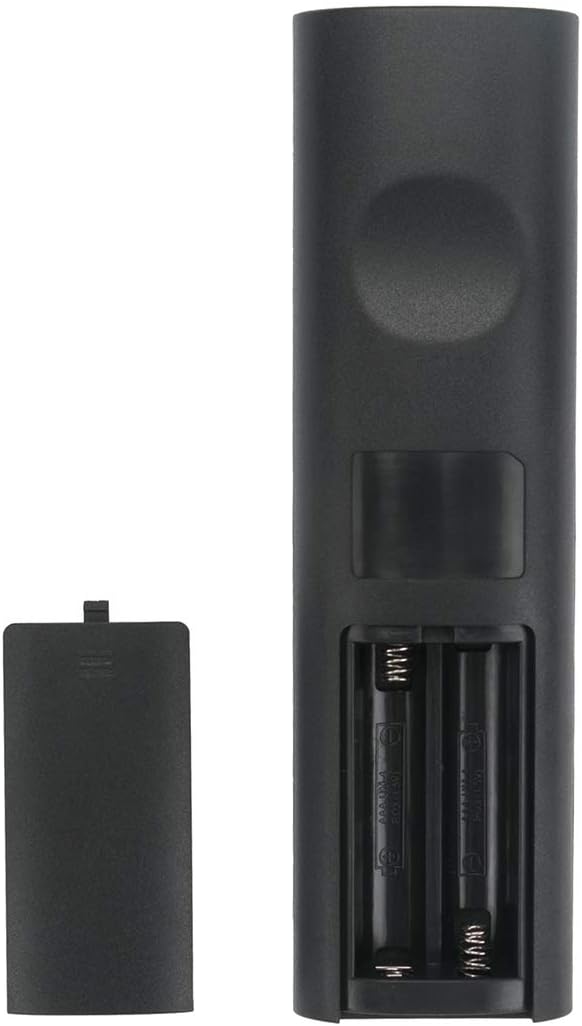
Indietro view del telecomando con il vano batterie aperto, che mostra dove inserire le batterie.
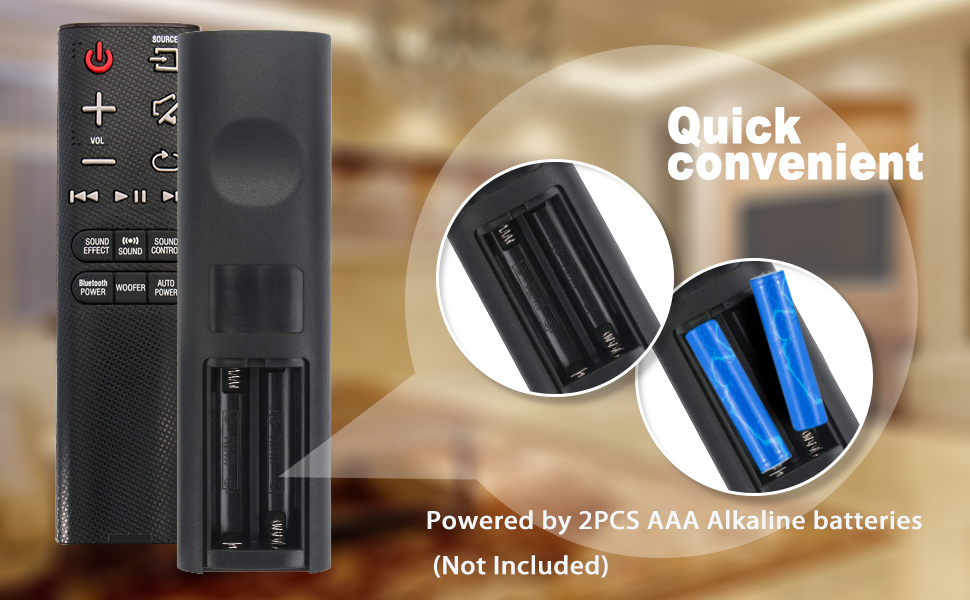
Illustration showing the correct way to insert two AAA batteries into the remote control's battery compartment.
Istruzioni per l'uso
Once batteries are installed, the remote is ready to control your compatible Samsung Soundbar. Ensure there is a clear line of sight between the remote control and the soundbar's infrared receiver.

Davanti view of the ZdalaMit AH59-02692E remote control, displaying all functional buttons.
Funzioni dei pulsanti
- Accensione (pulsante rosso): Attiva o disattiva la soundbar.
- FONTE: Cycles through available input sources (e.g., D.IN, BT, HDMI, AUX).
- VOLUME (+/-): Regola il livello del volume principale.
- Disattiva audio: Disattiva o riattiva l'audio.
- Ritorno/Indietro: Navigates back in menus or previous track.
- Riproduci/Pausa: Controlla la riproduzione multimediale.
- Skip (Forward/Backward): Passa alla traccia successiva o precedente.
- EFFETTO SONORO: Passa attraverso vari effetti/modalità sonore.
- SUONO: Adjusts specific sound settings.
- CONTROLLO DEL SUONO: Accesses advanced sound settings.
- BLUETOOTH POWER: Activates or deactivates Bluetooth power.
- woofer: Regola il livello del subwoofer.
- POTENZA AUTOMATICA: Toggles the auto power function.
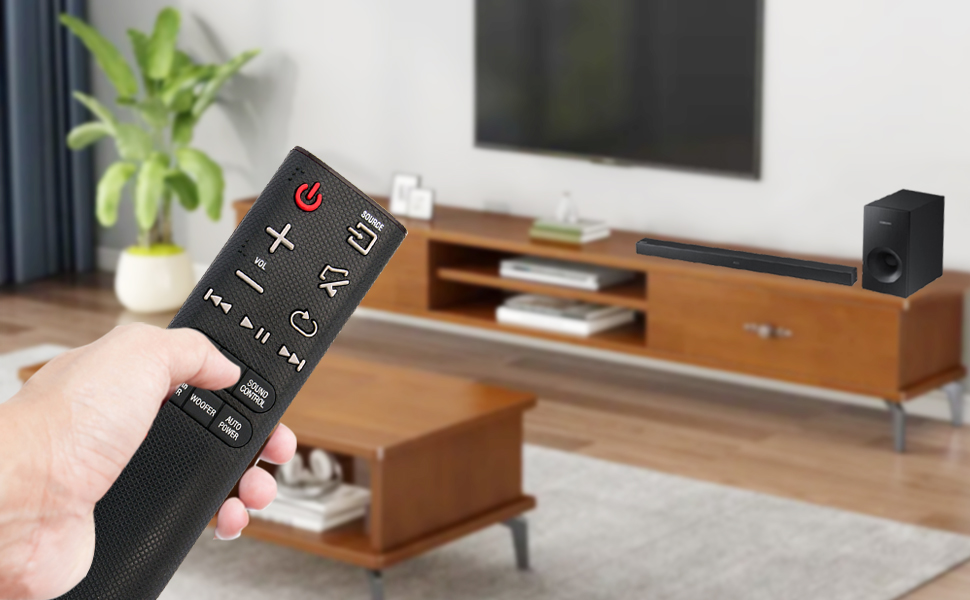
A user operating the remote control with a Samsung Soundbar and television in a home environment.
Manutenzione
Una corretta manutenzione garantisce la longevità e l'affidabilità del vostro telecomando.
Sostituzione della batteria
Sostituisci le batterie quando la risposta del telecomando diventa lenta o smette di funzionare. Sostituisci sempre entrambe le batterie AAA contemporaneamente con batterie nuove. Non mischiare batterie vecchie e nuove o tipi diversi di batterie.
Pulizia
Per pulire il telecomando, strofinarlo delicatamente con un panno morbido e asciutto. Non utilizzare detergenti liquidi, spray o materiali abrasivi, poiché potrebbero danneggiare la superficie o i componenti interni del telecomando.
Magazzinaggio
Conservare il telecomando in un luogo fresco e asciutto, lontano dalla luce solare diretta e da temperature estreme. Se il telecomando non viene utilizzato per un periodo prolungato, rimuovere le batterie per evitare perdite e potenziali danni.
Risoluzione dei problemi
Se riscontri problemi con il telecomando, fai riferimento alle seguenti soluzioni comuni:
- Il telecomando non risponde:
- Controllare che le batterie siano inserite correttamente, rispettando la polarità corretta.
- Sostituisci le vecchie batterie con nuove batterie alcaline AAA da 1.5 V.
- Assicurarsi che non vi siano ostacoli tra il telecomando e il ricevitore a infrarossi della soundbar.
- Verificare che il telecomando sia puntato direttamente verso la soundbar.
- Gamma limitata:
- Ensure batteries are fresh. Weak batteries can reduce the remote's effective range.
- Rimuovere eventuali oggetti che potrebbero bloccare il percorso del segnale.
- Funzionalità non corretta:
- This remote is pre-programmed for compatible Samsung Soundbars. If functions are incorrect, verify your soundbar model is listed as compatible.
Specifiche
| Caratteristica | Dettaglio |
|---|---|
| Marca | Zdala Mit |
| Nome del modello | AH59-02692E |
| Numero di modello | AH59-02692E-ZDLMT |
| Dispositivi compatibili | Samsung Soundbars (HW-J355, HW-J450, HW-J460, HW-J550, HW-J551, HW-J6000, HW-J6001, HW-JM35, HW-JM45, HW-JM45C, HW-JM6000, HW-JM6000C, HW-J430, etc.) |
| Tecnologia di connettività | Infrarossi |
| Alimentazione elettrica | 2 batterie alcaline AAA da 1.5 V |
| Portata massima | 33 piedi (circa 10 metri) |
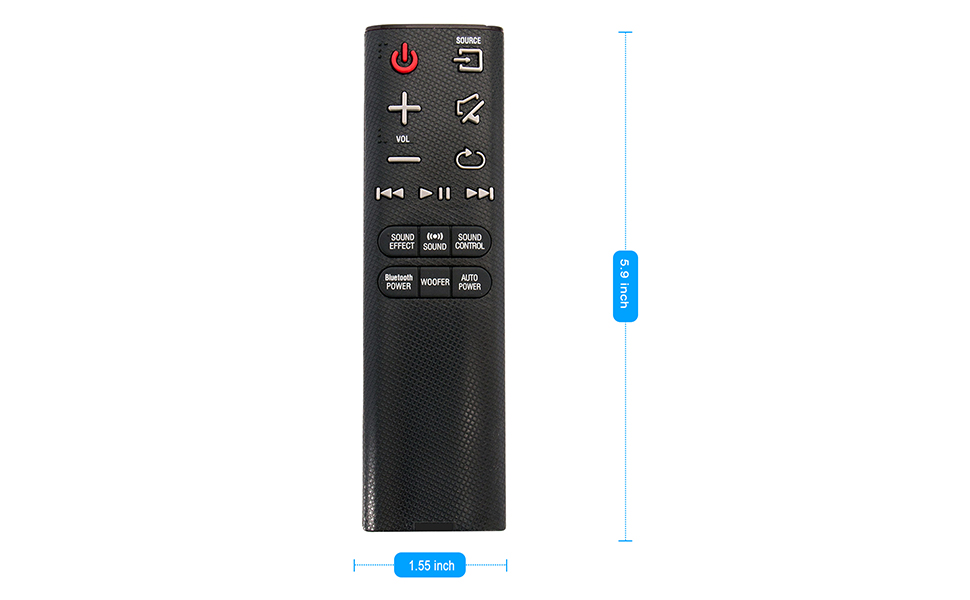
| Dimensioni articolo (L x P x A) | 5.9" x 1.55" x 0.5" |
| Caratteristica speciale | Pre-programmato |
Visual representation of the remote control's dimensions (length and width).
Informazioni sulla garanzia
This ZdalaMit remote control comes with a Garanzia di 1 anno from the date of purchase. This warranty covers manufacturing defects under normal use. It does not cover damage caused by misuse, accidents, unauthorized modifications, or battery leakage.
Supporto
For any questions, concerns, or assistance regarding your ZdalaMit AH59-02692E replacement remote control, please contact the seller or manufacturer directly. Refer to your purchase documentation for specific contact details.
We are committed to providing reliable products and support.