
Introduzione
Grazie per l'acquistoasing the Bud Light Bluetooth Can Speaker. This portable wireless speaker is designed to provide clear audio with a compact and unique design. This manual provides instructions for setting up, operating, maintaining, and troubleshooting your speaker to ensure optimal performance.
Contenuto della confezione
Si prega di controllare la confezione per verificare la presenza dei seguenti elementi:
- Bud Light Bluetooth Can Speaker
- Cavo di ricarica USB
- Manuale d'uso

Image: The Bud Light Bluetooth Can Speaker shown in its clear retail packaging.
Prodotto finitoview
Familiarizza con i componenti dell'altoparlante:
- Interruttore di alimentazione: Located at the base, used to turn the speaker ON or OFF.
- Porta di ricarica: Porta micro USB per caricare l'altoparlante.
- Indicatore LED: Shows charging status and Bluetooth pairing status.
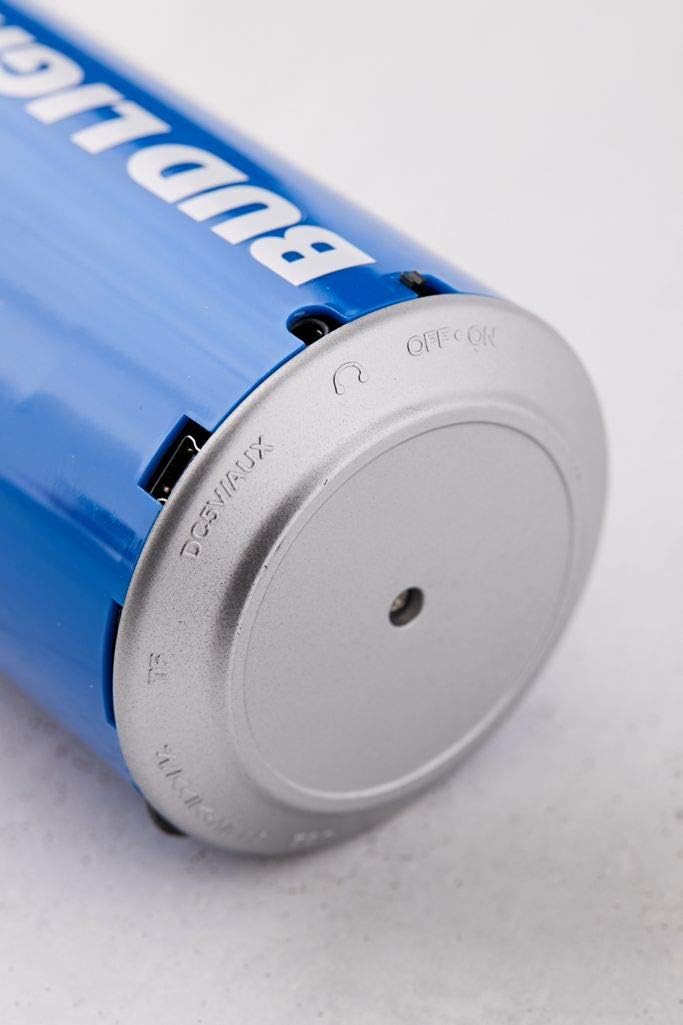
Immagine: un primo piano view of the speaker's base, highlighting the 'OFF ON' switch and the charging port.
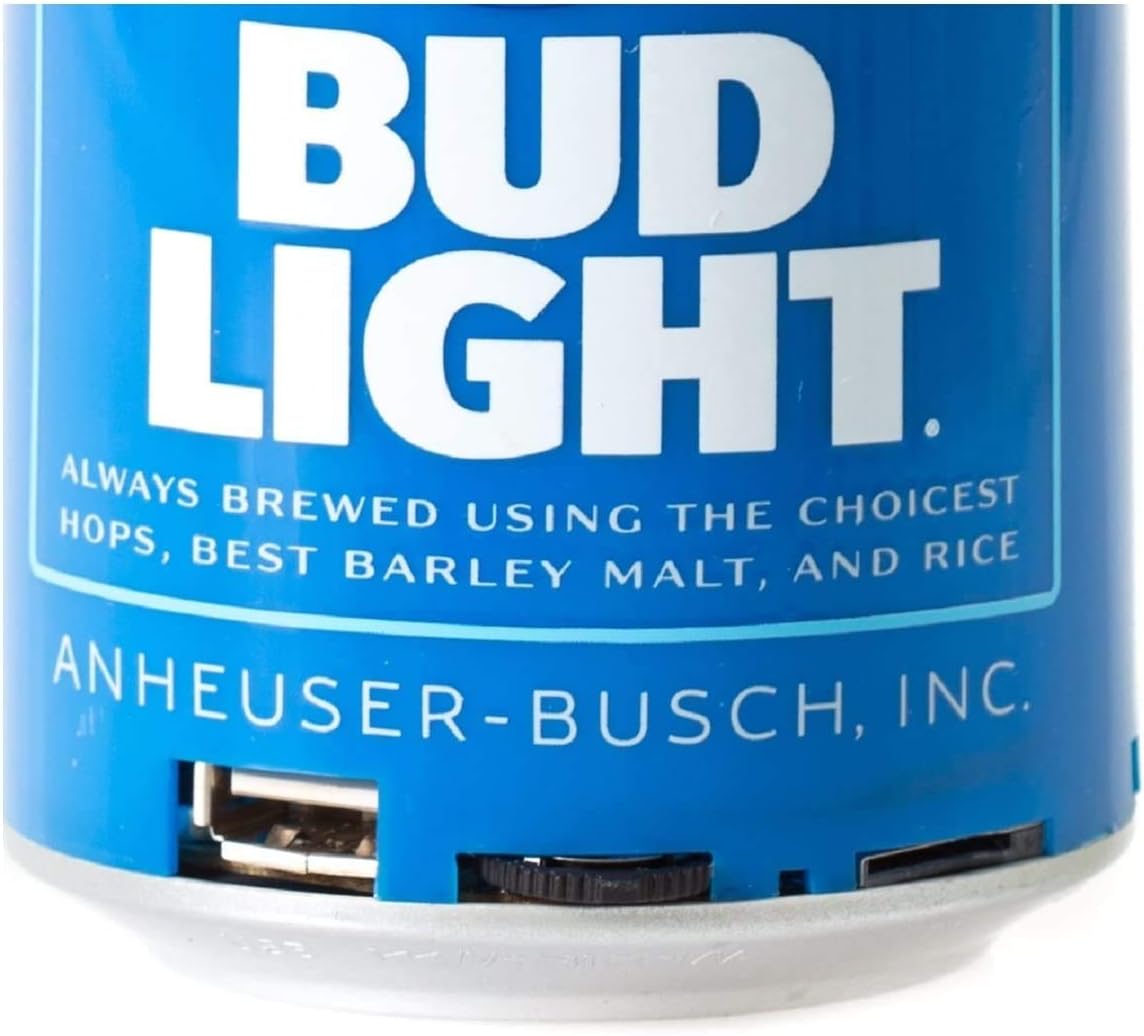
Immagine: Un dettaglio view of the speaker's bottom section, showing the USB charging port and the power switch.
Impostare
1. Ricarica dell'altoparlante
- Connect the small end of the USB charging cable to the charging port on the speaker's base.
- Collegare l'estremità più grande del cavo di ricarica USB a un adattatore di alimentazione USB (non incluso) o alla porta USB di un computer.
- L'indicatore LED si illuminerà durante la ricarica e si spegnerà una volta completata la ricarica.
- Una carica completa richiede in genere circa 2-3 ore.
2. Accensione/Spegnimento
- To turn ON the speaker, slide the power switch located at the base to the 'ON' position. You will hear an audible prompt.
- To turn OFF the speaker, slide the power switch to the 'OFF' position.
Istruzioni per l'uso
1. Accoppiamento Bluetooth
The speaker is compatible with all Bluetooth-enabled devices.
- Ensure the speaker is charged and powered ON. The LED indicator will flash, indicating it is in pairing mode.
- On your device (smartphone, tablet, etc.), go to the Bluetooth settings and enable Bluetooth.
- Cercare available devices. The speaker will appear as "Bud Light Speaker" or similar.
- Select the speaker from the list to connect. Once paired, the LED indicator will stop flashing and remain solid, and you will hear a confirmation tone.
- Se viene richiesta una password, immettere "0000".

Image: The Bud Light Bluetooth Can Speaker positioned next to a smartphone displaying a music application, illustrating a successful Bluetooth connection.
2. Riproduzione audio
- Una volta effettuato l'abbinamento, l'audio del tuo dispositivo verrà riprodotto tramite l'altoparlante.
- Control volume and track selection directly from your connected device.
3. Portabilità
The compact and lightweight design allows for easy transport, making it suitable for various outdoor and indoor environments.

Image: The Bud Light Bluetooth Can Speaker being held in a hand, demonstrating its compact size and portability.

Image: The Bud Light Bluetooth Can Speaker placed on a beach towel, illustrating its use in an outdoor setting.
Manutenzione
- Pulizia: Per pulire l'altoparlante, utilizzare un panno morbido e asciutto. Non utilizzare detergenti abrasivi o solventi.
- Magazzinaggio: Conservare l'altoparlante in un luogo fresco e asciutto, lontano dalla luce solare diretta e da temperature estreme.
- Resistenza all'acqua: Questo altoparlante non è impermeabile. Evitare l'esposizione all'acqua o a umidità eccessiva.
Risoluzione dei problemi
| Problema | Possibile causa | Soluzione |
|---|---|---|
| L'altoparlante non si accende. | La batteria è scarica. | Carica l'altoparlante utilizzando il cavo USB in dotazione. |
| Impossibile accoppiarsi con il dispositivo Bluetooth. | L'altoparlante non è in modalità di associazione o il Bluetooth del dispositivo è disattivato. | Ensure speaker is ON and LED is flashing. Turn ON Bluetooth on your device and search again. |
| Nessun suono o volume basso. | Volume on device is low or speaker is not connected. | Increase volume on your connected device. Ensure speaker is properly paired. |
| Qualità audio scadente. | Il dispositivo è troppo lontano dall'altoparlante o c'è interferenza. | Avvicinare il dispositivo all'altoparlante (entro 10 metri). Evitare ostacoli tra i dispositivi. |
Specifiche
- Marca: Luce di gemma
- Modello: Altoparlante Bluetooth
- Potenza massima in uscita dell'altoparlante: 3 Watt
- Tecnologia di connettività: Bluetooth, USB
- Modalità di uscita audio: Stereo, Surround
- Tipo di montaggio: Libera installazione
- Compatibilità: All Bluetooth-enabled devices (Apple iPhone, Samsung Galaxy, Tablets, Smartphones) and non-Bluetooth devices (MP3 players via USB).
Garanzia e supporto
For warranty information or technical support, please refer to the contact details provided with your purchase documentation or visit the official Bud Light accessories websito. Conservare la prova d'acquisto per eventuali reclami in garanzia.