
1. Introduzione
Thank you for choosing the Dakota Selfie Stick. This manual provides essential information for the safe and effective use of your new selfie stick. This device allows you to comfortably capture photos and videos from extended distances, enhancing your photography experience. It features a wired connection, eliminating the need for batteries or Bluetooth pairing.
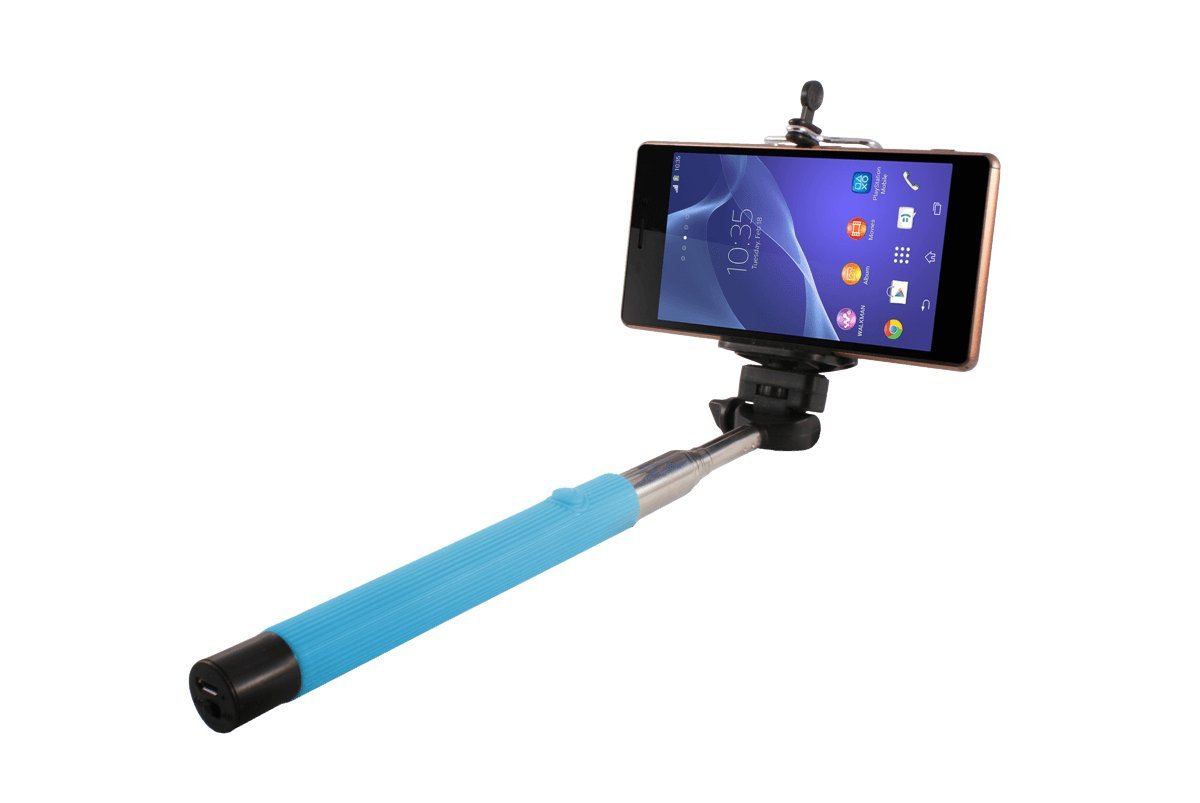
Image 1.1: The Dakota Selfie Stick with a smartphone securely mounted, demonstrating its primary function.
2. Impostazione
- Unpack the Selfie Stick: Carefully remove the selfie stick from its packaging.
- Collega il tuo smartphone:
- Locate the adjustable phone holder at the end of the stick.
- Separare delicatamente la chiusura a mollaamps of the holder.
- Insert your smartphone into the holder, ensuring it is securely gripped by both clamps. The holder is designed to accommodate most smartphones.
- Collegare il cavo audio:
- Locate the 3.5mm audio jack cable extending from the selfie stick handle.
- Plug this cable into your smartphone's 3.5mm headphone jack. If your phone does not have a 3.5mm jack, an adapter (not included) may be required.
- Extend the Stick: Hold the handle firmly and pull the telescopic rod outwards to extend the stick to your desired length.

Image 2.1: A smartphone connected to the selfie stick, illustrating the cable connection for shutter control.
3. Istruzioni per l'uso
- Power On Your Smartphone: Ensure your smartphone is powered on and unlocked.
- Apri l'applicazione Fotocamera: Launch your smartphone's camera application.
- Position for Photo: Extend the selfie stick to the desired length and angle your smartphone to frame your shot. The phone holder can be rotated for optimal positioning.
- Fare una foto: Press the shutter button located on the handle of the selfie stick. The wired connection will trigger your phone's camera to take a picture.
Nota: This selfie stick uses the 3.5mm audio jack to send a shutter command to your phone. Ensure your phone's volume button is configured to act as a shutter button within your camera settings if the stick does not function immediately. This is a common setting for many smartphone camera apps.

Image 3.1: Users demonstrating the selfie stick in action, capturing a group photo.
4. Manutenzione
- Pulizia: Pulisci il selfie stick con un panno morbido e asciutto. Non utilizzare detergenti abrasivi o solventi.
- Magazzinaggio: Retract the telescopic rod completely and store the selfie stick in a dry, cool place away from direct sunlight when not in use.
- Cura del cavo: Avoid bending or twisting the audio cable excessively to prevent damage.
- Evitare l'acqua: Questo prodotto non è impermeabile. Non esporlo alla pioggia né immergerlo in acqua.
5. Risoluzione Dei Problemi
| Problema | Possibile causa/soluzione |
|---|---|
| Selfie stick button does not take photos. |
|
| Phone does not fit securely in the holder. |
|
6. Specifiche
- Modello: 2
- Marca: Dakota
- Colore: Blu
- Connettività: Cablato (jack audio da 3.5 mm)
- Fonte di energia: No battery required (powered by smartphone audio jack)
- Compatibilità:
- iOS 5.01 or superior
- Android 4.2.2 o versione successiva
- Compatible with most mobile phones
- Lunghezza estesa: Circa 117 cm (46 pollici)
- Lunghezza compressa: Circa 30.5 cm (12 pollici)
- Dimensioni del supporto del telefono:
- Minimum Phone Width: Approximately 5.5 cm
- Maximum Phone Width: Approximately 8.5 cm
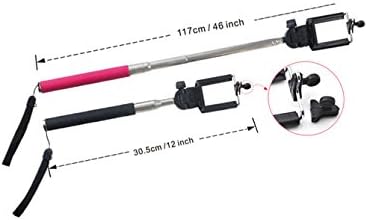
Image 6.1: Dimensions of the Dakota Selfie Stick, showing its extended and collapsed lengths.

Image 6.2: Detailed measurements of the smartphone holder, indicating compatible phone widths.
7. Garanzia e supporto
Specific warranty details for the Dakota Selfie Stick are typically provided at the point of purchase or within the product packaging. Please refer to your purchase receipt or contact the retailer where you purchased the product for warranty information.
For technical support or further assistance, please contact the manufacturer or the seller directly. Their contact information can usually be found on the product packaging or the retailer's websito.