
1. Introduzione
The Bosch BCC100 Wi-Fi Thermostat is designed to provide intelligent and efficient control over your home's HVAC system. Featuring a large 5-inch full-color touchscreen, this thermostat allows for easy temperature management, intuitive scheduling, and remote control via a smartphone or tablet app. It is compatible with 24 VAC HVAC systems, including heat pump and conventional setups, and supports integration with smart home platforms like Amazon Alexa and Google Home. The BCC100 helps optimize energy consumption by allowing precise temperature control and scheduling, even when you are away from home.
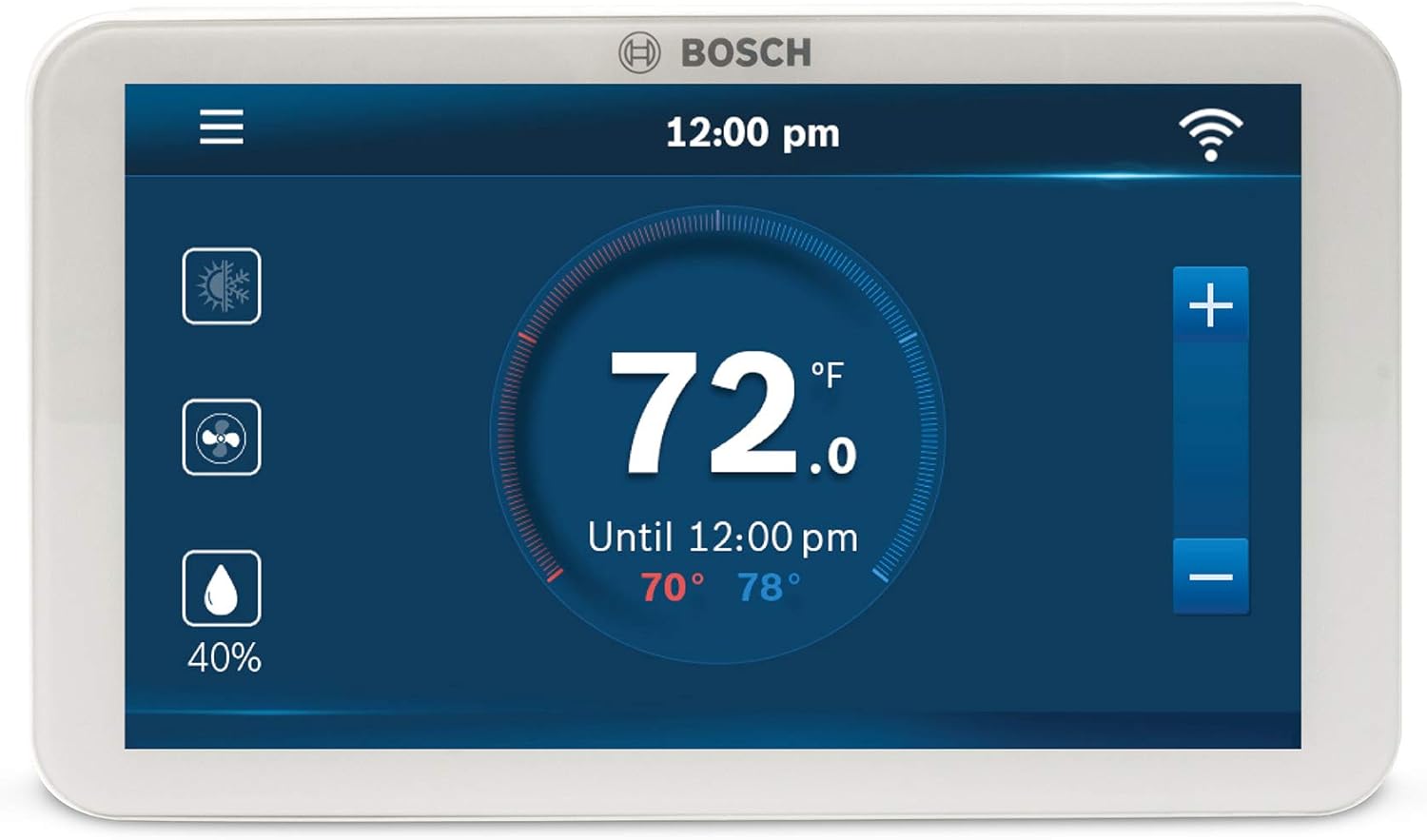
Figure 1.1: The Bosch BCC100 Thermostat's main display, showing a set temperature of 72 degrees Fahrenheit, current time, and Wi-Fi indicator.
2. Configurazione e installazione
Proper installation is crucial for the optimal performance of your Bosch BCC100 Thermostat. This section outlines the necessary steps for physical installation and initial setup.
2.1 Requisiti di preinstallazione
- Filo C (filo comune): A C-wire is required to power the BCC100 unit. Most modern HVAC systems with three or more wires provide a C-wire. If your system lacks a C-wire, third-party aftermarket solutions may be available.
- Compatibilità: The thermostat is compatible with 24 VAC HVAC equipment, including heat pump (4 Heat, 2 Cool) and conventional (2 Heat, 2 Cool) systems. It also supports one 1-wire internally powered humidifier or dehumidifier.
- Strumenti necessari: Screwdriver, wall anchors (included), wire labels (included).
2.2 Installazione fisica
- Spegnimento dell'alimentazione: Before beginning installation, ensure the power to your HVAC system is completely turned off at the circuit breaker.
- Rimuovere il vecchio termostato: Carefully remove your existing thermostat from the wall. Take a photo of the current wiring configuration for reference. Label each wire using the provided wire labels.
- Piastra di montaggio a parete: Position the BCC100 wall plate on the wall where you intend to install the thermostat. Use the provided screws and wall anchors to secure it firmly. Ensure the plate is level.
- Collegare il cablaggio: Connect the labeled wires from your HVAC system to the corresponding terminals on the BCC100 wall plate. Refer to the wiring diagram in the included manual for specific connections. Ensure the C-wire is properly connected.
- Collegare il termostato: Align the BCC100 thermostat unit with the wall plate and gently push it into place until it clicks securely.

Figura 2.1: Esploso view of the Bosch BCC100 Thermostat and its wall plate, highlighting the wiring terminals for installation.
2.3 Accensione iniziale e connessione Wi-Fi
- Ripristina alimentazione: Once the thermostat is securely installed and wired, restore power to your HVAC system at the circuit breaker. The thermostat screen should power on.
- Configurazione su schermo: Follow the on-screen prompts to complete the initial setup, including date, time, and basic HVAC system configuration.
- Connettiti al Wi-Fi: Navigate to the Wi-Fi settings on the thermostat. Select your home Wi-Fi network (2.4 GHz only) and enter your password. A strong Wi-Fi signal is recommended for stable connection.
- Associazione dell'app: Download the Bosch Connected Control App on your smartphone or tablet. Follow the app's instructions to pair your device with the thermostat for remote control capabilities.

Figure 2.2: The Bosch BCC100 Thermostat installed on a wall, emphasizing its Wi-Fi connectivity for remote access.
3. Istruzioni per l'uso
This section details how to operate your Bosch BCC100 Thermostat using its touchscreen interface and the connected mobile application.
3.1 Touchscreen Interface Overview
The 5-inch full-color touchscreen provides access to all thermostat functions. The main screen displays the current room temperature, set-points, time, date, and system status.

Figura 3.1: Un dettaglio view of the Bosch BCC100 Thermostat's display, with labels pointing to key features such as Fan Status, System Mode, Main Menu, Wi-Fi/Cloud Access Indicator, Current Room Humidity, Heating/Cooling Set-Points, Actual Room Temperature, and Temperature Adjustment buttons.
- Menu principale: Access settings, schedules, and advanced options.
- Controllo della temperatura: Utilizzare il + E - buttons to adjust the desired temperature set-points.
- Modalità di sistema: Switch between heating, cooling, auto, and off modes.
- Funzionamento del ventilatore: Control fan settings (Auto, On, Circulation).
- Visualizzazione dell'umidità: View current indoor humidity levels.
3.2 Pianificazione
The BCC100 allows for intuitive scheduling to automatically adjust temperatures throughout the day. You can create up to 4 schedules per thermostat to match your daily routine and optimize energy savings.
- Access the scheduling menu through the main menu.
- Set desired temperatures for different times of the day (e.g., Wake, Away, Home, Sleep).
- Apply schedules to specific days of the week or all days.
3.3 Controllo remoto tramite app
The Bosch Connected Control App allows you to manage your thermostat settings from anywhere using your smartphone or tablet. This includes adjusting temperature, changing modes, and modifying schedules.

Figure 3.2: A user interacting with the Bosch Connected Control App on a smartphone to remotely adjust thermostat settings, demonstrating energy saving capabilities.
- Download the "Bosch Connected Control" app from your device's app store.
- Log in or create an account and follow the prompts to add your thermostat.
- Control your thermostat remotely, receive alerts, and monitor energy usage.
- The thermostat is also compatible with voice control via Amazon Alexa and Google Home devices.
3.4 Humidifier/Dehumidifier Control
The BCC100 thermostat can control external humidifier or dehumidifier accessories. It supports both evaporative and steam-type humidifiers and includes advanced dehumidification algorithms for optimal indoor air quality.
- Access humidity control settings through the main menu.
- Set desired humidity levels.
- Features like Hot Gas Reheat compatibility and Cool to Dehumidify allow the thermostat to maintain humidity set points efficiently.
4. Manutenzione
The Bosch BCC100 Thermostat requires minimal maintenance to ensure continued optimal performance.
- Pulizia: Pulisci delicatamente il touchscreen e l'esterno con un panno morbido eamp panno. Evitare detergenti abrasivi o solventi.
- Aggiornamenti software: Ensure your thermostat's firmware and the mobile app are kept up-to-date. Updates often include performance improvements and new features. The app will typically notify you of available updates.
5. Risoluzione Dei Problemi
If you encounter issues with your Bosch BCC100 Thermostat, refer to the common problems and solutions below. For more complex issues, contact Bosch customer support.
| Problema | Possibile causa | Soluzione |
|---|---|---|
| Il termostato non si accende. | No power from HVAC system; C-wire not connected or faulty. | Check circuit breaker for HVAC system. Verify C-wire connection at thermostat and HVAC unit. Consult an HVAC professional if unsure. |
| Impossibile connettersi al Wi-Fi o si verificano frequenti disconnessioni. | Incorrect Wi-Fi password; 5GHz network selected; weak Wi-Fi signal; router issues. | Ensure correct password. Connect to a 2.4 GHz network. Move thermostat closer to router or use a Wi-Fi extender. Restart your router. |
| L'app non controlla il termostato. | Thermostat not connected to Wi-Fi; app not updated; incorrect pairing. | Verify thermostat Wi-Fi connection. Update the Bosch Connected Control App. Re-pair the thermostat with the app if necessary. |
| Le letture della temperatura sembrano imprecise. | Thermostat location (e.g., near heat source, draft); sensor calibration needed. | Ensure thermostat is not exposed to direct sunlight, drafts, or heat sources. Refer to advanced settings in the manual for sensor calibration options. |
6. Specifiche
Key technical specifications for the Bosch BCC100 Wi-Fi Thermostat:
- Nome modello: BCC100
- Marca: Termotecnica Bosch
- Dimensioni del prodotto: 1"P x 5.2"L x 3.08"A
- Dimensioni dello schermo: 5 Inches (Full-Color Touch Screen)
- Tecnologia di connettività: Wi-Fi (2.4 GHz)
- Tipo di controller: Vera, Amazon Alexa, Google Home
- Fonte di energia: Electric (24 VAC, C-wire required)
- Compatibilità: Heat Pump (4 Heat, 2 Cool), Conventional (2 Heat, 2 Cool), 1-wire internally powered humidifier/dehumidifier.
- Materiale: Plastica
- Peso dell'articolo: 6.08 once
- Codice UPC: 052575060019
7. Informazioni sulla garanzia
The Bosch BCC100 Wi-Fi Thermostat includes a 5-year manufacturer warranty. For detailed terms and conditions, please refer to the warranty documentation provided with your product or contact Bosch customer support.
8. Supporto
For technical assistance, product inquiries, or warranty claims, please contact Bosch Thermotechnology customer support:
- Telefono: Numero di telefono: 800-283-3787
- Manuale utente (PDF): Scarica il manuale utente
- Guida per l'utente (PDF): Scarica Guida per l'utente