
1. Introduzione
This manual provides comprehensive instructions for the setup, operation, and maintenance of your Symcode MJ-2300-1D 1D Desktop Omnidirectional Laser Barcode Scanner. Please read this manual thoroughly before using the device to ensure proper functionality and to maximize its performance.


2. Caratteristiche principali
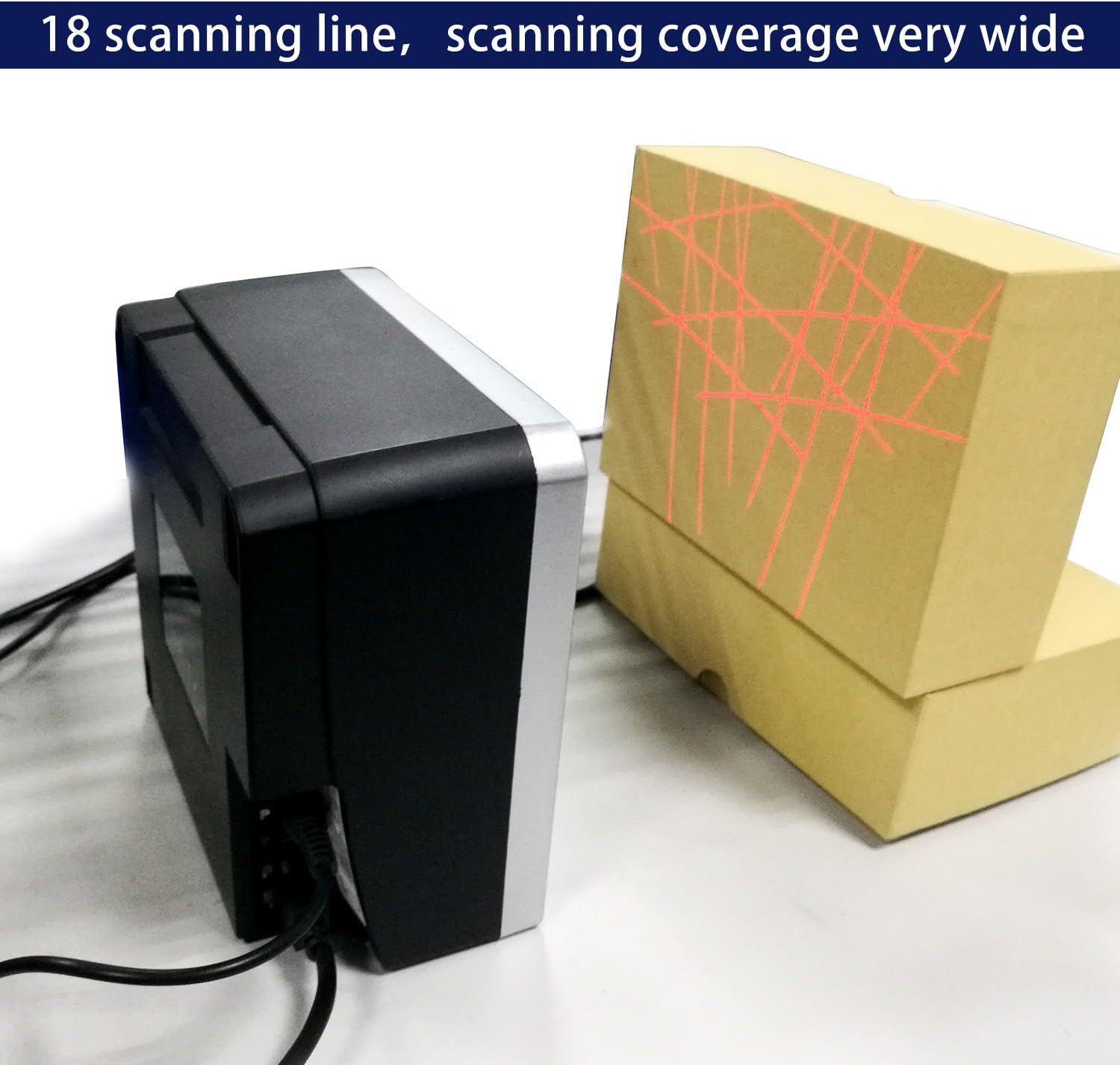
- Scansione omnidirezionale: Features an 18-laser layout for reliable first-pass read rates from various angles, with scan speeds up to 1500 scans per second.
- Connettività Plug and Play: Simple installation via USB port for immediate use with compatible systems.
- Alta sensibilità: Optimal scanning performance within a reading range of 0 to 7.9 inches (0-200mm). For best results, position barcodes within this range.
- Connettività versatile: Connects via USB cable to computers or other host systems for data transmission. RS232 and PS2 keyboard interfaces are also supported.
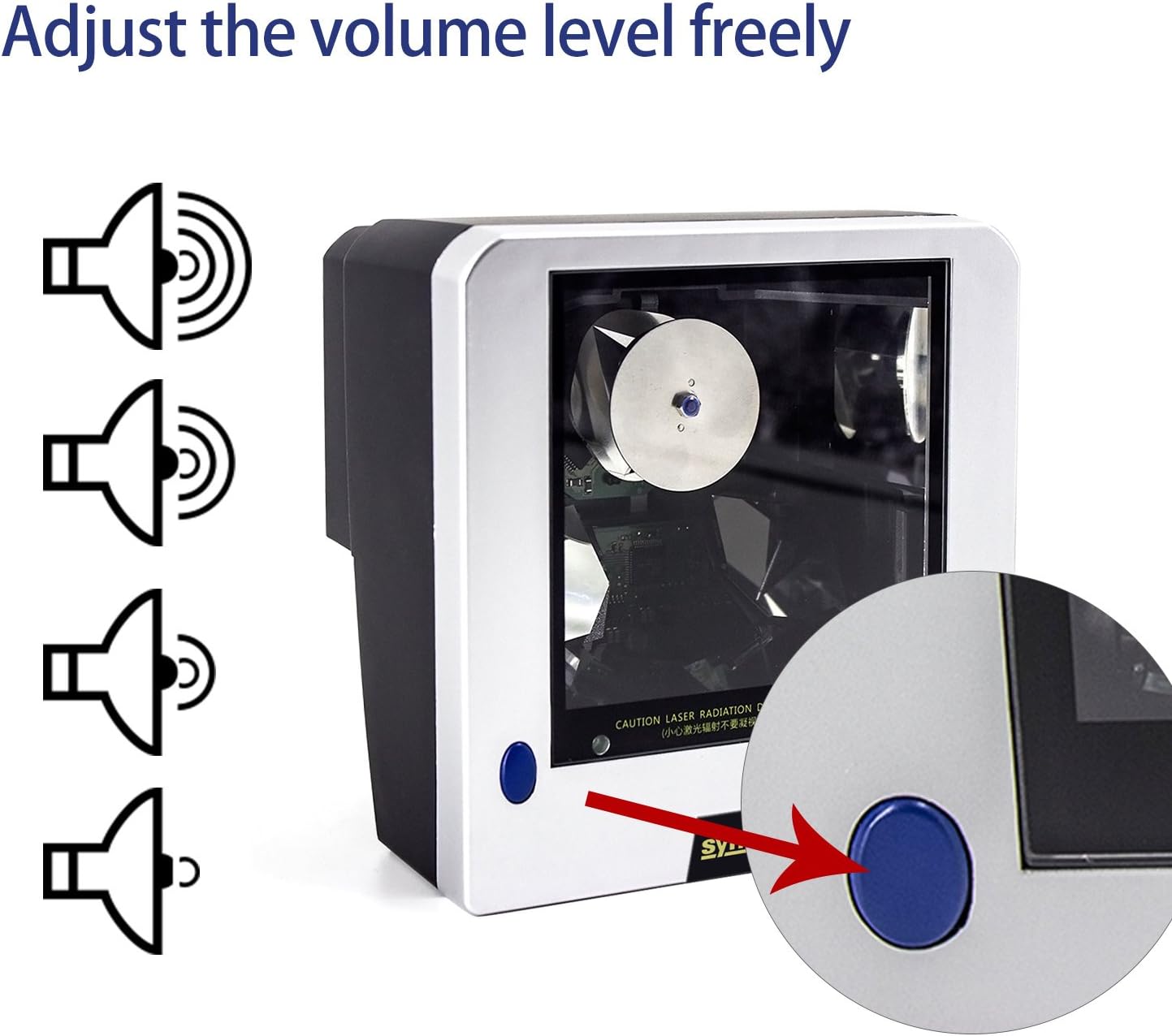
- Volume regolabile: Features a blue button for adjusting the scanner's beep tone with three available settings. A mute option is also available; contact support for assistance with this specific setting.
- Costruzione durevole: Built with ABS + PC material, designed to withstand a 2-meter free fall.
- Indicazione chiara: Equipped with a green LED indicator for operational status.
3. Guida all'installazione
3.1 Contenuto della confezione
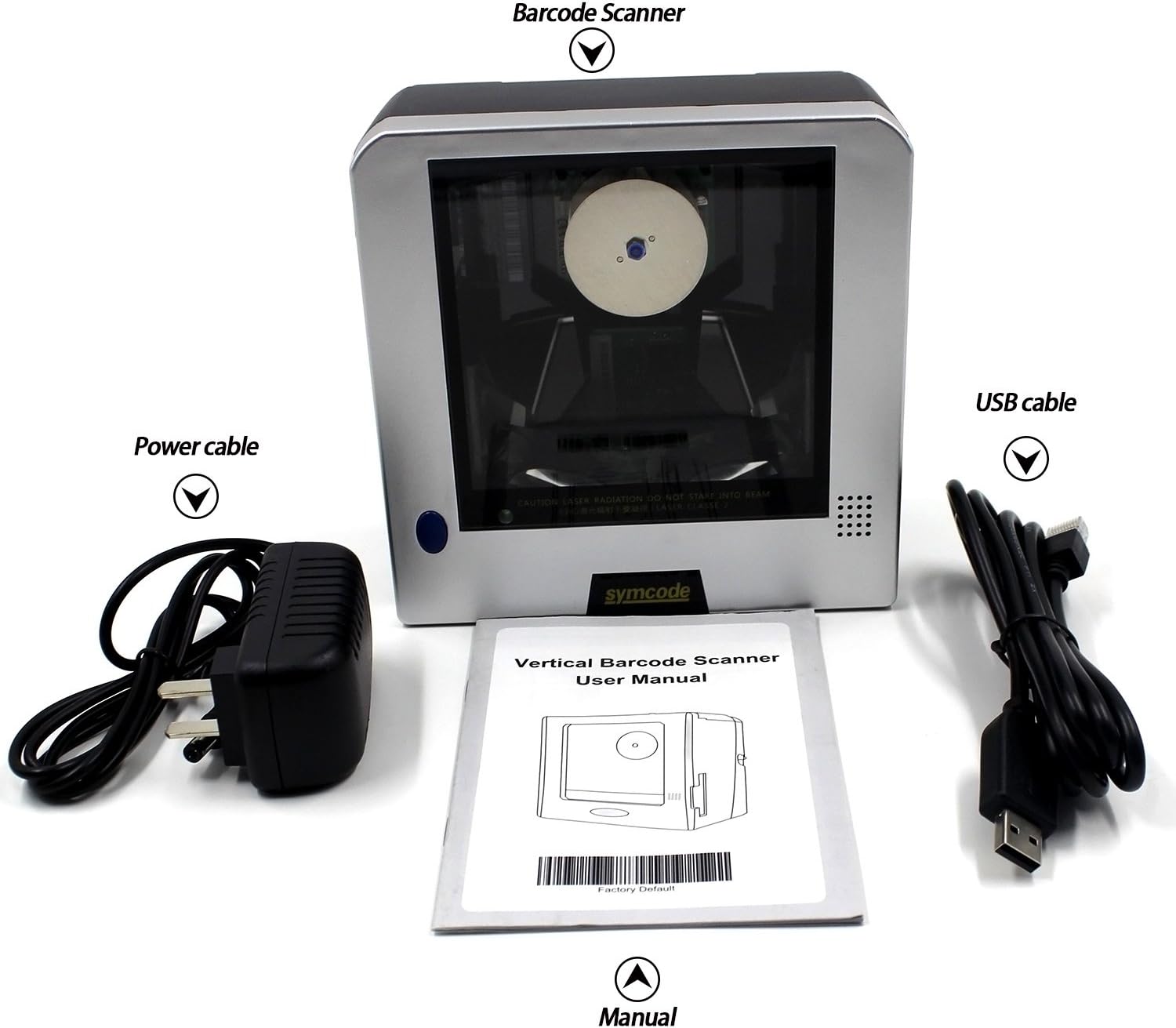
Prima di procedere con la configurazione, verificare che tutti gli elementi siano presenti nella confezione:
- 1D Desktop Barcode Scanner Unit
- Cavo USB
- Cavo di alimentazione/adattatore
- Manuale dell'utente (questo documento)
3.2 Collegamento dello scanner
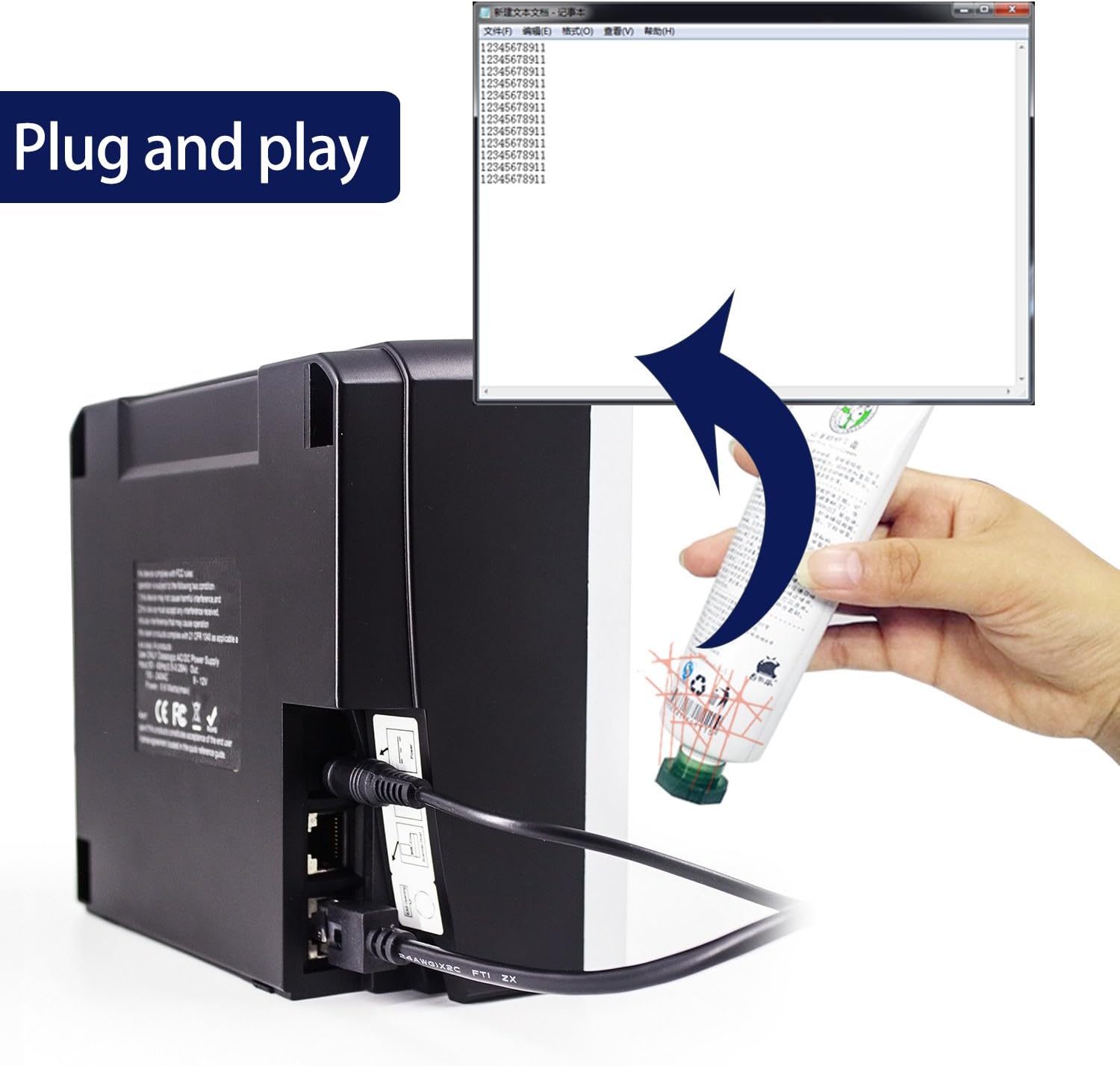
- Connect the power cable to the scanner's power input port and then to a suitable power outlet.
- Connect the USB cable to the scanner's USB port.
- Plug the other end of the USB cable into an available USB port on your computer or host system.
- The scanner is designed for plug-and-play operation. Your operating system should automatically detect and install the necessary drivers.
4. Istruzioni per l'uso
4.1 Scansione dei codici a barre
The Symcode MJ-2300-1D scanner features omnidirectional scanning, allowing for efficient reading of 1D barcodes from various orientations. Simply present the barcode to the scanner's window within the optimal reading range of 0 to 7.9 inches (0-200mm). The scanner will automatically detect and decode the barcode.
4.2 Regolazione del volume
The scanner's beep tone volume can be adjusted. Locate the blue button on the scanner unit. Pressing this button will cycle through three different volume levels. For a mute setting, please contact technical support for specific instructions.
4.3 Tipi di codici a barre supportati
The Symcode MJ-2300-1D scanner supports a wide range of 1D barcode symbologies, including but not limited to:
- -8 EAN
- -13 EAN
- UPC-A
- Codice UPC-E
- Codice 39
- Codice 93
- Codice 128
- Codice EAN128
- Codabar
- Industriale 2 di 5
- Interfoglio 2 di 5
- Matrice 2 di 5
- MSI
- China postal code
5. Manutenzione
5.1 Pulizia dello scanner
Per mantenere prestazioni di scansione ottimali, mantenere pulita la finestra dello scanner. Utilizzare un panno morbido e privo di lanugine leggermenteampPulire con acqua o con una soluzione detergente delicata e non abrasiva. Evitare l'uso di prodotti chimici aggressivi o materiali abrasivi che potrebbero graffiare la finestra di scansione.
5.2 Stability and Placement
The scanner is equipped with fixed bottom rubber non-slip mats to ensure stability on various desktop surfaces. Ensure the scanner is placed on a flat, stable surface to prevent accidental movement or falls.

6. Risoluzione Dei Problemi
- Scanner non riconosciuto dal computer: Ensure the USB cable is securely connected to both the scanner and the computer. Try connecting to a different USB port. Restart your computer.
- Difficulty scanning specific barcodes:
- Ensure the barcode is within the optimal scanning range (0-7.9 inches / 0-200mm).
- Verify the barcode is clean, undamaged, and has sufficient contrast (minimum 30% PCS).
- Verificare che il tipo di codice a barre sia supportato dallo scanner (fare riferimento alla Sezione 4.3).
- If using specific application software, check its settings as some applications may require particular scanner configurations.
- Lo scanner emette un segnale acustico ma non vengono trasmessi dati: Ensure the application or text field you are scanning into is active and ready to receive input. The scanner acts as a keyboard input device.
- USB cable overheating: Disconnect the scanner immediately. Check the power source and ensure it meets the scanner's power requirements (DC5V). Contact customer support if the issue persists.
- Impostazione muto: If you require the scanner to operate silently, contact Symcode technical support for instructions on enabling the mute function.
7. Specifiche tecniche
| Caratteristica | Specificazione |
|---|---|
| Numero di modello | MJ-2300-1D |
| Sorgente luminosa | Visible Lasing Diode (650nm) |
| Modalità di scansione | 20-line Omnidirectional |
| Velocità di scansione | 1500 scansioni/secondo |
| Distanza di scansione | 0 ~ 200mm (0 ~ 7.9 inches) |
| Angolo di scansione | 5 direzioni |
| Risoluzione minima | 0.10mm (PCS0.9) |
| Interfacce supportate | RS232, PS2 Keyboard, USB |
| Segnale di contrasto di stampa (PCS) | Minimo 30% |
| Tasso di errore | 1/5,000,000 |
| Indicatore LED | Green Color LED |
| Fonte di alimentazione | DC5V (Corded Electric, USB Cable) |
| Consumo energetico | 10W |
| Attuale | 200mA |
| Sicurezza laser | National Safety Standard Class 2 |
| Compatibilità elettromagnetica | CE, FCC, DocCompliance |
| Temperatura di esercizio | -20 ~ 45 gradi Celsius |
| Temperatura di conservazione | -20 ~ 60 gradi Celsius |
| Umidità | 5% ~ 95% Relative Humidity (Non-condensing) |
| Luminosità ambientale | Max. 4,000 lux (sunlight) |
| Anti-knock Resistance | Withstands 2m free fall |
| Materiale | ABS + PC |
| Lunghezza del cavo | 200 cm / 6.56 piedi |
| Dimensioni del prodotto | 5.9 x 1.9 x 5.9 pollici (15.1 x 5 x 15.1 cm) |
| Peso dell'articolo | 2.2 libbre |

8. Garanzia e supporto
8.1 Garanzia del prodotto
Symcode products are manufactured to high-quality standards. For specific warranty terms and conditions applicable to your MJ-2300-1D scanner, please refer to the warranty card included with your purchase or contact Symcode customer service.
8.2 Assistenza clienti
If you encounter any issues or have questions regarding the operation, maintenance, or troubleshooting of your Symcode MJ-2300-1D barcode scanner, please contact Symcode customer support. Contact information can typically be found on the product packaging, the official Symcode websito o tramite il tuo punto vendita.