
Homtime 4336301751
Manuale utente della radiosveglia Homtime
Modello: 4336301751
Introduzione
Grazie per l'acquistoasing the Homtime Alarm Clock Radio. This device combines a digital alarm clock, wireless Bluetooth speaker, FM radio, and dual USB charging station, designed to enhance your bedroom or office environment. Please read this manual carefully before use to ensure proper operation and to fully utilize all features.
Informazioni importanti sulla sicurezza
- Non esporre l'unità alla pioggia o all'umidità per evitare incendi o scosse elettriche.
- Do not expose the unit to direct sunlight, heat sources, or excessive dust.
- Assicurare una ventilazione adeguata e non ostruire le aperture di ventilazione.
- Utilizzare solo l'alimentatore fornito con l'unità.
- Non tentare di smontare o modificare l'unità. Per qualsiasi intervento di manutenzione, rivolgersi a personale qualificato.
- Tenere l'unità lontana da forti campi magnetici.
- Smaltire le batterie correttamente, rispettando le normative locali.
Contenuto della confezione
Si prega di controllare la confezione per verificare la presenza dei seguenti elementi:
- Homtime Alarm Clock Radio Unit
- Adattatore di alimentazione
- Manuale dell'utente (questo documento)
Prodotto finitoview
Familiarize yourself with the various parts and controls of your Homtime Alarm Clock Radio.

Figura 1: Davanti view of the Homtime Alarm Clock Radio, showing the digital display, dual USB charging ports, and top control panel with phone stand.

Figura 2: Various perspectives of the alarm clock radio, highlighting the top control panel, front display, side speaker grilles, and bottom battery compartment.
Layout del pannello di controllo
- Schermo di visualizzazione: Shows time, alarm status, FM frequency, and Bluetooth indicator.
- Pulsante SNOOZE / DIMMER: Activates snooze during alarm, adjusts display brightness.
- Pulsanti volume su / giù: Regola il volume audio.
- Pulsante Bluetooth: Avvia la modalità di associazione Bluetooth.
- Pulsante radio FM: Attiva/disattiva la modalità radio FM.
- Pulsante di impostazione della sveglia: Entra nella modalità di impostazione dell'allarme.
- Pulsante di impostazione dell'ora: Entra nella modalità di impostazione dell'ora.
- Doppie porte di ricarica USB: Per caricare dispositivi esterni.
- Supporto per telefono: Integrated slot for holding a smartphone.
- AUX-in Port (Rear): Per collegare dispositivi audio esterni tramite cavo.
- FM Antenna (Rear): Antenna estensibile per la ricezione FM.
Impostare
1. Collegamento elettrico
- Connect the provided power adapter to the DC 5V input port on the back of the unit.
- Collegare l'adattatore di alimentazione a una presa a muro standard. Il display si illuminerà.
2. Batteria di backup (opzionale)
The unit supports 3 AAA batteries (not included) for time and alarm settings backup during power outages. This feature does not power the display or audio functions.
- Individuare il vano batterie nella parte inferiore dell'unità.
- Aprire il coperchio del vano.
- Inserire 3 batterie AAA, rispettando la polarità corretta (+/-) come indicato all'interno del vano.
- Chiudere saldamente il coperchio del vano batterie.
Istruzioni per l'uso
Impostazione dell'ora
- Premere e tenere premuto il tasto Ora impostata finché le cifre dell'ora non iniziano a lampeggiare.
- Utilizzare il Volume su/giù pulsanti per regolare l'ora.
- Premere il tasto Ora impostata nuovamente il pulsante per passare alle cifre dei minuti.
- Utilizzare il Volume su/giù pulsanti per regolare i minuti.
- Premere il tasto Ora impostata ancora una volta per confermare e uscire dalla modalità di impostazione dell'ora.
Impostazione della sveglia
- Premere e tenere premuto il tasto Allarme impostato finché le cifre dell'ora della sveglia non iniziano a lampeggiare.
- Utilizzare il Volume su/giù pulsanti per regolare l'ora della sveglia.
- Premere il tasto Allarme impostato button again to move to the alarm minute digits.
- Utilizzare il Volume su/giù pulsanti per regolare i minuti della sveglia.
- Premere il tasto Allarme impostato button again to select the alarm source (Buzzer or FM Radio). Use Volume su/giù scegliere.
- Premere il tasto Allarme impostato button one more time to confirm and exit alarm setting mode. The alarm icon will appear on the display.
Nota: The alarm volume starts low and gradually increases to gently wake you up.
Funzione snooze
Quando suona la sveglia, premere il tasto grande SNOOZE / DIMMER button on the top of the unit to temporarily silence the alarm. The alarm will sound again after a few minutes.
Dimmer del display
Premere il tasto SNOOZE / DIMMER button (when the alarm is not sounding) to cycle through different brightness levels for the display, including an option to turn it off completely.
Funzionamento della radio FM

Figura 3: The alarm clock radio actively receiving FM radio signals, indicated by graphic waves.
- Extend the FM antenna located at the back of the unit for optimal reception.
- Premere il tasto Radio FM button to enter FM radio mode. The current frequency will be displayed.
- Premere e tenere premuto il tasto Radio FM button to auto-scan and save available stations.
- Utilizzare il Volume su/giù pulsanti per regolare il volume della radio.
- Per sintonizzare manualmente, premere brevemente il tasto Volume su/giù pulsanti.
- To exit FM radio mode, press the Radio FM di nuovo il pulsante.
Dormi al timer musicale
While in FM radio mode, you can set a sleep timer (15-60 minutes) to automatically turn off the radio after a set duration. Consult the full manual for specific button presses for this feature.
Accoppiamento Bluetooth

Figura 4: The alarm clock radio wirelessly connected to a smartphone via Bluetooth, ready for audio streaming.
- Premere il tasto Bluetooth button on the top panel. The Bluetooth indicator on the display will flash, indicating pairing mode.
- Sul tuo dispositivo abilitato Bluetooth (ad esempio, smartphone, tablet), attiva il Bluetooth e cerca i dispositivi disponibili.
- Select "Homtime" (or similar name) from the list of devices.
- Once connected, the Bluetooth indicator on the clock's display will stop flashing and remain solid. You can now stream audio from your device to the alarm clock radio.
Ricarica USB

Figura 5: A smartphone connected to one of the two front USB ports on the alarm clock radio, illustrating the charging capability.
The unit features dual USB charging ports (1 x 2.1A, 1 x 1.0A) on the front for convenient charging of your mobile devices.
- Connect your device's USB charging cable to one of the USB ports on the front of the alarm clock radio.
- Collega l'altra estremità del cavo allo smartphone, al tablet o a un altro dispositivo alimentato tramite USB.
- Il dispositivo inizierà a caricarsi automaticamente.
Nota: Built-in surge protection helps prevent overcharging and overheating.
Utilizzo del supporto per telefono
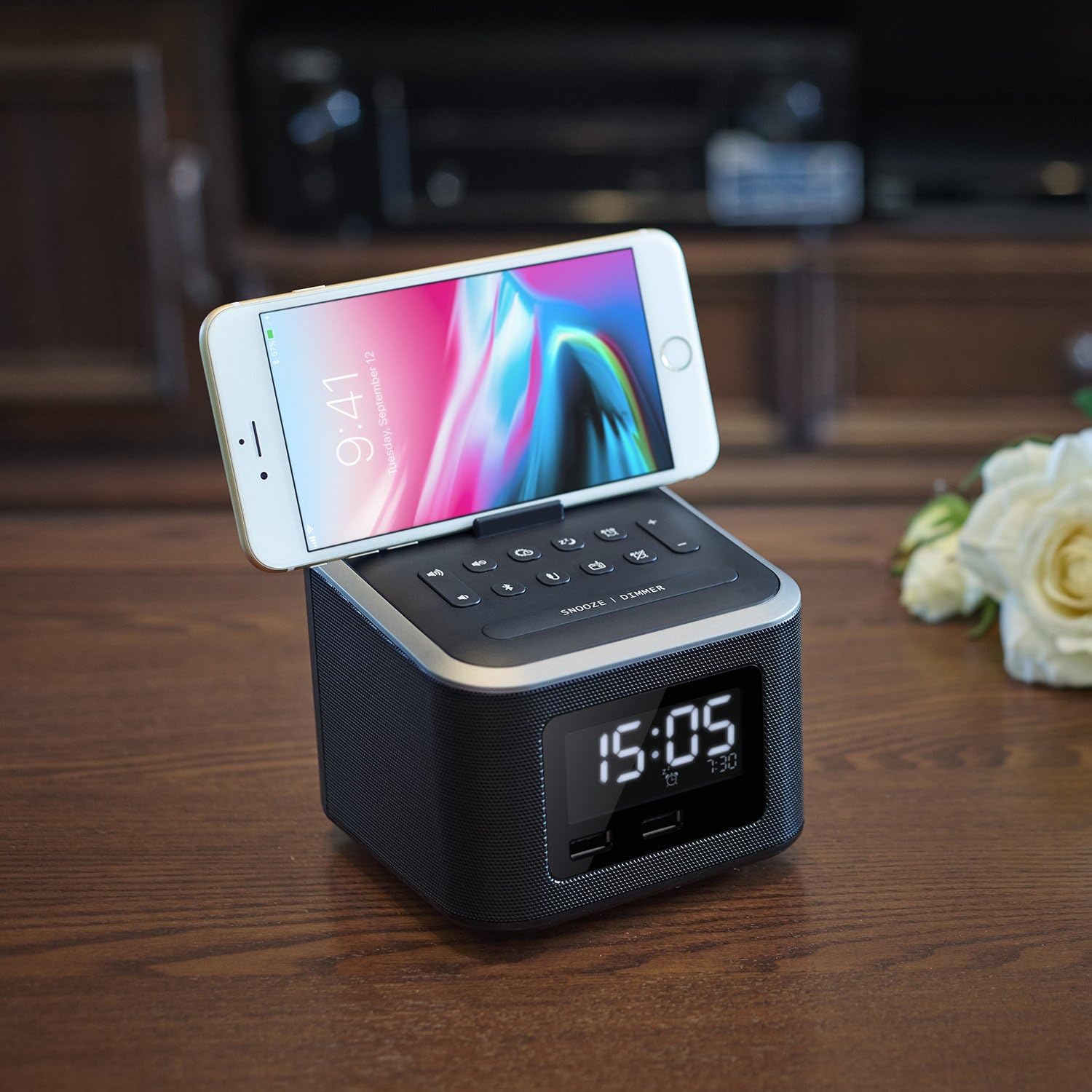
Figura 6: A smartphone securely resting in the dedicated stand on the top surface of the alarm clock radio, ideal for hands-free viewing.
The integrated phone stand on the top of the unit allows you to conveniently dock your smartphone while charging or watching videos.
Connessione AUX-in
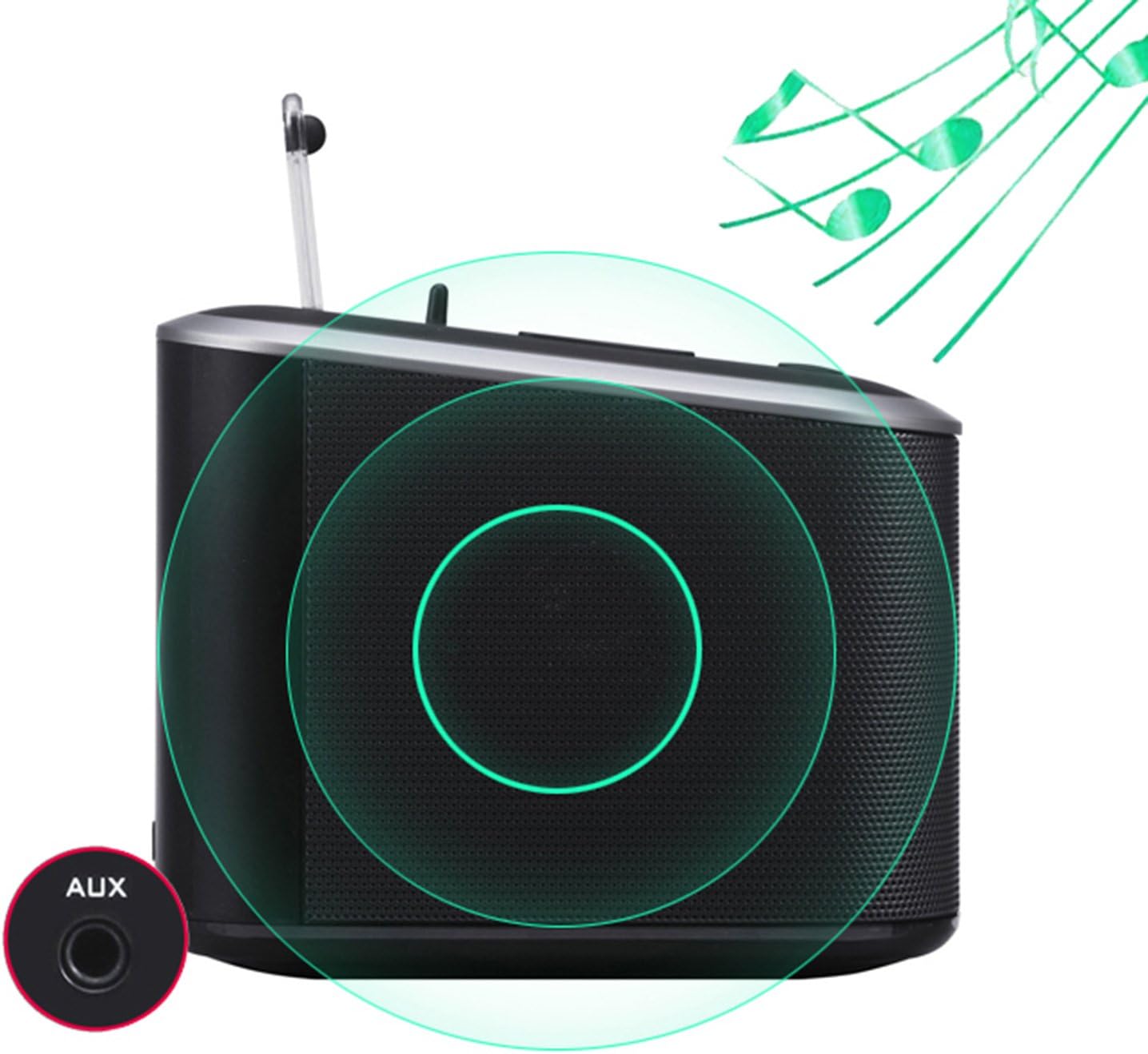
Figura 7: La parte posteriore view of the alarm clock radio, specifically highlighting the AUX-in port for connecting external audio devices with a 3.5mm cable.
Connect any audio device with a 3.5mm audio output (e.g., MP3 player, older smartphone) to the AUX-in port on the back of the unit using a 3.5mm audio cable (not included).
- Connect one end of a 3.5mm audio cable to the AUX-in port on the back of the alarm clock radio.
- Collegare l'altra estremità del cavo alla presa delle cuffie o all'uscita audio del dispositivo esterno.
- The unit will automatically switch to AUX-in mode, or you may need to select it using the mode button (if applicable, otherwise Bluetooth/FM will be off).
- Controlla la riproduzione e il volume dal tuo dispositivo connesso.
Manutenzione
- Pulizia: Pulire l'unità con un panno morbido e asciutto. Non utilizzare detergenti abrasivi o solventi.
- Magazzinaggio: If storing for an extended period, disconnect from power and remove backup batteries. Store in a cool, dry place.
- Cura dell'antenna: Handle the FM antenna gently to avoid damage.
Risoluzione dei problemi
| Problema | Possibile causa/soluzione |
|---|---|
| Nessuna alimentazione / Display spento |
|
| Nessun suono dagli altoparlanti |
|
| L'associazione Bluetooth non riesce |
|
| La ricarica USB non funziona |
|
| L'allarme non suona |
|
Specifiche
| Caratteristica | Dettaglio |
|---|---|
| Marca | Orario di casa |
| Numero di modello | 4336301751 |
| Colore | Nero |
| Tipo di visualizzazione | Digital (LCD Panel) |
| Fonte di alimentazione | Corded Electric, Battery Powered (Backup) |
| Tipo di batteria (di riserva) | 3 batterie AAA (non incluse) |
| Porte di ricarica USB | 2 (1 x 2.1A, 1 x 1.0A total 3.1A) |
| Uscita altoparlante | 6W (Dual high-performance drivers) |
| Connettività | Bluetooth, FM Radio, AUX-in |
| Materiale | Plastica (acrilonitrile-butadiene-stirene) |
| Dimensioni del prodotto | 4.7 x 4.7 x 5.2 pollici |
| Peso dell'articolo | 1.06 libbre |
Garanzia e supporto
Homtime products are designed and manufactured to the highest quality standards. For information regarding warranty coverage, technical support, or service inquiries, please refer to the contact information provided with your purchase or visit the official Homtime websito.
Si prega di conservare la prova d'acquisto ai fini della garanzia.
Ask a question about this manual
Ask about setup, troubleshooting, compatibility, parts, safety, or missing instructions. Manuals+ will review the question and use this page’s manual context to help answer it.