
1. Importanti istruzioni di sicurezza
Si prega di leggere attentamente il presente manuale prima di utilizzare il prodotto per garantirne un funzionamento sicuro e prestazioni ottimali. Conservare il manuale per riferimento futuro.
- Non smontare o modificare il dispositivo.
- Mantenere il dispositivo asciutto. Non maneggiare con le mani bagnate né immergerlo in acqua.
- Non utilizzare in presenza di gas o liquidi infiammabili.
- Tenere fuori dalla portata dei bambini.
- Utilizzare solo le batterie e gli accessori specificati.
2. Prodotto finitoview
The GODOX XproII-C is a versatile E-TTL II 2.4G wireless flash trigger designed for Canon cameras. It offers advanced control over multiple flash units with features like High-Speed Sync (HSS) up to 1/8000s, multi-flash, manual flash, and Flash Exposure Compensation (FEC). Its large LCD screen and intuitive button layout provide efficient operation.

Immagine: Frontale view of the GODOX XproII-C Flash Trigger, showcasing its large LCD screen and control buttons.
Caratteristiche principali:
- 16 Groups and 32 Channels for wireless control.
- 01-99 Wireless ID setting to prevent signal interference.
- 5 pulsanti di gruppo e 4 pulsanti funzione per una comoda manipolazione.
- Full Graphic Display of 5 Groups simultaneously on a large Dot Matrix LCD panel.
- Type-C USB port for firmware upgrades.
- Smart TCM function for converting TTL shooting values to Manual mode output.
- Fully supports TTL Autoflash, 1/8000s High-Speed Sync, Multi Flash, Manual Flash, and Flash Exposure Compensation.
3. Impostazione
3.1 Installazione della batteria
The XproII-C uses two AA batteries. Open the battery compartment cover on the back of the unit, insert the batteries according to the polarity indicators, and close the cover securely.
3.2 Montaggio sulla telecamera
Slide the XproII-C's hot shoe onto your camera's hot shoe mount. Once seated, rotate the quick-release lock lever to secure the trigger in place. To remove, rotate the lever in the opposite direction and slide the trigger off.

Image: Close-up of the quick-release lock mechanism on the GODOX XproII-C, showing how it secures to a camera's hot shoe.
3.3 Accensione/Spegnimento
To power on, slide the power switch to the 'ON' position. The LCD screen will illuminate. To power off, slide the switch to the 'OFF' position.
3.4 Initial Settings (Channel and Wireless ID)
For proper communication, ensure the channel and wireless ID settings on the XproII-C match those of your slave flash units. Use the menu buttons and dial to navigate to the channel and ID settings and adjust as needed. The 01-99 Wireless ID setting helps avoid interference in multi-user environments.
4. Istruzioni per l'uso
4.1 Basic Flash Modes (TTL, Manual, Multi-Flash)
The XproII-C supports various flash modes. Use the 'MODE' button to cycle through TTL (Through-The-Lens), Manual (M), and Multi-Flash modes. In TTL mode, the flash output is automatically adjusted. In Manual mode, you can set the power output manually. Multi-Flash mode allows for stroboscopic effects.

Image: The GODOX XproII-C held in hand, with the screen displaying settings for High-Speed Sync (HSS) and TTL Auto Flash.
4.2 Sincronizzazione ad alta velocità (HSS)
The XproII-C supports High-Speed Sync up to 1/8000s, allowing you to use flash with fast shutter speeds, which is useful for freezing action or overpowering ambient light. HSS is typically enabled automatically when your camera's shutter speed exceeds its maximum flash sync speed.
4.3 Compensazione dell'esposizione flash (FEC)
Adjust the flash output in TTL mode using Flash Exposure Compensation. This allows you to fine-tune the flash brightness relative to the camera's automatic exposure.
4.4 TCM Function (TTL to Manual Conversion)
The innovative TCM function allows for instant conversion of TTL shooting values into manual output values. Long press the 'TCM' button to convert. This helps in quickly setting a consistent manual power level based on a successful TTL exposure. Short press the 'TCM' button to switch between one-group and multi-group modes.

Image: The GODOX XproII-C screen displaying the TCM (TTL to Manual Conversion) function, showing channel and group settings.
4.5 Controllo di gruppo
Control up to 5 groups of flashes independently using the dedicated group buttons (A, B, C, D, E). You can adjust the mode, power, and other settings for each group separately.
4.6 Connettività Bluetooth e controllo delle app
The XproII-C features built-in Bluetooth connectivity, allowing you to control lighting parameters via the Godox Flash App on your smartphone. Pair the device with your phone and use the app for remote adjustments.

Image: A smartphone screen displaying the Godox Flash App interface, showing controls for flash groups and power settings.
4.7 Sekonic Light Meter Integration
The XproII-C can integrate with Sekonic L-858 light meters that have a built-in Godox 2.4G module. This allows for direct adjustment of flash parameters on the light meter after metering, streamlining your lighting workflow.

Image: A GODOX XproII-C on a camera hot shoe next to a Sekonic L-858 light meter, illustrating their integration.
4.8 Optional Single Contact Triggering
This trigger offers an optional single contact function for faster and more sensitive triggering. This feature ensures flashes are triggered in rapid succession with shorter intervals, especially useful during burst mode shooting.
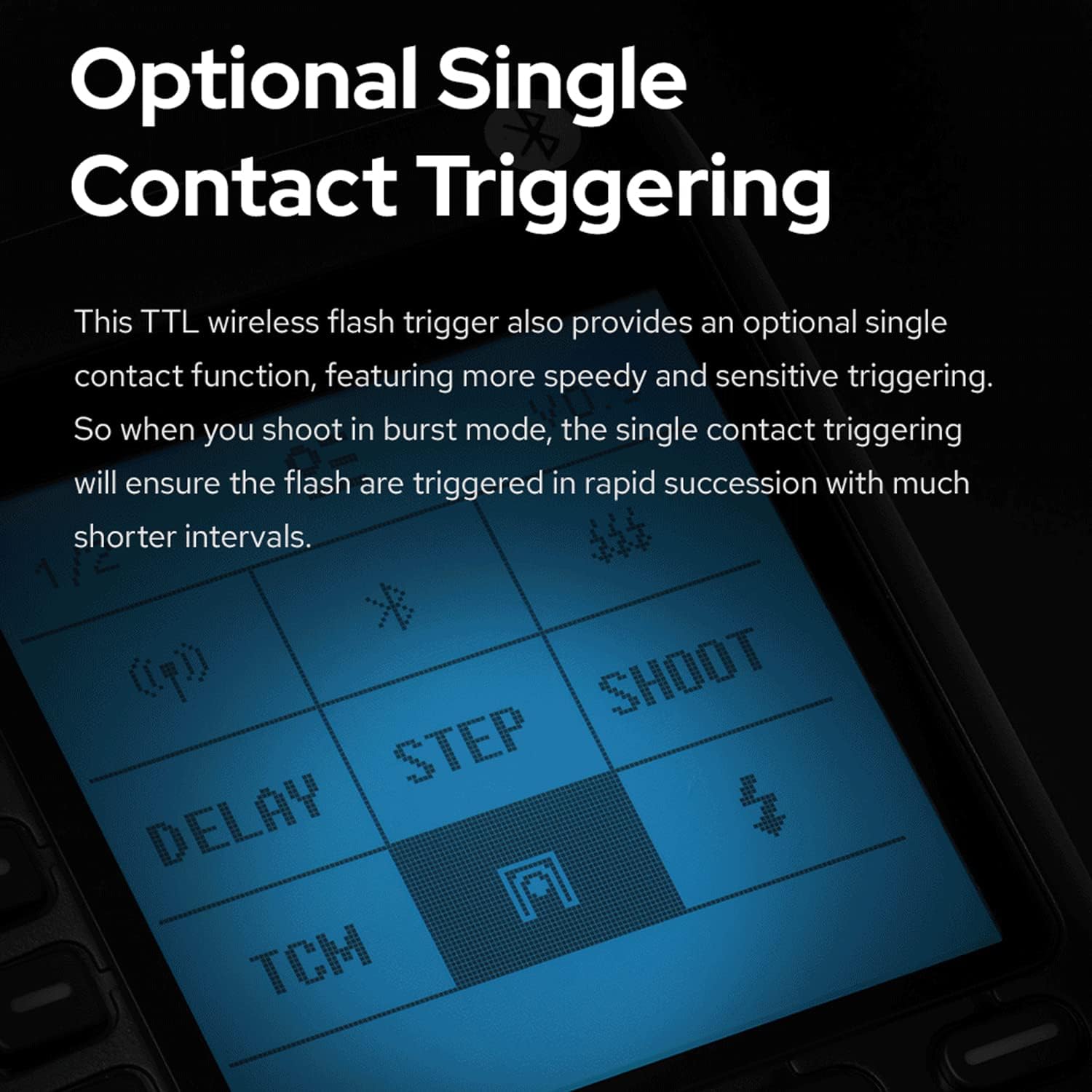
Image: The GODOX XproII-C screen showing options for 'DELAY', 'STEP', 'SHOOT', and 'TCM', highlighting the single contact triggering capability.
4.9 Wireless X System Connection
The XproII-C utilizes the Godox 2.4GHz wireless X system for stable and seamless connection with compatible Godox flash units. The scanning function helps automatically search for spare channels and IDs in complex shooting environments to minimize interference.

Image: The GODOX XproII-C on a camera hot shoe, wirelessly connected to a Godox round head flash unit, indicating a stable 2.4GHz wireless X system connection.
4.10 Video ufficiale del prodotto
Video: An official product video demonstrating the features and operation of the Godox XproII TTL 2.4G Wireless Flash Trigger. This video provides a visual guide to the trigger's capabilities and usage.
5. Manutenzione
5.1 Pulizia
Regularly clean the device with a soft, dry cloth. Do not use solvents or harsh chemicals. Ensure the hot shoe contacts are clean and free of debris.
5.2 Conservazione
Quando non si utilizza il dispositivo per lunghi periodi, rimuovere le batterie per evitare perdite. Conservare il dispositivo in un luogo fresco e asciutto, lontano dalla luce solare diretta e da temperature estreme.
5.3 Aggiornamenti firmware
The XproII-C features a Type-C USB port for firmware upgrades. Visit the official GODOX website for the latest firmware versions and instructions on how to update your device to ensure optimal performance and compatibility.
6. Risoluzione Dei Problemi
| Problema | Possibile causa | Soluzione |
|---|---|---|
| Il flash non si attiva | Incorrect channel/ID settings; Low battery; Flash unit not powered on or out of range. | Verify channel and ID settings match on both trigger and flash. Replace batteries. Ensure flash unit is powered on and within operational range. |
| Inconsistent triggering | Signal interference; Weak battery. | Change to a different channel or wireless ID. Replace batteries. Avoid obstacles between trigger and flash. |
| HSS not working | Camera or flash not supporting HSS; Incorrect settings. | Ensure both camera and flash unit support HSS. Check camera and trigger settings for HSS activation. |
| Problemi di connessione Bluetooth | Bluetooth not enabled; App issues; Interference. | Ensure Bluetooth is enabled on both devices. Restart the app and trigger. Try pairing again. |
If you encounter issues not listed here or if the suggested solutions do not resolve the problem, please contact GODOX customer support for further assistance.
7. Specifiche
- Modello: Xpro-C
- Dimensioni del prodotto: 3.54 x 2.28 x 1.97 pollici
- Peso dell'articolo: 2.88 once
- Sistema senza fili: Sistema X wireless Godox 2.4G
- Canali: 32
- ID wireless: 01-99
- Gruppi: 16 (AF, 0-9)
- Sync Speed: Fino a 1/8000s (sincronizzazione ad alta velocità)
- Modalità flash: E-TTL II Autoflash, Manual Flash, Multi Flash
- Alimentazione elettrica: 2 batterie AA
- Aggiornamento del firmware: Porta USB di tipo C
- Data prima disponibilità: 18 settembre 2017
- Produttore: DIO OX
8. Garanzia e supporto
GODOX products are covered by a limited warranty. Please refer to the warranty card included with your product for specific terms and conditions. Keep your purchase receipt as proof of purchase.
Assistenza clienti:
For technical support, service, or warranty inquiries, please visit the official GODOX website or contact your local distributor. You can often find FAQs, driver downloads, and contact information on the manufacturer's websito.
Nota: le specifiche e le caratteristiche del prodotto sono soggette a modifiche senza preavviso.