
Pyle PBMSPG190
Pyle Bluetooth Boombox Street Blaster Stereo Speaker
Model: PBMSPG190
Manuale di istruzioni per l'utente
Introduzione
Grazie per l'acquistoasing the Pyle Bluetooth Boombox Street Blaster Stereo Speaker. This portable wireless speaker system is designed to provide high-quality audio with versatile connectivity options, including Bluetooth, FM radio, MP3 playback via USB, and auxiliary input. It also features built-in LED lights for visual effects and a rechargeable battery for portable use. This manual provides detailed instructions for setup, operation, and maintenance to ensure optimal performance and longevity of your device.

Image: The Pyle Bluetooth Boombox Street Blaster Stereo Speaker, showcasing its cylindrical design, control panel, LED lights, and included accessories like the remote control and wired microphone.
Informazioni sulla sicurezza
- Non esporre l'unità alla pioggia o all'umidità per evitare rischi di incendio o scosse elettriche.
- Non aprire il casing. Affidare tutti gli interventi di manutenzione a personale qualificato.
- Evitare di posizionare l'unità vicino a fonti di calore o alla luce diretta del sole.
- Assicurare una ventilazione adeguata e non ostruire le aperture di ventilazione.
- Utilizzare solo l'alimentatore fornito con l'unità.
- Tenere l'unità lontana da forti campi magnetici.
- Pulire solo con un panno asciutto.
Cosa c'è nella scatola
- Street Blaster BoomBox Speaker
- Adattatore di alimentazione
- Cintura di trasporto
- Telecomando
- Microfono cablato

Image: An illustration showing the Pyle Boombox, remote control, wired microphone, and power adapter, representing the items included in the product package.
Prodotto finitoview: Controlli e porte
Familiarize yourself with the various controls and connection ports on your Pyle Boombox for optimal use.

Immagine: Un dettaglio view of the Pyle Boombox, highlighting the central control panel with its digital display, various buttons, and input ports. The image also shows the side view of the speaker with its distinctive design.
Controlli del pannello frontale:
- Display LCD digitale: Mostra la modalità corrente, le informazioni sulla traccia o la frequenza FM.
- Pulsante di accensione: Accende o spegne l'unità.
- Pulsante Modalità: Switches between Bluetooth, FM Radio, USB, and AUX input modes.
- Pulsante Play/Pausa: Controlla la riproduzione in modalità Bluetooth e USB.
- Pulsanti Precedente/Successivo: Naviga tra le tracce o le stazioni FM.
- Manopola del volume: Regola il volume principale.
Porte di ingresso/uscita:
- Porta USB: Per collegare unità flash USB per la riproduzione di MP3.
- Ingresso AUX (3.5 mm): Per collegare dispositivi audio esterni tramite un cavo da 3.5 mm.
- (2) 1/4'' Input Jacks: Per collegare un microfono o una chitarra.
- Ingresso alimentazione CC: For connecting the power adapter to charge the battery or power the unit.
Impostare
1. Carica della batteria
- Connect the supplied power adapter to the DC Power Input port on the boombox.
- Plug the power adapter into a standard wall outlet (110/240V).
- The charging indicator light (if available) will illuminate. Allow several hours for a full charge before first use.
- L'unità può essere utilizzata durante la ricarica.
2. Accensione iniziale
- Premere e tenere premuto il tasto Energia Button on the front panel to turn the unit on.
- The LCD display will light up, and the unit will enter the last used mode or default to Bluetooth mode.
Istruzioni per l'uso
1. Bluetooth Wireless Music Streaming
- Assicurarsi che il boombox sia acceso.
- Premere il tasto Modalità button until "Bluetooth" or "BT" appears on the LCD display. The unit will enter pairing mode, indicated by a flashing Bluetooth icon or sound.
- Sul tuo smartphone, tablet o altro dispositivo abilitato Bluetooth, attiva il Bluetooth e cerca i dispositivi disponibili.
- Select "PyleUSA" from the list of devices.
- Una volta effettuato l'accoppiamento, il boombox emetterà un suono di conferma e l'indicatore Bluetooth smetterà di lampeggiare.
- You can now stream music wirelessly from your device to the boombox.

Image: A Pyle Boombox displaying "BLUE" on its screen, indicating Bluetooth mode, with a couple dancing in the background, illustrating wireless music streaming.
2. Funzionamento della radio FM
- Premere il tasto Modalità button until "FM" appears on the LCD display.
- Per eseguire la scansione automatica e salvare le stazioni disponibili, tenere premuto il tasto Riproduci/Pausa pulsante. L'unità eseguirà la scansione e memorizzerà automaticamente le stazioni.
- Utilizzare il Precedente/Successivo pulsanti per navigare tra le stazioni FM salvate.
3. Riproduzione MP3 tramite USB
- Insert a USB flash drive (up to 16GB) containing MP3 or WMA audio files nella porta USB.
- Premere il tasto Modalità button until "USB" appears on the LCD display. The unit will automatically begin playing the audio files.
- Utilizzare il Riproduci/Pausa, Precedente, E Prossimo pulsanti per controllare la riproduzione.
4. Ingresso ausiliario (AUX)
- Connect an external audio device (e.g., smartphone, MP3 player) to the 3.5mm AUX input port using a 3.5mm audio cable (not included).
- Premere il tasto Modalità finché sul display LCD non compare la scritta "AUX".
- Audio will now be played through the boombox from your connected device. Control playback from your external device.
5. Ingresso microfono/chitarra
- Connect a microphone or guitar to one of the 1/4'' input jacks.
- Adjust the volume of the connected instrument/microphone using its own controls or the master volume of the boombox.
- The microphone input can be used simultaneously with other audio sources (Bluetooth, USB, AUX).
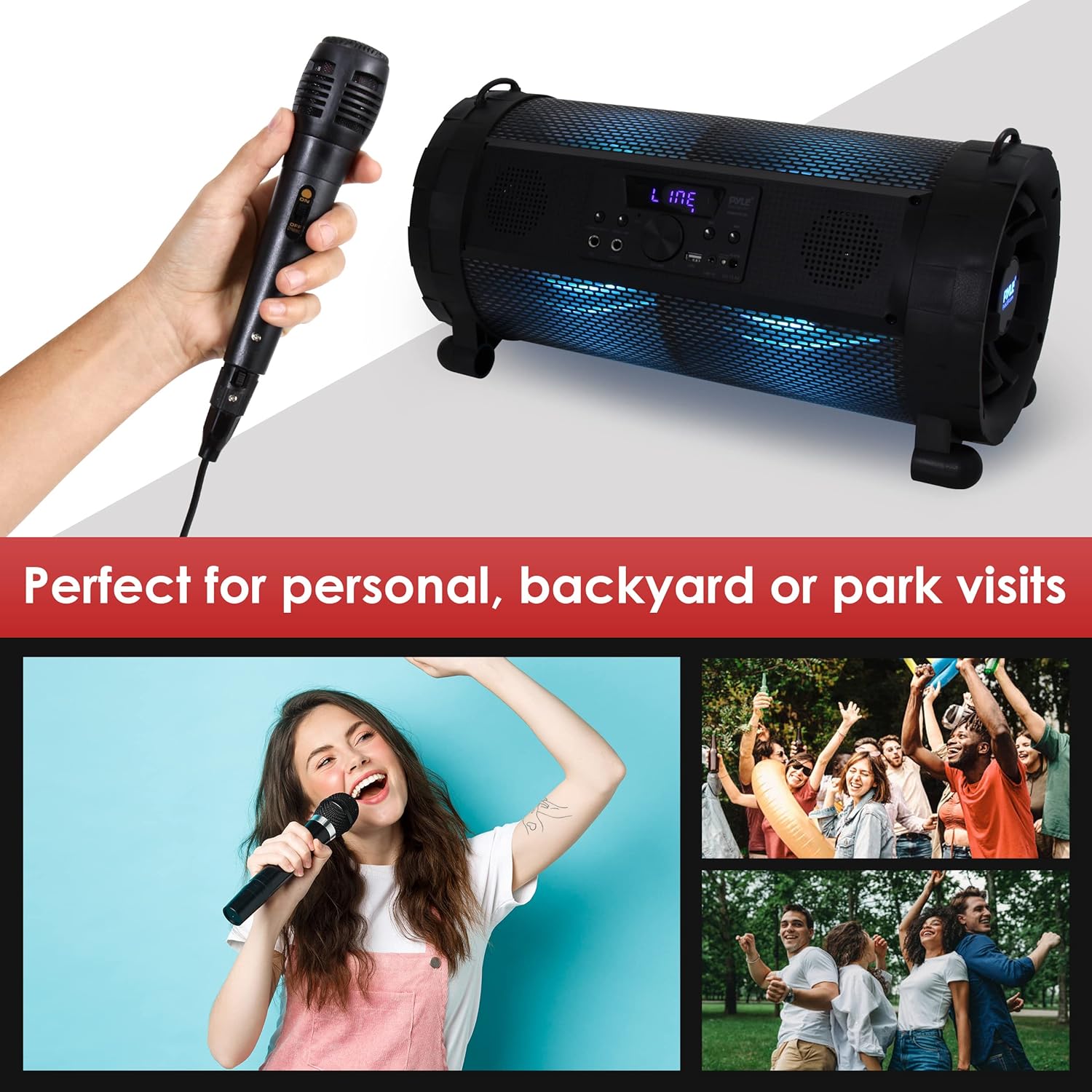
Image: A person singing into a wired microphone, with the Pyle Boombox visible in the background, illustrating its use for personal entertainment or small gatherings.
6. Modalità di luce LED
The boombox features built-in LED lights with 9 selectable preset modes. Refer to the remote control or specific buttons on the unit (if available) to cycle through or turn off the light modes.

Image: A series of three images showing the Pyle Boombox with its LED lights illuminated in different colors (blue, red, green), demonstrating the visual effects.
7. Funzionamento del telecomando
The included remote control provides convenient access to various functions from a distance. Ensure the remote has working 'AAA' batteries (not included) and point it towards the front panel of the boombox.
- Energia: Accendere/spegnere l'unità.
- Modalità: Cambia le sorgenti di ingresso.
- Volume +/-: Regola i livelli del volume.
- Riproduci/Pausa: Controlla la riproduzione.
- Precedente Successivo: Skip tracks or stations.
- EQ: Select equalizer presets (if available).
- Modalità luce: Cycle through LED light effects.
Manutenzione
1. Pulizia
- Prima di pulire l'unità, spegnerla e scollegarla sempre.
- Utilizzare un panno morbido e asciutto per pulire le superfici esterne.
- Non utilizzare detergenti liquidi, spray o prodotti chimici abrasivi, poiché potrebbero danneggiare la finitura o i componenti interni.
2. Cura della batteria
- Per prolungare la durata della batteria, evitare di scaricarla completamente frequentemente.
- If the unit will not be used for an extended period, charge it fully every 3-6 months.
- Conservare l'unità in un luogo fresco e asciutto.
Risoluzione dei problemi
| Problema | Possibile causa | Soluzione |
|---|---|---|
| Nessun potere | Battery discharged; Power adapter not connected or faulty. | Charge the battery; Check power adapter connection and wall outlet. |
| Nessun suono | Volume troppo basso; Modalità di input errata; Dispositivo non collegato correttamente. | Increase volume; Select correct input mode (Bluetooth, AUX, USB); Reconnect device. |
| Bluetooth non associato | Boombox not in pairing mode; Device too far; "PyleUSA" not selected. | Ensure boombox is in Bluetooth pairing mode; Move device closer; Select "PyleUSA" from your device's Bluetooth list. |
| La riproduzione USB non funziona | Unità USB non formattata correttamente; Non supportata file tipo; capacità dell'unità USB troppo grande. | Ensure USB drive is FAT32 formatted; Use MP3/WMA files; Use USB drives up to 16GB. |
| Radio FM statica | Segnale debole; interferenza. | Relocate the unit for better reception; Perform auto-scan again. |
Specifiche
Image: A graphic illustrating the dimensions (18.9" L x 8.7" H x 9.7" W) and weight (12.2 pounds) of the Pyle Boombox.
- Potenza in uscita: 300 Watt MASSIMO
- Sistema audio: (2) x 2.5'' Speakers, (1) x 6.5'' Subwoofer
- Versione Bluetooth: 2.0
- Nome della rete Bluetooth: 'PyleUSA'
- Portata wireless: Up to 32' ft.
- Tipo USB: 2.0
- Supporto massimo per unità flash USB: Fino a 16 GB
- Media digitali File Compatibilità: Formato MP3, WMA
- Sensibilità di ingresso: 200mV
- Risposta in frequenza: Da 55 a 160 kHz
- FM Radio Frequency Range: 87.5 - 107.9 MHz
- Selectable LED Light Modes: 9 Preset
- Batteria ricaricabile integrata: Ioni di litio 2000 mAh, 11.1 V
- Telecomando a batteria: Requires (2) x 'AAA' (Not Included)
- Alimentazione elettrica: 110/240V (13.5V 2A Power Adapter)
- Dimensioni del prodotto (L x P x A): 18.9'' x 9.7'' x 8.7'' pollici
- Peso dell'articolo: 12.2 libbre
Garanzia e supporto
For warranty information or technical support, please contact Pyle customer service. Refer to the official Pyle websito o sulla confezione del prodotto per i dettagli di contatto più aggiornati.
You can also find additional resources and support documents on the PyleUSA websito.
Risorse online: www.pyleusa.com