
Introduzione
This manual provides detailed instructions for the assembly, operation, and maintenance of your Devoko Ergonomic Gaming Chair. Please read this manual thoroughly before use to ensure proper setup and to maximize the lifespan of your chair. Keep this manual for future reference.

Image: Devoko Ergonomic Gaming Chair in Cool Blue. This image displays the full chair from a front-side angle, showcasing its blue and black design with headrest and lumbar support pillows.
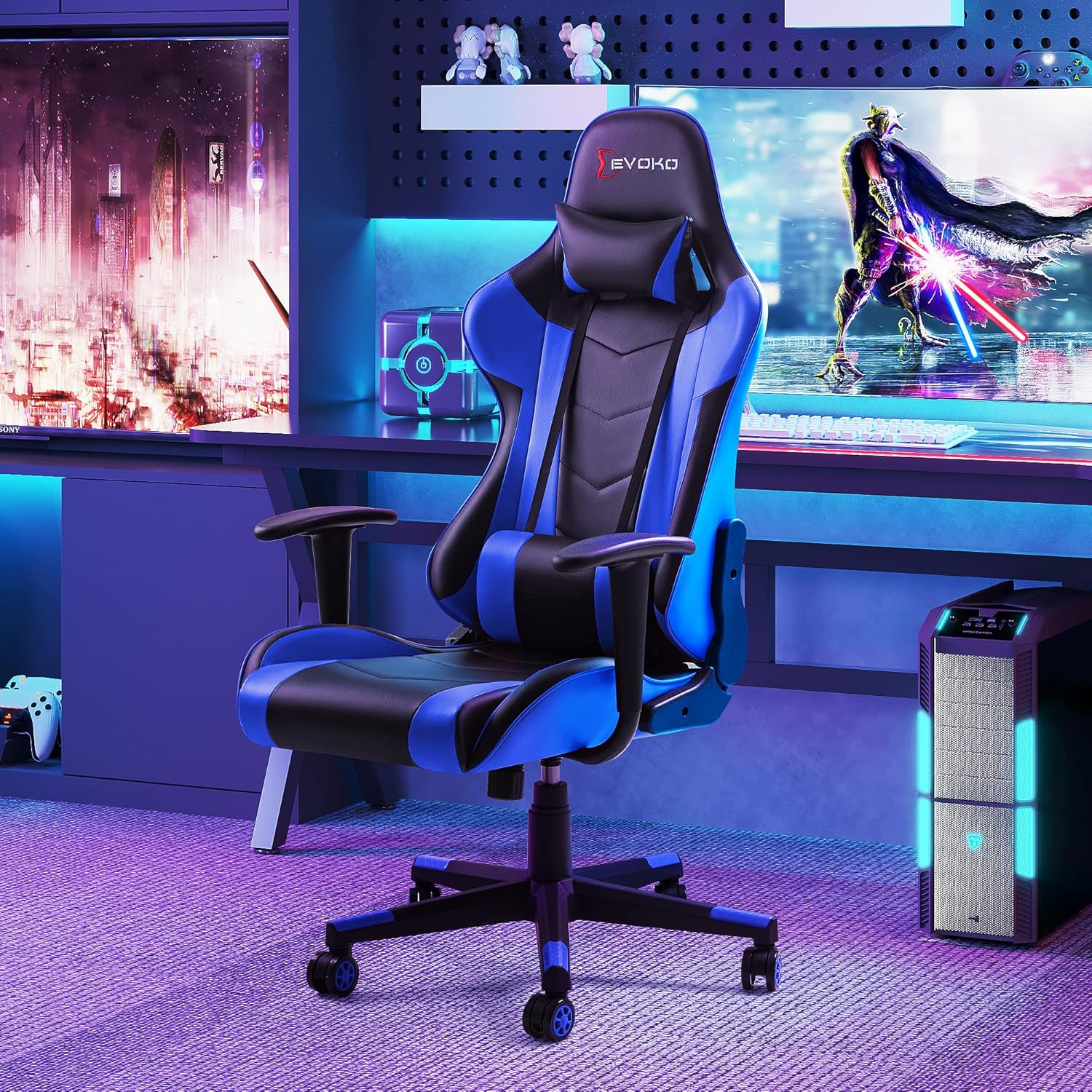
Image: Devoko Gaming Chair positioned in a modern gaming setup. The chair is shown in a room with a computer desk, monitors, and gaming accessories, illustrating its intended use environment.
Installazione e assemblaggio
Your Devoko Gaming Chair requires assembly. All necessary installation tools and an instruction paper are included in the package. Please follow the step-by-step guide provided in the included installation manual for detailed assembly instructions.
Componenti inclusi:
- Gaming chair components (backrest, seat, armrests, base, wheels, gas lift)
- Complete installation tools
- Installation instruction paper
For a visual guide, you may refer to the official Installation Manual PDF available online: Manuale di installazione (PDF)
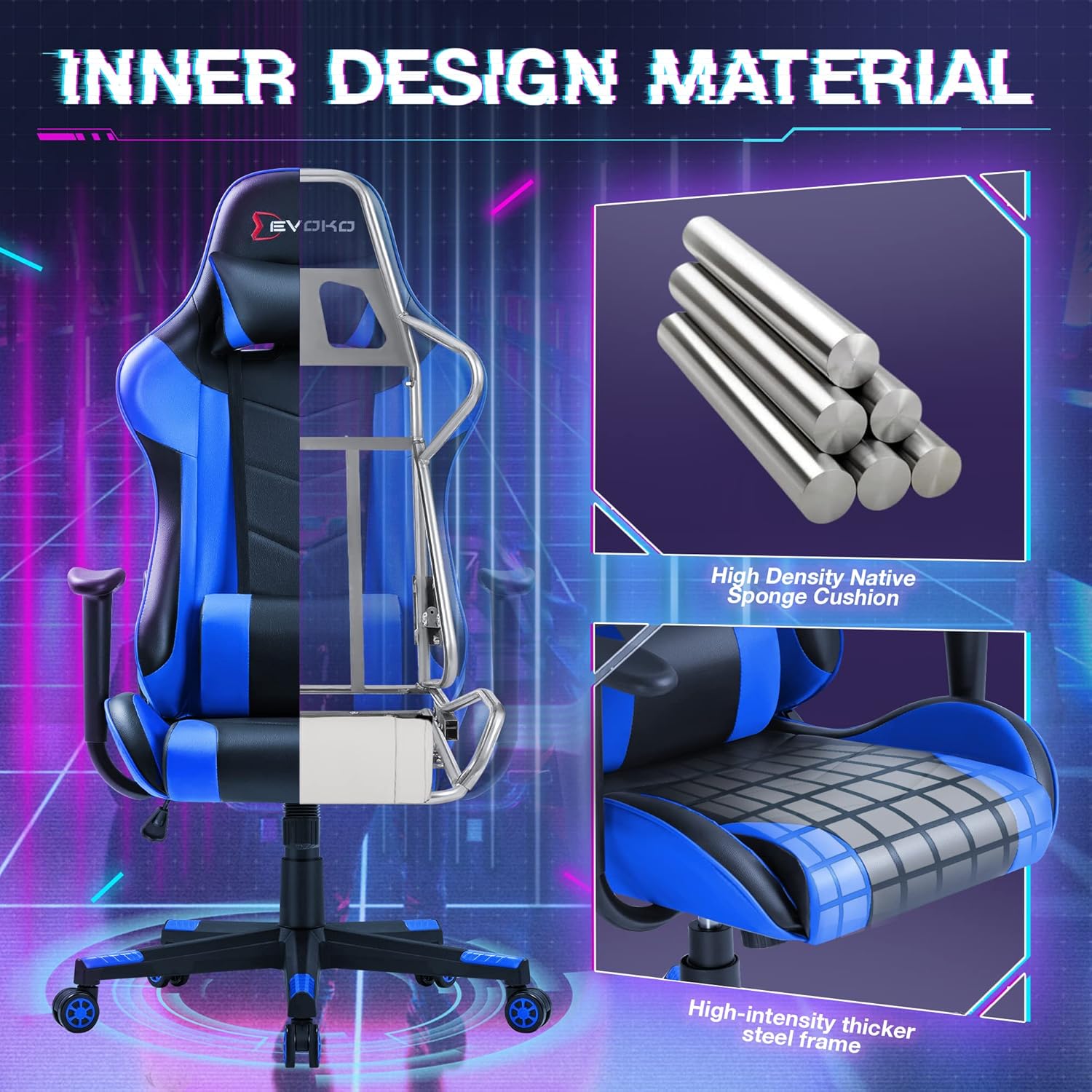
Immagine: Spaccato view of the Devoko Gaming Chair highlighting the high-intensity thicker steel frame and high-density native sponge cushion. This image shows the internal construction, emphasizing the durable metal frame and comfortable foam padding.
Istruzioni per l'uso
The Devoko Ergonomic Gaming Chair is designed with multiple adjustable features to provide optimal comfort and support.
Caratteristiche regolabili:
- Regolazione dell'altezza: Use the height stick button located under the seat to adjust the chair's height from 16.1 inches to 20 inches. Pull the lever up to raise the seat, or pull it up while seated to lower it.
- Regolazione dell'inclinazione: The chair features an easy lock-tilt adjustment with a recline angle adjuster. The backrest can be reclined from 90 degrees (upright) to 170 degrees (nearly flat). Use the angle stick button to set your desired recline position.
- Supporto lombare e poggiatesta: The chair includes freely adjustable lumbar support and a headrest pillow designed to protect your spinal and neck alignment. Adjust their positions to suit your ergonomic needs.
- Girevole a 360 gradi: The chair offers full 360-degree swivel rotation, allowing for easy movement and access within your workspace.
- Mute Rolling Wheels: Equipped with top-quality mute rolling wheels, the chair allows for smooth and quiet movement while avoiding scratches on floor surfaces.

Image: User demonstrating the adjustable recline feature of the Devoko Gaming Chair, with controls for angle and height. This image shows a person seated in the chair, illustrating the range of recline from 90 to 170 degrees and pointing out the angle and height adjustment levers.

Image: Diagram showing multi-functional adjustments of the Devoko Gaming Chair: back adjustment, rocking adjustment, height adjustment, and mute PU wheels. This graphic highlights the various adjustable functions of the chair, including backrest tilt, rocking motion, seat height, and the quiet, floor-friendly wheels.
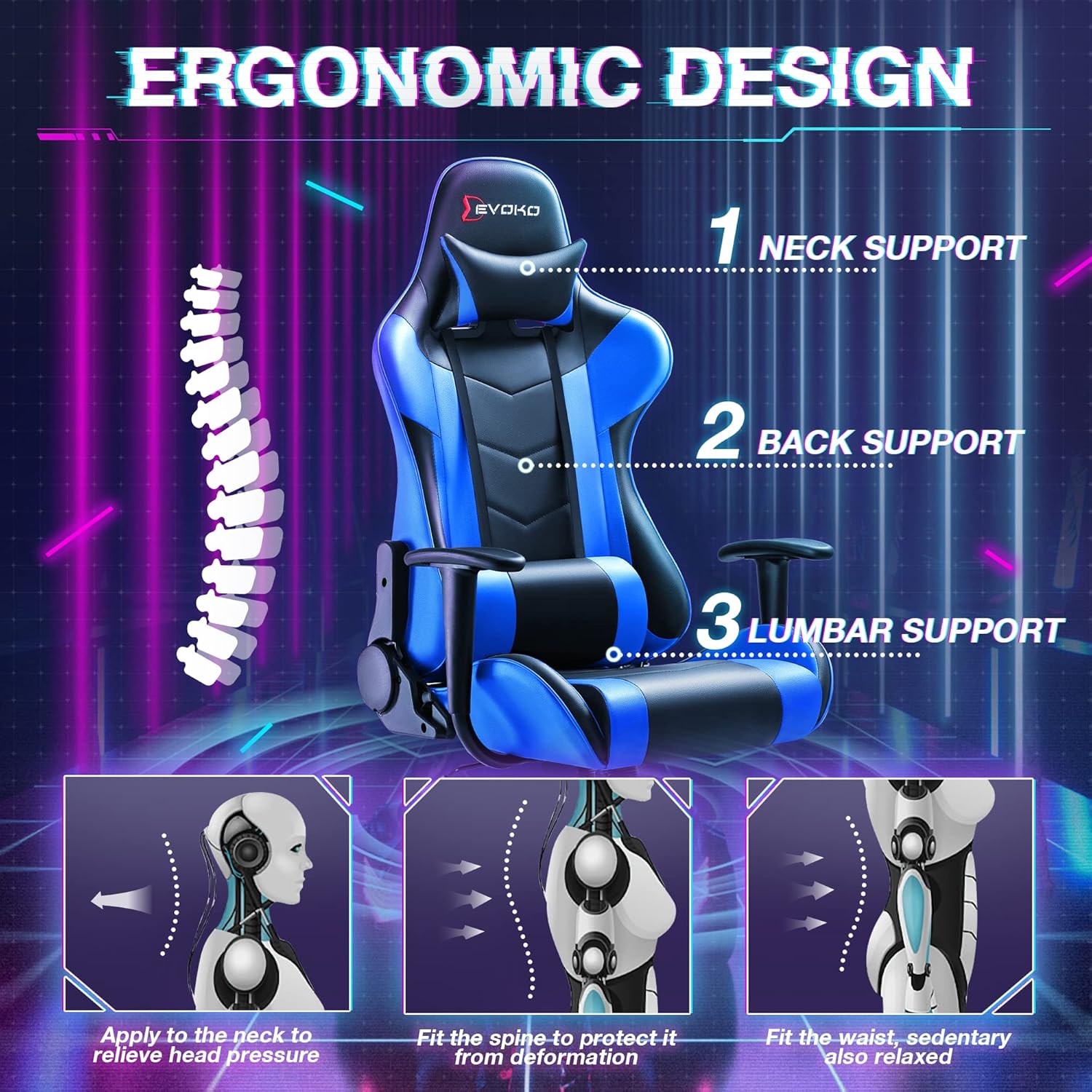
Image: Diagram showing the ergonomic design of the Devoko Gaming Chair with neck, back, and lumbar support points. This illustration details how the chair's design provides support to the neck, back, and lumbar regions for improved posture and comfort.
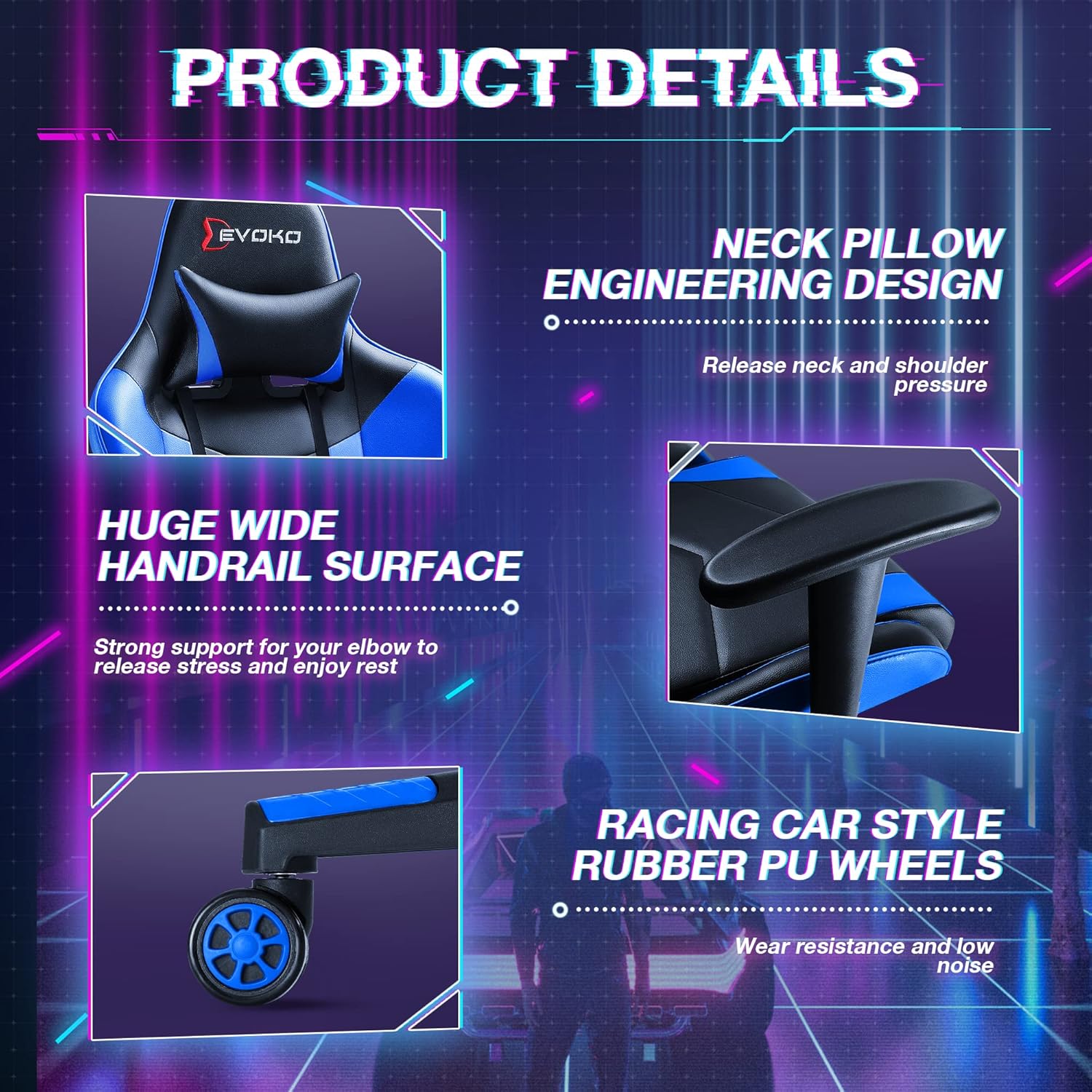
Image: Close-up details of the Devoko Gaming Chair: neck pillow, wide handrail surface, and racing car style rubber PU wheels. This image provides magnified views of key features, including the neck pillow for pressure relief, the broad armrest for elbow support, and the durable, quiet wheels.
Manutenzione
Regular maintenance will help preserve the appearance and functionality of your Devoko Gaming Chair.
Istruzioni per la pulizia:
- Leather Surface: The chair is covered with premium breathable leather. For general cleaning, wipe with a soft, damp cloth. For tougher spots, use a mild leather cleaner, testing on an inconspicuous area first. Avoid harsh chemicals or abrasive cleaners.
- Base e ruote: Wipe the chair base and wheels with a damp cloth to remove dust and debris. Periodically check the wheels for tangled hair or lint and remove them to ensure smooth rolling.
Cura generale:
- Elementi di fissaggio: Periodically check all bolts and screws to ensure they are tight. Re-tighten if necessary to maintain stability and prevent wobbling.
- Parti mobili: Ensure that all adjustable mechanisms (height, recline, swivel) operate smoothly. If any part feels stiff, a small amount of silicone-based lubricant can be applied, avoiding contact with the leather.
Risoluzione dei problemi
Questa sezione affronta i problemi più comuni che potresti riscontrare con la tua sedia da gaming.
Problemi comuni e soluzioni:
- La sedia traballa o sembra instabile:
Soluzione: Ensure all assembly bolts are securely tightened. Refer to the installation manual and re-tighten any loose connections. Check that the base is properly attached to the gas lift. - Squeaking or Spring Noise:
Soluzione: Noises often come from loose connections or friction between parts. Check and tighten all bolts, especially those connecting the seat to the backrest and the base. A small amount of silicone spray lubricant applied to moving metal parts (avoiding plastic or leather) can also help. - Chair Does Not Adjust Height Properly:
Soluzione: Check the gas lift lever mechanism. Ensure it is not obstructed and moves freely. If the gas lift is faulty, it may need replacement. - Le ruote non girano fluidamente:
Soluzione: Inspect the wheels for any debris, hair, or lint that might be caught in them. Clean the wheels thoroughly. Ensure the wheels are properly inserted into the chair base.
If you experience issues not listed here or require further assistance, please contact Devoko customer support.
Specifiche
Detailed specifications for the Devoko Ergonomic Gaming Chair.
| Caratteristica | Specificazione |
|---|---|
| Marca | Devoko |
| Nome del modello | Ergonomic Gaming Chair Racing Style Adjustable Height High Back PC Computer Chair |
| Numero di modello | DV17BBU |
| Colore | Blu freddo |
| Dimensioni complessive (L x P x A) | 19.8" x 20.5" x 46.6"-50.5" (approx. 21"D x 20"W x 50"H) |
| Seating Area Dimension (L x W) | 19.8" x 20.5" |
| Backrest Dimension (L x H) | 19.8" x 30.5" |
| Altezza del sedile regolabile | 16.1" - 20" |
| Peso massimo raccomandato | 300 libbre |
| Peso dell'articolo | 45.5 libbre |
| Materiale | Pelle traspirante di alta qualità, cuscino in spugna nativa ad alta densità, telaio in acciaio ad alta intensità più spesso |
| Conteggio della posizione reclinata | 2 (Adjustable from 90° to 170°) |
| Caratteristiche speciali | Adjustable height, Recline, Lumbar support, Headrest, 360° Swivel, Mute rolling wheels |

Image: Diagram illustrating the dimensions of the Devoko Gaming Chair. This graphic provides detailed measurements for the chair's height, width, depth, and specific components like the backrest and seat.
Garanzia e supporto
Devoko is committed to providing excellent customer service. While specific warranty details are not provided in this manual, the product comes with friendly after-sale service.
Come contattare l'assistenza:
For any questions, concerns, or assistance with your Devoko Ergonomic Gaming Chair, please refer to the contact information provided with your purchase documentation or visit the official Devoko store on Amazon:
Visita il negozio Devoko su Amazon
Please have your model number (DV17BBU) and purchase details ready when contacting support to facilitate a quicker resolution.