
1. Introduzione
The Taylor Digital Glass Body Composition Scale is designed to provide comprehensive body analysis, including body weight, body fat percentage, percentuale di acqua corporeatage, muscle mass, bone mass, and Body Mass Index (BMI). It features a sleek glass design and can store data for up to four unique users.
Caratteristiche principali:
- 400 lb. high capacity digital bathroom scale weighing in 0.2 lb increments.
- Monitors weight, body fat, body water, muscle mass, bone mass, and BMI in normal and athlete modes.
- BIA technology estimates body composition by sending a harmless electrical signal through the body.
- Weight tracking function references the current and previous weights of up to 4 unique users.
- Step-on technology takes instant weight readings and eliminates waiting time.
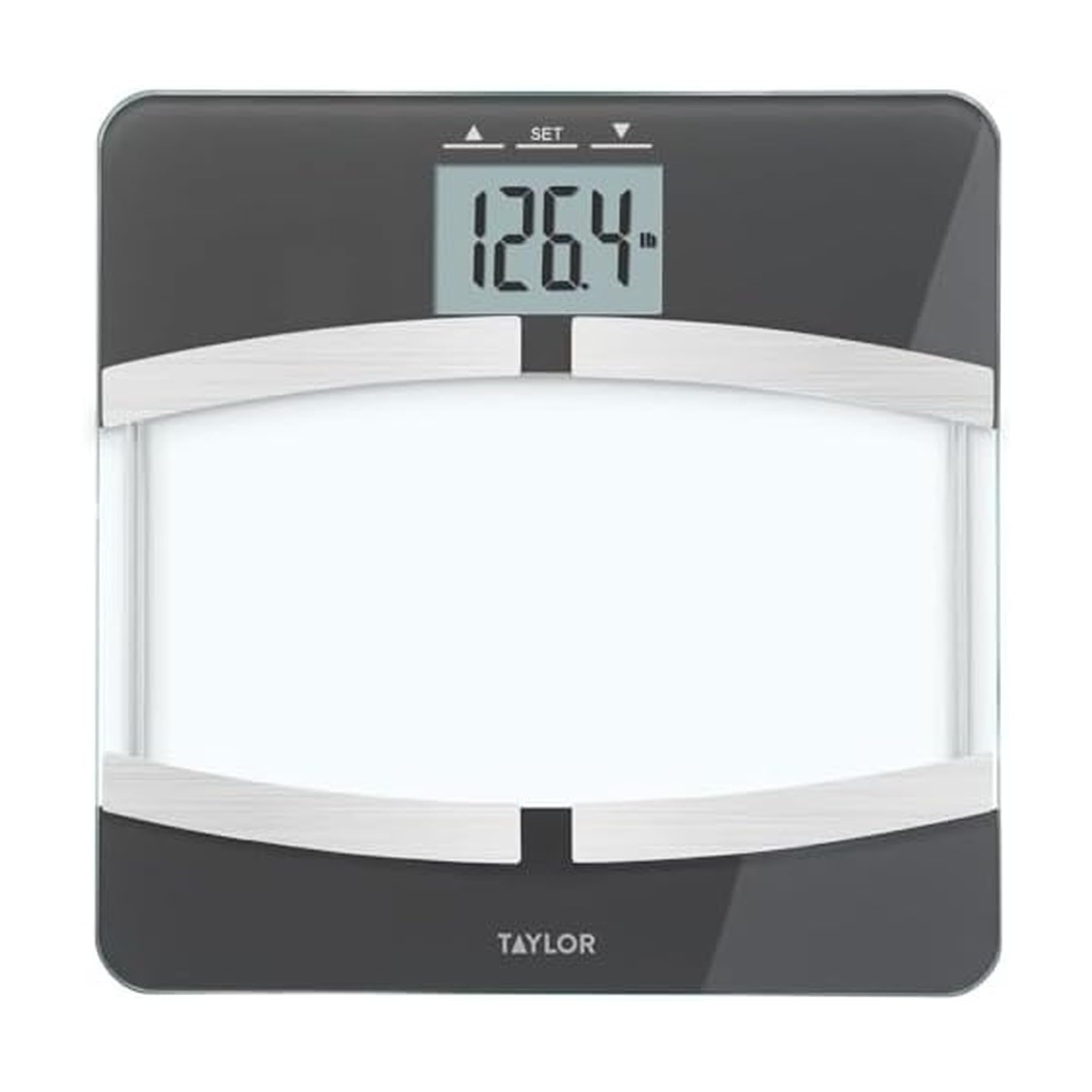
Image: Taylor Digital Glass Body Composition Scale, black with silver accents.
2. Impostazione
Installazione della batteria:
Your scale requires 3 AAA batteries (included). Open the battery compartment on the underside of the scale and insert the batteries, ensuring correct polarity. Close the compartment securely.
Posizionamento iniziale:
Posizionare la bilancia su una superficie dura e piana. Evitare tappeti o pavimenti irregolari, poiché potrebbero compromettere la precisione.
Accensione:
The scale features "step-on" technology. Simply step onto the scale to activate it. For body composition measurements, you may need to press the 'SET' button first to select a user profile.
Video: Official brand video showcasing various Taylor measurement products, including body composition scales. This video provides a general overview of Taylor products and their design principles.
3. Istruzioni per l'uso
Taking a Weight Measurement:
Step onto the scale with bare feet. The display will show your weight.
Impostazione di User Profiles (for Body Composition Analysis):
La bilancia può memorizzare i dati di un massimo di 4 utenti. Per impostare un professionistafile:
- Press the 'SET' button. The display will show "P-1" (Player 1). Use the up/down arrows to select a user number (P-1 to P-4).
- Press 'SET' again. You will then be prompted to enter your height and age using the up/down arrows.
- Confirm each setting by pressing 'SET'.
- Una volta che il tuo professionistafile is set, the scale will be ready for body composition measurement.
Nota: For accurate body composition readings, ensure your feet are clean and dry, and make direct contact with the metal electrodes on the scale.
Taking Body Composition Measurements:
After selecting your user profile (or setting it up), step onto the scale with bare feet. The scale will first display your weight, then cycle through your body fat percentage, percentuale di acqua corporeatage, massa muscolare, massa ossea e BMI.
4. Manutenzione
Pulizia:
Pulisci la bilancia con adamp panno e detergente delicato. Non utilizzare detergenti abrasivi e non immergere la bilancia in acqua.
Magazzinaggio:
Conservare la bilancia in un luogo fresco e asciutto. Evitare temperature estreme.
Sostituzione della batteria:
Sostituire le batterie quando sul display compare l'indicatore di batteria scarica.
5. Risoluzione Dei Problemi
Letture imprecise:
- Assicurarsi che la bilancia sia posizionata su una superficie dura e piana.
- Make sure your feet are clean and dry for body composition readings.
- Recalibrate the scale by stepping on it briefly, letting it display "0.0", then stepping off before taking a measurement.
Messaggio "ERR":
This typically indicates an error during body composition analysis. Ensure proper foot contact with the electrodes and that your user profile is correctly set.
Nessuna visualizzazione:
Controllare l'installazione delle batterie e sostituirle se necessario.
6. Specifiche
| Caratteristica | Dettaglio |
|---|---|
| Dimensioni del prodotto | 12 x 12 x 1.33 pollici; 3.2 libbre |
| Numero modello articolo | 55814072 °F |
| Batterie | Sono necessarie 3 batterie AAA (incluse). |
| Produttore | Marchi a vita Inc. |
| Marca | Taylor |
| Colore | Nero |
| Usi consigliati | Umani |
| Caratteristica speciale | Body Fat, Body Mass Index, Bodyweight, Bone Mass, Muscle Mass |
| Tipo di visualizzazione | LCD |
7. Garanzia e supporto
Per informazioni sulla garanzia e sull'assistenza clienti, fare riferimento al sito ufficiale del produttore webo contattare direttamente il servizio clienti. I dettagli specifici sulla garanzia non sono forniti in questo manuale.
8. Informazioni importanti sulla sicurezza
Statements regarding dietary supplements have not been evaluated by the FDA and are not intended to diagnose, treat, cure, or prevent any disease or health condition. This scale is for personal use and should not be used for medical diagnosis or treatment. Consult a healthcare professional for any health concerns.