
1. Prodotto finitoview
The MERCUSYS MW300UM N300 Wireless Mini USB Adapter is designed to connect your desktop or laptop computer to a wireless network. It provides Wi-Fi connections up to 300Mbps, suitable for online gaming, HD streaming, and web browsing. Its compact, mini USB design ensures portability and convenience.
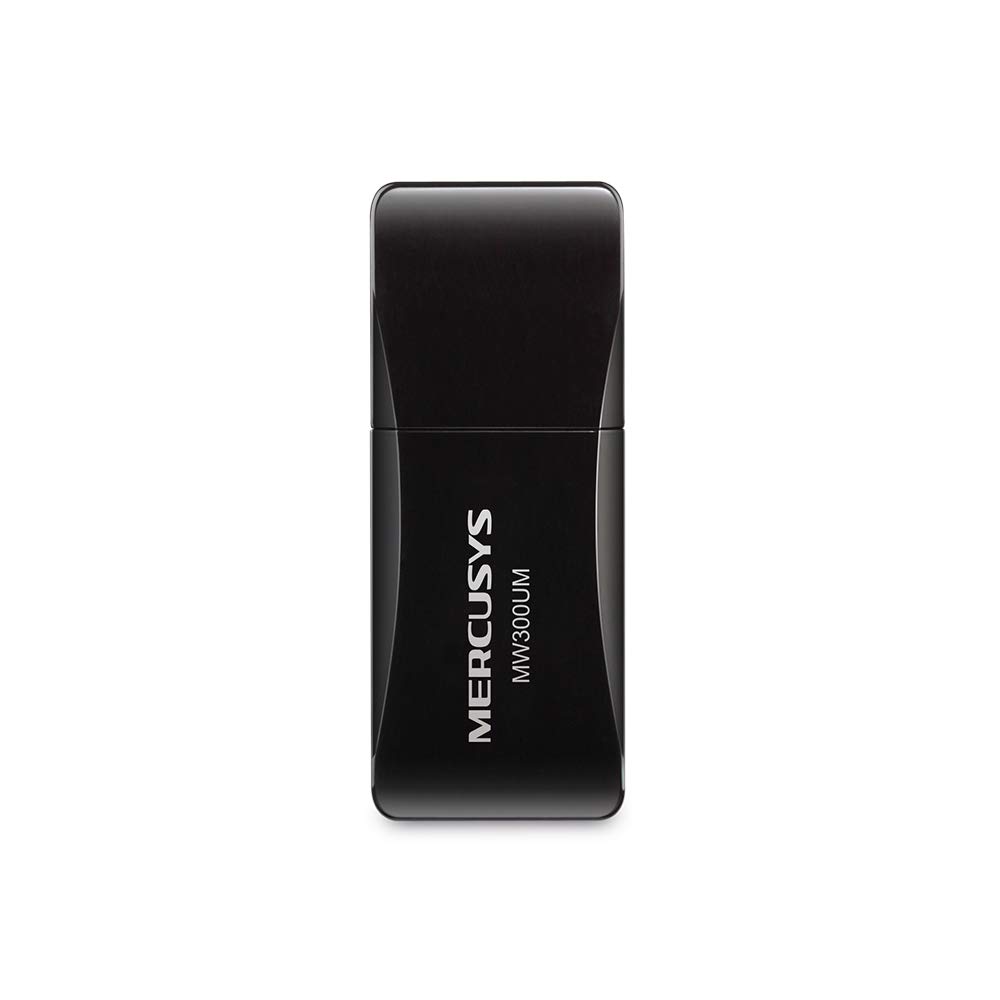
Figure 1: MERCUSYS MW300UM N300 Wireless Mini USB WiFi Adapter

Figure 2: Portable design for convenient use with laptops.
2. Contenuto della confezione
Verifica che il pacco contenga i seguenti articoli:
- MERCUSYS MW300UM Wireless Mini USB Adapter
- Guida di installazione rapida
- CD di risorse (per driver e utilità)

Figure 3: MW300UM product packaging and contents.
3. Guida all'installazione
Follow these steps to install and set up your MW300UM Wireless Mini USB Adapter:
- Inserisci l'adattatore: Plug the MW300UM adapter into an available USB port on your desktop or laptop computer.
- Installa i driver:
- Insert the provided Resource CD into your computer's CD-ROM drive and follow the on-screen instructions to install the drivers and utility.
- Alternatively, if your computer does not have a CD-ROM drive or if you prefer the latest drivers, download them from the official MERCUSYS webluogo. Il website link is typically provided in the Quick Installation Guide.
- Connettiti al Wi-Fi: Once the drivers are installed, your computer will detect the adapter. Scan for available wireless networks, select your desired network, and enter the password to connect.

Figure 4: Easy setup process for the MW300UM adapter.
4. Istruzioni per l'uso
The MW300UM adapter provides reliable wireless connectivity and can also function as a Wi-Fi hotspot.
4.1 Connettività wireless
After successful driver installation, the adapter will enable your computer to connect to 2.4GHz wireless networks at speeds up to 300Mbps. This is suitable for various online activities including video streaming, voice calls, and online gaming.

Figure 5: MW300UM performance for various applications.
4.2 Soft AP Function
The MW300UM supports Soft AP (Access Point) functionality. If your computer has an existing wired internet connection, you can use the adapter to turn your PC or laptop into a Wi-Fi hotspot, allowing other wireless devices to connect to the internet through it. Refer to the utility software for instructions on enabling and configuring Soft AP mode.
4.3 Sistemi operativi supportati
The MW300UM adapter is compatible with a wide range of Windows operating systems:
- Windows 11 (32/64 bit)
- Windows 10 (32/64 bit)
- Windows 8.1 (32/64 bit)
- Windows 8 (32/64 bit)
- Windows 7 (32/64 bit)
- Windows XP (32/64bit)

Figure 6: Supported Operating Systems.
5. Manutenzione
To ensure optimal performance and longevity of your MW300UM adapter, follow these maintenance guidelines:
- Pulizia: Utilizzare un panno morbido e asciutto per pulire delicatamente l'adattatore. Evitare l'uso di detergenti liquidi o solventi, poiché potrebbero danneggiare il dispositivo.
- Magazzinaggio: Quando non in uso, conservare l'adattatore in un luogo fresco e asciutto, lontano dalla luce solare diretta e da temperature estreme.
- Gestione: Avoid dropping the adapter or subjecting it to strong impacts. Do not attempt to disassemble or modify the device.
- Porta USB: Ensure the USB port on your computer is clean and free of debris before inserting the adapter.
6. Risoluzione Dei Problemi
If you encounter issues with your MW300UM adapter, refer to the following common problems and solutions:
- Adattatore non rilevato:
- Assicurati che l'adattatore sia saldamente collegato a una porta USB funzionante. Prova una porta USB diversa.
- Riavvia il computer.
- Verify that the drivers are correctly installed. Reinstall drivers if necessary.
- Impossibile connettersi alla rete Wi-Fi:
- Controlla se altri dispositivi riescono a connettersi alla stessa rete Wi-Fi.
- Assicurati di inserire la password Wi-Fi corretta.
- Restart your wireless router/modem.
- Update the adapter's drivers to the latest version from the MERCUSYS websito.
- Velocità Wi-Fi lenta:
- Ensure your computer is within a reasonable range of your wireless router.
- Verificare la presenza di interferenze da parte di altri dispositivi elettronici (ad esempio forni a microonde, telefoni cordless).
- Verify that your internet service plan supports the expected speeds.
- Update the adapter's drivers.
7. Specifiche
| Caratteristica | Specificazione |
|---|---|
| Marca | MERCUSIO |
| Numero di modello | MW300UM |
| Interfaccia Hardware | USB 2.0 |
| Protocollo di collegamento dati | Lo standard IEEE 802.11n, IEEE 802.11g, IEEE 802.11b |
| Velocità di trasferimento dati | 300 Megabit al secondo |
| Sistemi operativi compatibili | Windows 11/10/8.1/8/7/XP (32/64bit) |
| Dimensioni del prodotto (L x P x A) | 17L x 9W x 43H Millimeters |
| Colore | Nero |
| Contenuto della confezione | Wireless Mini USB Adapter, Quick Installation Guide, Resource CD |
8. Informazioni sulla garanzia
The MERCUSYS MW300UM Wireless Mini USB Adapter typically comes with a Garanzia di 3 anno dalla data di acquisto. La presente garanzia copre i difetti di fabbricazione e garantisce il corretto funzionamento del prodotto in condizioni di utilizzo normale. Si prega di conservare la ricevuta d'acquisto per eventuali reclami in garanzia.
For detailed warranty terms and conditions, refer to the official MERCUSYS websito o sulla scheda di garanzia inclusa nella confezione del prodotto.
9. Supporto
For further assistance, technical support, or to download the latest drivers and firmware, please visit the official MERCUSYS support websito:
You may also find contact information for customer service in your region on the websito o nella Guida di installazione rapida.