
1. Prodotto finitoview
This manual provides essential information for the safe and efficient operation of your Onida 43UIR 4K UHD LED TV. Please read it thoroughly before using the television and retain it for future reference.
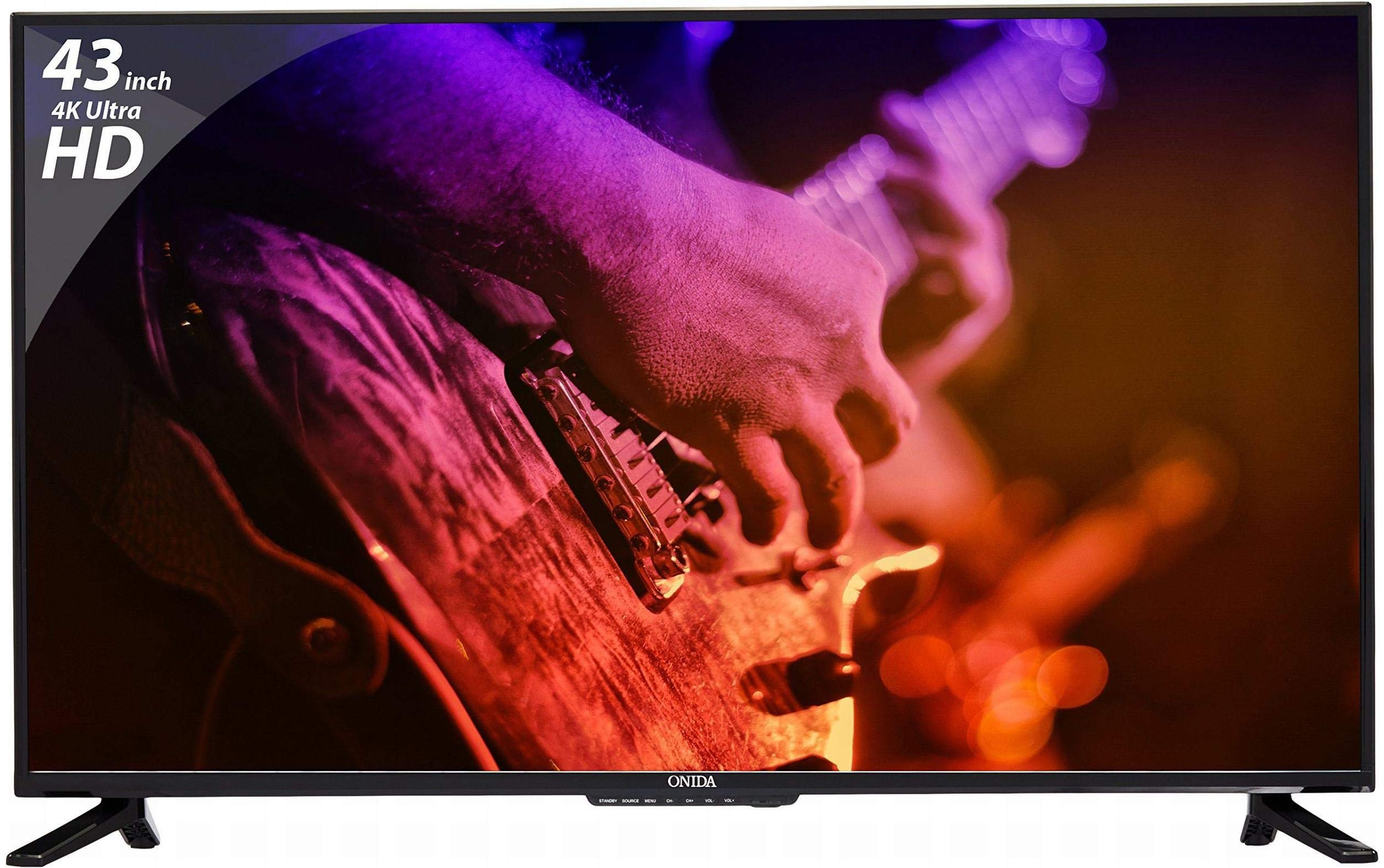
Davanti view of the Onida 43UIR 4K UHD LED TV, showcasinil suo display e le cornici sottili.
Caratteristiche principali:
- Display: 42.5 Inches (108 cm) 4K Ultra HD (3840 x 2160) LED display with 60 Hz refresh rate and ADS Panel.
- Suono: 500 Watts PMPO audio output with built-in speakers.
- Connettività: 3 HDMI ports, 2 USB ports, 1 VGA port, Ethernet, Wi-Fi.
- Intelligenti Caratteristiche: Android 5.1.1 (Lollipop) operating system, built-in Wi-Fi, ARM A7 Quad Core Processor, 8 GB internal memory, 1 GB RAM.
- Montaggio: Supports Table Top Stand and Wall Mount (VESA 200 x 200 mm).
2. Cosa c'è nella scatola
Carefully unpack the box and ensure all items are present and undamaged. If any items are missing or damaged, contact customer support immediately.
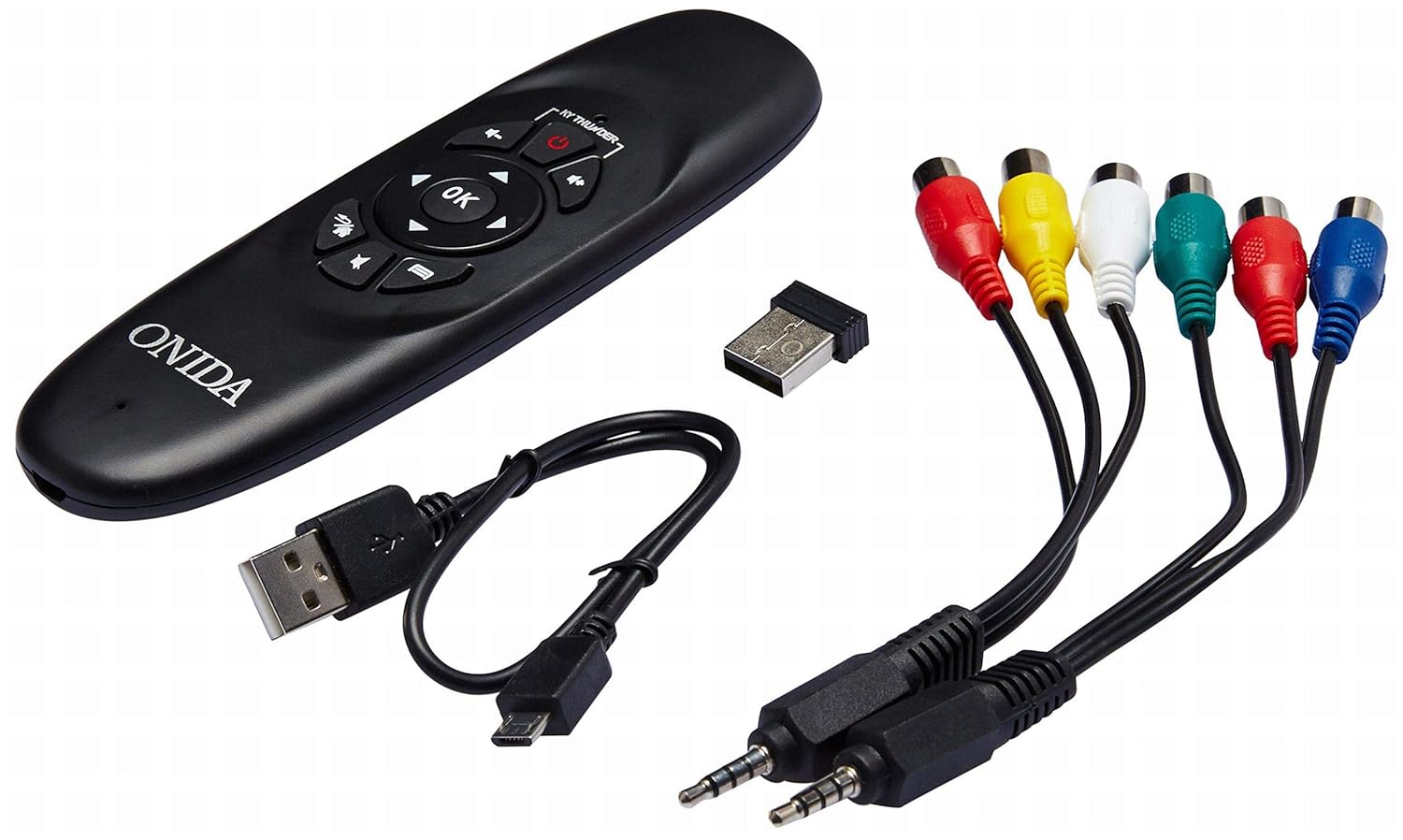
Included accessories: remote control, USB dongle, and various connection cables.
Contenuto della confezione:
- 1 x Onida 4K UHD LED TV (Model: 43UIR)
- 1 x Table Top Stand (with screws)
- 1 x Wall Mount Bracket (optional, may be included)
- 1 x telecomando
- 1 x Manuale utente
- 1 x Scheda di garanzia
- Cavo di alimentazione
Video demonstrating the key features and contents of the Onida 43UIR TV package.
3. Guida all'installazione
3.1. Scelta di una posizione
Place the TV on a stable, flat surface or mount it on a wall using a compatible VESA 200 x 200 mm bracket. Ensure adequate ventilation around the TV.
3.2. Fissaggio del supporto (se applicabile)
- Posizionare con cautela il televisore a faccia in giù su una superficie morbida e pulita per evitare di danneggiare lo schermo.
- Align the stand bases with the mounting holes on the bottom of the TV.
- Fissare le basi del supporto utilizzando le viti fornite.
3.3. Montaggio a parete (opzionale)
If wall mounting, refer to the instructions provided with your wall mount bracket. Ensure the bracket is compatible with VESA 200 x 200 mm standards and can support the weight of the TV.

Lato profile of the Onida 43UIR TV, illustrating its slim design and stand attachment points.
3.4. Collegamento dell'alimentazione
Plug the power cable into the TV's power input, then into a suitable wall outlet (220 VAC 50 Hz). Do not power on the TV until all connections are made.
4. Connettività
The Onida 43UIR TV offers multiple ports for connecting external devices.

Dettagliato view of the rear input/output ports on the Onida 43UIR TV.
- Porte HDMI (x3): Connect set-top boxes, Blu-Ray players, gaming consoles, and other HDMI-enabled devices.
- Porte USB (x2): Connect USB hard drives, flash drives, and other USB devices for media playback.
- Porta VGA (x1): Connect a laptop or PC for use as a monitor.
- Porta Ethernet: Per la connessione internet cablata.
- Wifi: Connettività wireless integrata per l'accesso a Internet.
- Ingresso audio: HDMI, USB.
- Uscita audio: Stereo (Built-in Speakers).
5. Funzionalità intelligenti
Your Onida 43UIR TV is a Smart TV running on Android 5.1.1 (Lollipop), offering a range of intelligent functionalities.
- Sistema operativo: Android 5.1.1 (Lollipop) provides access to various apps and services.
- Processore: ARM A7 Quad Core Processor for smooth performance.
- Memoria: 8 GB internal storage and 1 GB RAM.
- Wi-Fi incorporato: Connect to your home network wirelessly for streaming, browsing, and app downloads.
- Play Store: Access and download a wide array of applications.
- Clonazione schermo: Miracast technology allows mirroring content from compatible mobile devices to the TV.
6. Istruzioni per l'uso
6.1. Controllo remoto
The included remote control allows you to navigate the TV's menus and functions. Insert two AAA batteries (not included) into the remote control, ensuring correct polarity.
The remote control for the Onida 43UIR TV, used for navigation and control.
6.2. Funzionamento di base
- Accensione/spegnimento: Premere il pulsante di accensione sul telecomando o sulla TV.
- Sorgente di input: Use the "Source" button to select between HDMI, USB, VGA, and other inputs.
- Controllo del volume: Use the "Vol +" and "Vol -" buttons.
- Navigazione: Use the arrow keys and "OK" button to navigate menus.
- Funzioni Smart TV: Access the home screen to launch apps, browse the internet, or use screen mirroring.
7. Manutenzione
Proper care ensures the longevity of your Onida TV.
- Pulizia dello schermo: Utilizzare un panno morbido e privo di lanugine, specificamente progettato per i dispositivi elettronici. Non utilizzare prodotti chimici aggressivi o materiali abrasivi.
- Pulizia del Casing: Pulisci con un panno morbido, damp cloth. Avoid direct contact with water.
- Ventilazione: Assicurarsi che le aperture di ventilazione non siano bloccate per evitare il surriscaldamento.
- Spegni: Spegnere sempre il televisore e scollegarlo dalla presa di corrente prima di pulirlo o se non verrà utilizzato per un periodo prolungato.
8. Risoluzione Dei Problemi
Fare riferimento a questa sezione per trovare soluzioni ai problemi più comuni.
| Problema | Possibile causa | Soluzione |
|---|---|---|
| Nessun potere | Cavo di alimentazione scollegato, nessuna corrente dalla presa. | Controllare il collegamento del cavo di alimentazione. Testare la presa con un altro dispositivo. |
| Nessuna immagine, ma l'audio è presente | Incorrect input source selected, faulty cable. | Press "Source" button to select correct input. Check HDMI/VGA cable connections. |
| Nessun suono, ma l'immagine è presente | Volume muted or too low, external audio system issue. | Attivare o aumentare il volume. Controllare i collegamenti ai dispositivi audio esterni. |
| Le funzionalità della Smart TV non funzionano | Nessuna connessione Internet, errore dell'app. | Check Wi-Fi/Ethernet connection. Restart the TV. Clear app cache or reinstall. |
9. Specifiche
| Caratteristica | Dettaglio |
|---|---|
| Modello | 43UIR |
| Dimensioni dello schermo | 42.5 pollici (108 cm) |
| Tecnologia di visualizzazione | LED, Edge LED Backlight, ADS Panel |
| Risoluzione | Risoluzione 3840 x 2160 (4K UHD) |
| Frequenza di aggiornamento | Frequenza 60 Hz |
| Proporzioni | 16:9 |
| Viewangolo di ing | 178 gradi |
| Uscita audio | 500 Watts PMPO, Stereo, Built-in Speakers |
| Sistema operativo | Android 5.1.1 (Lollipop) |
| Processore | BRACCIO A7 Quad-Core |
| Memoria interna | 8 GB |
| Memoria RAM | 1 GB |
| Connettività | 3x HDMI, 2x USB, 1x VGA, Ethernet, Wi-Fi |
| Tecnologia senza fili | Wi-Fi, Miracast |
| Tipo di montaggio | Wall Mount (VESA 200 x 200 mm), Table Top |
| Alimentazione elettrica | 220 VAC 50 Hz |
| Colore | Nero |
10. Garanzia e supporto
Your Onida 43UIR 4K UHD LED TV comes with a standard manufacturer's warranty. Please refer to the included Warranty Card for specific terms and conditions.
- Periodo di garanzia: 1 anno dalla data di acquisto.
- Assistenza clienti: For service or support, please contact Onida customer care.
- Risorse online: Visitare il Onida Store on Amazon per ulteriori informazioni e supporto sul prodotto.