
1. Introduzione
The Marshall MG10G is a compact 10-watt solid-state guitar amplifier designed for practice and home use. It features two channels (Clean and Overdrive), a Contour control for tone shaping, an auxiliary input for connecting external audio devices, and a headphone output for silent practice. This manual provides essential information for the safe and effective operation of your MG10G amppiù vivace.
2. Informazioni sulla sicurezza
WARNING: SHOCK HAZARD. DO NOT OPEN. TO REDUCE THE RISK OF FIRE OR ELECTRIC SHOCK DO NOT REMOVE COVER. NO USER-SERVICEABLE PARTS INSIDE. REFER SERVICING TO QUALIFIED SERVICE PERSONNEL.
Assicuratevi sempre di amplifier is connected to a grounded power outlet. Do not expose the amplifier to rain or moisture. Disconnect the power cord before cleaning or if the unit will be unused for extended periods. Ensure adequate ventilation around the amppiù vivace.
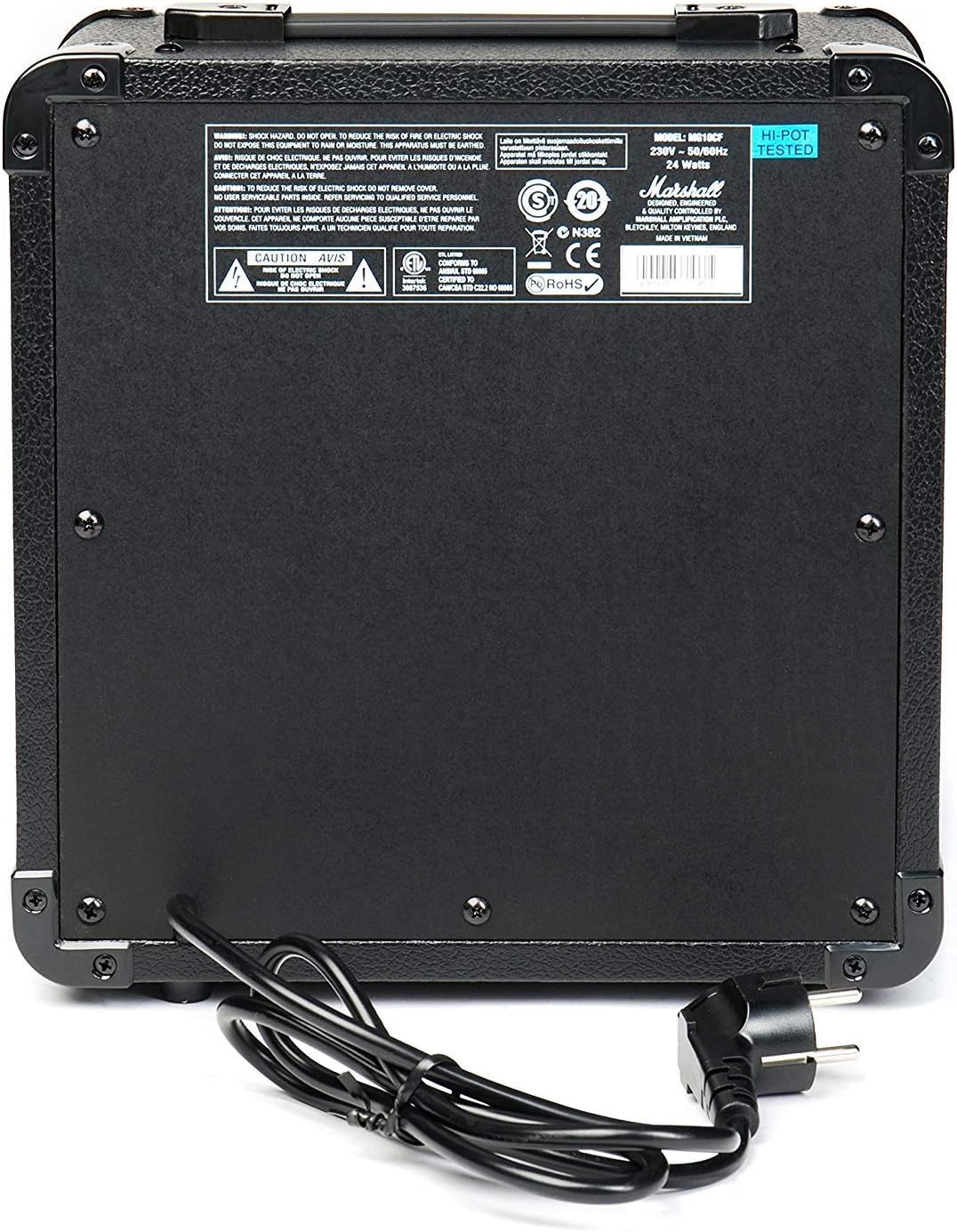
Figure 2.1: Rear panel of the MG10G amplifier, displaying safety warnings and power specifications.
3. Prodotto finitoview
The MG10G amplifier features a straightforward control layout for ease of use. Familiarize yourself with the front panel controls and rear panel connections before operation.

Figure 3.1: Front panel of the MG10G amppiù vivace.
Controlli del pannello frontale:
- INGRESSO: Jack da 1/4" per collegare la chitarra elettrica.
- VOLUME PULITO: Controls the volume of the Clean channel.
- SELEZIONE CANALE: Pulsante per passare dai canali Clean a Overdrive.
- GUADAGNO OVERDRIVE: Adjusts the amount of distortion on the Overdrive channel.
- VOLUME OVERDRIVE: Controls the volume of the Overdrive channel.
- CONTORNO: Shapes the mid-range frequencies of your tone. Turning it clockwise scoops the mids, while counter-clockwise adds mids.
- MP3/LINE IN: 3.5mm jack for connecting external audio sources (e.g., MP3 player, phone).
- CUFFIE: 3.5mm jack for connecting headphones for silent practice. Connecting headphones mutes the main speaker.
- ENERGIA: Interruttore On/Off per il amppiù vivace.
Connessioni pannello posteriore:
- INGRESSO ALIMENTAZIONE: Connects the supplied power cable to a suitable mains power supply.
4. Impostazione
- Assicurare il ampL'interruttore POWER del lifier è in posizione OFF.
- Connect the power cable to the POWER INPUT on the rear panel of the amplifier and then to a grounded electrical outlet.
- Collega la tua chitarra elettrica al INGRESSO jack on the front panel using a standard 1/4" instrument cable.
- If desired, connect an external audio device (e.g., MP3 player) to the MP3/LINE IN jack utilizzando un cavo stereo da 3.5 mm.
- If desired, connect headphones to the CUFFIE jack per la pratica silenziosa.
- Girare il VOLUME PULITO E VOLUME OVERDRIVE controls to their minimum settings (fully counter-clockwise).
- Cambia il amplifier ENERGIA to the ON position. The power indicator light will illuminate.
5. Istruzioni per l'uso
5.1 Clean Channel
To use the Clean channel, ensure the SELEZIONE CANALE button is disengaged (out position). Adjust the VOLUME PULITO control to achieve your desired output level. This channel provides a clear, un-distorted guitar tone.
5.2 Overdrive Channel
To engage the Overdrive channel, press the SELEZIONE CANALE button (in position). Use the GUADAGNO OVERDRIVE control to adjust the amount of distortion, from a subtle crunch to a heavier, saturated sound. The VOLUME OVERDRIVE control sets the output level for this channel.
5.3 Tone Shaping with Contour
IL CONTORNO control allows you to sculpt the mid-range frequencies of your tone. Experiment with this control to find your preferred sound:
- Girando CONTORNO clockwise will scoop the mid-range, often resulting in a more modern, aggressive tone.
- Girando CONTORNO counter-clockwise will boost the mid-range, providing a warmer, fuller sound that can help your guitar cut through a mix.
5.4 Using MP3/LINE IN
Collegare un dispositivo audio esterno al MP3/LINE IN jack. The volume of the external device is controlled by its own volume output. This feature allows you to play along with backing tracks or music.
5.5 Uscita cuffie
Collega le cuffie al CUFFIE jack for silent practice. The amplifier's main speaker will be muted automatically. Adjust the volume using the respective channel volume controls (Clean or Overdrive) or the volume control on your external audio device if using the MP3/LINE IN.
6. Manutenzione
- Pulizia: Scollegare il ampScollegare il filtro dall'alimentazione prima di pulirlo. Utilizzare un panno morbido e asciutto per pulire l'esterno. Non utilizzare detergenti abrasivi o solventi.
- Magazzinaggio: Conservare il amplifier in un ambiente asciutto e fresco, lontano dalla luce solare diretta e da temperature estreme.
- Trasporti: Durante il trasporto del amplifier, assicurarsi che sia imballato in modo sicuro per evitare danni.
7. Risoluzione Dei Problemi
| Problema | Possibile causa | Soluzione |
|---|---|---|
| Nessun suono dall'altoparlante |
|
|
| Suono debole o distorto |
|
|
| Nessun suono dalle cuffie |
|
|
Se il problema persiste dopo aver provato queste soluzioni, contattare personale di assistenza qualificato.
8. Specifiche

Figure 8.1: Dimensions of the MG10G amppiù vivace.
| Caratteristica | Dettaglio |
|---|---|
| Nome del modello | MG10G |
| AmpTipo lificatore | Stato solido |
| Potenza di uscita | 10 Watt |
| Dimensioni dell'altoparlante | 6.5 pollici (16.51 cm) |
| Canali | 2 (Pulito, Overdrive) |
| Controlli | Clean Volume, Channel Select, Overdrive Gain, Overdrive Volume, Contour, Power |
| Ingressi | 1/4" Guitar Input, 3.5mm MP3/Line In |
| Risultati | Uscita cuffie da 3.5 mm |
| Fonte di alimentazione | Electric Cable (230V~50Hz, 24 Watts) |
| Dimensioni (P x L x A) | Dimensioni: 31.5 cm x 19.8 cm x 40 cm |
| Peso dell'articolo | 5.13 chilogrammi |
| Materiale | Metallo, Plastica |
| Colore | Nero |
| Paese di origine | Cina |
9. Garanzia e supporto
9.1 Informazioni sulla garanzia
This Marshall MG10G amplifier viene fornito con un Garanzia del produttore di 1 anni. Please retain your proof of purchase for warranty claims. The warranty covers manufacturing defects and malfunctions under normal use. It does not cover damage caused by misuse, accidents, unauthorized modifications, or normal wear and tear.
9.2 Assistenza clienti
For technical assistance, service, or warranty inquiries, please contact your authorized Marshall dealer or visit the official Marshall Amplificazione websito per risorse di supporto e informazioni di contatto.