
Introduzione
This manual provides detailed instructions for the safe and proper installation, operation, and maintenance of your Barkan Long TV Wall Mount, Model 4800.B. This full-motion articulating mount is designed to securely hold flat or curved screens ranging from 13 to 90 inches and weighing up to 132 lbs (60 kg).
The mount features dual arms for enhanced stability and offers four movements: rotation, folding, swivel, and tool-free tilt adjustment. Its patented mechanism accommodates various screen types, including those with unusual back structures, without requiring additional adapters.
Informazioni sulla sicurezza
WARNING: Improper installation can lead to serious injury or damage. If you are unsure about the installation process, please consult a qualified professional.
- Capacità di peso: Non superare la capacità di peso massima di 132 libbre (60 kg).
- Dimensioni dello schermo: Ensure your TV screen size is within the recommended range of 13-90 inches.
- Tipo di parete: This mount is designed for installation on wood-stud drywall or concrete walls. Do not install on drywall/gypsum/plaster without wood studs.
- Sicurezza dei bambini: The mount includes a Fall Proof system to prevent disengagement of the screen, enhancing child safety by securing the TV to the wall.
- Utensili: Use appropriate tools for installation, including a drill, level, and stud finder. Wear safety glasses during drilling.
Contenuto della confezione
Before beginning installation, verify that all parts and hardware are included in the package. Refer to the assembly instructions provided with the product for a complete list and visual guide.

Image: Barkan TV Wall Mount Hardware Kit. This image displays various screws (M4, M6, M8), washers, plastic spacers, wall screws, and wall anchors, organized in labeled bags.
The hardware kit includes various screws of different sizes and lengths to fit most TV models. If the provided screws are too long, use a spacer between the screw and the adapter to prevent damage to the TV.
Video: Unboxing, assembly instructions and main features. This video demonstrates checking package contents and initial assembly steps for the Barkan TV mount.
Specifiche
- Numero modello: 4800.B
- Compatibilità delle dimensioni dello schermo: 13-90 pollici
- Capacità di peso: Fino a 132 libbre (60 kg)
- Compatibilità VESA: 100x200, 200x100, 200x200, 300x300, 300x400, 400x200, 400x300, 400x400, 600x400 mm and non-VESA up to 600x400 mm
- Distanza minima dal muro: 3.1 pollici (8 cm)
- Distanza massima dal muro: 27.4 pollici (70 cm)
- Tipo di movimento: Full Motion Articulating (Rotate, Fold, Swivel, Tilt)
- Angolo di inclinazione: 0° to 10° (tool-free)
- Angolo di rotazione: Up to 120° (near screen connection plate), 180° (near wall double arm)
- Regolazione del livellamento: ±5°
- Materiale: Metallo
- Colore: Nero
- Dimensioni del prodotto: 19.65 x 9.72 x 5.71 pollici
- Peso dell'articolo: 16.96 libbre

Image: Detailed diagram showing the dimensions, tilt, swivel, and leveling capabilities of the Barkan TV mount.
Configurazione e installazione
The Barkan TV mount is designed for easy and fast assembly, typically involving three main steps:
- Connect the adapters to the TV: Attach the TV plate and adapters to the rear side of your television, ensuring the correct screws and spacers are used based on your TV's VESA pattern and back structure.
- Installare la staffa sulla parete: Secure the wall bracket to your chosen wall location. Use a stud finder for wood-stud drywall or appropriate anchors for concrete walls. A drilling template is included to assist with accurate hole placement.
- Agganciare la TV alla staffa: Carefully lift and attach the TV (with adapters) onto the wall bracket. The Fall Proof system will engage to secure the TV.

Image: Visual representation of the 3-step assembly process: connecting adapters to TV, installing wall bracket, and snapping TV onto the bracket.

Image: Illustrates suitable wall types (drywall with wood studs, concrete blocks/concrete wall) and lists required tools such as a drill, level, safety glasses, and stud finder.

Image: Demonstrates how the patented adapter mechanism allows the mount to fit both flat and curved TVs, as well as TVs with non-standard back structures.

Image: Shows various backscreen connection patterns in millimeters (Width x Height) and how the 4 adapters can be positioned. It also advises contacting support if your pattern is not listed.
Funzionamento del supporto
The Barkan Long TV Wall Mount offers flexible positioning for optimal viewin:
- Full Motion: Easily rotate, swivel, or tilt the TV by gently pushing or pulling it to the desired angle.
- Estensione: The mount extends from a minimum of 3.1 inches (8 cm) to a maximum of 27.4 inches (70 cm) from the wall, allowing for viewing from various locations and positioning the screen around a corner.
- Inclinazione: Adjust the screen tilt from 0° to 10° without the need for tools.
- Girevole: The screen connection plate swivels up to 120°, and the double arm rotates 180° near the wall.
- Livellamento: A built-in mechanism allows for ±5° screen leveling adjustment.
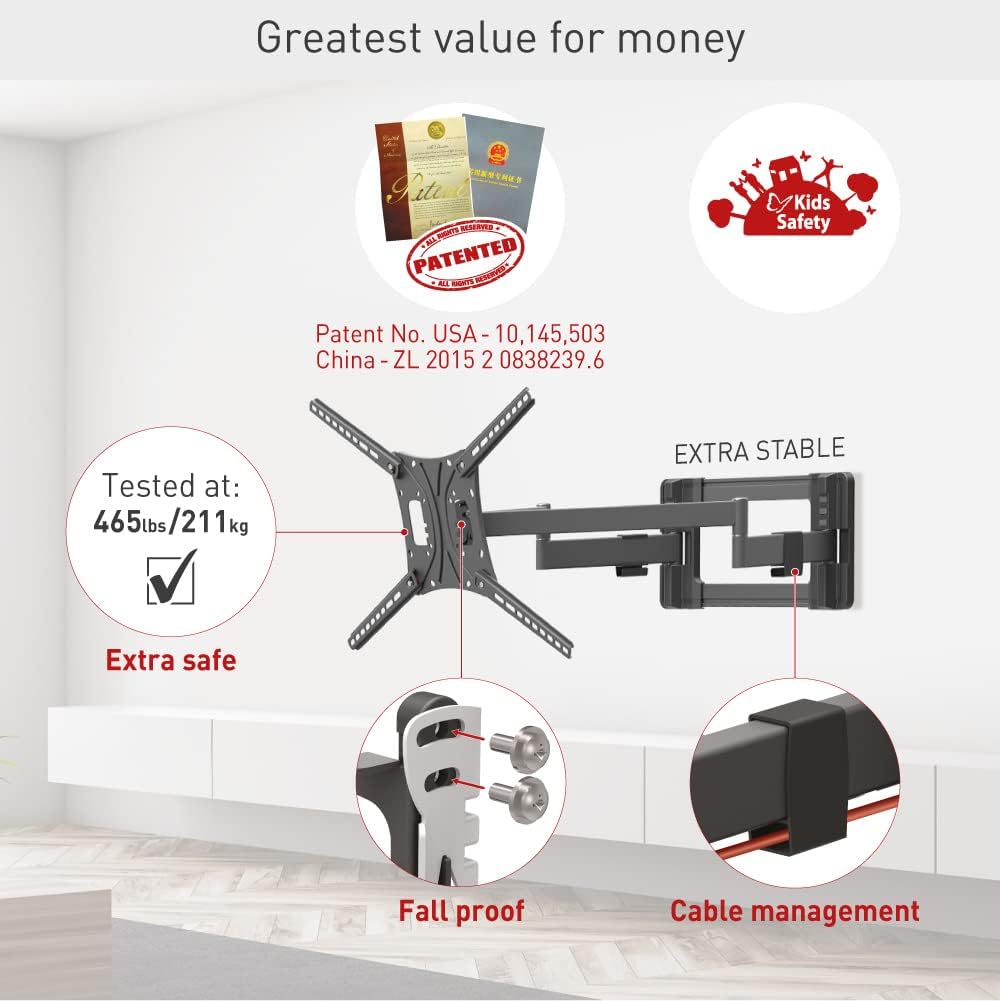
Image: Highlights the mount's full motion capabilities including tilt, swivel, and extension, along with its extra stable design and fall-proof mechanism.
Video: Demonstrates the full motion capabilities of the Barkan TV mount, including rotation, folding, swivel, and tilt adjustments, highlighting its stability and patented features for flat and curved screens.
Manutenzione
- Lubrificazione: Lubricate the hinges once a year, or whenever movement becomes difficult, to ensure smooth operation.
- Controllo di sicurezza: Once every six months, check that the mount remains strongly secured to the wall and that none of the hinges have become disengaged.
- Pulizia: Pulire il supporto con un panno morbido e asciutto. Evitare detergenti abrasivi o solventi.
Risoluzione dei problemi
If you encounter any issues with your Barkan TV Wall Mount, please consider the following:
- Difficulty in Movement: If the arms are difficult to move, try lubricating the hinges as described in the Maintenance section.
- Instabilità del monte: Re-check all screws and wall anchors to ensure they are fully tightened and securely fastened. Refer to the installation steps.
- TV non a livello: Use the built-in screen leveling mechanism to adjust the TV's horizontal alignment.
- Missing Parts or Installation Issues: If any parts are missing or you have issues with installation, please contact Barkan customer support.
Garanzia
The Barkan Long TV Wall Mount (Model 4800.B) comes with a Garanzia limitata a vita. Barkan products undergo strict quality tests, and this mount has been tested with four times its declared weight capacity to ensure durability and safety.
Supporto
For additional information, FAQs, video demonstrations, or any assistance, please visit the official Barkan websito o contattare il nostro servizio clienti.
- Websito: www.barkanmounts.com
- Supporto via e-mail: sales.usa@barkanmounts.com
Our customer service experts are available every day of the week to help with any questions or concerns you may have.