
Introduzione
This manual provides detailed instructions for the TECWARE Phantom 87 Key RGB Mechanical Gaming Keyboard. Please read this manual thoroughly before using the product to ensure proper operation and to maximize your experience.
Informazioni sulla sicurezza
- Non esporre la tastiera a liquidi o umidità eccessiva.
- Evitare temperature estreme.
- Do not attempt to disassemble or modify the keyboard. This may void your warranty.
- Tenere fuori dalla portata dei bambini.
- Utilizzare solo con dispositivi e fonti di alimentazione compatibili.
Contenuto della confezione
Verifica che tutti gli articoli siano presenti nel tuo pacco:
- TECWARE Phantom 87 Key RGB Mechanical Gaming Keyboard
- 4x Spare Mechanical Switches (Outemu Red)
- 1x Estrattore per interruttori
- 1x estrattore per keycap
- 1x Manuale utente

Figure 1: TECWARE Phantom 87 Key RGB Mechanical Gaming Keyboard with key features such as low latency, 16.8M RGB colors, gaming-oriented design, full N-key rollover, and durable fiberglass PCB.
Impostare
1. Collegamento della tastiera
- Locate the USB-A cable attached to your TECWARE Phantom keyboard.
- Plug the USB-A connector into an available USB port on your computer.
- The keyboard will automatically be detected and drivers will install (Windows/macOS).
2. Installazione del software (facoltativa)
For advanced customization, including per-key RGB lighting, macro recording, and user profiles, download the TECWARE software from the official TECWARE websito. Seguire le istruzioni sullo schermo per l'installazione.

Figure 2: The TECWARE software allows for custom per-key RGB lighting, 18 lighting effects control, macro recording and assignment, and up to 3 user profiles, along with brightness and speed adjustments.
Istruzioni per l'uso
Funzioni di base
- Digitando: The keyboard features Outemu Red linear switches for a smooth and quiet typing experience.
- Rollover N-Key: All key presses are registered simultaneously, preventing ghosting during rapid input.
- Blocco di Windows: Use the dedicated Windows Lock key (often Fn + Win key) to disable the Windows key during gaming to prevent accidental interruptions.
Controllo dell'illuminazione RGB
The Phantom keyboard offers 16.8 million RGB colors and 18 pre-set lighting effects. These can be controlled directly on the keyboard or through the TECWARE software.
- Modifica delle modalità di illuminazione: Use the Fn key combined with specific function keys (refer to your keyboard's keycaps for symbols) to cycle through the 18 pre-set lighting modes.
- Regolazione luminosità/velocità: Use Fn + Arrow keys (or other designated keys) to adjust the brightness and speed of the lighting effects.
- Personalizzazione: For per-key lighting and advanced effects, use the TECWARE software.
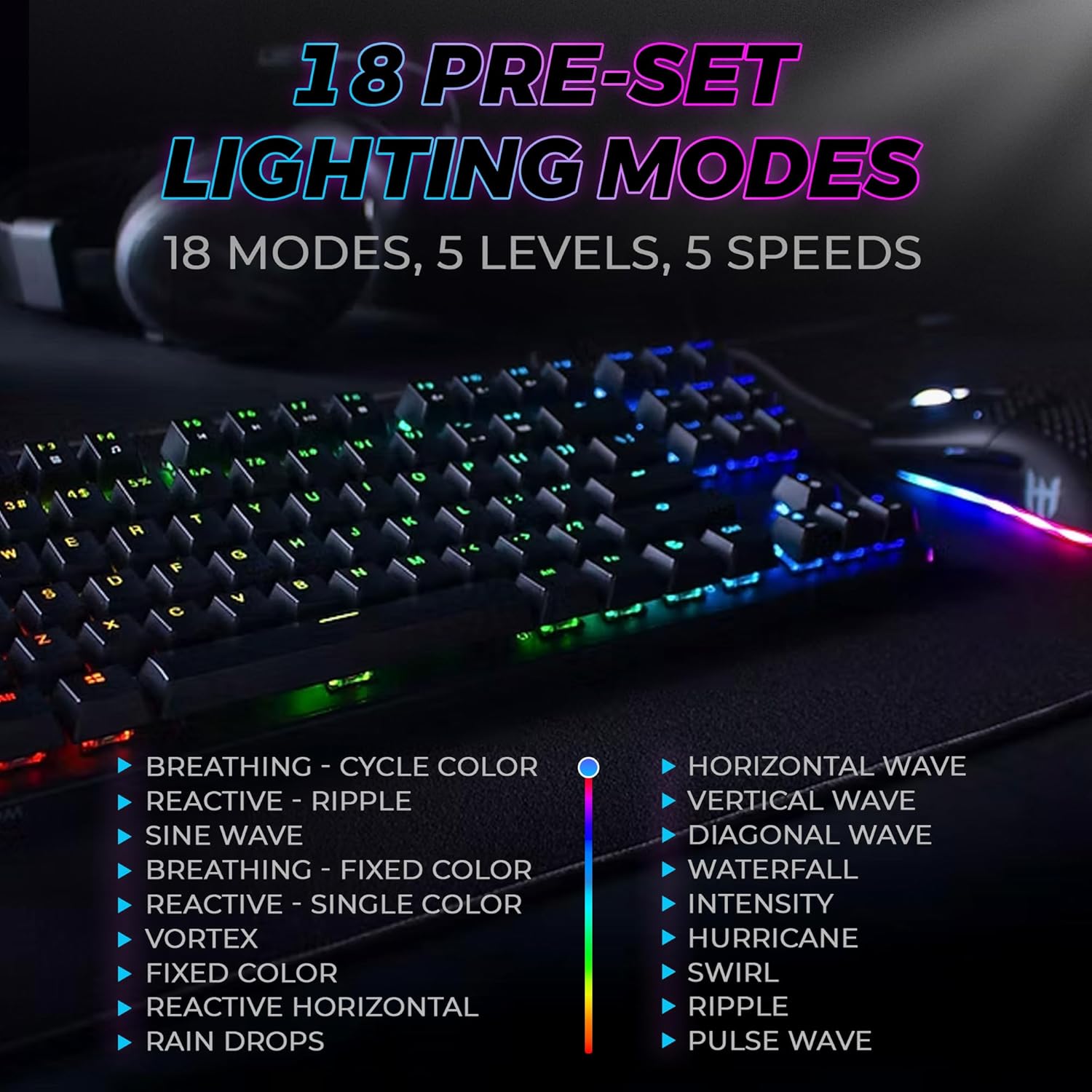
Figure 3: The keyboard features 18 pre-set lighting modes with 5 levels of brightness and 5 levels of speed, including effects like Breathing, Ripple, Sine Wave, Vortex, Waterfall, and Pulse Wave.
Tasti multimediali
Access multimedia controls by pressing the Fn key in combination with the F-keys (F1-F12). The specific functions are typically indicated by icons on the keycaps.
- Exampon: Fn + F7 (Play/Pause), Fn + F8 (Stop), Fn + F9 (Mute).
Video 1: Official TECWARE branded video showcasing various products, including the Phantom keyboard, highlighting its features and design philosophy.
Manutenzione
Pulizia
- Scollegare la tastiera dal computer prima di pulirla.
- Utilizzare un panno morbido e asciutto per pulire i tasti e il telaio.
- For deeper cleaning, use the provided keycap puller to remove keycaps and compressed air to clear debris from under the keys.
Sostituzione interruttore
The TECWARE Phantom keyboard features hot-swappable Outemu mechanical switches, allowing for easy replacement without soldering.
- Using the provided keycap puller, gently remove the desired keycap.
- Use the provided switch puller to carefully grip the switch and pull it straight up to remove it.
- Allineare i pin del nuovo interruttore con i fori sul PCB.
- Premere delicatamente il nuovo interruttore in posizione finché non scatta in posizione.
- Riposizionare il tasto.
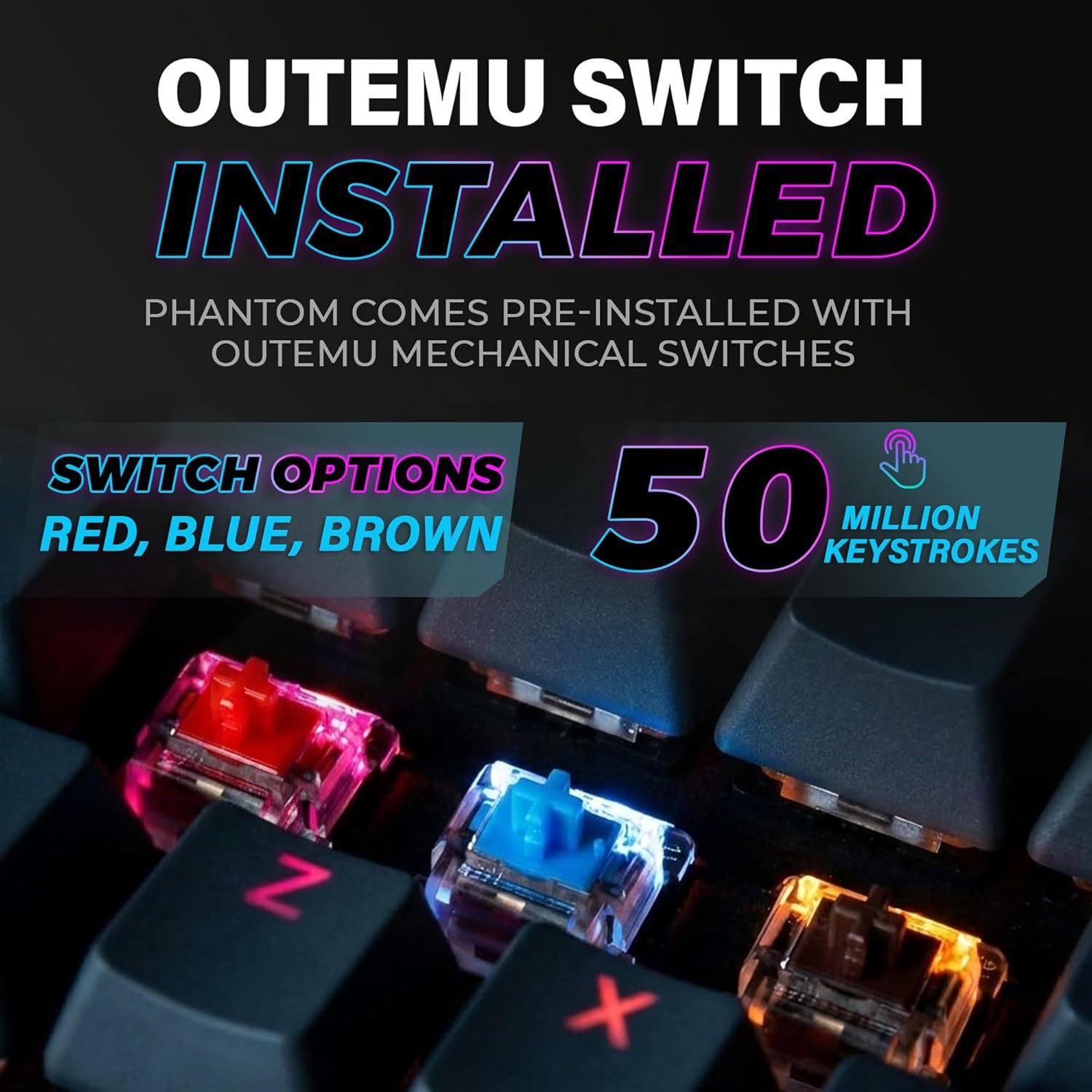
Figure 4: The keyboard comes with pre-installed Outemu switches, available in Red, Blue, and Brown options, rated for 50 million keystrokes.

Figure 5: An Outemu Red linear switch, detailing its pre-travel of 2.00mm, operating force of 45 gf/CN, and total travel of 4.00mm.
Risoluzione dei problemi
| Problema | Possibile soluzione |
|---|---|
| La tastiera non risponde | Ensure the USB cable is securely connected to both the keyboard and the computer. Try a different USB port or computer. |
| L'illuminazione RGB non funziona | Check if the lighting is turned off or set to minimum brightness using the Fn key combinations. Reinstall the TECWARE software if using custom profiles. |
| Tasti specifici non funzionanti | If you have hot-swappable switches, try replacing the faulty switch with one of the spare switches provided. Ensure the switch is properly seated. |
| Keys feel inconsistent | Ensure keycaps are fully pressed down. Clean under the keycaps for any debris. |
Video 2: Official TECWARE Phantom video demonstrating various features and functionalities of the keyboard.
Specifiche
| Caratteristica | Dettaglio |
|---|---|
| Numero di modello | TWKB-P87ZORD |
| Tipo di interruttore | Outemu Red Mechanical (Lineare) |
| Conteggio delle chiavi | 87 Chiavi |
| Illuminazione RGB | 16.8 Million Colors, 18 Pre-set Modes |
| Tasso di sondaggio | 1000 Hz |
| Rollover N-chiave | Rollover completo di tasti N |
| Connettività | USB-A cablato |
| PCB | Dual-layer Fiberglass PCB |
| Dimensioni (L x P x A) | 14.21 x 5.24 x 1.61 pollici |
| Peso | 2.53 libbre |
Garanzia e supporto
TECWARE products are designed for durability and performance. For warranty information, technical support, or to download the latest software and drivers, please visit the official TECWARE webo contattare il servizio clienti. Conservare la ricevuta d'acquisto come prova d'acquisto per eventuali reclami in garanzia.
Risorse online:
- Official TECWARE Websito: www.tecware.co
- Pagina di supporto al prodotto: TECWARE Amazon Store