
Introduzione
Thank you for choosing the PRORECK UK-2000 UHF 2 Channel Wireless Microphone System. This system is designed to provide clear, distortion-free audio for various applications, including parties, weddings, church events, conferences, and speeches. It features a stable UHF signal transmission and offers 560 selectable frequencies for optimal performance. This manual provides detailed instructions for setting up, operating, and maintaining your wireless microphone system.
Contenuto della confezione
Si prega di verificare che tutti gli articoli elencati di seguito siano inclusi nel pacchetto:
- 1 x unità di ricezione
- 2 microfoni portatili
- 1 cavo TS da 6.35 mm
- 1 x caricabatteria
- 1 x Manuale utente (questo documento)
Prodotto finitoview
Receiver Unit (Rear Panel)
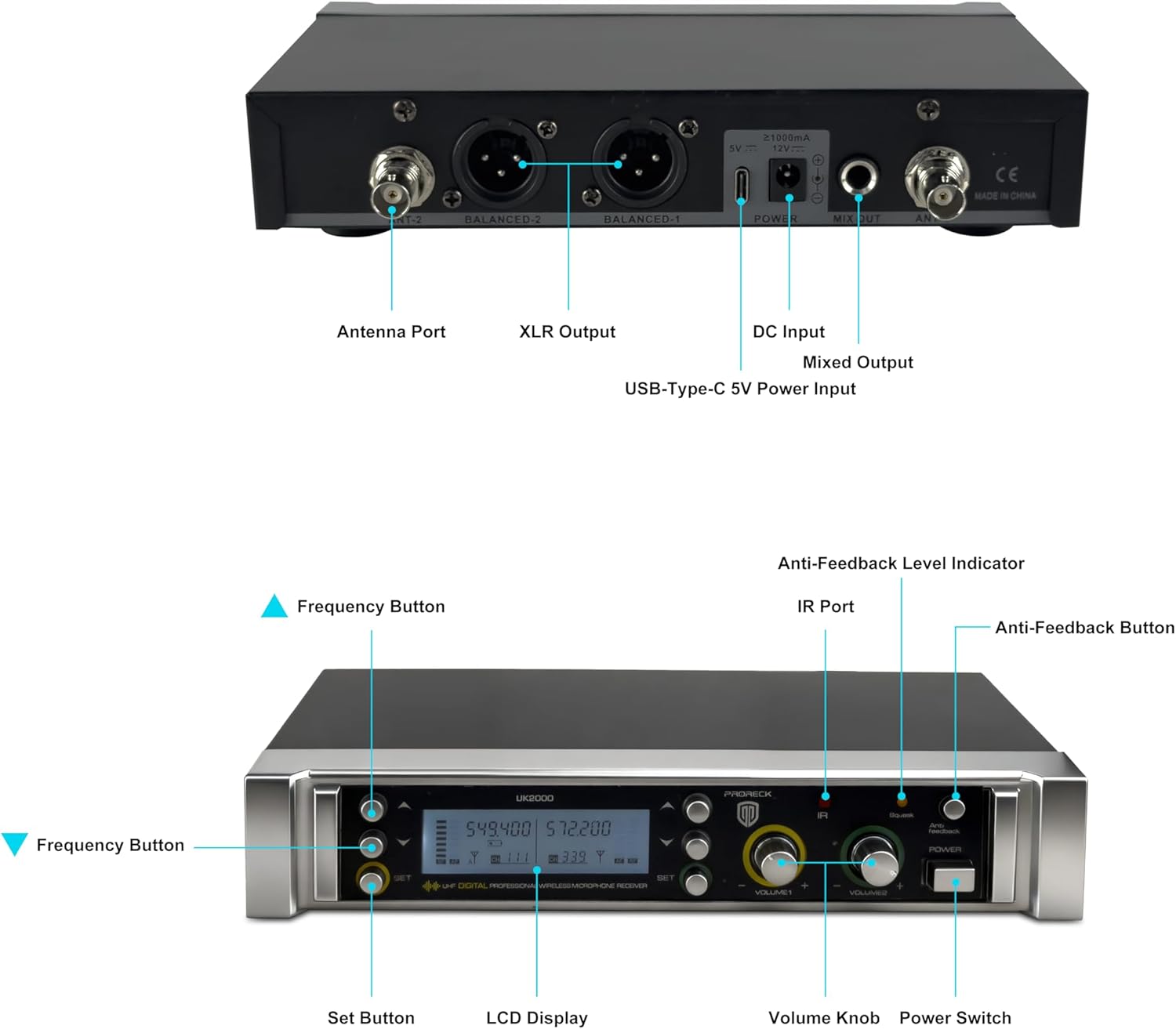
Image: Rear panel of the PRORECK UK-2000 receiver. This view highlights the Antenna Ports, Balanced XLR Outputs (1 and 2), DC Input for power, Mixed Output (6.35mm), and USB-Type-C 5V Power Input.
- Porta dell'antenna: Connect the included antennas for signal reception.
- XLR Output (BALANCED 1/2): Balanced audio outputs for connecting to a mixer or amppiù vivace.
- Ingresso CC: Connect the provided power charger.
- Mixed Output (MIX OUT): Unbalanced 6.35mm (1/4") audio output for connecting to various audio devices.
- USB-Type-C 5V Power Input: Alternative power input, useful with a portable power bank.
Receiver Unit (Front Panel)

Image: Front panel of the PRORECK UK-2000 receiver. This view shows the Frequency Buttons, Set Button, LCD Display, IR Port, Volume Knobs, Power Switch, Anti-Feedback Level Indicator, and Anti-Feedback Button.
- Frequency Buttons: Used to adjust the operating frequency.
- Imposta pulsante: Confirms frequency selection and other settings.
- Schermo LCD: Shows channel, frequency, signal strength, and battery status.
- Porta IR: Infrared sensor for syncing frequencies with microphones.
- Manopola del volume: Adjusts the output volume for each microphone channel.
- Interruttore di alimentazione: Turns the receiver unit on or off.
- Anti-Feedback Level Indicator: Displays the level of anti-feedback processing.
- Anti-Feedback Button: Activates or deactivates the anti-feedback function.
Microfono palmare

Immagine: Esploso view of the handheld microphone. This shows the Mic Grill, LCD Display, Metal Construction, Battery Compartment, and Battery Cover.
- Mic Grill: Protects the microphone capsule.
- Schermo LCD: Shows frequency and battery status.
- Costruzione in metallo: Durable housing for the microphone.
- Vano batteria: Contiene due batterie AA.
- Coperchio della batteria: Secures the batteries in place.
- IR Sync Sensor: Located on the microphone body, used for automatic frequency synchronization with the receiver.
Istruzioni di installazione
1. Installare le batterie nei microfoni
- Unscrew the battery cover at the bottom of each handheld microphone.
- Insert two AA batteries into the battery compartment, ensuring correct polarity (+/-).
- Riavvitare saldamente il coperchio della batteria.
Nota: Each microphone requires 2xAA batteries (not included).
2. Collegare il ricevitore
- Attach the antennas to the Antenna Ports on the rear panel of the receiver. Position them vertically for optimal signal reception.
- Connect the power charger to the DC Input on the receiver and plug it into a power outlet. Alternatively, you can use a portable power bank with the USB-Type-C 5V Power Input.
- Connect the receiver to your audio system (mixer, amplifier, powered speaker) using either the Balanced XLR Outputs or the Mixed Output (6.35mm TS cable).
3. Power On and Sync
- Turn on the receiver unit using the Power Switch on the front panel. The LCD display will illuminate.
- Turn on each handheld microphone.
- To synchronize the microphone with the receiver, press the IMPOSTATO button on the receiver. The display will show "IR---".
- Align the IR Sync Sensor on the microphone with the IR Port on the receiver (within a few inches). The frequency will automatically sync. Repeat for the second microphone.

Image: Connectivity diagram illustrating how the PRORECK UK-2000 system can connect to a mixer, TV, amplifier, PA system, computer, powered speaker, or pad/phone.
Istruzioni per l'uso
Selezione della frequenza
The PRORECK UK-2000 system offers 560 selectable UHF frequencies (280 per channel) to avoid interference.
- If you experience interference, press the Pulsante frequenza on the receiver to cycle through available frequencies.
- Once a clear frequency is selected on the receiver, perform the IR sync process again with the corresponding microphone to match its frequency.

Image: Microphone display showing frequency selection. The system offers 560 selectable frequencies, with each channel having 280 options, ranging from 539.000 MHz to 599.000 MHz.
Controllo del volume
Adjust the output volume of each microphone independently using the dedicated Manopole del volume on the receiver's front panel. Start with a low volume and gradually increase it to prevent feedback.
Campo di funzionamento
The system has an operating range of up to 328 feet (100 meters) within the line of sight. Obstacles, walls, and other wireless devices may reduce this range.
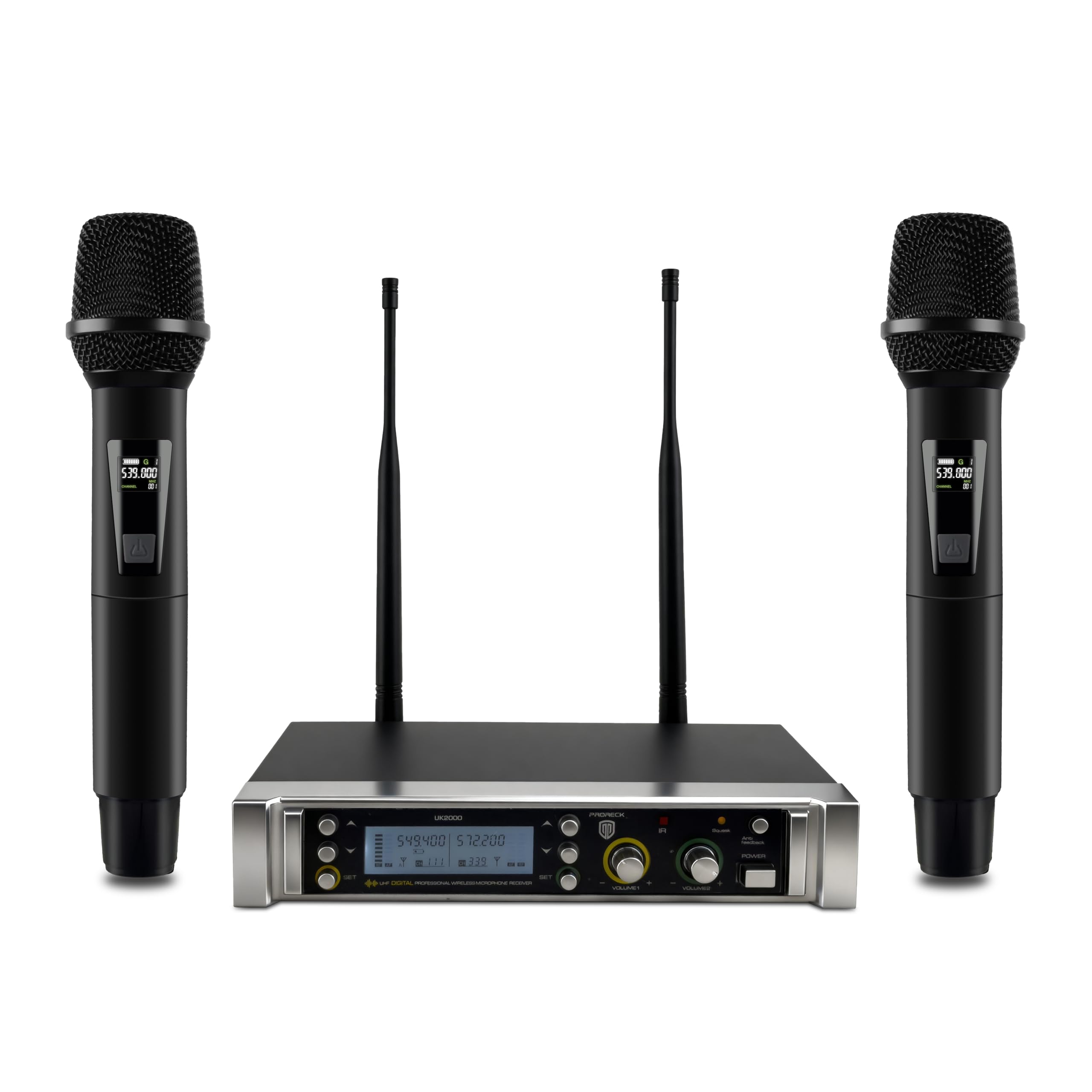
Image: Operating range diagram. A microphone wirelessly transmits to the receiver, indicating an effective operating range of up to 328 feet.
Anti-Feedback Function
The receiver includes an anti-feedback function to minimize unwanted audio feedback. Press the Anti-Feedback Button to activate or deactivate this feature. The Anti-Feedback Level Indicator will show its status.
Manutenzione
- Keep the receiver and microphones clean by wiping them with a soft, dry cloth.
- Evitare di esporre il sistema a temperature estreme, umidità o luce solare diretta.
- Remove batteries from the microphones if they will not be used for an extended period to prevent leakage.
- Store the system in a dry, dust-free environment.
Risoluzione dei problemi
| Problema | Possibile causa | Soluzione |
|---|---|---|
| Nessuna uscita audio |
|
|
| Interferenza o statica |
|
|
| Suono debole o distorto |
|
|
| Feedback (suono ululante) |
|
|
Specifiche
| Nome del modello | Regno Unito-2000 |
| Marca | PRORECCHIO |
| Numero di canali | 2 |
| Gamma di frequenza | 538.3MHz to 599MHz (560 selectable frequencies) |
| Campo di funzionamento | Fino a 328 piedi (linea di vista) |
| Tecnologia di connettività | UHF senza fili, XLR |
| Tipo di connettore | XLR, 6.35mm (1/4") |
| Fonte di alimentazione del microfono | 2 x AA batteries (per microphone) |
| Materiale | Metal (microphones) |
| Modello polare | Unidirezionale |
| Peso dell'articolo | 3.79 pounds (system) |
| Dimensioni del pacco | 11 x 8 x 4 pollici |
Garanzia e supporto
PRORECK products are designed for reliability and performance. For any questions, technical support, or warranty inquiries, please refer to the contact information provided with your purchase or visit the official PRORECK websito. Conservare la prova d'acquisto per l'assistenza in garanzia.