
Introduzione
Welcome to the VTech KidiZoom Touch 5.0 Pink digital camera user manual. This guide provides comprehensive instructions for setting up, operating, and maintaining your new camera. Designed for children aged 5-12 years, the KidiZoom Touch 5.0 offers a robust and interactive experience with its touch display, dual cameras, and a variety of creative features.
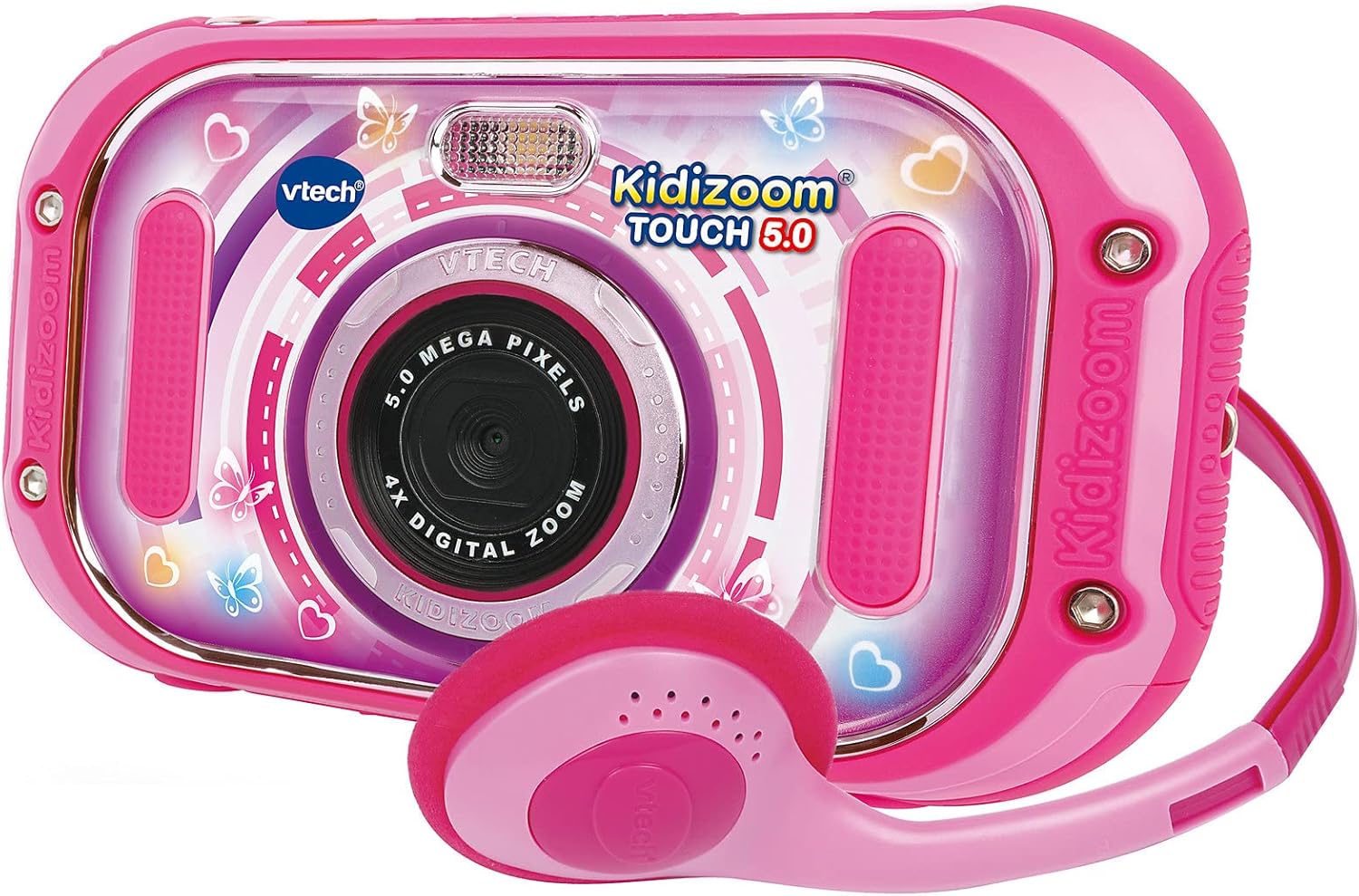
Figure 1: The VTech KidiZoom Touch 5.0 Pink camera shown with its accompanying pink headphones.
Contenuto della confezione
Assicurati che tutti gli articoli elencati di seguito siano presenti nel tuo pacco:
- 1 x VTech KidiZoom Touch 5.0 Pink Digital Camera
- 1 cavo USB
- 1 x Cuffie
- 4 x AA Demo Batteries (pre-installed)
- Cinturino da polso 1 x

Figure 2: The included headphones and wrist strap, essential accessories for the KidiZoom Touch 5.0.
Impostare
Installazione della batteria
The camera comes with 4 AA demo batteries pre-installed. For optimal performance and extended use, it is recommended to replace these with new, high-quality alkaline batteries or rechargeable AA batteries. Ensure correct polarity when inserting batteries.
- Individuare il vano batteria sul retro della fotocamera.
- Utilizzare un piccolo cacciavite per aprire il coperchio del vano batteria.
- Remove the old batteries (if any) and insert 4 new AA batteries, matching the +/- indicators.
- Riposizionare il coperchio e serrare la vite.
Memory Card (Optional)
The KidiZoom Touch 5.0 has an internal memory for approximately 100 photos (5.0 MP) or 10 minutes of video (640x480 px). To expand storage for more photos, videos, or MP3 files, an external microSD card (not included) is required.
- Individuare lo slot per la scheda microSD sul lato della fotocamera.
- Insert a microSD card (up to 32GB, Class 10 recommended) into the slot until it clicks into place.
- Per rimuoverla, spingere delicatamente la scheda finché non scatta fuori.
Caratteristiche e controlli del prodotto
Familiarize yourself with the camera's interface and controls for a seamless experience.

Figure 3: The camera's 3.5-inch LCD color touch display showing the main menu with icons for photos, video recorder, music player, games, playback, panorama, 'You and Me' mode, and animation studio.
- 3.5" LCD Colour Touch Display: Capacitive touch panel for easy navigation and personalized backgrounds.
- Fotocamera frontale: 5.0 Megapixels for high-resolution photos and videos.
- Telecamera posteriore: 2.0 Megapixels for selfies and dual-camera mode.
- Zoom digitale 4x: Magnify your subjects.
- Flash automatico: For improved lighting in low-light conditions.
- Porta USB: For connecting to a PC to transfer files.
- Jack per cuffie: For private listening of music or audio.
Istruzioni per l'uso
Scattare foto
Per catturare immagini fisse:
- Accendi la fotocamera utilizzando il pulsante di accensione.
- Tap the "Photos" icon on the touch screen.
- Aim the camera at your subject. Use the front camera for regular photos or the rear camera for selfies.
- Press the shutter button or tap the screen to take a picture.
- Explore various photo effects and filters available before or after taking a photo.

Figure 4: Children demonstrating the ease of taking a selfie with the KidiZoom Touch 5.0's rear camera.
Registrazione di video
To record moving footage:
- From the main menu, tap the "Video Recorder" icon.
- Premere il pulsante di registrazione sullo schermo per avviare la registrazione.
- Premere di nuovo il pulsante per interrompere la registrazione.
- Utilize the dual camera mode to record simultaneously with both front and rear cameras.
Giocare ai giochi
The camera includes 6 interactive touchscreen games for entertainment.
- Tap the "Games" icon on the main menu.
- Seleziona il gioco desiderato dall'elenco.
- Segui le istruzioni sullo schermo per giocare.
Lettore musicale
Listen to your favorite MP3s on the go. An external microSD card is required to store MP3 files.
- Ensure an external microSD card with MP3 files è inserito.
- Tap the "Music Player" icon.
- Browse and select songs to play.
- Connect the included headphones for private listening.
Editing Photos and Videos
Unleash your creativity with the built-in editing tools.
- Effetti fotografici: Apply over 60 different effects, filters, and stamps to your photos.
- Crazy Painting Studio: Draw and paint on your images.
- Studio di animazione: Create stop-motion videos from individual pictures with music and voice.
- Voice Distortion: Record your voice and apply fun effects.
Manutenzione
Proper care will extend the life of your KidiZoom Touch 5.0.
- Pulizia: Wipe the camera and screen with a soft, slightly damp stoffa. Non utilizzare prodotti chimici aggressivi o detergenti abrasivi.
- Magazzinaggio: Store the camera in a cool, dry place away from direct sunlight and extreme temperatures. If storing for an extended period, remove the batteries.
- Esposizione all'acqua: The camera is not waterproof. Avoid contact with water or other liquids.
- Impatto: While robust, avoid dropping the camera or subjecting it to strong impacts.
Risoluzione dei problemi
In caso di problemi, consultare la tabella seguente per i problemi più comuni e le relative soluzioni.
| Problema | Soluzione |
|---|---|
| La fotocamera non si accende. | Check battery installation and replace with new batteries if necessary. Ensure the power button is pressed firmly. |
| Lo schermo non risponde. | Restart the camera. If the issue persists, ensure the screen is clean and free of debris. |
| Impossibile salvare foto/video. | Check if the internal memory or inserted microSD card is full. Delete unnecessary files or insert a new microSD card. Ensure the microSD card is properly inserted. |
| Qualità dell'immagine scadente. | Ensure the camera lens is clean. Check lighting conditions; use flash if needed. |
| Camera freezes or crashes. | Remove and reinsert batteries to perform a hard reset. If using a microSD card, try removing it and see if the issue resolves. |
Specifiche
| Caratteristica | Dettaglio |
|---|---|
| Numero di modello | 80-163554 |
| Display | 3.5" LCD Colour Touch Display (Capacitive) |
| Risoluzione della fotocamera frontale | 5.0 Megapixel |
| Risoluzione della telecamera posteriore | 2.0 Megapixel |
| Memoria interna | Approx. 100 photos (5.0 MB) or 10 min video (640x480 px) |
| Memoria esterna | Slot per scheda microSD (scheda non inclusa) |
| Digital Zoom | 4x |
| Fonte di alimentazione | 4 x AA Batteries (included for demo) |
| Connettività | Porta USB, jack per cuffie |
| Dimensioni | Dimensioni: 3.1 x 15 x 8.6 cm |
| Peso | 100 grammi |
Garanzia e supporto
Per informazioni sulla garanzia e supporto tecnico, fare riferimento al sito ufficiale VTech weboppure contatta direttamente il servizio clienti VTech. Conserva la ricevuta d'acquisto come prova d'acquisto.
VTech Customer Support: www.vtechkids.com/support