
Introduzione
The j5create JCC153G is a 6-foot USB Type-C to HDMI cable designed to connect your USB Type-C enabled device to an HDMI display. This cable supports 4K video resolution at 60Hz, providing a high-quality visual experience. It is compatible with devices supporting DisplayPort Alternate Mode over USB-C, including Thunderbolt 3/4, MacBook Pro/Air, iPad Pro/Air 4, and Chromebooks.
This manual provides detailed instructions for setting up, operating, maintaining, and troubleshooting your JCC153G cable.

Image: The j5create USB Type-C to HDMI cable connecting a laptop to a 4K monitor, displaying a high-resolution image.
Istruzioni di installazione
Follow these steps to connect your j5create JCC153G cable:
- Identificare le porte: Ensure your source device (laptop, tablet) has a USB Type-C port that supports DisplayPort Alternate Mode (Alt Mode). Ensure your display device (monitor, TV, projector) has an HDMI input port.
- Connect USB Type-C: Plug the USB Type-C connector of the JCC153G cable into the USB Type-C port on your source device.
- Collega HDMI: Plug the HDMI connector of the JCC153G cable into an available HDMI input port on your display device.
- Accendi i dispositivi: Accendi sia il dispositivo sorgente che quello di visualizzazione.
- Seleziona ingresso: On your display device, use the input/source selection button to choose the HDMI input port to which the cable is connected.
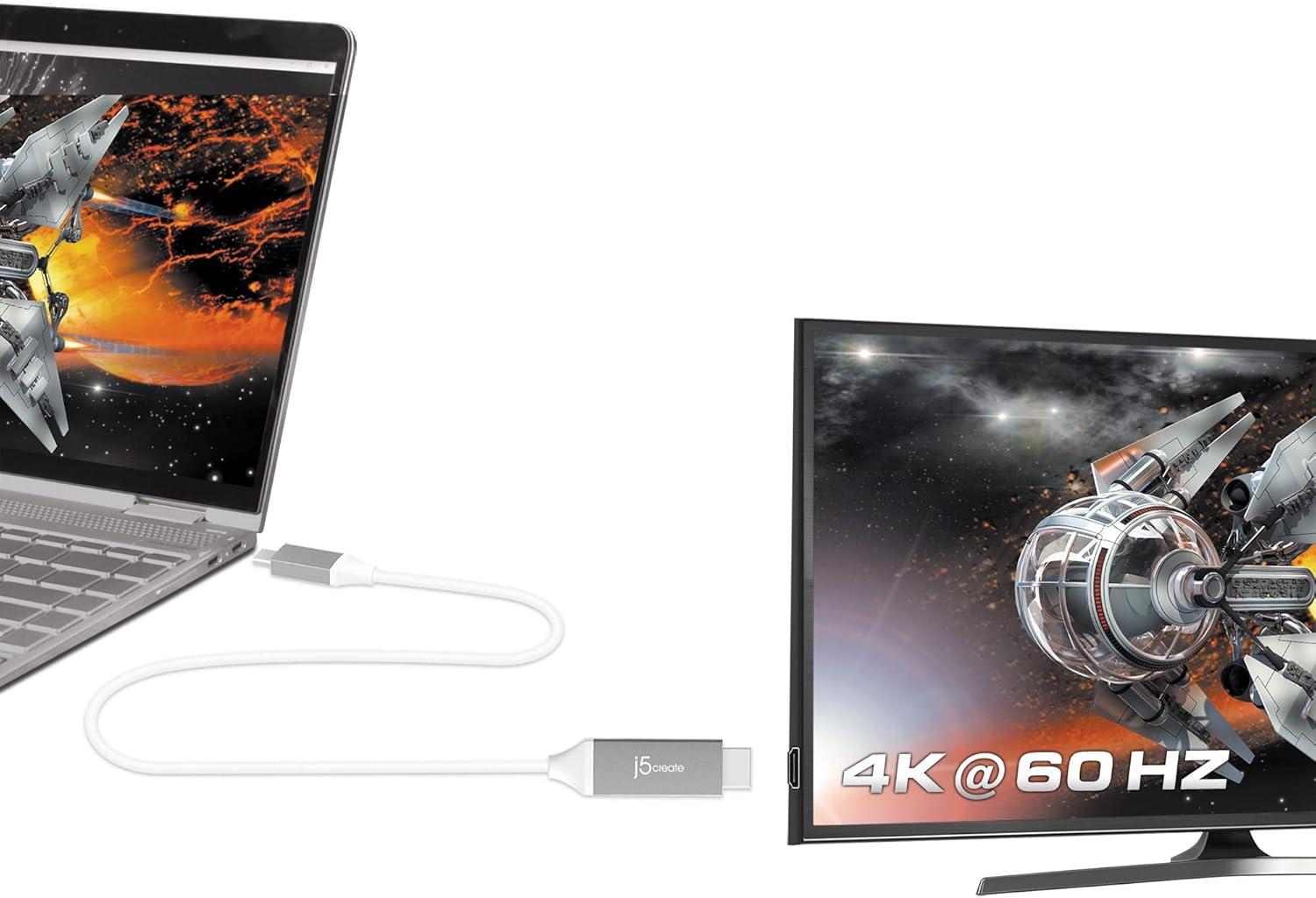
Immagine: un primo piano view of the j5create USB Type-C and HDMI connectors, highlighting the cable's design.
Istruzioni per l'uso
Once connected, your display should automatically detect the signal from your source device. If not, you may need to adjust display settings on your computer or device.
- Modalità di visualizzazione: Most operating systems allow you to choose how your external display functions:
- Duplicate/Mirror: Shows the same content on both your source device and the external display.
- Estendere: Extends your desktop across both displays, allowing for more workspace.
- Solo secondo schermo: Displays content only on the external display, turning off your source device's screen.
- Impostazioni di risoluzione: To achieve 4K@60Hz, ensure your source device and display both support this resolution and refresh rate. You can adjust display resolution settings in your operating system's display preferences.
- Uscita audio: Audio is typically transmitted through the HDMI cable. You may need to select the HDMI display as your audio output device in your operating system's sound settings.

Image: A laptop connected to an external monitor, clearly showing "4K @ 60 Hz" on the monitor, indicating high-resolution output.
Manutenzione
Proper care will extend the life of your j5create JCC153G cable:
- Magazzinaggio: Store the cable in a cool, dry place away from direct sunlight and extreme temperatures. Avoid tightly coiling or bending the cable sharply, as this can damage internal wires.
- Pulizia: Utilizzare un panno morbido e asciutto per pulire il cavo e i connettori. Non utilizzare detergenti liquidi o solventi.
- Gestione: Quando si collega o si scollega il cavo, afferrare sempre la testina del connettore, anziché tirare il cavo stesso.
- Protezione: Avoid placing heavy objects on the cable or exposing it to pets that might chew on it.
Risoluzione dei problemi
Se riscontri problemi, prova le seguenti soluzioni:
| Problema | Soluzione |
|---|---|
| Nessuna visualizzazione sul monitor esterno. |
|
| Low resolution or incorrect refresh rate. |
|
| No audio from external monitor. |
|
| Segnale intermittente o sfarfallio. |
|
Specifiche
- Modello: JCC153G
- Marca: j5creare
- Tipo di connettore: USB Type-C (Male) to HDMI (Male)
- Lunghezza del cavo: 6 piedi (circa 1.8 metri)
- Risoluzione video: Up to 4K (3840 x 2160) at 60Hz
- Velocità di trasferimento dati: 6 Gigabit al secondo
- Dispositivi compatibili: Laptops, Monitors, PCs, Projectors, Tablets, Televisions with USB Type-C ports supporting DisplayPort Alt Mode (e.g., Thunderbolt 3/4, MacBook Pro/Air, iPad Pro/Air 4, Chromebooks)
- Caratteristica speciale: Universal compatibility with DisplayPort Alt Mode over USB-C
- Colore: Grigio/Argento
- Materiale: Polyvinyl Chloride (Outer Material)
- Certificazioni: HDMI™ Certification (ATC Certified)
- Codice UPC: 847626002397

Image: The j5create USB Type-C to HDMI cable, featuring the HDMI ATC Certificate logo, indicating compliance with HDMI standards.
Informazioni sulla garanzia
The j5create JCC153G USB Type-C to 4K@60Hz HDMI Cable comes with a Garanzia limitata di 1 anni from the date of purchase. This warranty covers defects in materials and workmanship under normal use. It does not cover damage caused by accident, misuse, abuse, unauthorized modification, or external causes.
For warranty claims or further details, please contact j5create customer support.
Assistenza clienti
For technical assistance, product inquiries, or warranty support, please visit the official j5create websito o contattare il loro servizio clienti.
Ufficiale Websito: www.j5create.com
Please have your product model (JCC153G) and purchase information ready when contacting support.