
1. Introduzione
This manual provides detailed instructions for the setup, operation, and maintenance of your Ledgital Workout Clock. This versatile timer is designed for various applications, including home gyms, fitness studios, and general timekeeping. It features a clear 1.8-inch digit display with blue and red segments, controlled by an infrared remote.
Key functions include interval timing, Tabata, EMOM, FGB, countdown, count-up, stopwatch, and real-time clock display. The device also offers a 10-second countdown preparation, buzzer sound, and 5-level brightness control.
2. Contenuto della confezione
Upon opening your Ledgital Workout Clock package, please verify that all the following items are included:
- 1 x Ledgital Workout Clock (1.8-inch high digits)
- 1 x telecomando
- 1 x coppia di staffe di montaggio
- 1 x Manuale utente (questo documento)
- 1 x 6V DC Output Power Adapter

Image: The Ledgital Workout Clock, remote control, power adapter, and mounting brackets laid out in their packaging box.
3. Configurazione e installazione
3.1 Collegamento di alimentazione
Connect the provided 6V DC output power adapter to the timer and plug it into a standard electrical outlet. The clock will power on automatically.
3.2 Installazione della batteria del telecomando
Inserire due batterie AAA (non incluse) nel telecomando, assicurandosi della corretta polarità.
3.3 Montaggio a parete
The Ledgital Workout Clock can be easily mounted to a wall or fastened to fitness equipment using the included brackets.
- Attach the mounting brackets to the back of the timer using the smaller screws provided.
- Mark the desired location on the wall for installation.
- Drill pilot holes and secure the brackets to the wall using the larger screws provided.
- Ensure the timer is securely fastened to prevent accidental falls.

Immagine: Un esploso view diagram illustrating the attachment of mounting brackets to the timer and the subsequent wall mounting process with screws.
4. Istruzioni per l'uso
The Ledgital Workout Clock offers multiple timing functions controlled via the included remote. Familiarize yourself with the remote control layout for optimal use.

Image: The remote control for the Ledgital Workout Clock, showing various buttons for setting time, starting/stopping timers, and adjusting brightness. Adjacent are sections of the user manual detailing functions.
4.1 Real-Time Clock Function
When the timer is first plugged in, it will display the current time (e.g., H1 20:00 or H2 08:00 PM). H1 indicates 24-hour format, and H2 indicates 12-hour format.
- To Switch Format: Premere il tasto 12/24H pulsante sul telecomando.
- Per impostare l'ora: Premere il tasto MODIFICARE button. Use the numeric keys to input the desired time (MM:SS). Press OK per confermare.
- To Return to Clock Mode: From any other function, press the OROLOGIO pulsante sul telecomando.
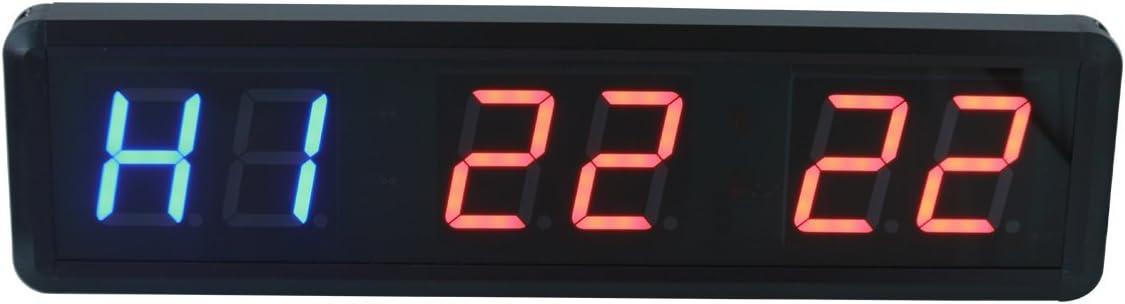
Image: The Ledgital Workout Clock displaying 'H1 22 22', representing 10:22 PM in 24-hour format.
4.2 Funzione conto alla rovescia
This function allows you to set a specific time for the clock to count down from.
- Premere il tasto CONTO ALLA ROVESCIA button. The display will show 00:00:00.
- Premere MODIFICARE. Use the numeric keys to input the desired countdown time (MM:SS). Press OK per confermare.
- Premere INIZIO per iniziare il conto alla rovescia.
- Premere FERMARE per mettere in pausa, e INIZIO di nuovo per riprendere.
- Premere RESET per cancellare il timer.
- A buzzer will sound during the last 10 seconds and when the countdown reaches 00:00.
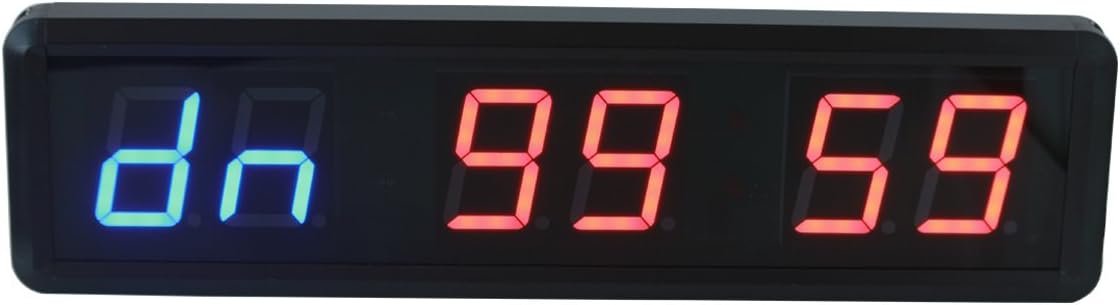
Image: The Ledgital Workout Clock displaying 'dn 99 59', indicating a countdown timer set for 99 minutes and 59 seconds.
4.3 Count-Up Function
This function allows the clock to count upwards from a specified time or from zero.
- Premere il tasto CONTA IN SU button. The display will show 00:00:00.
- Facoltativamente, premere MODIFICARE to input a starting time (MM:SS). Press OK per confermare.
- Premere INIZIO per iniziare a contare.
- Premere FERMARE per mettere in pausa, e INIZIO di nuovo per riprendere.
- Premere RESET per cancellare il timer.

Image: The Ledgital Workout Clock displaying 'C0 00 05', indicating a count-up timer at 5 seconds.
4.4 Funzione cronometro
The stopwatch measures elapsed time with precision.
- Premere il tasto CRONOMETRO button. The display will show 00:00:00.
- Premere INIZIO to begin the stopwatch.
- Premere FERMARE per mettere in pausa, e INIZIO di nuovo per riprendere.
- Premere RESET per cancellare il cronometro.
- Note: The stopwatch function does not include a 10-second preparation time or buzzer sound.

Image: The Ledgital Workout Clock displaying 'F1 00 05', which could represent a stopwatch at 5 seconds or the first interval of a workout program.
4.5 Interval Training (Workouts & Rest Time)
This is a core feature for fitness routines, allowing you to program custom workout and rest intervals. The timer can store up to 10 different programs (P1-P10), each with up to 9 intervals (F1-F9 for workout, R1-R9 for rest) and up to 99 repeats (C1).
- Premere il tasto MODIFICARE button. 'P1' will flash.
- Utilizzare il SU/GIÙ arrows to select the program number (P1-P10) you wish to set or edit. Press OK.
- 'F1' will flash. Use the numeric keys to input the workout time for the first interval (MM:SS). Press OK.
- 'R1' will flash. Use the numeric keys to input the rest time for the first interval (MM:SS). Press OK.
- Repeat steps 3 and 4 for subsequent intervals (F2, R2, up to F9, R9) as needed.
- After setting the last interval, 'C1' will flash. Use the numeric keys to input the number of rounds/repeats for the entire program (up to 99). Press OK.
- To run a saved program, select it using the SU/GIÙ arrows and press INIZIO.
Quick Access Modes: The remote also has dedicated buttons for TABATA E FGB (Fight Gone Bad) modes for quick setup of these common interval protocols.
4.6 Regolazione della luminosità
The display brightness can be adjusted to suit your environment.
- Premere il tasto LUMINOSITÀ button on the remote to cycle through 5 levels of brightness.
5. Manutenzione
To ensure the longevity and optimal performance of your Ledgital Workout Clock, follow these simple maintenance guidelines:
- Pulizia: Utilizzare un panno morbido e asciutto per pulire il display e casing. Evitare detergenti abrasivi o solventi che potrebbero danneggiare la superficie.
- Ambiente: Keep the timer in a dry environment. Avoid exposure to extreme temperatures, direct sunlight for prolonged periods, or high humidity.
- Energia: Always use the provided 6V DC power adapter. Disconnect power during electrical storms or if the unit will be unused for an extended period.
- Telecomando: Replace batteries in the remote control when its range decreases or it becomes unresponsive.
6. Risoluzione Dei Problemi
If you encounter issues with your Ledgital Workout Clock, refer to the following common problems and solutions:
- Timer does not power on:
- Ensure the power adapter is securely plugged into both the timer and a working electrical outlet.
- Verificare che la presa di corrente funzioni testandola con un altro dispositivo.
- Il telecomando non risponde:
- Check if the batteries in the remote control are correctly inserted and not depleted. Replace them if necessary.
- Ensure there are no obstructions between the remote control and the timer's infrared receiver.
- Confirm you are within the effective range (approximately 30 feet) of the timer.
- Il display è scuro o tremolante:
- Regolare la luminosità utilizzando LUMINOSITÀ pulsante sul telecomando.
- Assicurarsi che l'alimentazione elettrica sia stabile.
- Timer does not respond to button presses:
- Try resetting the timer by unplugging it from the power source for a few seconds and then plugging it back in.
Se il problema persiste dopo aver provato queste soluzioni, contattare l'assistenza clienti.
7. Specifiche
| Caratteristica | Specificazione |
|---|---|
| Numero di modello | B07B3VCX6C |
| Display Digits Height | 1.8 pollici |
| Dimensioni del prodotto | 13.39 x 3.54 x 1.34 pollici (34 x 9.5 x 3.5 cm) |
| Peso dell'articolo | 1.76 libbre |
| Materiale | Aluminum Alloy Cabinet |
| Potenza in ingresso | 6V CC |
| Gamma di controllo remoto | Fino a 30 piedi |
| Numero di impostazioni | 11 (various modes and programs) |
| Codice UPC | 604270123423 |

Image: The Ledgital Workout Clock with overlaid measurements indicating its physical dimensions: 34cm in length, 9.5cm in height, and 3.5cm in depth.
8. Garanzia e supporto
Your Ledgital Workout Clock comes with a one-year factory warranty, covering manufacturing defects and malfunctions under normal use. Additionally, we provide lifetime free technical support to assist you with any questions or issues you may encounter.
For warranty claims or technical assistance, please contact Ledgital customer service through the retailer where you purchased the product or visit the official Ledgital websito per le informazioni di contatto.